
302_custom_mcp
302 Custom MCP
Documentation
🤖 302AI Custom MCP Server🚀✨
A customizable MCP service that supports tool selection and flexible configuration to meet your various needs.
| |
Tutorial
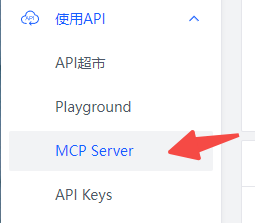
Open MCP Server in the menu
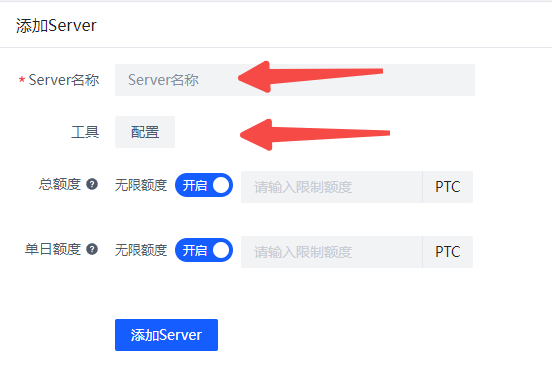
Enter a name and select the tools you want to configure.
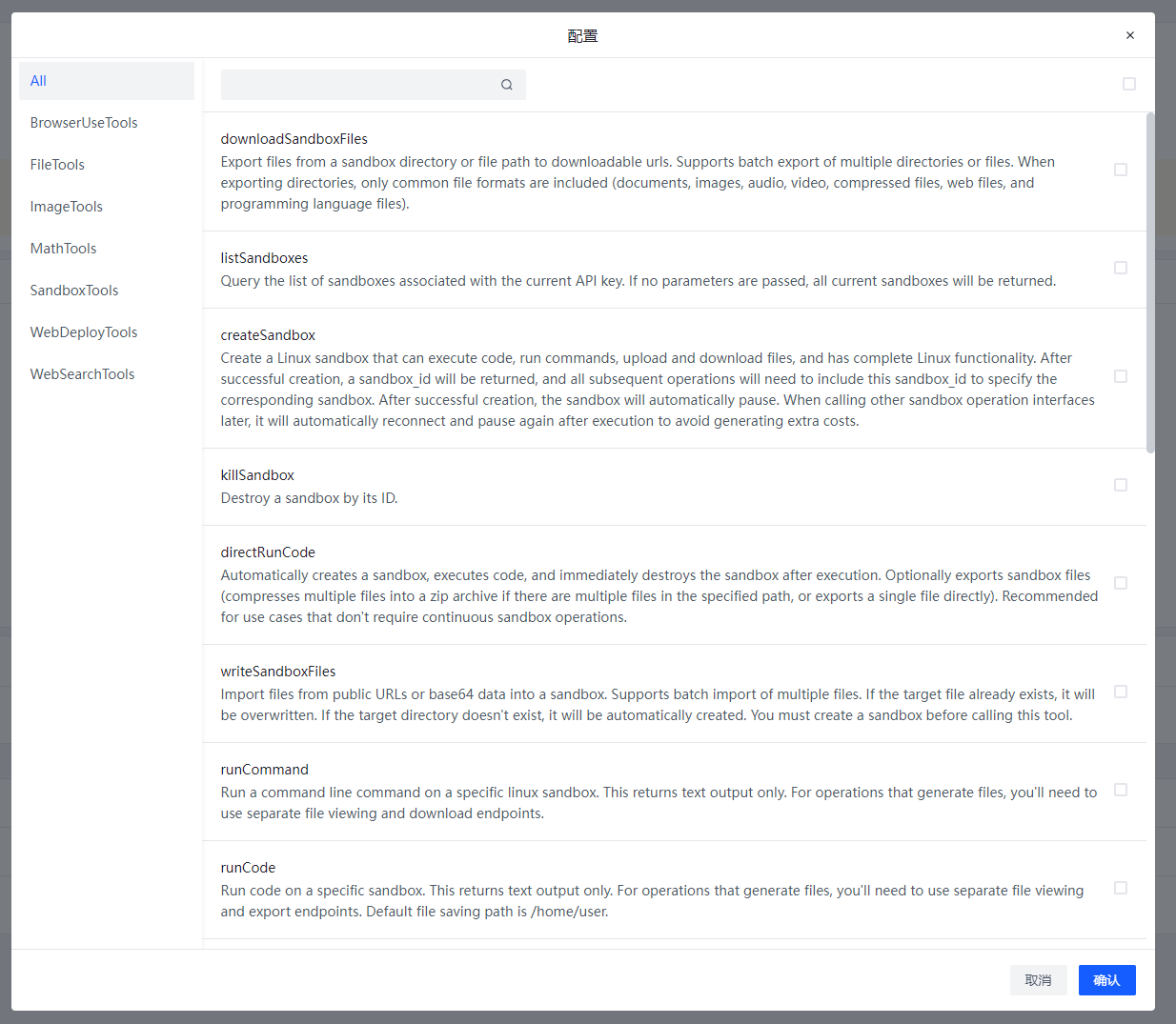
This is the current list of available tools, which is continuously being updated
After creation, click on the Server name to view the Server configuration

Different Servers use different KEYs to obtain tool configurations. The client only needs to be installed once, no repeated installation required. Switching between different Servers only requires changing the API_KEY.
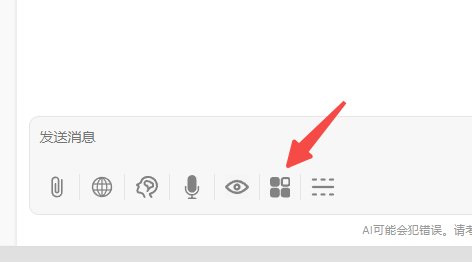
Open the MCP Server button in the chatbot
Enter the key you just created in 302ai-custom-server
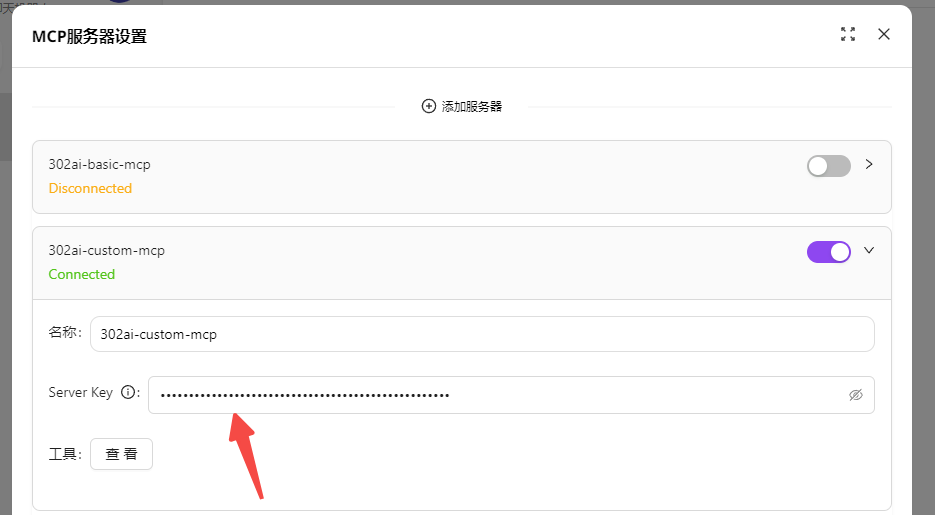
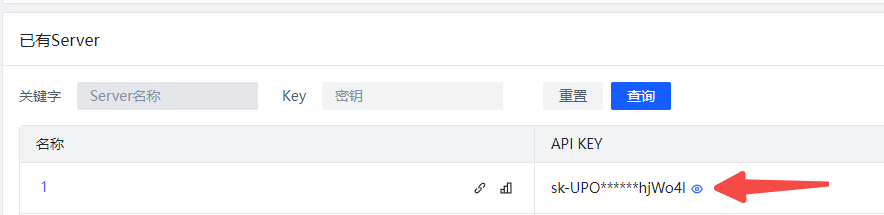
Turn on the Server switch to start using it.
Taking Chatwise as an example for use in third-party clients
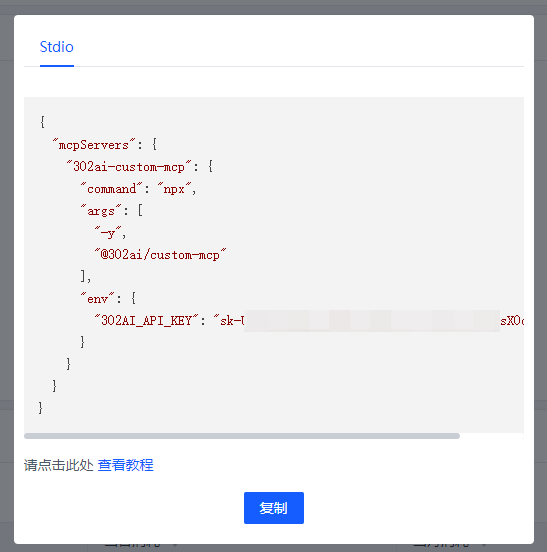
Click on the Server name, then click the copy button
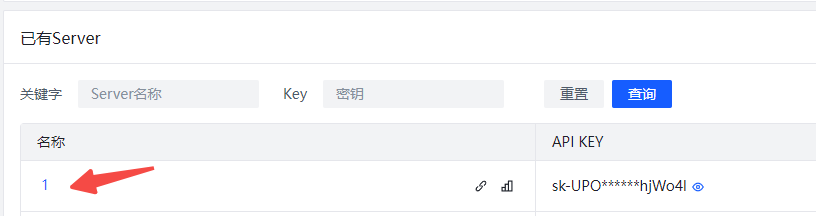
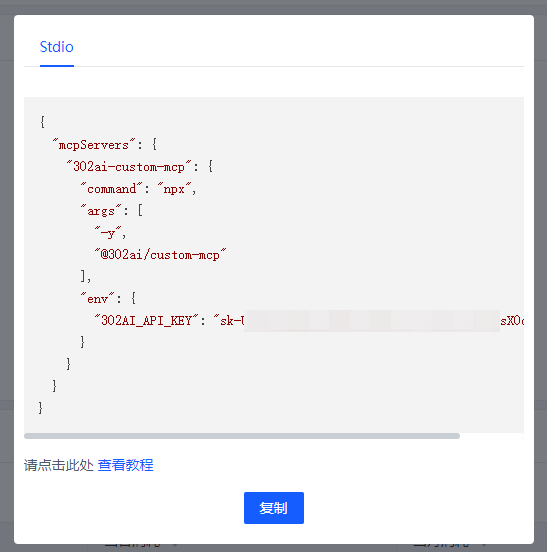
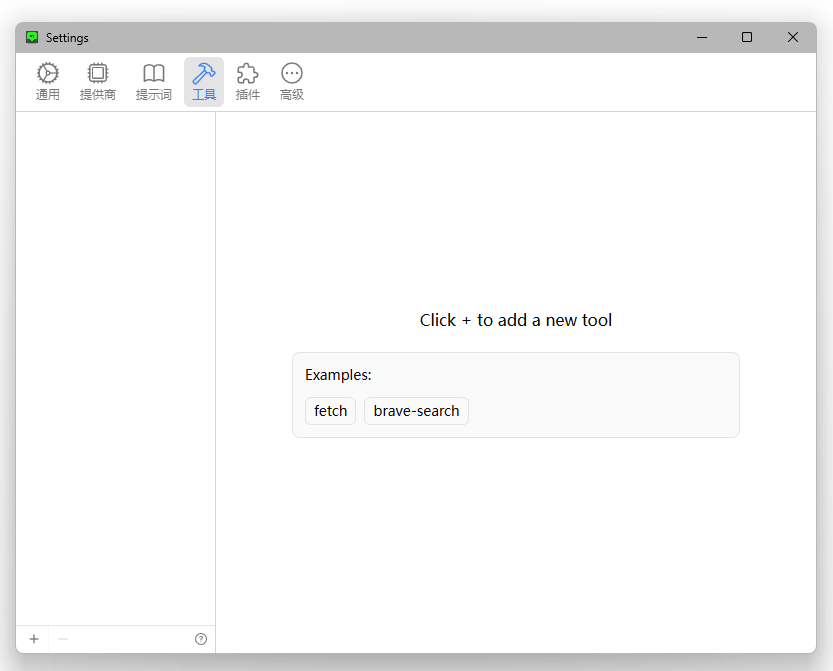
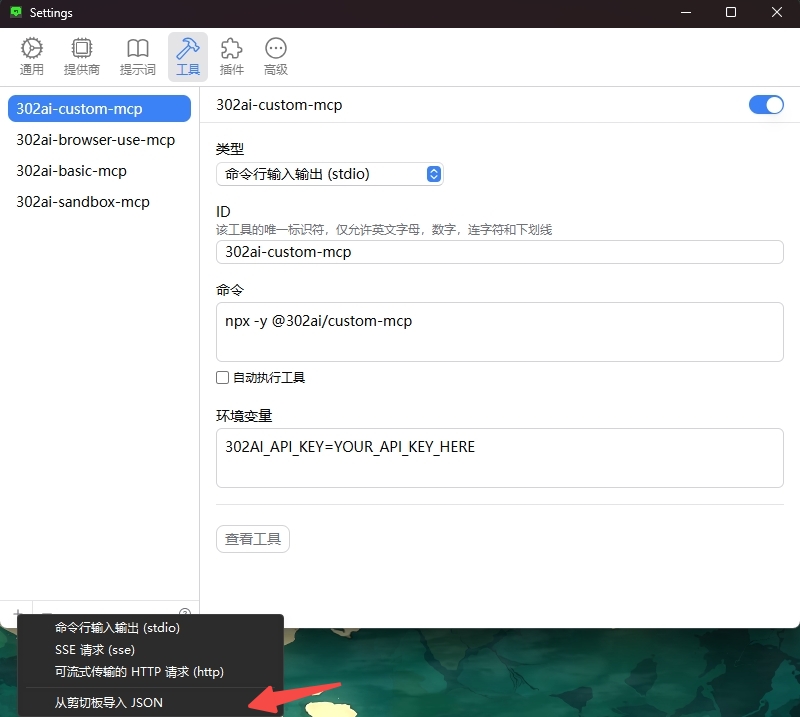
Open Chatwise settings-tools, click the bottom left corner, import JSON from clipboard
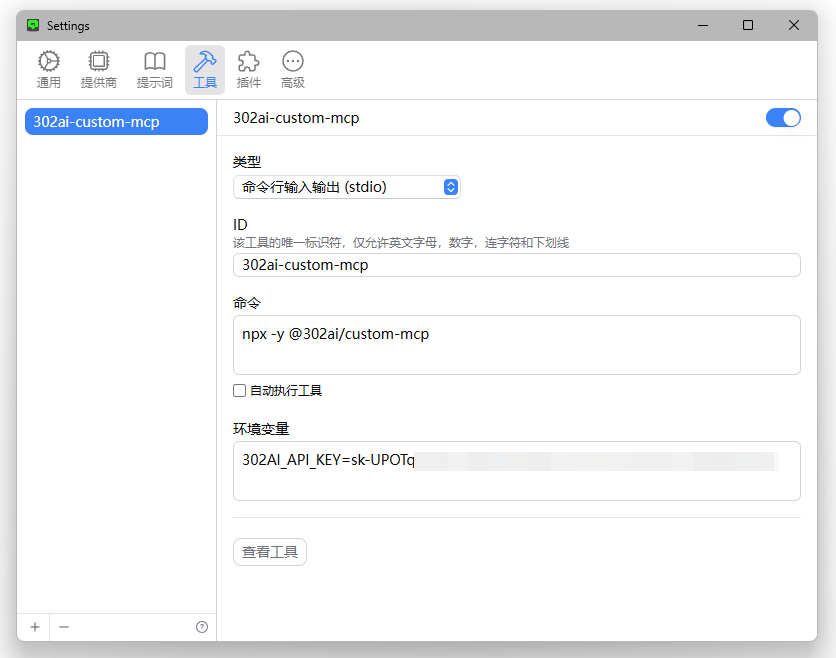
MCP Server imported successfully, you can now use it normally.
✨ Features ✨
- 🔧 Quickly generate your own MCP Server by selecting different APIs
- 🌐 Compatible with: Various MCP-supported clients, including 302.AI's chatbot
- 💻 Currently includes multiple tool types such as BrowserUseTools, FileTools, ImageTools, MathTools, SandboxTools, with more updates coming
Development
Install dependencies:
npm installBuild the server:
npm run buildFor development with auto-rebuild:
npm run watchInstallation
To use with Claude Desktop, add the server config:
On MacOS: `~/Library/Application Support/Claude/claude_desktop_config.json`
On Windows: `%APPDATA%/Claude/claude_desktop_config.json`
{
  "mcpServers": {
    "302ai-custom-mcp": {
      "command": "npx",
      "args": ["-y", "@302ai/custom-mcp"],
      "env": {
        "302AI_API_KEY": "YOUR_API_KEY_HERE",
        "LANGUAGE": "YOUR_LANGUAGE_HERE"
      }
    }
  }
}
To use with Cherry Studio, add the server config:
{
  "mcpServers": {
    "Li2ZXXJkvhAALyKOFeO4N": {
      "name": "302ai-custom-mcp",
      "description": "",
      "isActive": true,
      "registryUrl": "",
      "command": "npx",
      "args": [
        "-y",
        "@302ai/custom-mcp"
      ],
      "env": {
        "302AI_API_KEY": "YOUR_API_KEY_HERE"
      }
    }
  }
}
To use with ChatWise, copy the following content to clipboard
{
  "mcpServers": {
    "302ai-custom-mcp": {
      "command": "npx",
      "args": ["-y", "@302ai/custom-mcp"],
      "env": {
        "302AI_API_KEY": "YOUR_API_KEY_HERE"
      }
    }
  }
}
Go to Settings -> Tools -> Add button -> Select Import from Clipboard
Find Your 302AI_API_KEY here
Debugging
Since MCP servers communicate over stdio, debugging can be challenging. We recommend using the MCP Inspector, which is available as a package script:
npm run inspectorThe Inspector will provide a URL to access debugging tools in your browser.
✨ About 302.AI ✨
302.AI is an enterprise-oriented AI application platform that offers pay-as-you-go services, ready-to-use solutions, and an open-source ecosystem.✨
1. 🧠 Integrates the latest and most comprehensive AI capabilities and brands, including but not limited to language models, image models, voice models, and video models.
2. 🚀 Develops deep applications based on foundation models - we develop real AI products, not just simple chatbots
3. 💰 Zero monthly fee, all features are pay-per-use, fully open, achieving truly low barriers with high potential.
4. 🛠 Powerful management backend for teams and SMEs - one person manages, many people use.
5. 🔗 All AI capabilities provide API access, all tools are open source and customizable (in progress).
6. 💡 Strong development team, launching 2-3 new applications weekly, products updated daily. Developers interested in joining are welcome to contact us.
Frequently asked questions
What is 302_custom_mcp?
302_custom_mcp is 302 Custom MCP
How do I install 302_custom_mcp?
Open the GitHub repository and follow its README. Most MCP servers are added to your client's MCP config, then called by your agent.
Is 302_custom_mcp open source?
Yes — it is hosted on GitHub at https://github.com/302ai/302_custom_mcp and has 2 stars.
Related MCP tools
 adb-mcp
Adb-mcp is a proof of concept project to enabled AI control of Adobe tools (Adobe Photoshop and Adobe Premiere) by providing an interface to LLMs via the MCP...
 anything-llm
The all-in-one Desktop & Docker AI application with built-in RAG, AI agents, No-code agent builder, MCP compatibility, and more.
 claude-task-master
An AI-powered task-management system you can drop into Cursor, Lovable, Windsurf, Roo, and others. Built for the Model Context Protocol to enhance AI capabiliti
 fay
fayFay是一个帮助数字人(2.5d、3d、移动、pc、网页)或大语言模型(openai兼容、deepseek)连通业务系统的mcp框架。 JavaScript-based implementation. Trusted by 12000+ developers.
 cursor-talk-to-figma-mcp
CTTF: MCP integration between Cursor and Figma, allowing Cursor Agentic AI to communicate with Figma for reading designs and modifying them programmatically.
 firecrawl-mcp-server
🔥 Official Firecrawl MCP Server - Adds powerful web scraping and search to Cursor, Claude and any other LLM clients. JavaScript-based implementation.
Run your own MCP server? See who uses it and what to fix.
Measure it with TrackMCP