
302_basic_mcp
302 Basic MCP
Documentation
🤖 302AI Basic MCP Server🚀✨
302AI Basic Tools is a toolkit for enhancing the fundamental capabilities of large language models.
| |
Previews
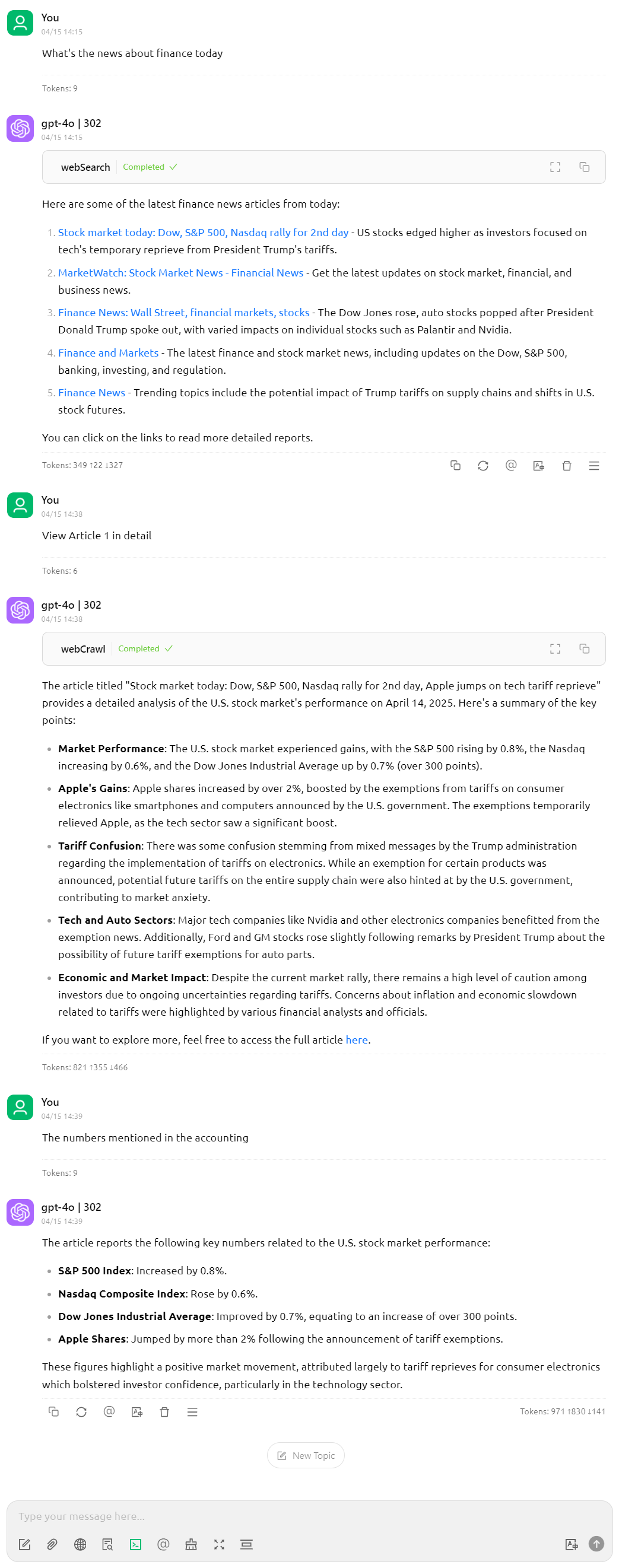
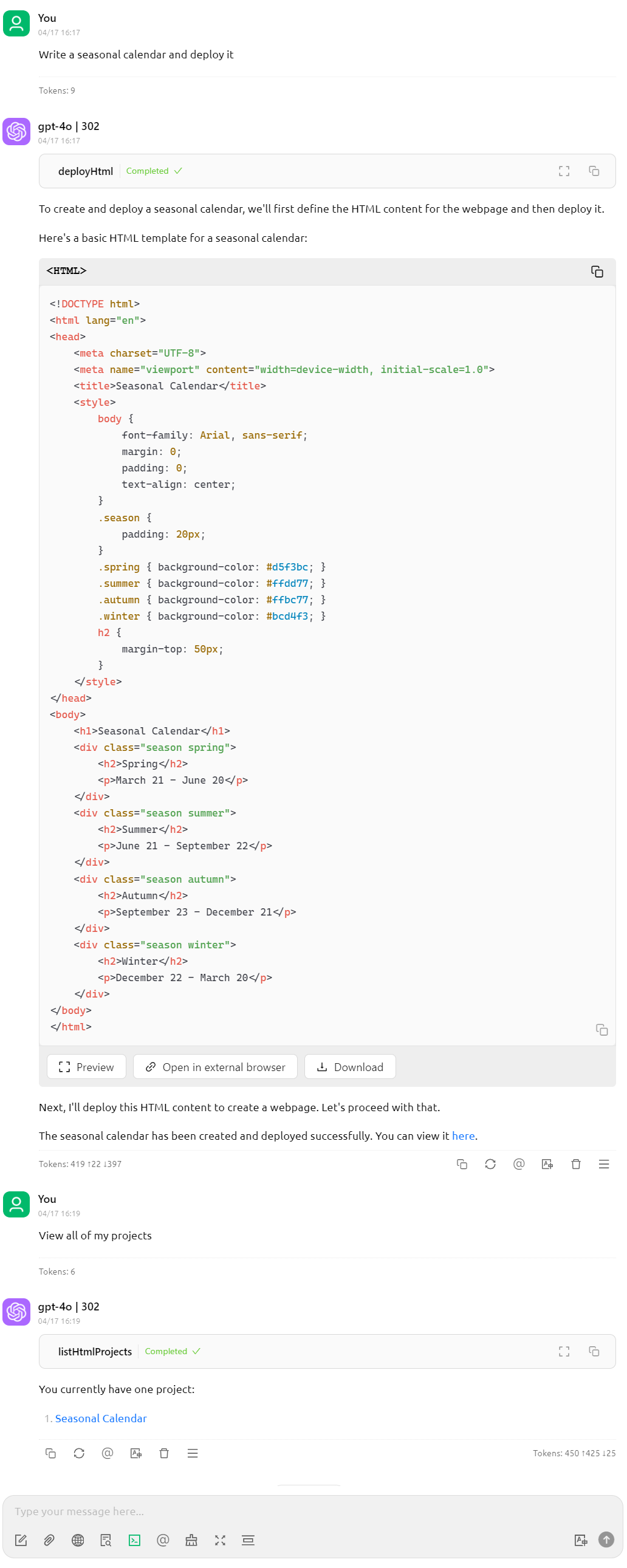
Here are some usage examples
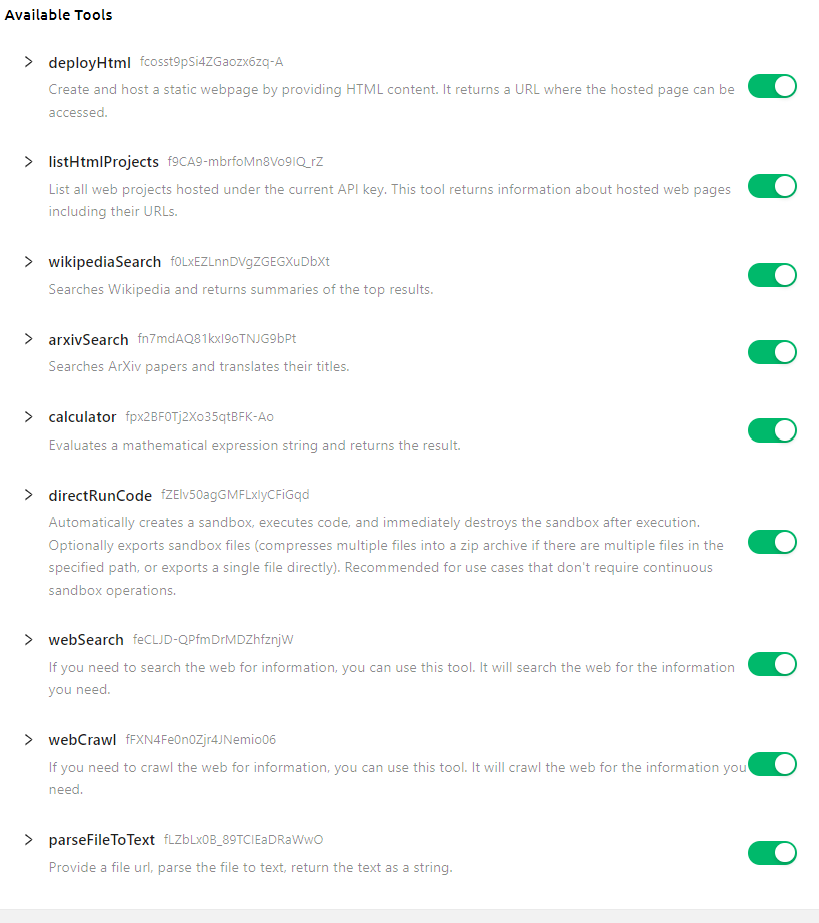
Here is the list of supported tools
✨ Features ✨
- 🔧 Dynamic Loading - Automatically update tool list from remote server.
- 🌐 Multi modes supported, you can use `stdin` mode locally, or host it as a remote HTTP server
🚀 Tool List
- Wiki Search
- Arxiv Search
- Calculator
- Code Execution
- Web Search
- File Parser
- Upload webpage
Development
Install dependencies:
npm installBuild the server:
npm run buildFor development with auto-rebuild:
npm run watchInstallation
To use with Claude Desktop, add the server config:
On MacOS: `~/Library/Application Support/Claude/claude_desktop_config.json`
On Windows: `%APPDATA%/Claude/claude_desktop_config.json`
{
  "mcpServers": {
    "302ai-basic-mcp": {
      "command": "npx",
      "args": ["-y", "@302ai/basic-mcp"],
      "env": {
        "302AI_API_KEY": "YOUR_API_KEY_HERE"
      }
    }
  }
}
To use with Cherry Studio, add the server config:
{
  "mcpServers": {
    "Li2ZXXJkvhAALyKOFeO4N": {
      "name": "302ai-basic-mcp",
      "description": "",
      "isActive": true,
      "registryUrl": "",
      "command": "npx",
      "args": [
        "-y",
        "@302ai/basic-mcp"
      ],
      "env": {
        "302AI_API_KEY": "YOUR_API_KEY_HERE"
      }
    }
  }
}
To use with ChatWise, copy the following content to clipboard
{
  "mcpServers": {
    "302ai-sandbox-mcp": {
      "command": "npx",
      "args": ["-y", "@302ai/basic-mcp"],
      "env": {
        "302AI_API_KEY": "YOUR_API_KEY_HERE"
      }
    }
  }
}
Go to Settings -> Tools -> Add button -> Select Import from Clipboard
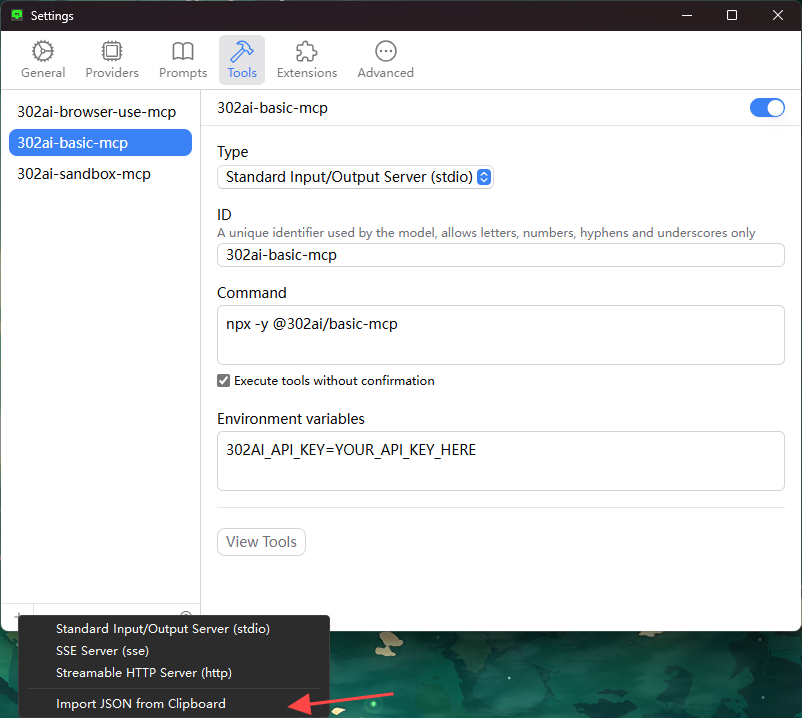
Find Your 302AI_API_KEY here
Debugging
Since MCP servers communicate over stdio, debugging can be challenging. We recommend using the MCP Inspector, which is available as a package script:
npm run inspectorThe Inspector will provide a URL to access debugging tools in your browser.
✨ About 302.AI ✨
302.AI is an enterprise-oriented AI application platform that offers pay-as-you-go services, ready-to-use solutions, and an open-source ecosystem.✨
1. 🧠 Integrates the latest and most comprehensive AI capabilities and brands, including but not limited to language models, image models, voice models, and video models.
2. 🚀 Develops deep applications based on foundation models - we develop real AI products, not just simple chatbots
3. 💰 Zero monthly fee, all features are pay-per-use, fully open, achieving truly low barriers with high potential.
4. 🛠 Powerful management backend for teams and SMEs - one person manages, many people use.
5. 🔗 All AI capabilities provide API access, all tools are open source and customizable (in progress).
6. 💡 Strong development team, launching 2-3 new applications weekly, products updated daily. Developers interested in joining are welcome to contact us.
Frequently asked questions
What is 302_basic_mcp?
302_basic_mcp is 302 Basic MCP
How do I install 302_basic_mcp?
Open the GitHub repository and follow its README. Most MCP servers are added to your client's MCP config, then called by your agent.
Is 302_basic_mcp open source?
Yes — it is hosted on GitHub at https://github.com/302ai/302_basic_mcp and has 1 stars.
Related MCP tools
 firecrawl-mcp-server
🔥 Official Firecrawl MCP Server - Adds powerful web scraping and search to Cursor, Claude and any other LLM clients.
 deep-research
Use any LLMs (Large Language Models) for Deep Research. Support SSE API and MCP server.
 mcp-feedback-enhanced
Enhanced MCP server for interactive user feedback and command execution in AI-assisted development, featuring dual interface support (Web UI and Desktop Application) with intelligent environment detection and cross-platform compatibility.
 papersgpt-for-zotero
A powerful Zotero AI and MCP plugin with ChatGPT, Gemini 3.7, Claude Fable 5, Claude Opus 5, DeepSeek V4, Grok, OpenRouter, Kimi k3, GLM 5.3, SiliconFlow, GPT-oss, Gemma 4, Qwen 3.8
 opendia
Connect your browser to AI models. Just use Dia on Chrome, Arc or Firefox.
 wenyan-mcp
文颜 MCP Server 可以让 AI 自动将 Markdown 文章排版后发布至微信公众号。
Run your own MCP server? See who uses it and what to fix.
Measure it with TrackMCP