
Finance_MCP-Server
This project is based on the MCP server that is built using Financialdatasets.ai Api. Server is seamlessly integrated with Agentic framworks like Agno and Smolagents. You can Also use this finance server with IDE
Documentation
Building a Finance agent with MCP
See Full Video:
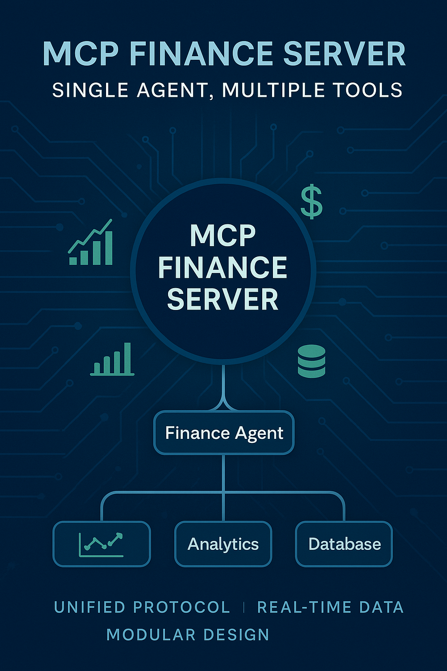
Overview
This project demonstrates the use of a Model Context Protocol (MCP) server for retrieving financial data. The MCP server is integrated with Agno and Smol Agent to showcase its versatility in handling multiple agentic frameworks in standardized way.
1. MCP Server (Finance):
2. Agentic Framework Integration
Features
- MCP enables AI applications to access diverse data sources and tools using a consistent protocol, streamlining the development process.
- AI applications (clients) communicate with MCP servers that expose specific capabilities, such as data access or function execution
- MCP allows AI models to retrieve up-to-date information and perform actions based on real-time data, enhancing their responsiveness and accuracy .
Getting Started
1. Clone the repository:
git clone https://github.com/Ihtishammehmood/Finance_MCP-Server.git2. Add Groq and Financial Datasets APi to .env:
GROQ_API_KEY = "Place your GROQ API key here"
FINANCIAL_DATASETS_API_KEY = "Place your Financial Datasets API key here"
3. Install UV package Manager
pip install uv4. Create Virtual Environment
uv venv5. Activate virtual Environment:
.venv\Scripts\activate6. Install dependencies
uv add -r requirements.txt7. Start Agno and Smol Agent integrations:
uv run agno_agent.pyInitialize MCP Inspector
- Run `mcp dev server.py` in Terminal
Add MCP server in IDE
{
    "mcpServers": {
      "stockTools": {
        "command": "uv",
        "args": [
          "--directory",
          "Absolute path to server.py file directory",
          "run",
          "server.py"
        ]
      }
    }
  }
License
This project is licensed under the MIT License - see the LICENSE file for details.
Frequently asked questions
What is Finance_MCP-Server?
Finance_MCP-Server is This project is based on the MCP server that is built using Financialdatasets.ai Api. Server is seamlessly integrated with Agentic framworks like Agno and Smolagents. You can Also use this finance server with IDE
How do I install Finance_MCP-Server?
Open the GitHub repository and follow its README. Most MCP servers are added to your client's MCP config, then called by your agent.
Is Finance_MCP-Server open source?
Yes — it is hosted on GitHub at https://github.com/Ihtishammehmood/Finance_MCP-Server.
Related MCP tools
 gpt-researcher
An LLM agent that conducts deep research (local and web) on any given topic and generates a long report with citations. Built for the Model Context Protocol to
 fastapi_mcp
Expose your FastAPI endpoints as Model Context Protocol (MCP) tools, with Auth! Python-based implementation. Trusted by 11000+ developers.
 ida-pro-mcp
AI-powered reverse engineering assistant that bridges IDA Pro with language models through MCP. Python-based implementation. Trusted by 4100+ developers.
 web-eval-agent
An MCP server that autonomously evaluates web applications. Python-based implementation. Trusted by 1100+ developers. Trusted by 1100+ developers.
 mcp-server-qdrant
An official Qdrant Model Context Protocol (MCP) server implementation Python-based implementation. Trusted by 1000+ developers.
 mcp-bridge
A middleware to provide an openAI compatible endpoint that can call MCP tools Python-based implementation. Trusted by 800+ developers.
Run your own MCP server? See who uses it and what to fix.
Measure it with TrackMCP