
Memory-Plus
🧠 𝑴𝒆𝒎𝒐𝒓𝒚-𝑷𝒍𝒖𝒔 is a lightweight, local RAG memory store for MCP agents. Easily record, retrieve, update, delete, and visualize persistent "memories" across sessions—perfect for developers working with multiple AI coders (like Windsurf, Cursor, or Copilot) or anyone who wants their AI to actually remember them.
Documentation





Memory-Plus
A lightweight, local Retrieval-Augmented Generation (RAG) memory store for MCP agents. Memory-Plus lets your agent record, retrieve, update, and visualize persistent "memories"—notes, ideas, and session context—across runs.
> 🏆 First Place at the Infosys Cambridge AI Centre Hackathon!
Key Features
- Record Memories:Save user data, ideas, and important context.
- Retrieve Memories:Search by keywords or topics over past entries.
- Recent Memories:Fetch the last *N* items quickly.
- Update Memories:Append or modify existing entries seamlessly.
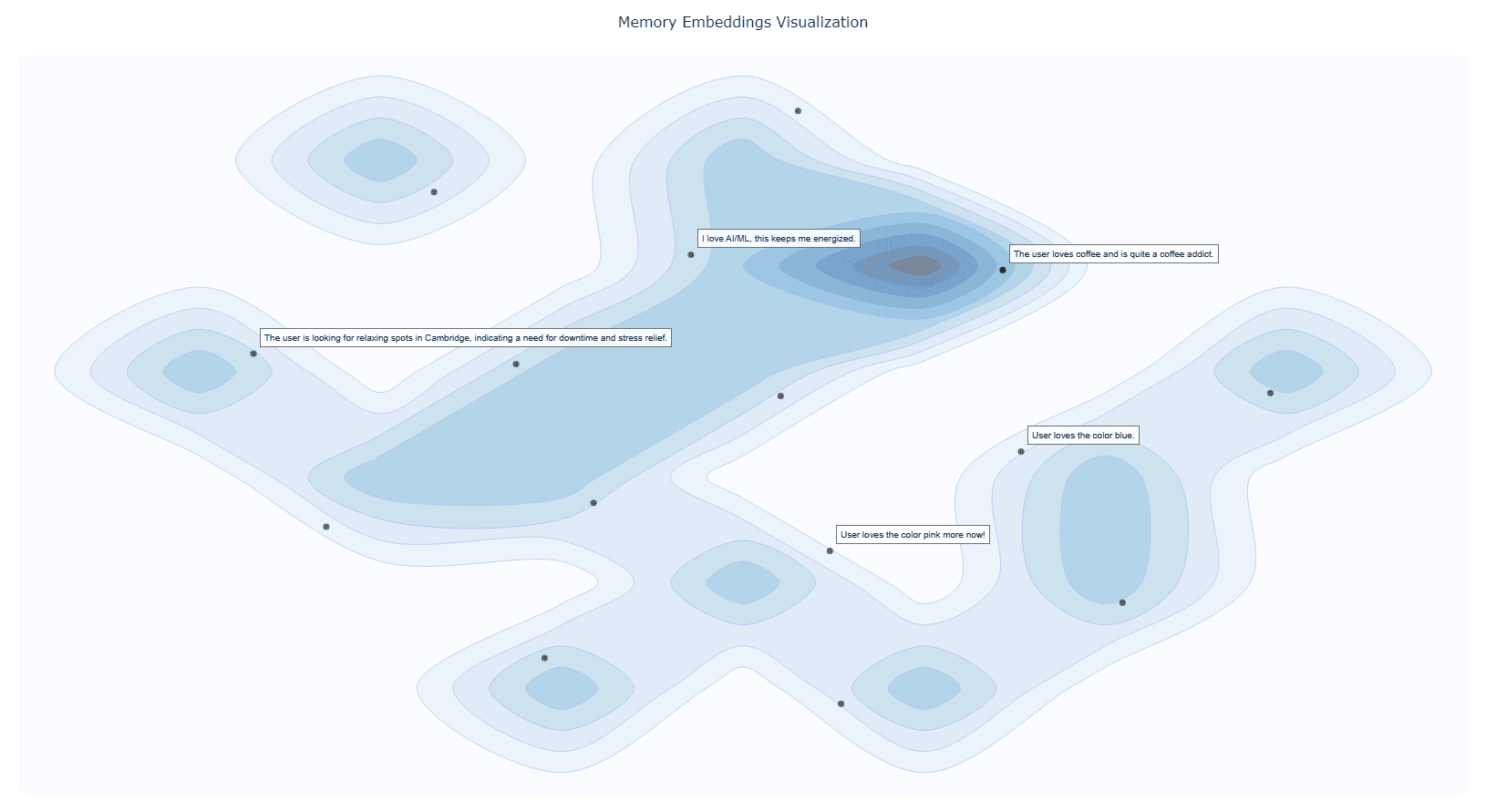
- Visualize Memories:Interactive graph clusters revealing relationships.
- File Import (*since v0.1.2*):Ingest documents directly into memory.
- Delete Memories (*since v0.1.2*):Remove unwanted entries.
- Memory for Memories (*since v0.1.4*):Now we use `resources` to teach your AI exactly when (and when not) to recall past interactions.
- Memory Versioning (*since v0.1.4*):When memories are updated, we keep the old versions to provide a full history.
Installation
1. Prerequisites
Google API Key
Obtain from Google AI Studio and set as `GOOGLE_API_KEY` in your environment.
> Note that we will only use the `Gemini Embedding API` with this API key, so it is Entirely Free for you to use!
Setup Google API Key Example
# macOS/Linux
  export GOOGLE_API_KEY=""

  # Windows (PowerShell)
  setx GOOGLE_API_KEY ""
UV Runtime
Required to serve the MCP plugin.
Install UV Runtime
pip install uvOr install via shell scripts:
# macOS/Linux
curl -LsSf https://astral.sh/uv/install.sh | sh

# Windows (PowerShell)
powershell -ExecutionPolicy ByPass -c "irm https://astral.sh/uv/install.ps1 | iex"
VS Code One-Click Setup
Click the badge below to automatically install and configure Memory-Plus in VS Code:

This will add the following to your `settings.json`:
{
    "mcpServers": {
      //...,  your other MCP servers
      "memory-plus": {
        "command": "uvx",
        "args": [
          "-q",
          "memory-plus@latest"
        ],
      }
    }
  }
For `cursor`, go to `file -> Preferences -> Cursor Settings -> MCP` and add the above config.
If you didn't add the `GOOGLE_API_KEY` to your secrets / environment variables, you can add it with:
"env": {
        "GOOGLE_API_KEY": ""
      }
just after the `args` array with in the `memory-plus` dictionary.
For `Cline` add the following to your `cline_mcp_settings.json`:
{
  "mcpServers": {
    //...,  your other MCP servers
    "memory-plus": {
      "disabled": false,
      "timeout": 300,
      "command": "uvx",
      "args": [
        "-q",
        "memory-plus@latest"
      ],
      "env": {
        "GOOGLE_API_KEY": "${{ secrets.GOOGLE_API_KEY }}"
      },
      "transportType": "stdio"
    }
  }
}
For other IDEs it should be mostly similar to the above.
Local Testing and Development
Using MCP Inspector, you can test the memory-plus server locally.
git clone https://github.com/Yuchen20/Memory-Plus.git
cd Memory-Plus
npx @modelcontextprotocol/inspector fastmcp run run .\\memory_plus\\mcp.py
Or If you prefer using this MCP in an actual Chat Session. There is a template chatbot in `agent.py`.
# Clone the repository
git clone https://github.com/Yuchen20/Memory-Plus.git
cd Memory-Plus

# Install dependencies
pip install uv
uv pip install fast-agent-mcp
uv run fast-agent setup
setup the `fastagent.config.yaml` and `fastagent.secrets.yaml` with your own API keys.
# Run the agent
uv run agent_memory.py
RoadMap
- [x] Memory Update
- [x] Improved prompt engineering for memory recording
- [x] Better Visualization of Memory Graph
- [x] File Import
- [ ] Remote backup!
- [ ] Web UI for Memory Management
> If you have any feature requests, please feel free to add them by adding a new issue or by adding a new entry in the Feature Request
License
This project is licensed under the Apache License 2.0. See LICENSE for details.
FAQ
1. Why is memory-plus not working?
- Memory-plus has a few dependencies that can be slow to download the first time. It typically takes around 1 minute to fetch everything needed.
- Once dependencies are installed, subsequent usage will be much faster.
- If you experience other issues, please feel free to open a new issue on the repository.
2. How do I use memory-plus in a real chat session?
- Simply add the MCP JSON file to your MCP setup.
- Once added, memory-plus will automatically activate when needed.
Frequently asked questions
What is Memory-Plus?
Memory-Plus is 🧠 𝑴𝒆𝒎𝒐𝒓𝒚-𝑷𝒍𝒖𝒔 is a lightweight, local RAG memory store for MCP agents. Easily record, retrieve, update, delete, and visualize persistent "memories" across sessions—perfect for developers working with multiple AI coders (like Windsurf, Cursor, or Copilot) or anyone who wants their AI to actually remember them.
How do I install Memory-Plus?
Open the GitHub repository and follow its README. Most MCP servers are added to your client's MCP config, then called by your agent.
Is Memory-Plus open source?
Yes — it is hosted on GitHub at https://github.com/Yuchen20/Memory-Plus and has 41 stars.
Related MCP tools
 gpt-researcher
An LLM agent that conducts deep research (local and web) on any given topic and generates a long report with citations. Built for the Model Context Protocol to
 upsonic
Agent Framework For Fintech for the Model Context Protocol. Enhance AI assistants with powerful integrations. Python-based implementation.
 mcp-bridge
A middleware to provide an openAI compatible endpoint that can call MCP tools Python-based implementation. Trusted by 800+ developers.
 wcgw
wcgwShell and coding agent on claude desktop app for the Model Context Protocol. Enhance AI assistants with powerful integrations. Python-based implementation.
 dbt-mcp
A MCP (Model Context Protocol) server for interacting with dbt. Python-based implementation.
 mcp-client-for-ollama
A text-based user interface (TUI) client for interacting with MCP servers using Ollama. Features include multi-server, dynamic model switching, streaming res...
Run your own MCP server? See who uses it and what to fix.
Measure it with TrackMCP