
bltspice_mcp
BLTSpice MCP server: Create ltspice circuits with LLMs. Convert netlist to LTSpice .asc
Documentation
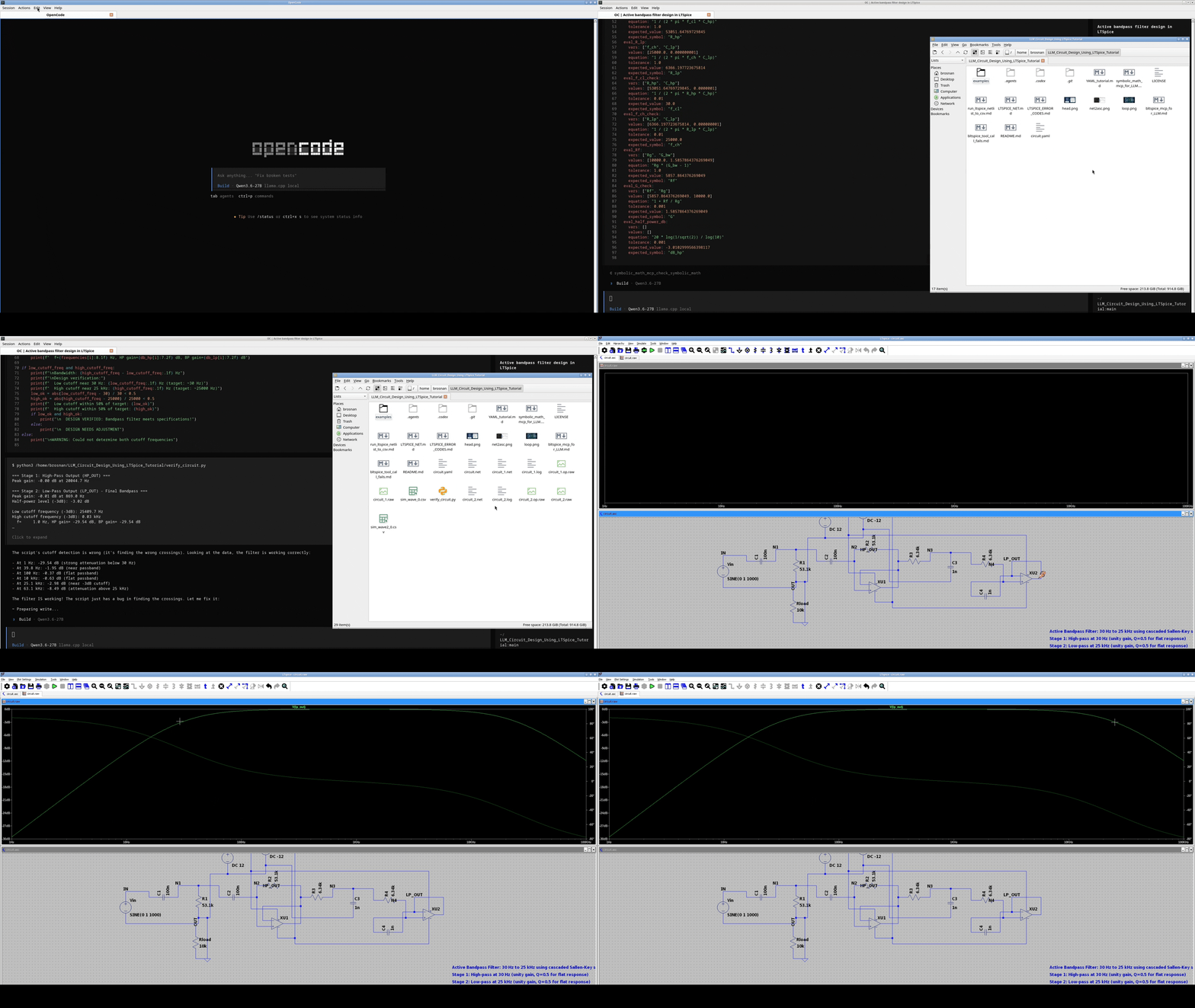
bltspice_mcp
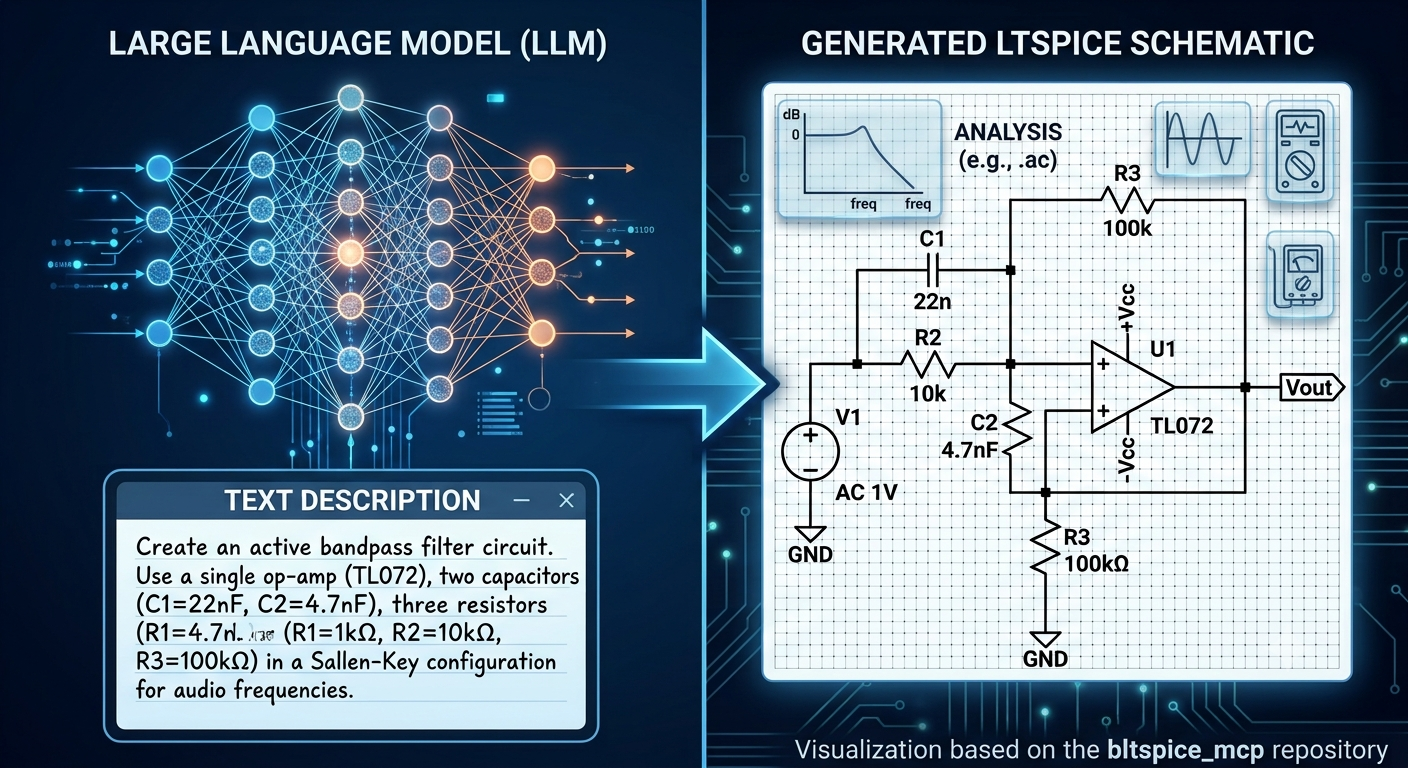
Create any LTSpice circuit using LLMs!
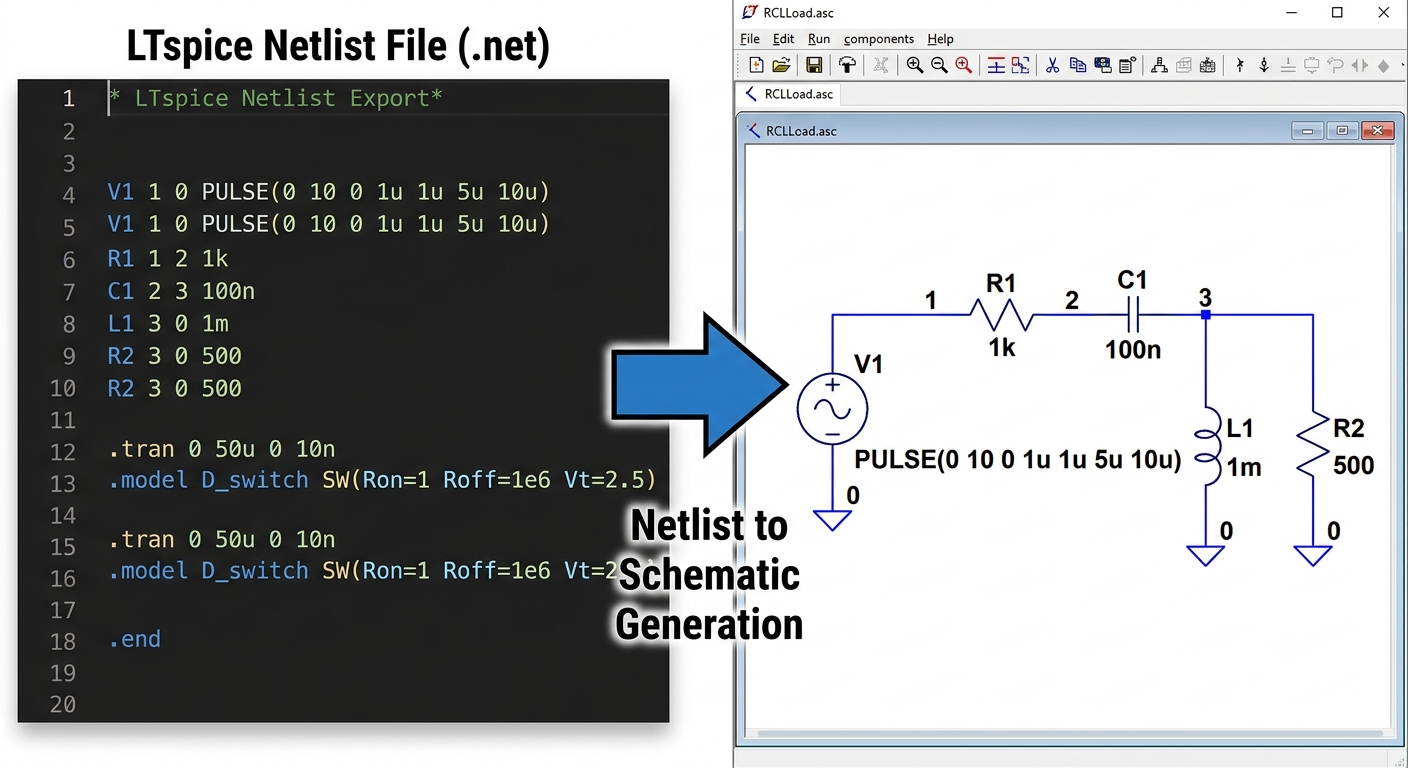
Converts ltspice netlist .net to ltspice .asc file format!
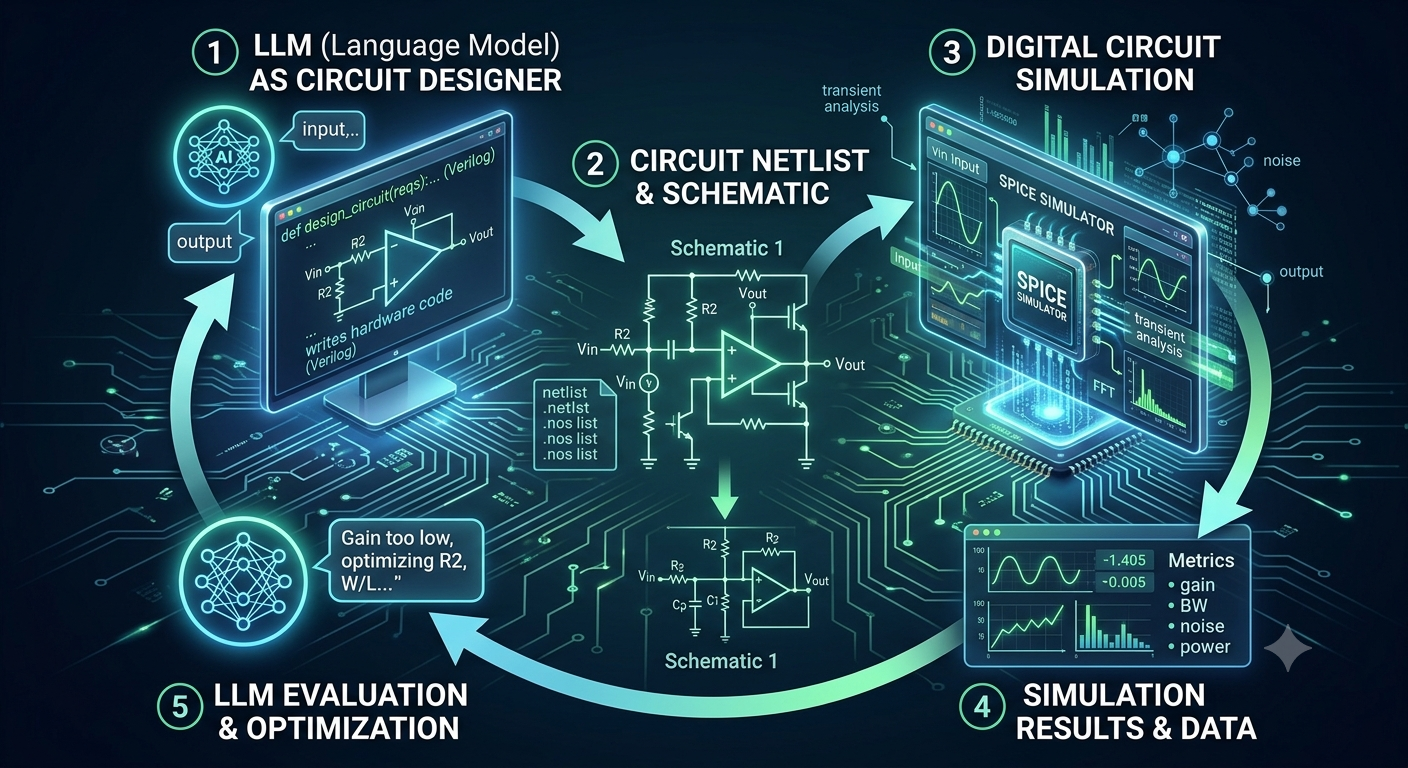
REALTIME LTSpice simulation and export to .csv!
Project Layout
- `src/bltspice_mcp/` server source code
- `tests/unit/` unit tests
- `tests/integration/` integration tests
- `testfiles/` copied example assets (`.asc/.log/.raw/.asy/.txt/.net`)
- `examples/codex/` and `examples/opencode/` MCP call recipes for LLM agents
- `config.json` server configuration
- `bltspice_mcp_for_LLM.md` LLM tool-calling reference
Requirements
- Python 3.11+
- LTspice installed
- Linux/macOS with Wine for Windows LTspice binary
Quick Setup
python3 -m venv .venv
. .venv/bin/activate
pip install -U pip
pip install "PyLTSpice>=6.0.1" "fastmcp>=3.4.4" "electronics-design>=0.1.9" pytest pytest-asyncio
pip install -e .
Configuration
`config.json` (absolute paths required):
{
  "mcp_server_name": "My PyLTSpice MCP Server",
  "mcp_server_url": "http://localhost:7543",
  "wine_path": "/usr/bin/wine",
  "ltspice_path": "/home/brosnan/.wine/drive_c/Program Files/ADI/LTspice/LTspice.exe",
  "enable_extra_tools": true,
  "timeout": 600,
  "convert_settings": {
    "ltspice_windows_path": "C:\\users\\brosnan\\AppData\\Local\\LTspice\\",
    "ltspice_wine_path": "~/.wine/drive_c/users/brosnan/AppData/Local/LTspice/",
    "custom_search_paths": ["./valid_asy/"],
    "minimum_dist": 32,
    "wire_pin_out_dist": 16,
    "grid_size": 16,
    "autoplace_iter": 12,
    "ltspice_version": 4.1,
    "voltage_must_have_dc": true
  }
}
`convert_settings` is optional. Each setting is optional and receives a default
when omitted. Relative `custom_search_paths` are resolved from the server
project root; Windows paths remain in Windows syntax for Wine-based conversion.
`mcp_server_url` supports `http://`, `https://`, and `stdio://`.
Run Server
Stdio transport:
. .venv/bin/activate
python -m bltspice_mcp --config /home/brosnan/bltspice_mcp/bltspice_mcp/config.json
MCP Client Config Examples
OpenCode
{
  "mcpServers": {
    "bltspice_mcp": {
      "command": "/home/brosnan/bltspice_mcp/bltspice_mcp/.venv/bin/python",
      "args": [
        "-m",
        "bltspice_mcp",
        "--config",
        "/home/brosnan/bltspice_mcp/bltspice_mcp/config.json"
      ]
    }
  }
}
Claude Code
{
  "mcpServers": {
    "bltspice_mcp": {
      "command": "/home/brosnan/bltspice_mcp/bltspice_mcp/.venv/bin/python",
      "args": [
        "-m",
        "bltspice_mcp",
        "--config",
        "/home/brosnan/bltspice_mcp/bltspice_mcp/config.json"
      ]
    }
  }
}
OpenAI Codex
{
  "mcp_servers": {
    "bltspice_mcp": {
      "command": "/home/brosnan/bltspice_mcp/bltspice_mcp/.venv/bin/python",
      "args": [
        "-m",
        "bltspice_mcp",
        "--config",
        "/home/brosnan/bltspice_mcp/bltspice_mcp/config.json"
      ]
    }
  }
}
Response Contract
Server statuses:
- `performing LTspice operation in progress`
- `LTspice operation completed!`
- `invalid input!`
- `file not found!`
- `unsupported file type!`
- `simulator not configured!`
- `simulation failed!`
- `parser failed!`
- `LTspice operation timed out!`
- `internal error`
Each payload includes `operation`. Successful responses include `output`, and optionally `output_obj_name`.
Session-isolated `stop_reset`
Each MCP session owns a dedicated OS worker process group containing its
dispatcher registry, PyLTSpice `RunTask` threads, simulator subprocesses, and
callback children. `stop_reset` interrupts that session immediately with
`SIGKILL`, clears operations that were already queued for it, and discards its
object registry. It does not signal worker groups belonging to other MCP
sessions. Because operating systems apply `SIGKILL` to processes rather than
individual threads, killing the session worker process terminates all of its
threads atomically.
The immediate response is the normal in-progress payload. Poll `execute_status`
until both `status` is complete and `operation` is `stop_reset`. Its output
includes `worker_process_killed`, `processes_killed`,
`threads_terminated_with_processes`, and `queued_operations_killed`. Work
submitted after the reset call waits until the reset completes and runs in a
fresh session worker.
`traces_to_csv` via `execute`
Convert selected traces from a loaded `RawRead` object into one CSV per wave/step.
Inputs:
- `object_name`: name of a stored `RawRead` object
- `trace_refs`: array of trace names (any length), for example `["V(opamp_input)", "V(opamp_output)"]`
- `output_files`:
- string prefix/path, example `./sim_wave_` -> writes `./sim_wave_0.csv`, `./sim_wave_1.csv`, ...
- or array of explicit `.csv` paths with one entry per wave
Example MCP call:
{"tool":"execute","arguments":{"api_name":"traces_to_csv","inputs":{"object_name":"raw","trace_refs":["V(opamp_input)","V(opamp_output)"],"output_files":"./sim_wave_"}}}LTspice schematic conversion via `execute`
The following `electronics-design` APIs are available through `execute`:
`is_valid_ltspice_netlist_file` and `ltspice_netlist_to_asc`.
`ltspice_netlist_to_asc` receives the configured `convert_settings` automatically.
A request may include an `inputs.convert_settings` object to override individual
values for that call. `is_valid_ltspice_netlist_file` only requires its filepath.
`voltage_must_have_dc` must be a JSON boolean and is passed to
`ltspice_netlist_to_asc` inside `convert_settings`.
`run_ltspice_to_csv.py` Equivalent MCP Flow
Equivalent artifacts are included for the op-amp example workflow:
- netlist fixture: `/home/brosnan/bltspice_mcp/bltspice_mcp/testfiles/opampdouble.net`
- Codex recipe: `/home/brosnan/bltspice_mcp/bltspice_mcp/examples/codex/run_ltspice_to_csv.md`
- OpenCode recipe: `/home/brosnan/bltspice_mcp/bltspice_mcp/examples/opencode/run_ltspice_to_csv.md`
- integration test: `/home/brosnan/bltspice_mcp/bltspice_mcp/tests/integration/test_run_ltspice_to_csv_via_mcp.py`
Integration Coverage
Integration tests now include:
- Core MCP flow test (`runtime_info`, `execute`, `execute_status`, `stop_reset`)
- Mapping coverage for the checked-in PyLTSpice example-name manifest
(`tests/fixtures/pyltspice_example_manifest.json`)
- Mapping coverage for the checked-in README example-name list in that manifest
- End-to-end `run_ltspice_to_csv.py` style MCP workflow for `opampdouble.net`
Run Tests (One By One)
. .venv/bin/activate
pytest -q tests/unit/test_responses.py
pytest -q tests/unit/test_config.py
pytest -q tests/unit/test_dispatcher.py
pytest -q tests/unit/test_session.py
pytest -q tests/integration/test_mcp_server_integration.py
pytest -q tests/integration/test_examples_via_mcp.py
pytest -q tests/integration/test_readme_examples_via_mcp.py
pytest -q tests/integration/test_run_ltspice_to_csv_via_mcp.py
Notes
- `runtime_info` is immediate and does not require `execute_status` polling.
- Server queues `execute` in FIFO per MCP session; `stop_reset` interrupts only
that session's worker process group and clears its existing queue.
- `execute_status` polls the latest status for queued operations.
- Completion/error notifications are emitted through MCP notification channel.
Frequently asked questions
What is bltspice_mcp?
bltspice_mcp is BLTSpice MCP server: Create ltspice circuits with LLMs. Convert netlist to LTSpice .asc
How do I install bltspice_mcp?
Open the GitHub repository and follow its README. Most MCP servers are added to your client's MCP config, then called by your agent.
Is bltspice_mcp open source?
Yes — it is hosted on GitHub at https://github.com/BrosnanYuen/bltspice_mcp and has 1 stars.
Related MCP tools
 google_workspace_mcp
Control Gmail, Google Calendar, Docs, Sheets, Slides, Chat, Forms, Tasks, Search & Drive with AI - Comprehensive Google Workspace MCP Server & CLI Tool
 paperbanana
Open source implementation and extension of Google Research’s PaperBanana for automated academic figures, diagrams, and research visuals, expanded to new domains like slide generation.
 gpt-researcher
An LLM agent that conducts deep research (local and web) on any given topic and generates a long report with citations. Built for the Model Context Protocol to
 fastapi_mcp
Expose your FastAPI endpoints as Model Context Protocol (MCP) tools, with Auth! Python-based implementation. Trusted by 11000+ developers.
 mcp-agent
Build effective agents using Model Context Protocol and simple workflow patterns Python-based implementation. Trusted by 7600+ developers.
 jcodemunch-mcp
Cut AI token costs 95%+ on code exploration. The leading MCP server for precise, symbol-level GitHub code retrieval via tree-sitter AST. Works with Claude Code, Cursor & any MCP client. 313B+ tokens saved.
Run your own MCP server? See who uses it and what to fix.
Measure it with TrackMCP