
code-screenshot-mcp
MCP server for generating beautiful code screenshots directly from Claude
Documentation
Code Screenshot Generator MCP
> MCP server for generating beautiful code screenshots directly from Claude




Overview
A Model Context Protocol (MCP) server that enables Claude to generate syntax-highlighted code screenshots with professional themes. Supports direct file reading, line selection, git diff visualization, and batch processing.
Features
- 5 Professional Themes: Dracula, Nord, Monokai, GitHub Light, GitHub Dark
- File Integration: Screenshot code directly from file paths with line range selection
- Git Diff Support: Visualize staged or unstaged changes
- Batch Processing: Process multiple files simultaneously
- Auto Language Detection: Supports 20+ programming languages
- Native Claude Integration: Works with Claude Desktop and Claude Code
Installation
Prerequisites
npm install -g code-screenshot-mcpConfiguration
Quick Setup (Claude Code):
claude mcp add code-screenshot-mcpManual Setup (Claude Desktop):
Add to your Claude configuration file at `~/Library/Application Support/Claude/claude_desktop_config.json`:
{
  "mcpServers": {
    "code-screenshot": {
      "command": "code-screenshot-mcp"
    }
  }
}
Restart Claude Desktop after configuration.
Development Setup
git clone https://github.com/MoussaabBadla/code-screenshot-mcp.git
cd code-screenshot-mcp
npm install
npm run build
Quick Start
Basic Screenshot
"Generate a code screenshot of this TypeScript function with Nord theme:

function fibonacci(n: number): number {
  if (n <= 1) return n;
  return fibonacci(n-1) + fibonacci(n-2);
}
"
From File
"Screenshot src/index.ts with Dracula theme"Specific Lines
"Screenshot lines 20-45 of src/generator.ts with Monokai theme"Git Diff
"Screenshot my git diff with GitHub Dark theme"Batch Processing
"Screenshot src/index.ts, src/generator.ts, and src/templates.ts"Available Themes
- `dracula` - Dark purple theme (default)
- `nord` - Arctic blue-tinted theme
- `monokai` - Classic dark theme
- `github-light` - Clean light theme
- `github-dark` - GitHub's dark theme
API Reference
`generate_code_screenshot`
Generate a screenshot from code string.
Parameters:
- `code` (string, required) - Source code to screenshot
- `language` (string, required) - Programming language identifier
- `theme` (string, optional) - Color theme (default: "dracula")
Returns: PNG image with base64 encoding
`screenshot_from_file`
Screenshot code from file path with automatic language detection.
Parameters:
- `filePath` (string, required) - Path to source file
- `startLine` (number, optional) - Start line number (1-indexed)
- `endLine` (number, optional) - End line number
- `theme` (string, optional) - Color theme (default: "dracula")
Supported Extensions:
`.js`, `.jsx`, `.ts`, `.tsx`, `.py`, `.rb`, `.go`, `.rs`, `.java`, `.c`, `.cpp`, `.cs`, `.php`, `.swift`, `.kt`, `.sql`, `.sh`, `.yml`, `.yaml`, `.json`, `.xml`, `.html`, `.css`, `.scss`, `.md`
Returns: PNG image with base64 encoding
`screenshot_git_diff`
Generate screenshot of git diff output.
Parameters:
- `filePath` (string, optional) - Specific file to diff (shows all if omitted)
- `staged` (boolean, optional) - Show staged changes instead of unstaged
- `theme` (string, optional) - Color theme (default: "dracula")
Returns: PNG image with base64 encoding
`batch_screenshot`
Process multiple files in a single operation.
Parameters:
- `filePaths` (string[], required) - Array of file paths
- `theme` (string, optional) - Theme applied to all screenshots (default: "dracula")
Returns: Array of PNG images with success/failure status
Examples
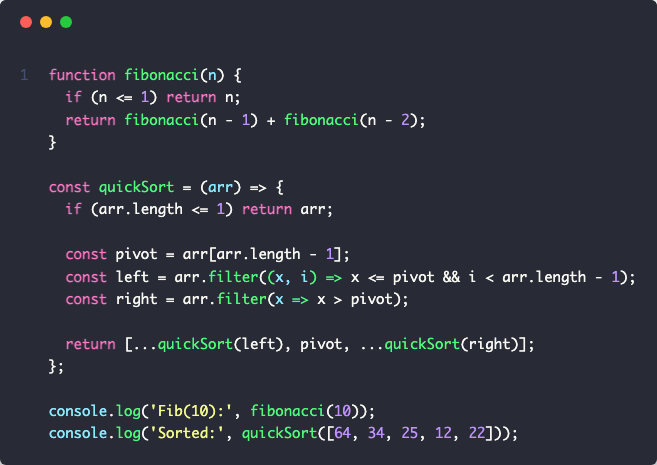
Dracula Theme
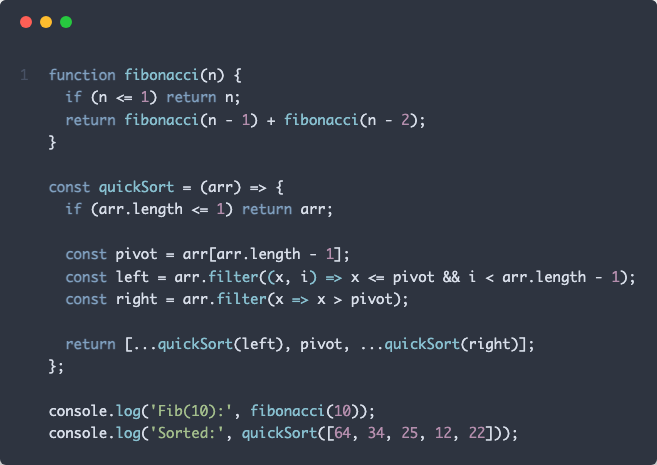
Nord Theme
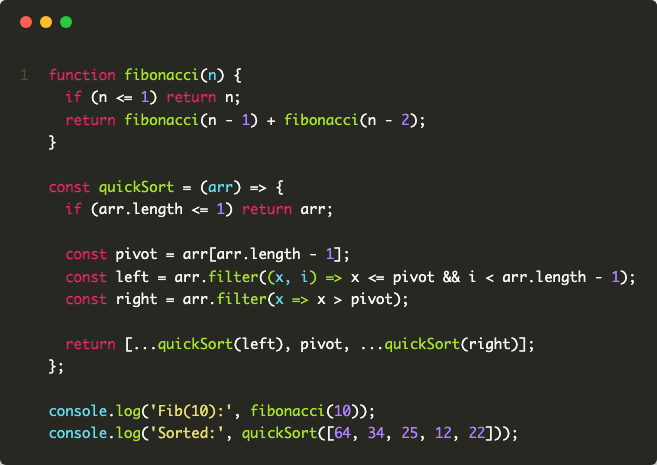
Monokai Theme
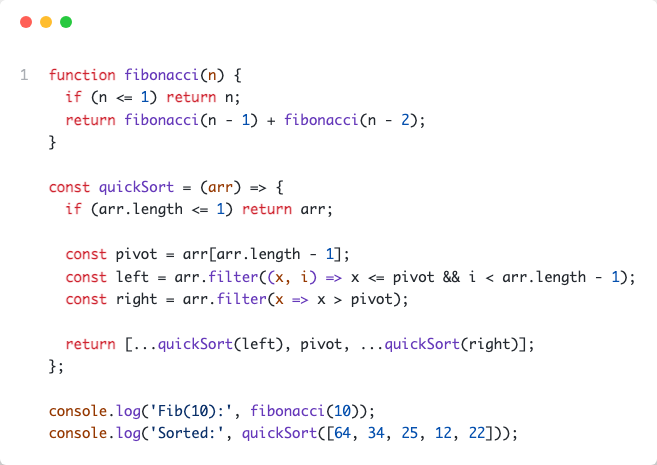
GitHub Light Theme
GitHub Dark Theme
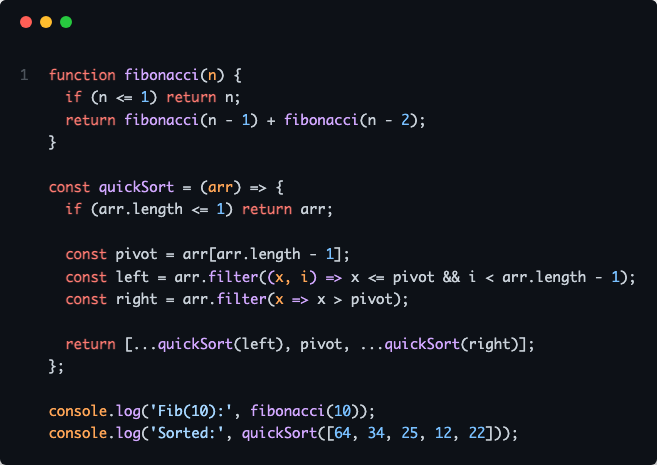
Contributing
Contributions are welcome. Please follow these steps:
1. Fork the repository
2. Create a feature branch: `git checkout -b feature/your-feature`
3. Commit changes: `git commit -m 'Add your feature'`
4. Push to branch: `git push origin feature/your-feature`
5. Submit a pull request
License
MIT License - Copyright (c) 2025 Moussaab Badla
See LICENSE file for details.
Acknowledgments
Built with Model Context Protocol, Playwright, and Highlight.js.
Repository: github.com/MoussaabBadla/code-screenshot-mcp
Frequently asked questions
What is code-screenshot-mcp?
code-screenshot-mcp is MCP server for generating beautiful code screenshots directly from Claude
How do I install code-screenshot-mcp?
Open the GitHub repository and follow its README. Most MCP servers are added to your client's MCP config, then called by your agent.
Is code-screenshot-mcp open source?
Yes — it is hosted on GitHub at https://github.com/MoussaabBadla/code-screenshot-mcp and has 37 stars.
Related MCP tools
 activepieces
AI Agents & MCPs & AI Workflow Automation • (~400 MCP servers for AI agents) • AI Automation / AI Agent with MCPs • AI Workflows & AI Agents • MCPs for AI Ag...
 claude-context
Code search MCP for Claude Code. Make entire codebase the context for any coding agent. TypeScript-based implementation. Trusted by 4100+ developers.
 mcp-server-chart
🤖 A visualization mcp contains 25+ visual charts using @antvis. Using for chart generation and data analysis. TypeScript-based implementation.
 rednote-mcp
🚀MCP server for accessing RedNote(XiaoHongShu, xhs). TypeScript-based implementation. Trusted by 800+ developers. Trusted by 800+ developers.
 mcp-router
A Unified MCP Server Management App TypeScript-based implementation. Trusted by 800+ developers. Trusted by 800+ developers.
 apple-docs-mcp
MCP server for Apple Developer Documentation - Search iOS/macOS/SwiftUI/UIKit docs, WWDC videos, Swift/Objective-C APIs & code examples in Claude, Cursor & A...
Run your own MCP server? See who uses it and what to fix.
Measure it with TrackMCP