
codevideo-mcp
The MCP server for CodeVideo. Create software educational content using natural language.
Documentation
codevideo-mcp
The MCP server for CodeVideo.
Create software educational content using natural language.
Examples:
Creation:
- "Build a video lesson on how to use the `useState` hook in React"
- "Can you create a video lesson compare and contrasting how to program concurrently in C#, Go, and Rust?"
- Can you give me a markdown blog post on how to use the `useState` hook in React?"
Conversion:
- "Please convert these CodeVideo JSON actions to a video"
- "Convert these CodeVideo JSON actions to a blog post"
- "Convert these CodeVideo JSON actions to HTML"
- "Can you convert this English-based lesson to Spanish?"
Validation:
- "Are these CodeVideo JSON actions valid?"
Usage with Claude Desktop
Simply drop the following into your `claude_desktop_config.json` file:
{
    // ... other MCP servers
    "codevideo-mcp": {
        "command": "npx",
        "args": [
            "-y",
            "@fullstackcraftllc/codevideo-mcp@latest"
        ],
        "env": {
            "ELEVENLABS_API_KEY": "your-elevenlabs-api-key",
            "ELEVENLABS_VOICE_ID": "your-elevenlabs-voice-id",
            "PATH_TO_CODEVIDEO_CLI": "/path/to/your/codevideo-cli/binary",
        }
    },
    // ... other MCP servers
}
Be sure to restart Claude after modifying this config!
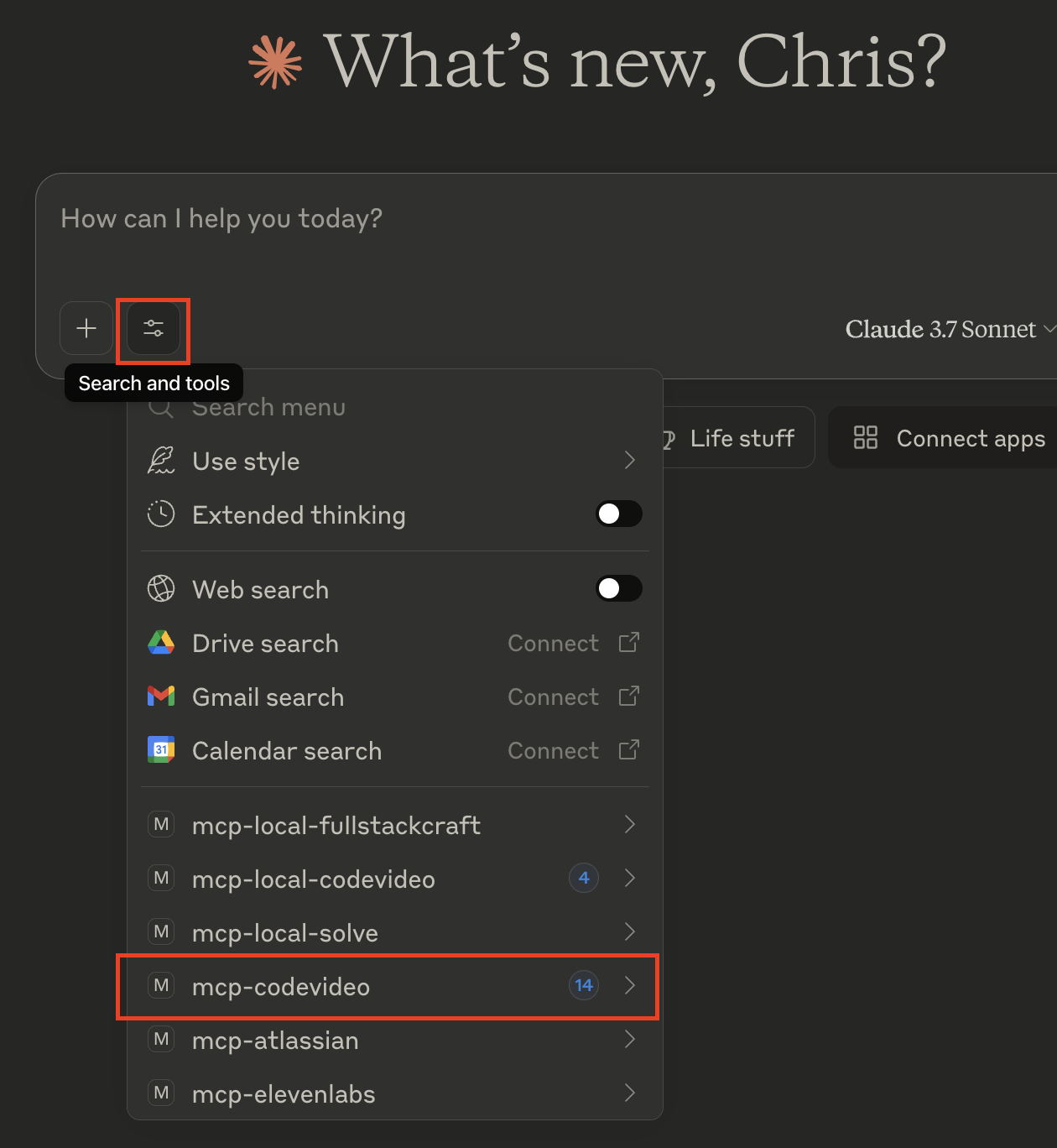
After restarting Claude Desktop, if installation was successful, you should see `codevideo-mcp` in the list of installed MCPs:
Local Development
Clone this repository:
git clone https://github.com/codevideo/codevideo-mcp.gitThen, install the dependencies and build the project:
cd codevideo-mcp
npm install
npm run build
Then, use the following JSON to run the local version on your Claude Desktop:
// ... other MCP servers
    "codevideo-mcp": {
        "command": "npx",
        "args": [
            "tsx",
            "/path/to/your/clone/of/codevideo-mcp/src/index.ts"
        ],
        "env": {
            "ELEVENLABS_API_KEY": "your-elevenlabs-api-key",
            "ELEVENLABS_VOICE_ID": "your-elevenlabs-voice-id",
            "PATH_TO_CODEVIDEO_CLI": "/path/to/your/codevideo-cli/binary",
        }
    }
    // ... other MCP servers
Known Issues
- Currently, creating entire courses seems to be a bit flakey and perhaps too large for the context window for Claude. We're working on refining the full course flow. Single lesson, or action array generation both seem to work well.
Frequently asked questions
What is codevideo-mcp?
codevideo-mcp is The MCP server for CodeVideo. Create software educational content using natural language.
How do I install codevideo-mcp?
Open the GitHub repository and follow its README. Most MCP servers are added to your client's MCP config, then called by your agent.
Is codevideo-mcp open source?
Yes — it is hosted on GitHub at https://github.com/codevideo/codevideo-mcp and has 2 stars.
Related MCP tools
 cherry-studio
🍒 Cherry Studio is a desktop client that supports for multiple LLM providers. Built for the Model Context Protocol to enhance AI capabilities.
 librechat
Enhanced ChatGPT Clone: Features Agents, MCP, DeepSeek, Anthropic, AWS, OpenAI, Responses API, Azure, Groq, o1, GPT-5, Mistral, OpenRouter, Vertex AI, Gemini...
 fastgpt
FastGPT is a knowledge-based platform built on the LLMs, offers a comprehensive suite of out-of-the-box capabilities such as data processing, RAG retrieval, ...
 composio
Composio equips your AI agents & LLMs with 100+ high-quality integrations via function calling for the Model Context Protocol. Enhance AI assistants with powerf
 repomix
📦 Repomix is a powerful tool that packs your entire repository into a single, AI-friendly file. Perfect for when you need to feed your codebase to Large Lan...
 activepieces
AI Agents & MCPs & AI Workflow Automation • (~400 MCP servers for AI agents) • AI Automation / AI Agent with MCPs • AI Workflows & AI Agents • MCPs for AI Ag...
Run your own MCP server? See who uses it and what to fix.
Measure it with TrackMCP