
easy-mcp-github-tools-python
A set of powerful tools designed for seamless integration with GitHub via MCP
Documentation
Easy MCP GitHub Tools Application
This is a set of tools for github to be used with easy mcp server.
https://github.com/ground-creative/easy-mcp-python
Key Features
- Branch Management: Easily create and delete branches in your GitHub repositories.
- Issue Tracking: Create, update, and delete issues, as well as manage comments on issues.
- Commit History: Fetch detailed commit information and commit history for any branch in your repository.
- File Management: Create, update, and delete files within your GitHub repositories, including fetching file contents and differences.
- Pull Requests: Create and manage pull requests, including merging them into target branches.
- Global Search: Perform global searches across GitHub for repositories, issues, and code.
- Release Management: Retrieve and manage releases within your GitHub repositories.
- OAuth Authentication: Securely authenticate users using GitHub's OAuth service.
Authentication
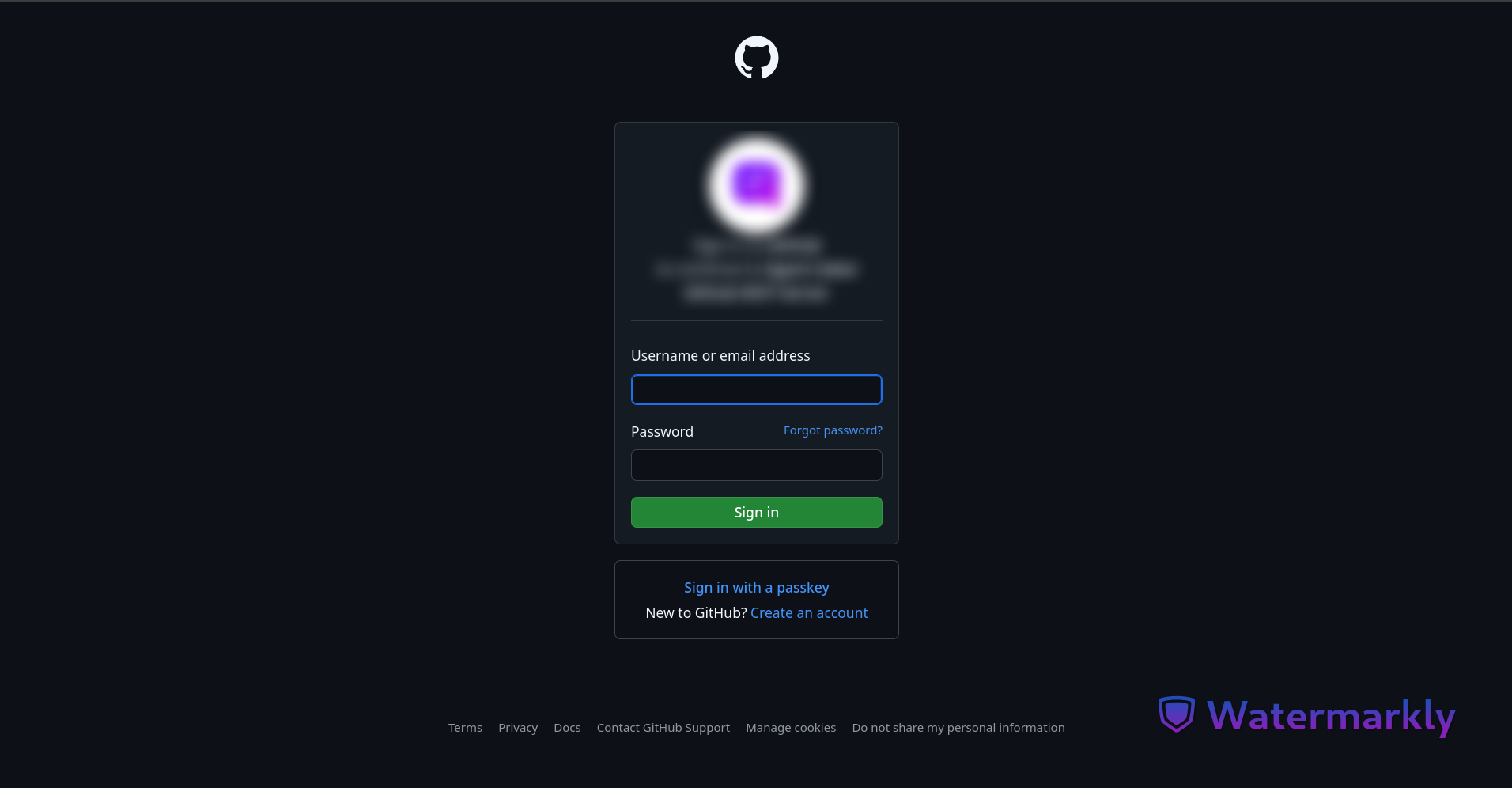
This application uses GitHub oAuth service to authenticate the user.
To use this app, you must create an OAuth application on GitHub.
How To Authenticate:
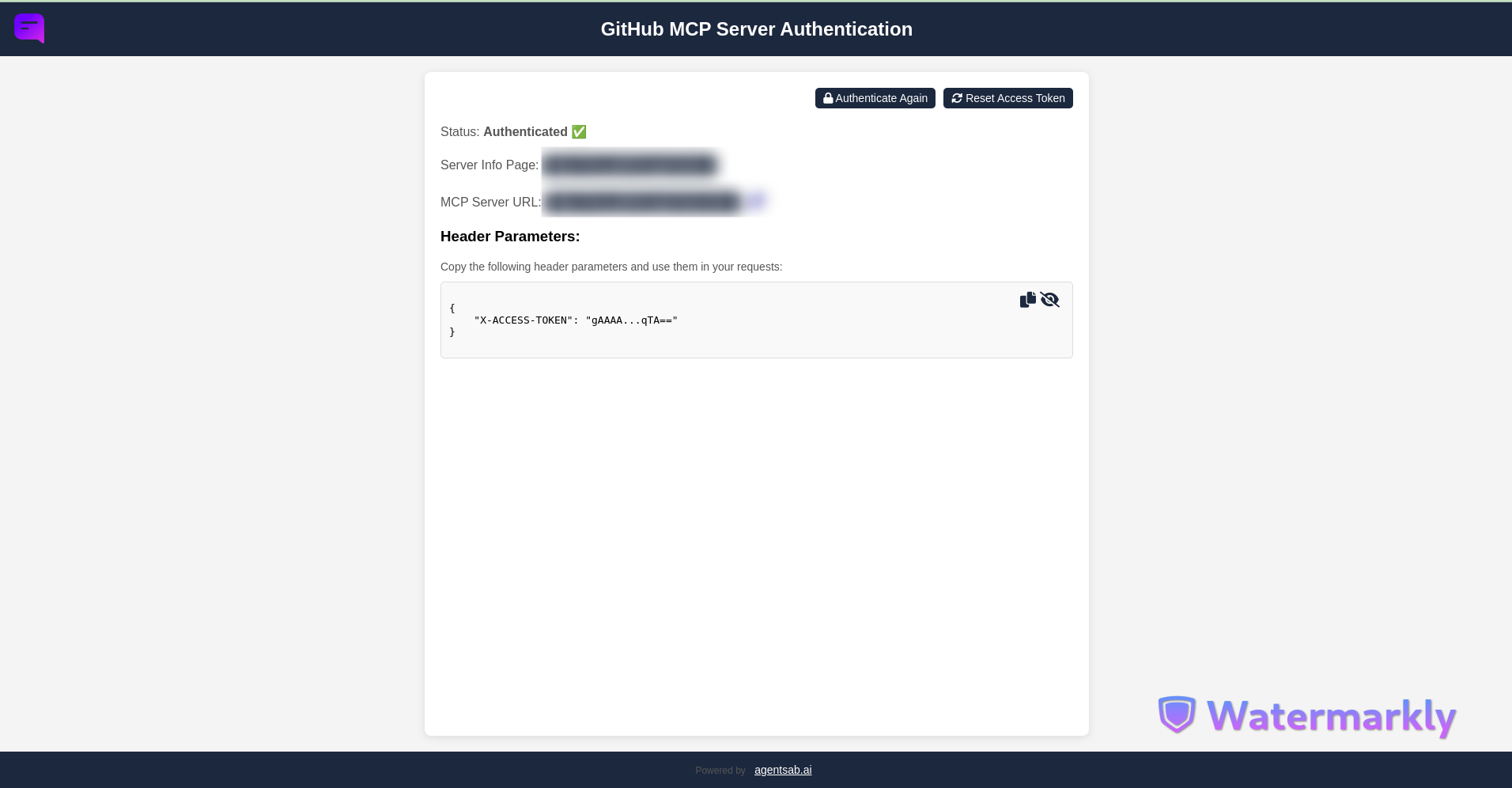
1. Go to auth/login and authenticate
2. Use the paramater X-ACCESS-TOKEN with the request headers when making calls to the server.
Create GitHub Application Instructions
To use this app, you must first create an OAuth application on GitHub. Follow these steps:
1. Go to your GitHub account settings.
2. Navigate to Developer settings > OAuth Apps.
3. Click on New OAuth App.
4. Fill in the required fields:
5. After creating the application, you will receive a Client ID and Client Secret. Keep these credentials safe, as you will need them to add them to the `client_credentials.json` file.
Installation
1. Clone the repository from the root folder of the easy mcp installation:
git clone https://github.com/ground-creative/easy-mcp-github-tools-python.git app2. Install requirements:
pip install -r app/requirements.txt3. Generate encryption key:
python -c "from cryptography.fernet import Fernet; print(Fernet.generate_key().decode())"4. Add parameters to env file:
APP_HOST=Application Host ex: `https://mcp.yourdomain.com`
DB_PATH=storage/sqlite_credentials.db
CYPHER=Your Encryption Key Here

# Optional
SITE_URL=Main Application Site URL
SITE_NAME=MAin Application Site Name
5. Create json file `client_credentials.json` with GitHub oauth credentials in storage folder:
# Follow instructions of section "Create GitHub Application instructions" to create credentials

{
    "client_id": "XXXXX",
    "client_secret": "XXXXXXX"
}
6. Run the server:
# Run via fastapi wrapper
python3 run.py -s fastapi
Available MCP Tools
The following tools are provided by this MCP server:
| Tool Name | Description | Parameters Required |
|---|---|---|
| Create Branch | Creates a new branch in a specified GitHub repository based on an existing branch. | new_branch (str), base_branch (Optional[str]), repo (str) |
| Delete Branch | Deletes a specified branch in a GitHub repository. | branch (str), repo (str), confirmation_token (Optional[str]) |
| Delete Issue Comment | Deletes a specified comment on an issue in a GitHub repository. | comment_id (int), repo (str), confirmation_token (Optional[str]) |
| Get Commit Details | Fetch detailed information for a specific commit from a GitHub repository. | sha (str), repo (str) |
| Get Commits | Fetch commit history from a GitHub repository. | branch (Optional[str]), repo (str), path (Optional[str]), per_page (Optional[int]), since (Optional[str]), until (Optional[str]) |
| Create File | Adds a new file to a specified GitHub repository on a specified branch. | file_path (str), content (str), repo (str), commit_message (Optional[str]), branch (Optional[str]) |
| Delete Files | Deletes specified files in a GitHub repository from a specified branch. | file_paths (List[str]), repo (str), branch (Optional[str]), confirmation_token (Optional[str]) |
| Get File Differences | Fetch file differences for a specific commit from a GitHub repository. | sha (str), files (List[str]), repo (str) |
| Get Files Before Commit | Retrieve multiple content from multiple files before a given commit SHA. | sha (str), files (List[str]), repo (str) |
| Get Files Contents | Fetch content for multiple files from a GitHub repository. | file_paths (List[str]), repo (str), branch (Optional[str]) |
| Get Files Details | Fetch details for multiple files from a GitHub repository without the content. | files (List[str]), repo (str), branch (Optional[str]) |
| List Files | Get a list of file paths from a GitHub repository using the git tree API. | folders (Optional[List[str]]), repo (str), branch (Optional[str]) |
| Search Files | Search for a specific string in the files of a GitHub repository. | search_string (str), repo (str), folders (Optional[List[str]]), sort (Optional[str]), order (Optional[str]), page (Optional[int]), per_page (Optional[int]) |
| Global Search | Perform a global search on GitHub based on the specified search type and query string. | search_type (str), query (str), page (int), per_page (int) |
| Update File | Update an existing file in a specified GitHub repository on a specified branch. | file_path (str), new_content (str), repo (str), commit_message (Optional[str]), branch (Optional[str]) |
| Create Issue Comment | Adds a comment to a specified issue in a GitHub repository. | issue_number (int), comment (str), repo (str) |
| Create Issue | Create a new issue within a GitHub repository. | title (str), body (Optional[str]), repo (str), labels (Optional[list]) |
| Get Issue Comments | Retrieve all messages (details and comments) of a specific issue within a GitHub repository. | issue_number (int), repo (str), page (Optional[int]), per_page (Optional[int]), sort (Optional[str]), order (Optional[str]) |
| Get Issue Details | Retrieve the details of a specific issue within a GitHub repository. | issue_number (int), repo (str) |
| Get Issues | Fetch issues from a specified GitHub repository, allowing optional filters. | repo (str), state (Optional[str]), labels (Optional[str]), assignee (Optional[str]), milestone (Optional[str]), sort (Optional[str]), order (Optional[str]), per_page (Optional[int]), page (Optional[int]) |
| Search Issues | Search for issues in a specified GitHub repository, with optional filters. | repo (str), state (Optional[str]), labels (Optional[str]), assignee (Optional[str]), milestone (Optional[str]), sort (Optional[str]), order (Optional[str]), per_page (Optional[int]), page (Optional[int]), search_comments (Optional[bool]), query (Optional[str]) |
| Update Issue Comment | Updates an existing comment on a specified issue in a GitHub repository. | comment_id (int), new_comment (str), repo (str) |
| Update Issue | Updates an existing issue in a GitHub repository. | issue_number (int), title (Optional[str]), body (Optional[str]), state (Optional[str]), labels (Optional[list]), repo (str) |
| Create Pull Request | Creates a pull request in a specified GitHub repository. | target_branch (str), base_branch (Optional[str]), repo (str), title (Optional[str]), body (Optional[str]) |
| Get Pull Request Details | Fetch detailed information about a specific pull request from a GitHub repository. | pull_number (int), repo (str) |
| Get Pull Requests | Fetch pull requests from a specified GitHub repository. | repo (str), state (Optional[str]), sort (Optional[str]), order (Optional[str]), per_page (Optional[int]), page (Optional[int]) |
| Merge Pull Request | Merge a specific pull request in a GitHub repository. | pull_number (int), repo (str), commit_message (Optional[str]) |
| Create Repository | Create a new repository on GitHub. | name (str), description (Optional[str]), private (Optional[bool]), auto_init (Optional[bool]) |
| Delete Repository | Deletes a specified GitHub repository. | repo (str), confirmation_token (Optional[str]) |
| Find Repositories By Name | Search for repositories owned by a specific user that include the given query string. | query (str), username (str) |
| Get Releases | Retrieve releases within a GitHub repository. | per_page (Optional[int]), page (Optional[int]), repo (str), sort (Optional[str]), order (Optional[str]) |
| Get Repositories | Fetch all repositories for a specific GitHub user. | username (str), type (Optional[str]), sort (Optional[str]), direction (Optional[str]), page (Optional[int]), per_page (Optional[int]) |
| Get Repository Details | Fetch details for a single repository from GitHub. | repo (str) |
| Get Tags Or Branches | List either tags or branches in a GitHub repository. | type (str), repo (str), per_page (Optional[int]), page (Optional[int]) |
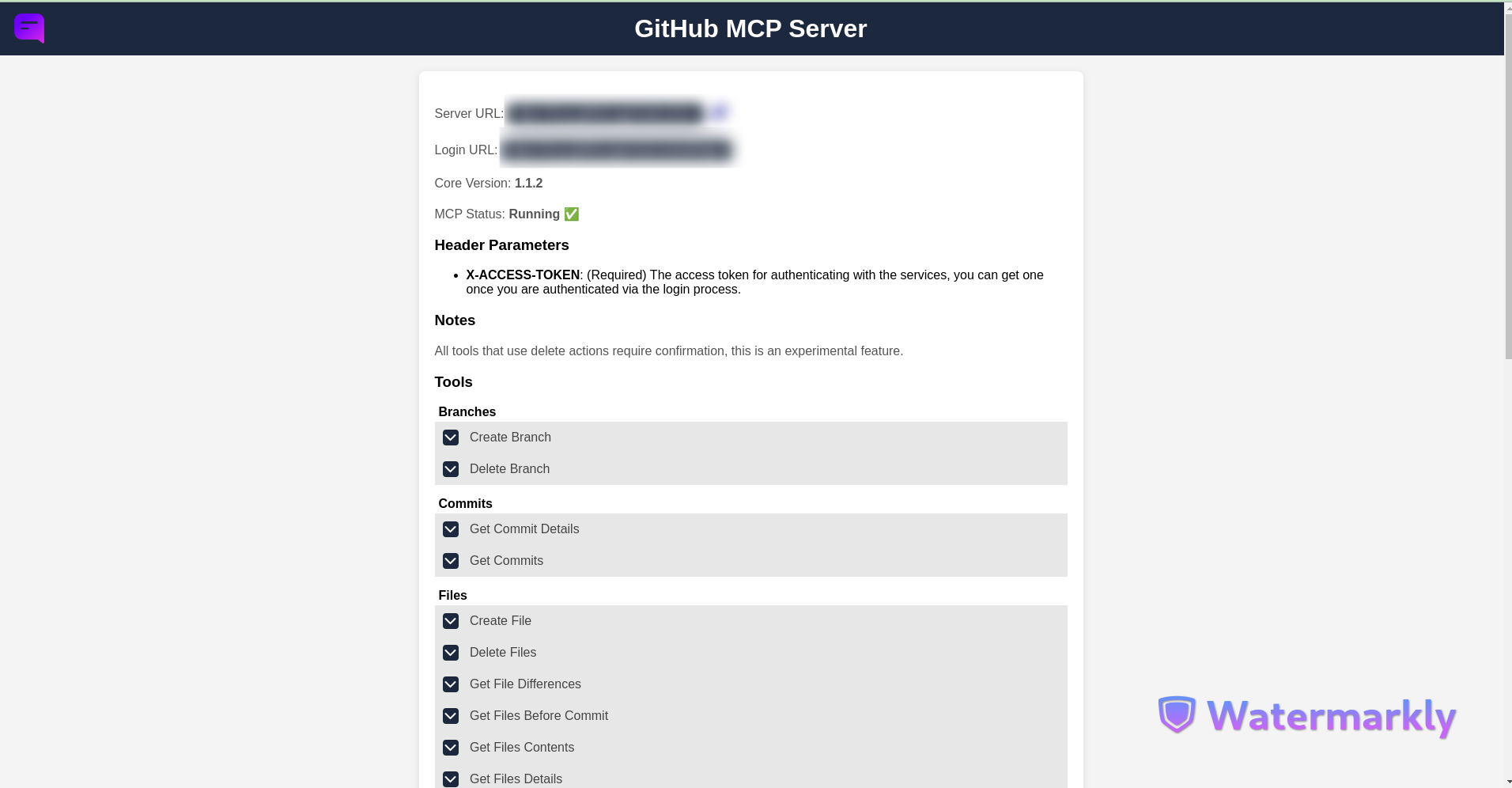
Server Info Page
The server info page with the tools specs URL is the {APP_HOST} parameter configured in the .env file.
Screenshots
Server info page:
GitHub application oAuth page
User authenticated page
Frequently asked questions
What is easy-mcp-github-tools-python?
easy-mcp-github-tools-python is A set of powerful tools designed for seamless integration with GitHub via MCP
How do I install easy-mcp-github-tools-python?
Open the GitHub repository and follow its README. Most MCP servers are added to your client's MCP config, then called by your agent.
Is easy-mcp-github-tools-python open source?
Yes — it is hosted on GitHub at https://github.com/ground-creative/easy-mcp-github-tools-python.
Related MCP tools
 gpt-researcher
An LLM agent that conducts deep research (local and web) on any given topic and generates a long report with citations. Built for the Model Context Protocol to
 web-agent-protocol
🌐Web Agent Protocol (WAP) - Record and replay user interactions in the browser with MCP support Python-based implementation.
 fastmcp
🚀 The fast, Pythonic way to build MCP servers and clients Trusted by 19900+ developers. Trusted by 19900+ developers. Trusted by 19900+ developers.
 fastapi_mcp
Expose your FastAPI endpoints as Model Context Protocol (MCP) tools, with Auth! Python-based implementation. Trusted by 11000+ developers.
 mcp-agent
Build effective agents using Model Context Protocol and simple workflow patterns Python-based implementation. Trusted by 7600+ developers.
 aci
aciACI.dev is the open source tool-calling platform that hooks up 600+ tools into any agentic IDE or custom AI agent through direct function calling or a unifie...
Run your own MCP server? See who uses it and what to fix.
Measure it with TrackMCP