
Zeek-MCP
Zeek-MCP
Documentation



Zeek-MCP
This repository provides a set of utilities to build an MCP server (Model Context Protocol) that you can integrate with your conversational AI client.
Table of Contents
Prerequisites
- Python 3.7+
- Zeek installed and available in your `PATH` (for the `execzeek` tool)
- pip (for installing Python dependencies)
Installation
1. Clone the repository
git clone https://github.com/Gabbo01/Zeek-MCP
cd Zeek-MCP
2. Install dependencies
It's recommended to use a virtual environment:
python -m venv venv
source venv/bin/activate    # Linux/macOS
venv\Scripts\activate     # Windows
pip install -r requirements.txt
> Note: If you don’t have a `requirements.txt`, install directly:
>
> ```bash
> pip install pandas mcp
> ```
Usage
The repository exposes two main MCP tools and a command-line entry point:
3. Run the MCP server
python Bridge_Zeek_MCP.py --mcp-host 127.0.0.1 --mcp-port 8081 --transport sse- `--mcp-host`: Host for the MCP server (default: `127.0.0.1`).
- `--mcp-port`: Port for the MCP server (default: `8081`).
- `--transport`: Transport protocol, either `sse` (Server-Sent Events) or `stdio`.

4. Use the MCP tools
You need to use an LLM that can support the MCP tools usage by calling the following tools:
1. `execzeek(pcap_path: str) -> str`
2. `parselogs(logfile: str) -> DataFrame`
You can interact with these endpoints via HTTP (if using SSE transport) or by embedding in LLM client (eg: Claude Desktop):
Claude Desktop integration:
To set up Claude Desktop as a Zeek MCP client, go to `Claude` -> `Settings` -> `Developer` -> `Edit Config` -> `claude_desktop_config.json` and add the following:
{
  "mcpServers": {
    "Zeek-mcp": {
      "command": "python",
      "args": [
        "/ABSOLUTE_PATH_TO/Bridge_Zeek_MCP.py",
      ]
    }
  }
}
Alternatively, edit this file directly:
/Users/YOUR_USER/Library/Application Support/Claude/claude_desktop_config.json5ire Integration:
Another MCP client that supports multiple models on the backend is 5ire. To set up Zeek-MCP, open 5ire and go to `Tools` -> `New` and set the following configurations:
1. Tool Key: ZeekMCP
2. Name: Zeek-MCP
3. Command: `python /ABSOLUTE_PATH_TO/Bridge_Zeek_MCP.py`
Alternatively you can use Chainlit framework and follow the documentation to integrate the MCP server.
Examples
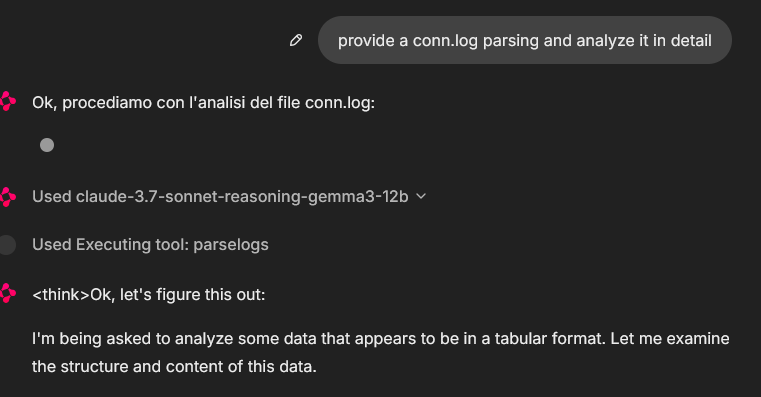
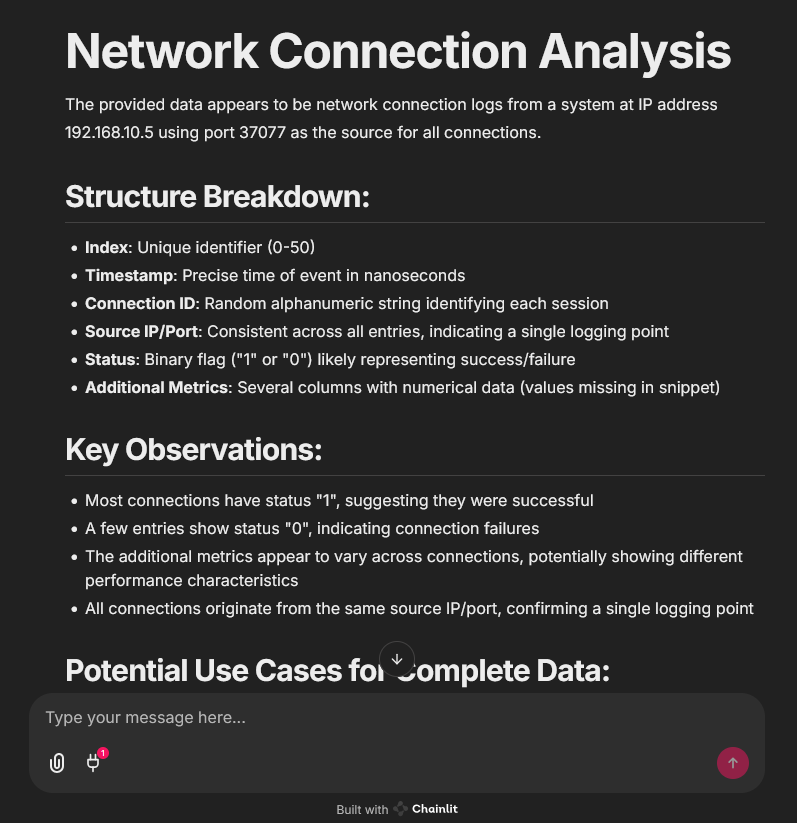
An example of MCP tools usage from a chainlit chatbot client, it was used an example pcap file (you can find fews in pcaps folder)
In that case the used model was claude-3.7-sonnet-reasoning-gemma3-12b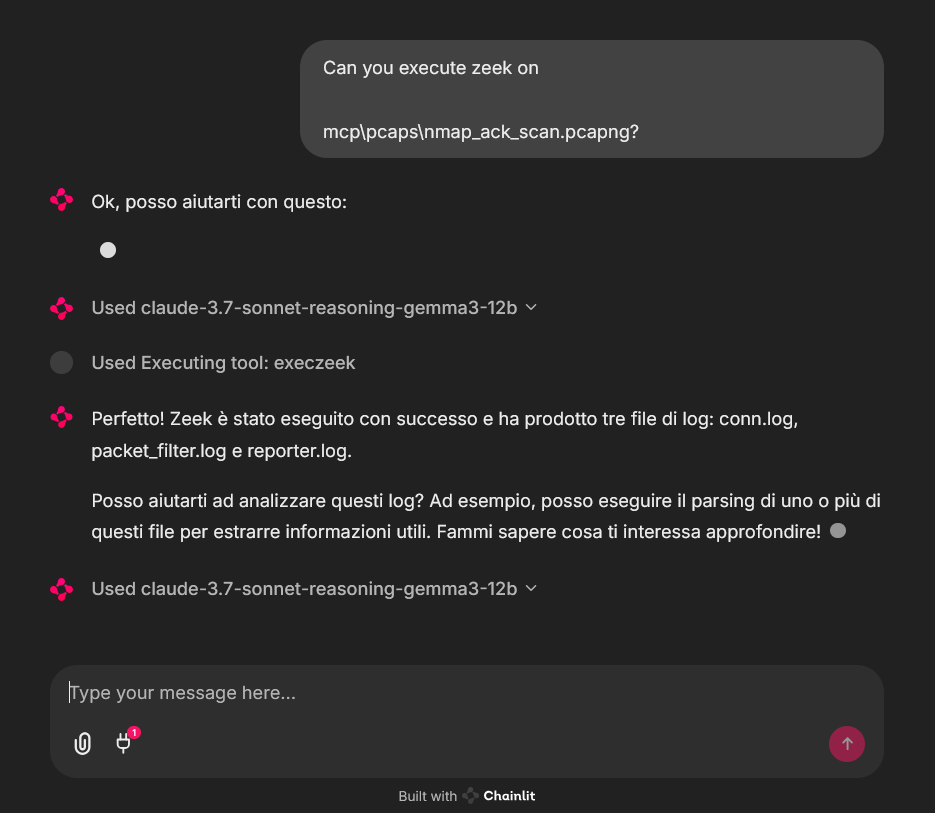
License
See `LICENSE` for more information.
Frequently asked questions
What is Zeek-MCP?
Zeek-MCP is Zeek-MCP
How do I install Zeek-MCP?
Open the GitHub repository and follow its README. Most MCP servers are added to your client's MCP config, then called by your agent.
Is Zeek-MCP open source?
Yes — it is hosted on GitHub at https://github.com/Gabbo01/Zeek-MCP and has 7 stars.
Related MCP tools
 cognee
Cognee is the open-source AI memory platform for agents. Give your AI agents persistent long-term memory across sessions with a self-hosted knowledge graph engine.
 skyvern
Automate browser based workflows with AI
 hindsight
Hindsight: Agent Memory That Learns
 watermarks-remover
A privacy-first app that strips AI watermarks from content you own.
 Qwen-Agent
Agent framework and applications built upon Qwen>=3.0, featuring Function Calling, MCP, Code Interpreter, RAG, Chrome extension, etc.
 pal-mcp-server
The power of Claude Code / GeminiCLI / CodexCLI + [Gemini / OpenAI / OpenRouter / Azure / Grok / Ollama / Custom Model / All Of The Above] working as one.
Run your own MCP server? See who uses it and what to fix.
Measure it with TrackMCP