
solidworks-mcp
MCP server for SolidWorks 2021 - create engineering drawings from any MCP client (Claude Code, Codex, Gemini CLI, Cursor...) via COM
Documentation
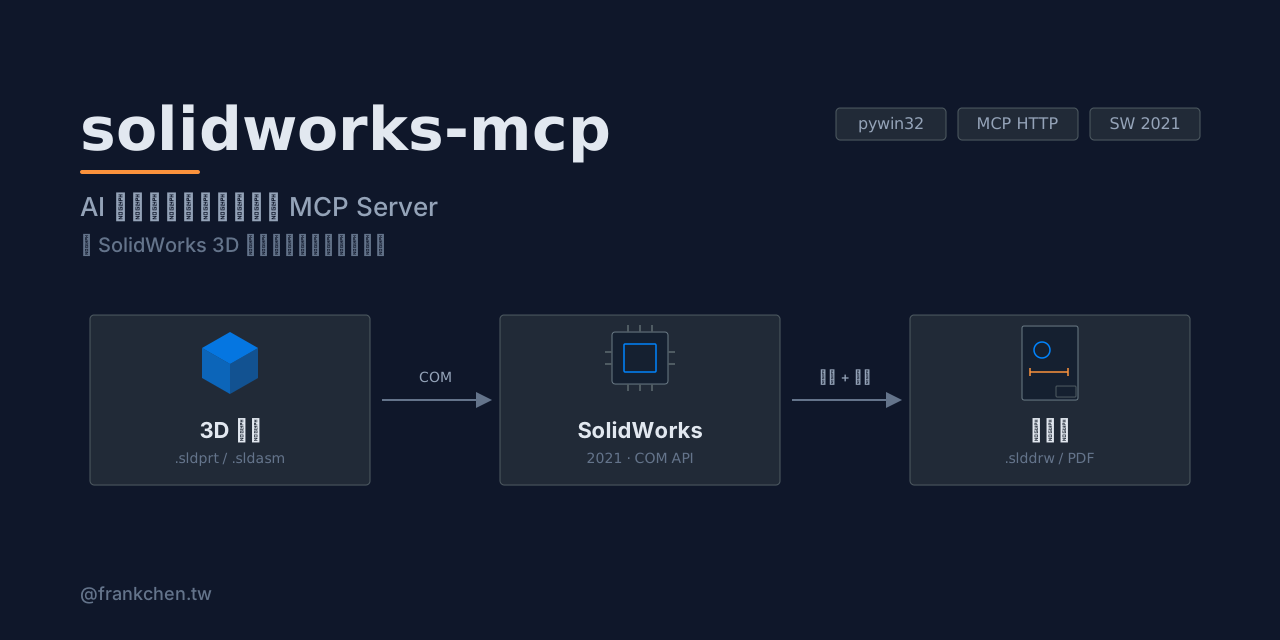
solidworks-mcp


English | 繁體中文
An MCP server that lets Claude — or any MCP client that speaks Streamable HTTP — drive SolidWorks 2021 to create engineering drawings over your LAN, through the pywin32 COM API.
Open a part, generate first-angle standard views, add dimensions and balloons, insert a BOM table, then export to PDF — all from a Claude conversation.
Features
21 tools in 5 categories:
| Category | Tools |
|---|---|
| File operations (3) | open / close / list documents |
| Drawing views (6) | create drawing from template, standard views, first-angle aligned 3-view, section view, detail view, custom-orientation view |
| Annotation (6) | import model dimensions, probe edges, add dimensions (linear / diameter / radius / angle), auto reference dimensions, balloons, BOM table |
| Export (4) | capture drawing (JPEG), capture model views, save as PDF, save drawing |
| Assembly analysis (2) | read mates, read feature tree |
See the full tool reference below.
Architecture
Claude Code ◄── Streamable HTTP ──► src/server.py (FastMCP)
                                         │
                                    async tool handlers
                                         │
                                    sw.execute(func)  ← asyncio + Future
                                         │
                                    COM Worker Thread (STA, singleton)
                                         │
                                    pywin32 COM → SolidWorks 2021
SolidWorks COM must be driven from a single STA thread. All tool handlers are async and dispatch their COM callables onto a dedicated worker thread, bridged back with `concurrent.futures.Future`.
Requirements
- Windows 10/11 host with SolidWorks 2021 installed
- Python 3.10+
- An MCP client that supports Streamable HTTP (e.g. Claude Code, Codex CLI, Gemini CLI, Cursor — see Compatible MCP clients) on the same trusted LAN
- Optional: a drawing template (`.drwdot`) and an SMB shared folder for large screenshots / PDFs
> Only SolidWorks 2021 has been tested. Other versions may work since the COM API is largely stable, but no guarantees.
Quick Start
1. Install (on the SolidWorks host)
git clone https://github.com/haunchen/solidworks-mcp.git
cd solidworks-mcp
python -m venv .venv
.venv\Scripts\pip install -r requirements.txt
Offline installation (host without internet access)
On a machine with internet access:
pip download -d ./wheels -r requirements.txtCopy the repo (including `wheels/`) to the SolidWorks host, then:
.venv\Scripts\pip install --no-index --find-links wheels -r requirements.txt2. Configure
Copy-Item .env.example .env
# edit .env — see Configuration below
3. Run
.venv\Scripts\python src\server.py4. Connect from Claude Code (client machine)
claude mcp add --transport http solidworks http://:8080/mcpThen just ask Claude: *"Open bracket.sldprt and create a first-angle 3-view drawing with dimensions, then export it as PDF."*
Compatible MCP clients
Any MCP client that supports Streamable HTTP and runs on your machine (or inside the LAN) can connect. Verified examples:
| Client | Config |
|---|---|
| Claude Code | `claude mcp add --transport http solidworks http://:8080/mcp` |
| Codex CLI | `config.toml`: `[mcp_servers.solidworks]``url = "http://:8080/mcp"` |
| Gemini CLI | `gemini mcp add --transport http solidworks http://:8080/mcp` |
| Cursor | `mcp.json`: `{ "mcpServers": { "solidworks": { "url": "http://:8080/mcp" } } }` |
| VS Code Copilot | `.vscode/mcp.json`: `{ "servers": { "solidworks": { "type": "http", "url": "http://:8080/mcp" } } }` |
| Cline | `cline_mcp_settings.json`: `{ "mcpServers": { "solidworks": { "type": "streamableHttp", "url": "http://:8080/mcp" } } }` |
| Windsurf | `~/.codeium/windsurf/mcp_config.json`: `{ "mcpServers": { "solidworks": { "serverUrl": "http://:8080/mcp" } } }` |
| Continue / Zed / JetBrains AI Assistant / opencode / Goose | see their MCP docs (`url` / `uri` field) |
Agent frameworks work too: OpenAI Agents SDK (`MCPServerStreamableHttp`), LangChain (`langchain-mcp-adapters`).
> Cloud-brokered connectors cannot reach a LAN-only server: Claude Desktop / claude.ai custom connectors and the Anthropic Messages API MCP connector all connect from the vendor's cloud, which is exactly what the trusted-LAN security model blocks.
Configuration
All settings are loaded from `.env` (see `.env.example`):
| Variable | Default | Description |
|---|---|---|
| `SW_MCP_HOST` | `0.0.0.0` | Address the server binds to |
| `SW_MCP_PORT` | `8080` | Server port |
| `SW_MCP_SMB_PATH` | `C:\mcp-share` | Server-side folder for screenshots / PDFs that exceed the base64 limit |
| `SW_MCP_SMB_CLIENT_PATH` | (empty) | The same folder as seen from the client (e.g. `U:\mcp-share`); used to rewrite returned paths |
| `SW_MCP_TEMPLATE` | (empty) | Drawing template (`.drwdot`) used by `create_drawing` |
| `SW_MCP_PAPER_SIZE` | `A3` | Default paper size |
| `SW_MCP_MAX_BASE64` | `1048576` | Max screenshot size (bytes) returned inline as base64; larger images are saved to the shared folder |
Security
This server has no authentication. Anyone who can reach the port can drive your SolidWorks instance and read/write files through it.
- Deploy on a trusted LAN only — never expose the port to the internet
- Prefer binding `SW_MCP_HOST` to a specific LAN interface instead of `0.0.0.0`
- Consider OS-level firewall rules restricting access to known client IPs
Tool Reference
File operations
| Tool | Description |
|---|---|
| `open_document` | Open a SolidWorks document (`.sldprt` / `.sldasm` / `.slddrw`) |
| `close_document` | Close the specified document |
| `list_open_documents` | List all documents currently open in SolidWorks |
Drawing views
| Tool | Description |
|---|---|
| `create_drawing` | Create a new drawing document from a template |
| `insert_standard_views` | Insert independent standard views (no projection alignment, custom scale) |
| `insert_standard_views_aligned` | Create first-angle aligned front / top / right views with auto scale |
| `insert_section_view` | Create a section view on a parent view |
| `insert_detail_view` | Create a detail (magnified) view on a parent view |
| `insert_custom_view` | Insert a named-orientation or arbitrary XYZ-rotation view |
Annotation
| Tool | Description |
|---|---|
| `insert_model_dimensions` | Import model dimensions into drawing views |
| `probe_drawing_edges` | Inspect visible edges (index / type / coordinates in mm) before dimensioning |
| `add_dimension` | Add a linear / diameter / radius / angle dimension between probed edges |
| `auto_add_reference_dimensions` | Auto-add reference dimensions (bounding box + circles) for non-parametric geometry |
| `insert_balloon` | Insert balloons on an assembly drawing view (optionally filtered by component) |
| `insert_bom_table` | Insert a top-level-only BOM table |
Export
| Tool | Description |
|---|---|
| `capture_drawing` | Capture the current drawing as JPEG (inline base64 or shared-folder path) |
| `capture_view` | Capture multi-angle screenshots from the 3D model |
| `save_as_pdf` | Export the current drawing to PDF |
| `save_drawing` | Save the current drawing (`.slddrw`) |
Assembly analysis
| Tool | Description |
|---|---|
| `read_assembly_mates` | Read all mate relationships of a component in an assembly |
| `get_feature_tree` | Read the feature tree of a document |
Development
# run all tests (no SolidWorks needed — the COM layer is fully mocked)
.venv\Scripts\pytest tests/ -v
Behavior contracts live in `docs/specs/` — specs with `status: active` describe the expected behavior of shipped features. Design history is in `docs/plans/`.
See CONTRIBUTING.md for development setup and PR guidelines.
License
Frequently asked questions
What is solidworks-mcp?
solidworks-mcp is MCP server for SolidWorks 2021 - create engineering drawings from any MCP client (Claude Code, Codex, Gemini CLI, Cursor...) via COM
How do I install solidworks-mcp?
Open the GitHub repository and follow its README. Most MCP servers are added to your client's MCP config, then called by your agent.
Is solidworks-mcp open source?
Yes — it is hosted on GitHub at https://github.com/haunchen/solidworks-mcp and has 3 stars.
Related MCP tools
 OpenOSINT
AI-powered OSINT agent with interactive REPL, MCP server, and CLI. 19 tools. Works with Claude, GPT-4, or local models. For authorized security research only.
 projectmem
Open-source coding agent memory. Records issues, attempts, fixes and decisions, then warns your agent before it repeats an approach that already failed. Native MCP server for Claude Code, Cursor, Antigravity and Codex. 100% local, no cloud, no telemetry. MIT.
 google_workspace_mcp
Control Gmail, Google Calendar, Docs, Sheets, Slides, Chat, Forms, Tasks, Search & Drive with AI - Comprehensive Google Workspace MCP Server & CLI Tool
 jcodemunch-mcp
Cut AI token costs 95%+ on code exploration. The leading MCP server for precise, symbol-level GitHub code retrieval via tree-sitter AST. Works with Claude Code, Cursor & any MCP client. 313B+ tokens saved.
 tradememory-protocol
Decision audit trail + persistent memory for AI trading agents. Outcome-weighted recall, tamper-evident SHA-256 chain with RFC 3161 anchoring, 20 MCP tools.
 voicemode
Natural voice conversations with Claude Code
Run your own MCP server? See who uses it and what to fix.
Measure it with TrackMCP