
all-in-mcp
A FastMCP-based Model Context Protocol (MCP) server providing academic paper search and PDF processing utilities. Features a modular architecture with both proxy and standalone server capabilities.
Documentation
All-in-MCP
A FastMCP-based Model Context Protocol (MCP) server providing academic paper search, web search, and PDF processing utilities. Features a modular architecture with both proxy and standalone server capabilities.
APaper Module Introduction
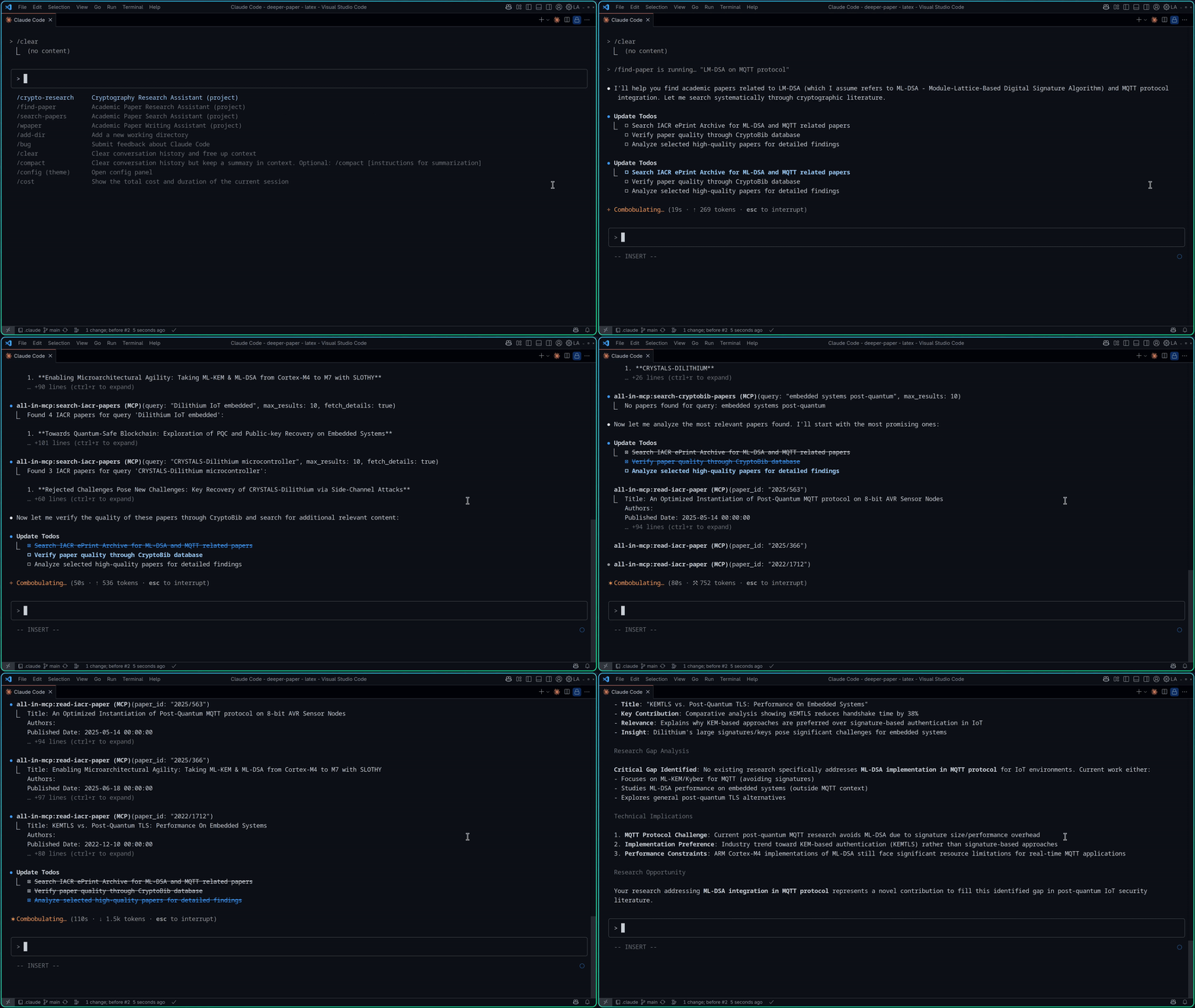
Architecture
All-in-MCP uses a modern FastMCP architecture with three main components:
1. 🔄 All-in-MCP Proxy Server: Main server that routes requests to academic tools and web search
2. 📚 APaper Module: Isolated academic research server with specialized paper search tools
3. 🔍 Qwen Search Module: Web search server powered by Qwen/Dashscope API with SSE-based MCP
This design provides better modularity, performance, and scalability.
Features
All servers expose search tools as FastMCP endpoints with automatic tool registration:
Available Tools
| Category | Tool Name | Description | Backend |
|---|---|---|---|
| Academic Research | `apaper_search_iacr_papers` | Search academic papers from IACR ePrint Archive | APaper |
| `apaper_download_iacr_paper` | Download PDF of an IACR ePrint paper | APaper | |
| `apaper_read_iacr_paper` | Read and extract text content from an IACR ePrint paper PDF | APaper | |
| Bibliography Search | `apaper_search_dblp_papers` | Search DBLP computer science bibliography database | APaper |
| Cross-platform Search | `apaper_search_google_scholar_papers` | Search academic papers across disciplines with citation data | APaper |
| Web Search | `qwen_search_web_search` | Search the web using Qwen/Dashscope API | Qwen Search |
| GitHub Repository | `github-repo-mcp_getRepoAllDirectories` | Get all directories from a GitHub repository | GitHub-Repo-MCP |
| `github-repo-mcp_getRepoDirectories` | Get directories from a specific path in GitHub repository | GitHub-Repo-MCP | |
| `github-repo-mcp_getRepoFile` | Get file content from GitHub repository | GitHub-Repo-MCP |
All tools are implemented using FastMCP decorators with automatic registration, built-in validation, and enhanced error handling.
Quick Start
Prerequisites
- Python 3.10 or higher
- `pipx` for Python package installation
- `npx` for MCP Inspector (Node.js required)
Integration with MCP Clients
Add the servers to your MCP client configuration:
VSCode Configuration (.vscode/mcp.json)
{
  "servers": {
    "all-in-mcp": {
      "type": "stdio",
      "command": "pipx",
      "args": ["run", "all-in-mcp"],
      "env": {
        "APAPER": "true",
        "QWEN_SEARCH": "true",
        "DASHSCOPE_API_KEY": "your_api_key_here",
        "GITHUB_REPO_MCP": "true"
      }
    }
  }
}
Claude Code Configuration (.mcp.json)
{
  "mcpServers": {
    "all-in-mcp": {
      "type": "stdio",
      "command": "pipx",
      "args": ["run", "all-in-mcp"],
      "env": {
        "APAPER": "true",
        "QWEN_SEARCH": "true",
        "DASHSCOPE_API_KEY": "your_api_key_here",
        "GITHUB_REPO_MCP": "true"
      }
    }
  }
}
Server Options
The main proxy server supports multiple MCP backends through environment variables:
# Run with APaper academic tools enabled
APAPER=true pipx run all-in-mcp

# Run with Qwen Search web search enabled
QWEN_SEARCH=true DASHSCOPE_API_KEY=your_api_key_here pipx run all-in-mcp

# Run with GitHub repository tools enabled
GITHUB_REPO_MCP=true pipx run all-in-mcp

# Run with all backends enabled
APAPER=true QWEN_SEARCH=true DASHSCOPE_API_KEY=your_api_key_here GITHUB_REPO_MCP=true pipx run all-in-mcp

# Run standalone APaper server (academic tools only)
pipx run apaper

# Run standalone Qwen Search server (web search only)
DASHSCOPE_API_KEY=your_api_key_here pipx run qwen-search
> Note: If you have the package installed globally, you can also run directly: `all-in-mcp` or `qwen-search`
Debugging & Testing
MCP Inspector
Use the official MCP Inspector to debug and test server functionality:
# Debug the main proxy server with APaper tools
APAPER=true npx @modelcontextprotocol/inspector pipx run all-in-mcp

# Debug with all backends enabled
APAPER=true GITHUB_REPO_MCP=true npx @modelcontextprotocol/inspector pipx run all-in-mcp

# Debug standalone APaper server
npx @modelcontextprotocol/inspector pipx run apaper
Local Development with uv
When developing locally, use `uv run` to debug specific MCP functions:
# Debug APaper server (academic tools)
npx @modelcontextprotocol/inspector uv run apaper

# Debug all-in-mcp proxy with APaper enabled
APAPER=true npx @modelcontextprotocol/inspector uv run all-in-mcp

# Debug all-in-mcp proxy with GitHub repo tools enabled
GITHUB_REPO_MCP=true npx @modelcontextprotocol/inspector uv run all-in-mcp

# Debug all-in-mcp with all backends enabled
APAPER=true QWEN_SEARCH=true DASHSCOPE_API_KEY=your_api_key_here GITHUB_REPO_MCP=true npx @modelcontextprotocol/inspector uv run all-in-mcp

# Debug Qwen Search server
DASHSCOPE_API_KEY=your_api_key_here npx @modelcontextprotocol/inspector uv run qwen-search
The MCP Inspector provides:
- 🔍 Interactive Tool Testing: Test all available tools with real parameters
- 📊 Server Information: View server capabilities and tool schemas
- 🐛 Debug Messages: Monitor server communication and error messages
- ⚡ Real-time Testing: Execute tools and see results immediately
Perfect for development, debugging, and understanding how the FastMCP tools work.
Development
For development setup and contribution guidelines, see the Development Guide.
Quick Development Setup
# Clone the repository
git clone https://github.com/jiahaoxiang2000/all-in-mcp.git
cd all-in-mcp

# Install with development dependencies
uv sync --extra dev

# Run tests (now using unittest)
uv run python tests/test_fastmcp_server.py
uv run python tests/test_apaper_iacr.py
uv run python tests/test_apaper_pdf.py
uv run python tests/test_qwen_search.pyFrequently asked questions
What is all-in-mcp?
all-in-mcp is A FastMCP-based Model Context Protocol (MCP) server providing academic paper search and PDF processing utilities. Features a modular architecture with both proxy and standalone server capabilities.
How do I install all-in-mcp?
Open the GitHub repository and follow its README. Most MCP servers are added to your client's MCP config, then called by your agent.
Is all-in-mcp open source?
Yes — it is hosted on GitHub at https://github.com/isomoes/all-in-mcp and has 2 stars.
Related MCP tools
 Windows-MCP
MCP Server for Computer Use in Windows
 mcp-context-forge
An AI Gateway, registry, and proxy that sits in front of any MCP, A2A, or REST/gRPC APIs, exposing a unified endpoint with centralized discovery, guardrails and management. Optimizes Agent & Tool calling, and supports plugins.
 semble
Fast and Accurate Code Search for Agents. Uses 99% fewer tokens than grep+read
 zotero-mcp
Zotero MCP: Connects your Zotero research library with Claude and other AI assistants via the Model Context Protocol to discuss papers, get summaries, analyze citations, and more.
 aci
aciACI.dev is the open source tool-calling platform that hooks up 600+ tools into any agentic IDE or custom AI agent through direct function calling or a unifie...
 google_workspace_mcp
Control Gmail, Google Calendar, Docs, Sheets, Slides, Chat, Forms, Tasks, Search & Drive with AI - Comprehensive Google Workspace MCP Server & CLI Tool
Run your own MCP server? See who uses it and what to fix.
Measure it with TrackMCP