
jotdown
An MCP Server in Rust for creating Notion pages & mdBooks with LLMs 🦀
Documentation
Jotdown - MCP Server for Notion Page Creation and mdBook Generation
Jotdown is a Model Context Protocol (MCP) server that allows large language models (LLMs) to interact with Notion and also generate Markdown Books. It provides two primary tools for LLMs:
- 👉 Notion Integration: Create or update pages in Notion with content generated by the LLM.
- 👉 Mdbook Generation: Generate a mdbook from content and manage the structure.
Jotdown enables LLMs to seamlessly integrate with these systems for various content management and publishing workflows.
Certified by MCPHub
- 👉 JotDown
Features
- 🌿 Notion Integration: Automatically create or update Notion pages with content generated by the LLM.
- 🌿 Mdbook Generation: Create and manage mdbooks directly from content, including generating necessary files like `SUMMARY.md`, `README.md`, and individual chapter markdown files.
- 🌿 MCP Support: Leverages the Model Context Protocol to maintain context over interactions, enabling more intelligent and consistent content creation and updates.
Tools Provided by Jotdown
1. Notion Page Tool
LLMs can use the Notion tool to create or update pages within Notion, allowing them to store structured content like articles or any other type of document directly in Notion.
#### Example:
2. mdbook Tool
With the mdbook tool, LLMs can automatically generate markdown books, handling the creation of multiple chapters, managing the structure, and adding a `SUMMARY.md` file for navigation.
#### Example:
Installation
Prerequisites
- Rust: Make sure you have Rust installed. You can install it from rust-lang.org.
- Notion API Token: You will need a Notion API token (`internal integration secret`) to integrate with Notion.
- Claude Desktop: Make sure you have Claude desktop or any other MCP client (Cline, Continue etc) installed and configured with a Notion integration token.
Steps to Install
1. Clone the repository:
git clone https://github.com/Harry-027/JotDown
    cd jotdown
2. Install dependencies:
cargo build --release3. Install mdbook cli (required for the book generation to work):
cargo install mdbook4. Notion setup:
5. Set up Claude desktop (or any other MCP client) configuration file (for Notion integration):
"mcpServers": {
            "Jotdown": {
                "command": "/path_to_repo/Jotdown/target/release/Jotdown",
                "args": [],
                "env": {
                    "NOTION_TOKEN": "your_notion_intergration_token"
                }
            }
      }
6. Restart Claude desktop and try it out!
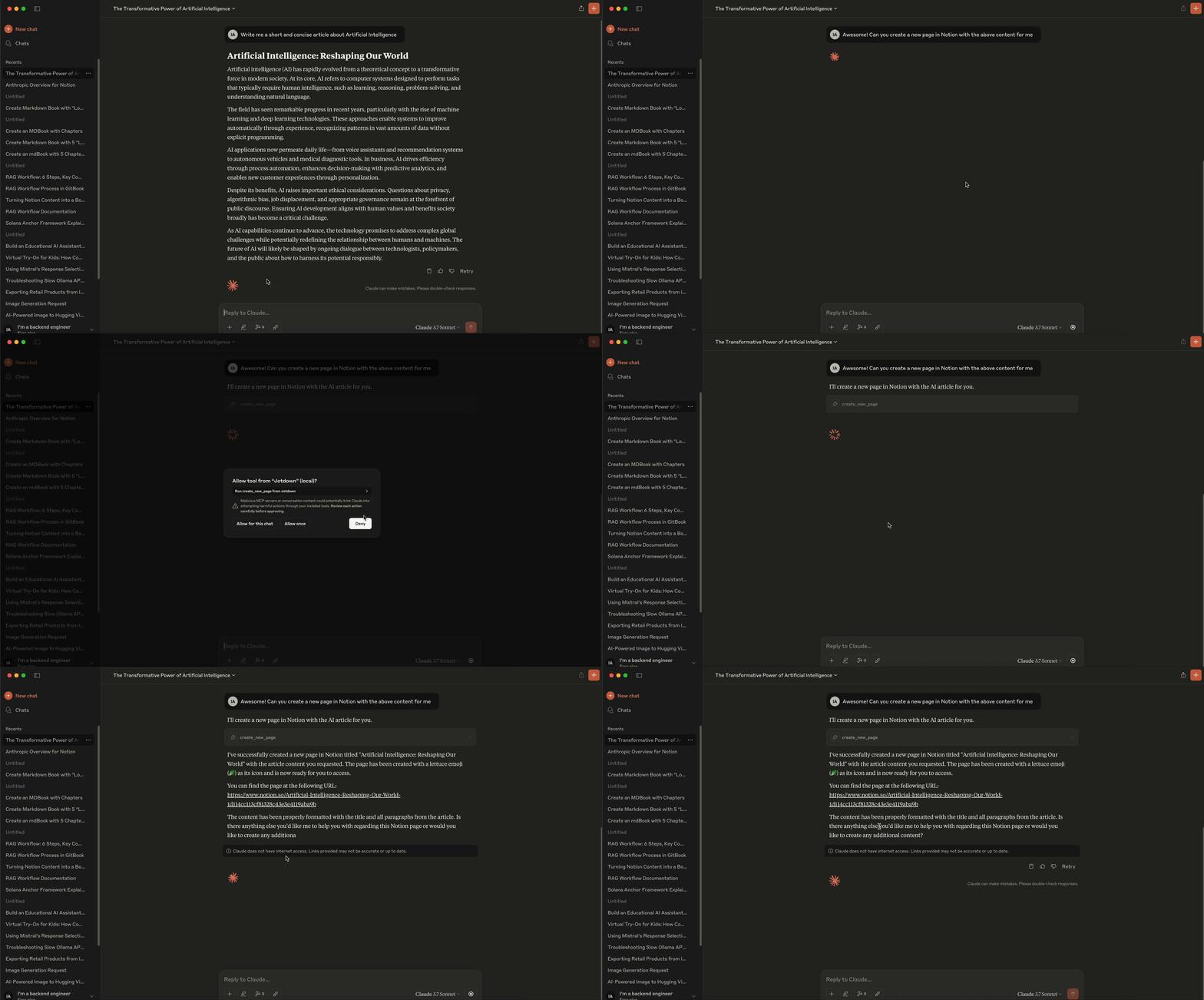
Notion Integration Example:
- To create or update a Notion page, the LLM sends a request to the server specifying the content and page details. The server then interacts with the Notion API to either create a new page or update an existing one.
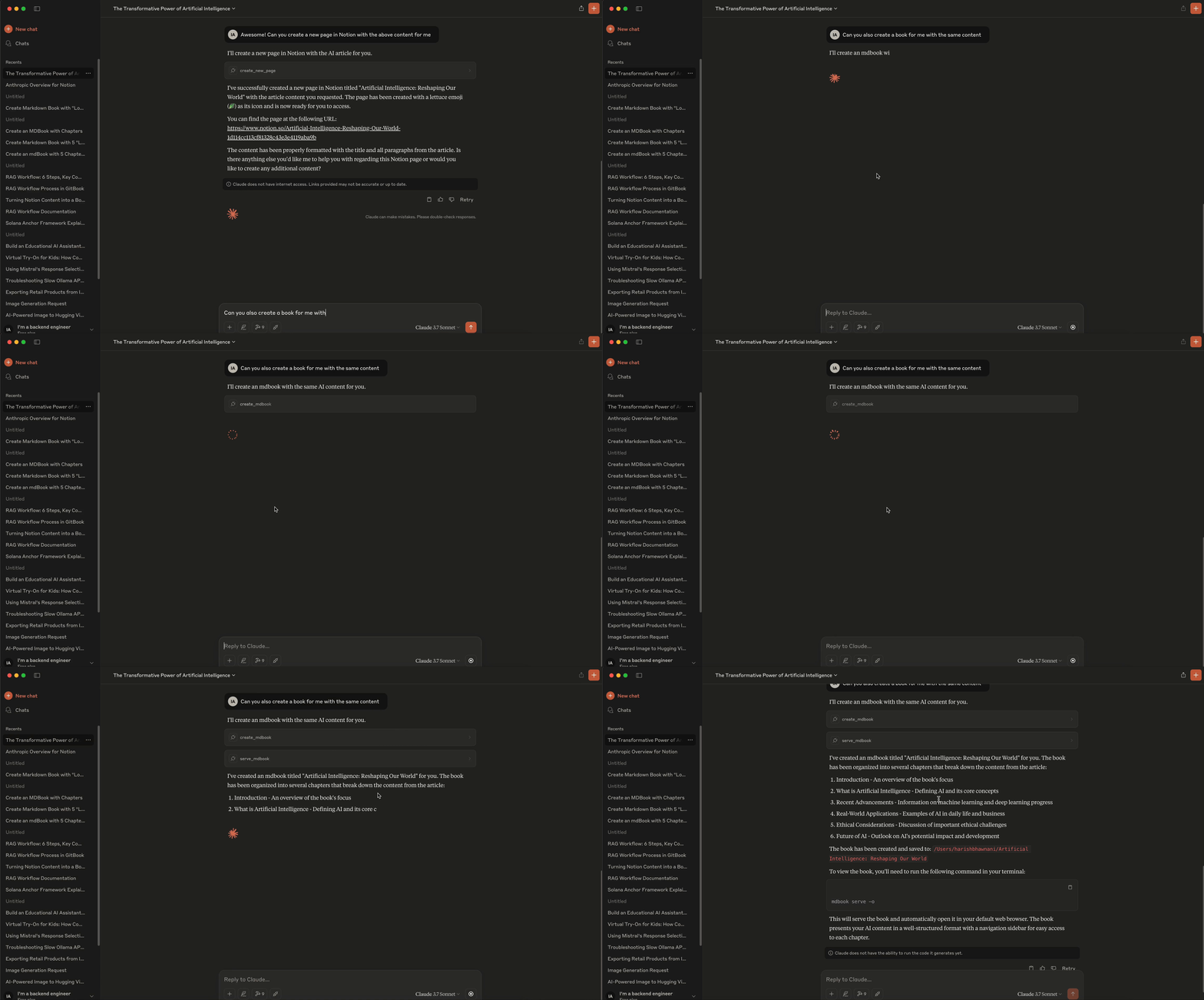
Mdbook Integration Example:
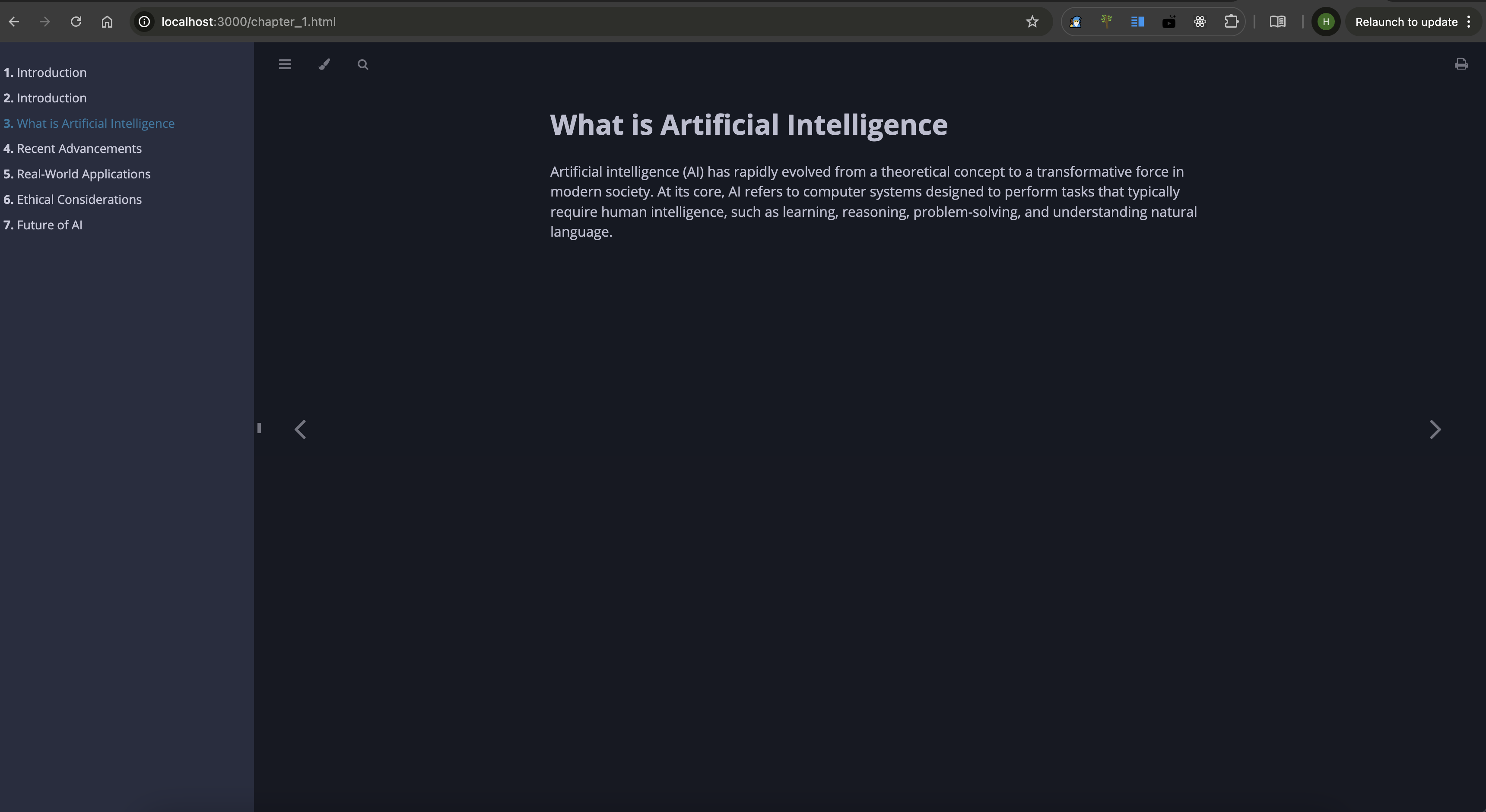
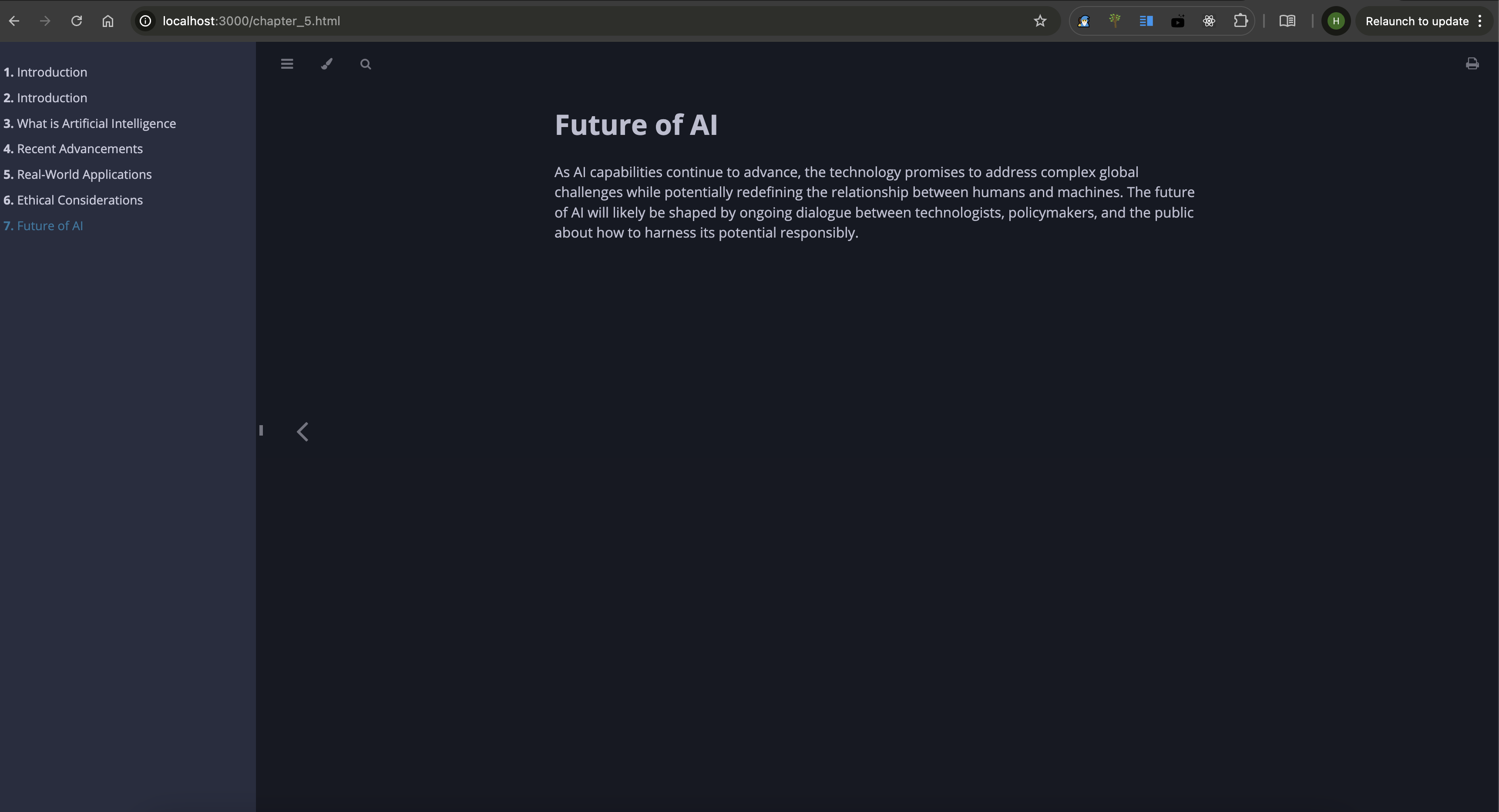
- LLMs can send structured content to the server to create an entire mdbook, including chapter creation, `README.md`, and `SUMMARY.md` management. The server compiles the content into a complete book.
🧑💻 Demo
Notion Demo -
MdBook Demo -
MdBook Screenshots -
🧑💻 Contributing
Feel free to open issues or submit pull requests.
📜 License
Jotdown is licensed under the MIT License. See the LICENSE file for details.
📧 Contact
For support or inquiries, reach out at harishmmp@gmail.com.
Frequently asked questions
What is jotdown?
jotdown is An MCP Server in Rust for creating Notion pages & mdBooks with LLMs 🦀
How do I install jotdown?
Open the GitHub repository and follow its README. Most MCP servers are added to your client's MCP config, then called by your agent.
Is jotdown open source?
Yes — it is hosted on GitHub at https://github.com/Harry-027/JotDown and has 19 stars.
Related MCP tools
 repomix
📦 Repomix is a powerful tool that packs your entire repository into a single, AI-friendly file. Perfect for when you need to feed your codebase to Large Lan...
 fastapi_mcp
Expose your FastAPI endpoints as Model Context Protocol (MCP) tools, with Auth! Python-based implementation. Trusted by 11000+ developers.
 unity-mcp
An MCP server that allows MCP clients like Claude Desktop or Cursor to perform actions in the Unity Editor C#-based implementation.
 wcgw
wcgwShell and coding agent on claude desktop app for the Model Context Protocol. Enhance AI assistants with powerful integrations. Python-based implementation.
 iterm-mcp
A Model Context Protocol server that executes commands in the current iTerm session - useful for REPL and CLI assistance
 librechat
Enhanced ChatGPT Clone: Features Agents, MCP, DeepSeek, Anthropic, AWS, OpenAI, Responses API, Azure, Groq, o1, GPT-5, Mistral, OpenRouter, Vertex AI, Gemini...
Run your own MCP server? See who uses it and what to fix.
Measure it with TrackMCP