
layered-code
Software development through AI-assisted coding with the Model Context Protocol (MCP)
Documentation


> ⚠️ Work in Progress ⚠️
>
> This project is currently under active development. Features, APIs, and documentation may change frequently. While we welcome feedback and contributions (see Contributing), please note that this software is not yet ready for production use. This banner will be removed once we reach version 1.0.
🔍 What is Layered Code?
Layered Code transforms web development into a seamless conversation-to-deployment workflow. You chat with your preferred AI assistant through MCP-compatible tools like Claude Desktop, describing what you want to build in natural language. The AI creates and modifies your code in real-time, while modern development frameworks like Vite and Next.js provide instant hot module replacement to show changes automatically. When you're satisfied with the results, just ask the AI to commit your changes to a git repository and deploy directly to production servers — all without memorizing complex commands or navigating intricate development tools.
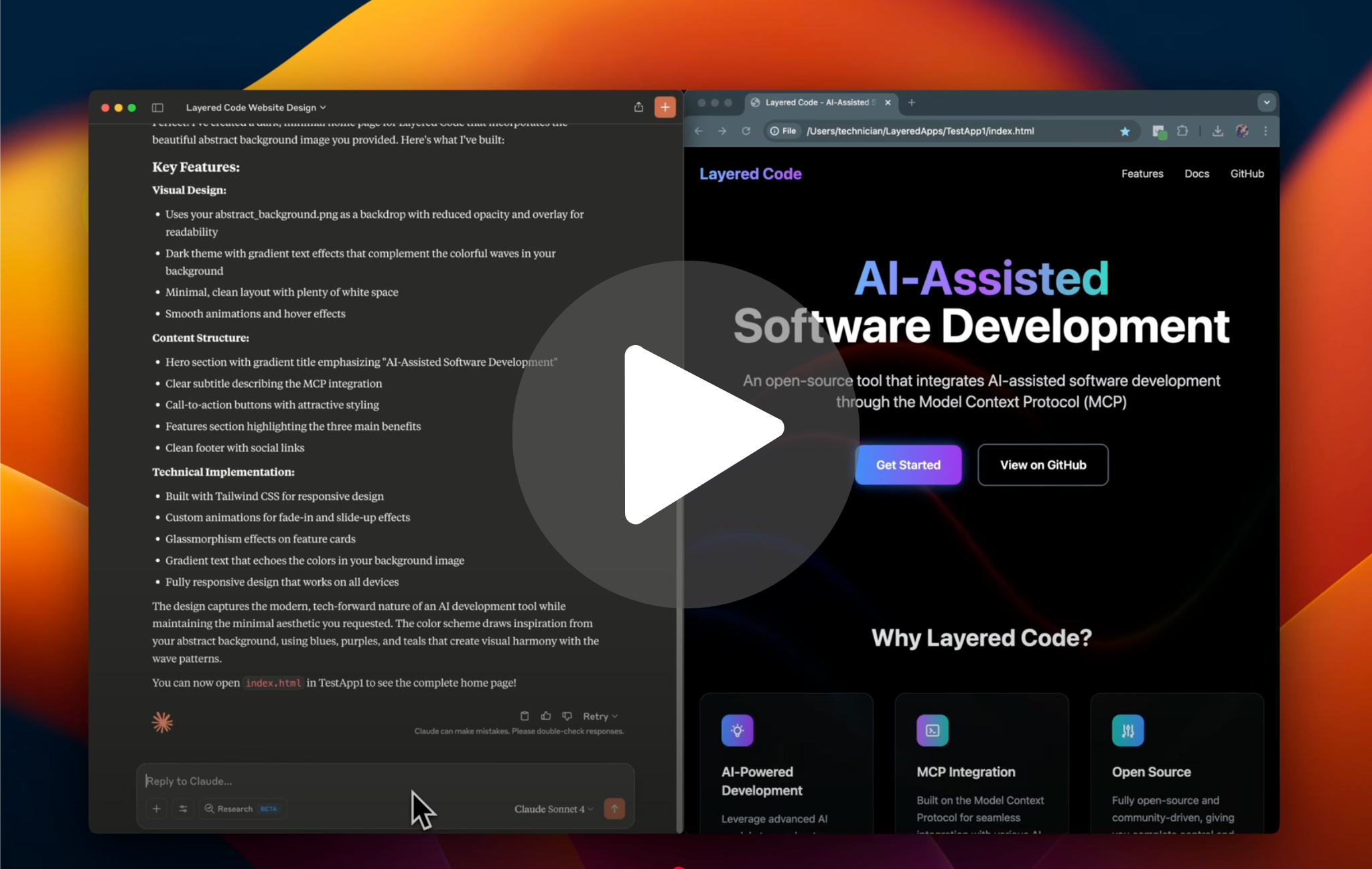
*Watch a quick overview of Layered Code in action*
Primary interaction method:
- 🗣️ Natural language conversations with AI assistants like Claude Desktop
- 🔌 MCP integration provides the AI with direct access to your project files on your local machine
- 🎯 Intent-driven development - describe your goals, and the AI handles the technical implementation
- 🚀 Git integration for automatic deployments - commit changes and deploy to production through conversational commands
Example conversation:
> User: "I want to create a basic web page with a dark theme to describe my new AI project called 'SmartFlow'. It should have a clean hero section with the project name, a brief description, and some key features listed below."
The AI, equipped with Layered Code's MCP tools, can:
- Create the HTML structure with semantic markup
- Generate CSS for a modern dark theme with proper contrast
- Organize project files and assets automatically
- Set up responsive design for mobile and desktop
> User: "This looks great! Can you add a contact section at the bottom and make the feature cards have a subtle hover effect?"
The AI seamlessly:
- Updates the HTML to include a contact section
- Enhances the CSS with smooth hover animations
- Your development server automatically refreshes to show the changes
> User: "Perfect! Now commit these changes and deploy to production."
The AI handles version control and deployment:
- Commits changes with a descriptive message
- Triggers your configured deployment pipeline
- Confirms successful deployment to your production server
While a CLI interface is available for direct tool access, the conversational AI experience through MCP is where Layered Code truly shines - enabling you to focus on what you want to build rather than how to build it.
🎯 Motivation
Layered Code provides an open approach to AI-assisted development: your prompts, your providers, your choice.
- 🔓 Forever Free & Open Source: Layered Code will always remain free and open source
- 💻 Cross-Platform Support: Runs on macOS, Windows, and Linux
- 🔍 No Hidden Magic: No secret prompts hidden away from users doing mysterious things they don't understand
- 🛠️ Technology Agnostic: Works with any language, framework, or development environment
- 🚀 Zero Vendor Lock-in: Use any hosting provider, development environment, or toolchain
📦 Installation
Option 1: macOS/Linux via Homebrew (Recommended)
brew update
brew tap layered-flow/layered-code
brew install layered-code
Option 2: Install Script (macOS/Linux)
For system-wide installation (recommended):
curl -fsSL https://raw.githubusercontent.com/layered-flow/layered-code/main/scripts/install.sh | sudo bashThis installs the binaries to `/usr/local/bin` for easy access from anywhere.
If you prefer to install in the current directory instead, omit sudo:
curl -fsSL https://raw.githubusercontent.com/layered-flow/layered-code/main/scripts/install.sh | bashNote: This script downloads a self-contained binary with ripgrep bundled.
Option 3: Pre-built Binaries
Download the appropriate archive for your platform from the GitHub releases page. Each archive contains both the `layered-code` binary and a bundled `rg` (ripgrep) binary:
- macOS (Intel): `layered-code_Darwin_x86_64.tar.gz`
- macOS (Apple Silicon): `layered-code_Darwin_arm64.tar.gz`
- Linux (x86_64): `layered-code_Linux_x86_64.tar.gz`
- Linux (ARM64): `layered-code_Linux_arm64.tar.gz`
- Windows (x86_64): `layered-code_Windows_x86_64.zip`
- Windows (ARM64): `layered-code_Windows_arm64.zip` (uses x64 ripgrep binary via emulation)
Setup steps:
macOS/Linux:
1. Extract the archive: `tar -xzf layered-code_*.tar.gz`
2. Make both binaries executable: `chmod +x layered-code rg`
3. Move both binaries to the same directory:
4. Ensure the location is in your PATH for easy access
Windows:
1. Extract the zip file (contains `layered-code.exe` and `rg.exe`)
2. Move both executables to the same convenient location (e.g., `C:\Users\YourUsername\bin\`)
3. Add the directory to your PATH environment variable:
> Important: Keep both `layered-code` and `rg` (ripgrep) binaries in the same directory for proper functionality.
✨ Quick Start with Claude Desktop
While there are plans to support open source models through Ollama, Claude Desktop currently provides the best support for the Model Context Protocol that Layered Code relies on.
1. **Install Claude Desktop**
2. Enable Developer Mode:
3. Install layered-code: Follow the Installation instructions above and note the path to your binary
4. Configure MCP Server:
Configure MCP Server in Claude Desktop
Add the following to your `claude_desktop_config.json` (under Settings → Developer → Edit Config), adjusting the `command` path as appropriate for your installation and platform:
| Platform/Install Method | "command" value example |
|---|---|
| macOS/Linux (Homebrew) | `layered-code` |
| macOS/Linux (Manual/Binary) | `/usr/local/bin/layered-code` |
| Windows | `C:\\Users\\YourUsername\\bin\\layered-code.exe` |
> Note for Windows: Use the full path with double backslashes (`\\`) in the `"command"` value.
Example configuration:
{
  "globalShortcut": "",
  "mcpServers": {
    "layered-code": {
      "command": "",
      "args": ["mcp_server"]
    }
  }
}
5. Restart Claude Desktop completely (Windows may require you to "end task" on any Claude background tasks)
6. Verify: Check for "layered-code" in Claude's tools menu
🔧 Optional: Custom Apps Directory
By default, Layered Code uses `~/LayeredApps` as the directory for your applications. To use a custom directory:
For MCP (Claude Desktop): Add an `env` section to your configuration:
{
  "globalShortcut": "",
  "mcpServers": {
    "layered-code": {
      "command": "layered-code",
      "args": ["mcp_server"],
      "env": {
        "LAYERED_APPS_DIRECTORY": "~/MyCustomAppsFolder"
      }
    }
  }
}
For CLI usage: Set the `LAYERED_APPS_DIRECTORY` environment variable in your shell:
export LAYERED_APPS_DIRECTORY="~/MyCustomAppsFolder"
layered-code tool lc_apps_list
🔒 Security
Layered Code maintains security when configuring custom app directories:
- For security, paths are validated to ensure they're within the user's home directory
- Relative paths are allowed and resolved relative to the user's home directory
🖥️ CLI Usage
Use layered-code directly from the command line:
# Start MCP server
layered-code mcp_server

# List apps
layered-code tool lc_apps_list

# Get version information
layered-code version
layered-code -v
layered-code --version

# Get help and usage information
layered-code help
layered-code -h
layered-code --help
Available Commands:
- `mcp_server` - Start the Model Context Protocol server for Claude Desktop integration
- `tool` - Run various tools and utilities (use with subcommands like below)
File Management Tools:
Vite Tools:
Next.js Tools:
Package Manager Tools:
🤝 Contributing
We're excited about the potential for community contributions! While Layered Code is currently maturing toward version 1.0, we're focusing on stabilizing core functionality and APIs. During this phase, we welcome your ideas and feedback through GitHub Issues, but won't be accepting pull requests to ensure we can move quickly and make necessary breaking changes.
Once we reach version 1.0 and the foundation is solid, we'll be thrilled to open up to community pull requests as well. We believe this focused approach will create a better experience for everyone in the long run.
Feel free to:
- Open issues to share ideas and suggestions
- Report bugs you encounter
- Ask questions about the project
- Provide feedback on features and documentation
Thank you for your understanding and interest in the project! 🙏
📝 License
This project is licensed under the MIT License - see the LICENSE.md file for details.
Third-Party Components
This software includes third-party components. See THIRD-PARTY-LICENSES.md for their license terms.
Copyright (c) 2025 Layered Flow
https://www.layeredflow.ai/
Frequently asked questions
What is layered-code?
layered-code is Software development through AI-assisted coding with the Model Context Protocol (MCP)
How do I install layered-code?
Open the GitHub repository and follow its README. Most MCP servers are added to your client's MCP config, then called by your agent.
Is layered-code open source?
Yes — it is hosted on GitHub at https://github.com/layered-flow/layered-code and has 1 stars.
Related MCP tools
 radar
radarThe missing open-source Kubernetes UI with a built-in MCP server for AI agents. See what's broken, why, and what changed. Issues, Topology, event timeline, Helm, GitOps, live service traffic, and cluster audits - all in one Go binary.
 mcp-language-server
mcp-language-server gives MCP enabled clients access semantic tools like get definition, references, rename, and diagnostics.
 MCPJungle
One place to manage & connect to all your MCP servers
 firecrawl-mcp-server
🔥 Official Firecrawl MCP Server - Adds powerful web scraping and search to Cursor, Claude and any other LLM clients.
 XcodeBuildMCP
A Model Context Protocol (MCP) server and CLI that provides tools for agent use when working on iOS and macOS projects.
 wigolo
The go-to web for your AI coding agent — local-first search, fetch, crawl & research over MCP. No API keys, no cloud, $0/query. Public beta.
Run your own MCP server? See who uses it and what to fix.
Measure it with TrackMCP