
mcp-hydra
A lightweight, extensible cybersecurity toolkit that connects AI assistants to security tools through the Model Context Protocol (MCP), enabling AI-assisted security research, scanning, and analysis.
Documentation
HydraΜCP — The Model Context Protocol (MCP) Pentesting Toolkit
⣿⣿⣿⣿⣿⣿⣿⣿⣿⣿⣿⣿⣿⣿⣿⣿⣿⣿⣿⠿⠿⠿⠿⠿⢿⣿⣿⣿⣿⣿
⣿⣿⣿⣿⣿⣿⣿⣿⣿⣿⠿⣿⣿⠟⠙⠻⠿⠋⠙⠻⠷⠄⠀⠀⠀⠀⠀⠀⢸⣿
⣿⣿⣿⣿⣿⣿⠿⢿⠿⠋⠀⠀⠀⠀⠀⠀⠀⠀⠀⠀⠀⠀⠀⠀⠀⢠⣾⣿⣿⣿
⣿⣿⣿⣿⣿⡿⠀⠀⠀⠀⠀⢀⣀⣤⣴⣶⣾⣿⣿⣿⣿⣿⣇⡀⠀⠈⠻⠿⣿⣿
⣿⣿⣿⠉⠉⠀⠀⠀⠀⣠⣶⣿⣿⣿⣿⣿⣿⣿⣿⢿⣿⣿⣿⣿⣿⣷⣶⣶⣿⣿
⣿⠿⠟⠀⠀⠀⢀⣠⣾⣿⡿⠻⠿⠟⠙⠿⠟⠻⣿⡆⠈⠻⣿⣿⣿⣿⣿⣿⣿⣿
⣿⠀⠀⠀⠀⢀⣾⠏⠈⠉⠀⠀⠀⠀⠀⠀⠀⠀⠀⠁⠀⠀⠈⠻⣿⣿⣿⣿⣿⣿
⣿⠀⠀⠀⠀⠈⠁⠀⠀⠀⠀⣠⣤⣶⣶⣶⣶⣦⡄⠀⠀⠀⠀⠀⠈⠻⣿⣿⣿⣿
⣿⠀⠀⠀⠀⠀⠀⠀⠀⣠⣾⣿⣿⣿⣿⣿⣿⣿⣦⡀⠀⣾⣿⣿⣆⣤⣾⣿⣿⣿
⣿⠀h⠀⠀⠀⠀⠀⠀⠘⠛⠛⠻⣿⣿⣿⣿⣿⣿⣿⣿⣦⠈⣻⣿⣿⣿⣿⣿⣿⣿
⣿⠀⠀⠀⠀⠀⠀⠀⠀⠀⠀⠀⠈⠉⢻⣿⣿⡿⠿⠿⠿⢿⣿⣿⣿⣿⣿⣿⣿⣿
⣿⠀⠀⠀⠀⢀⣠⣤⣤⣤⣄⣀⠀⠀⠈⠛⠹⣿⠷⣄⠀⠀⠀⠀⠉⠉⠉⣹⣿⣿
⣿⠀⠀⢀⣾⣿⣿⣿⣿⣿⣿⣿⣷⣤⣀⠀⠀⠀⠀⠀⠀⠀⠀⢀⣴⣶⣶⣿⣿⣿
⣿⠀⢀⣿⣿⣿⣿⣿⣿⣿⣿⣿⣿⣿⣿⣿⣷⣶⣶⣶⣶⣆⡀⠀⠈⠻⠿⣿⣿⣿
⣿⣤⣼⣿⣿⣿⣿⣿⣿⣿⣿⣿⣿⣿⣿⣿⣿⣿⣿⣿⣿⣿⣿⣿⣿⣶⣶⣿⣿⣿
A lightweight, extensible cybersecurity toolkit that connects AI assistants to security tools through the Model Context Protocol (MCP), enabling AI-assisted security research, scanning, and analysis.
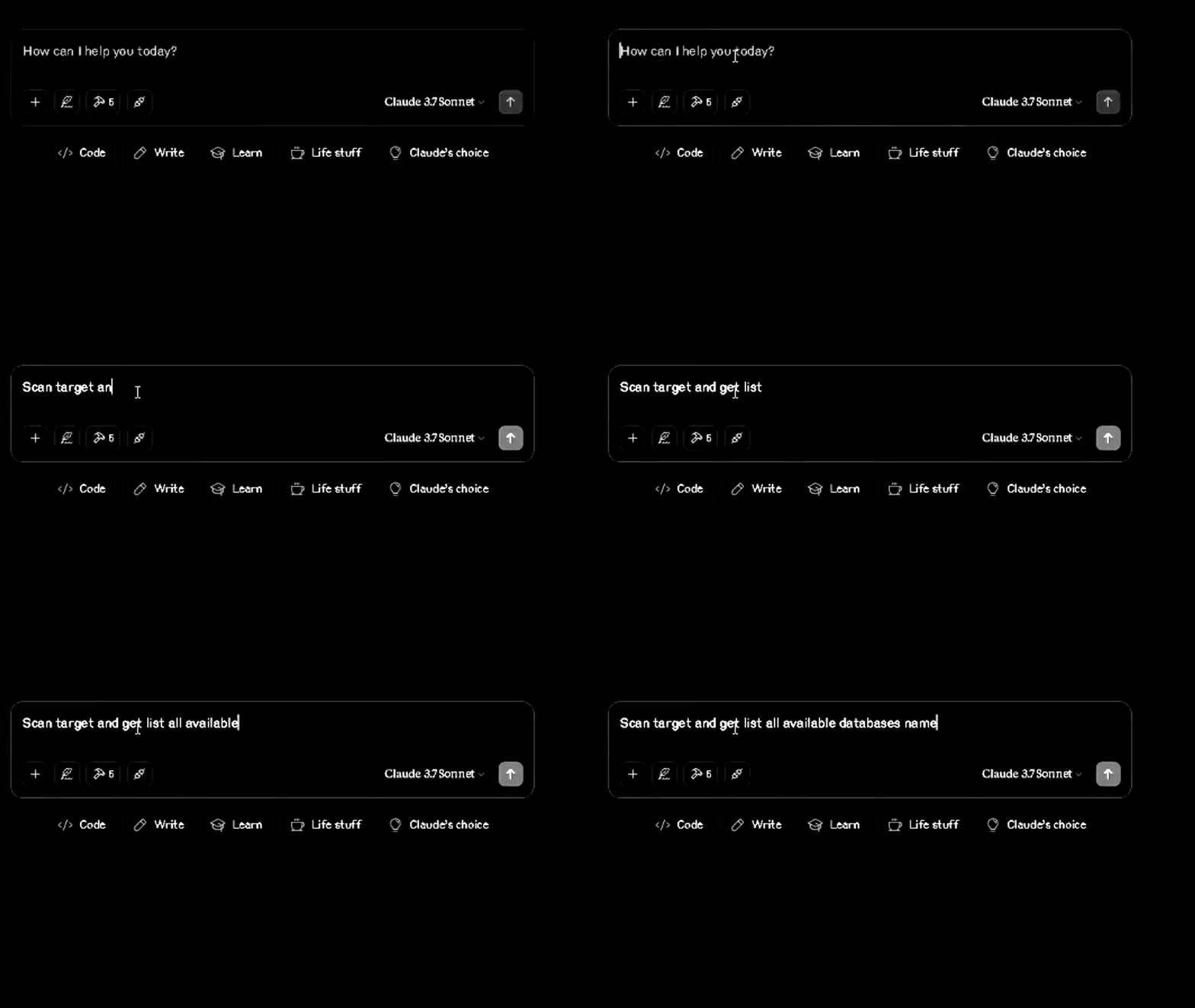
Demo - Sqlmap
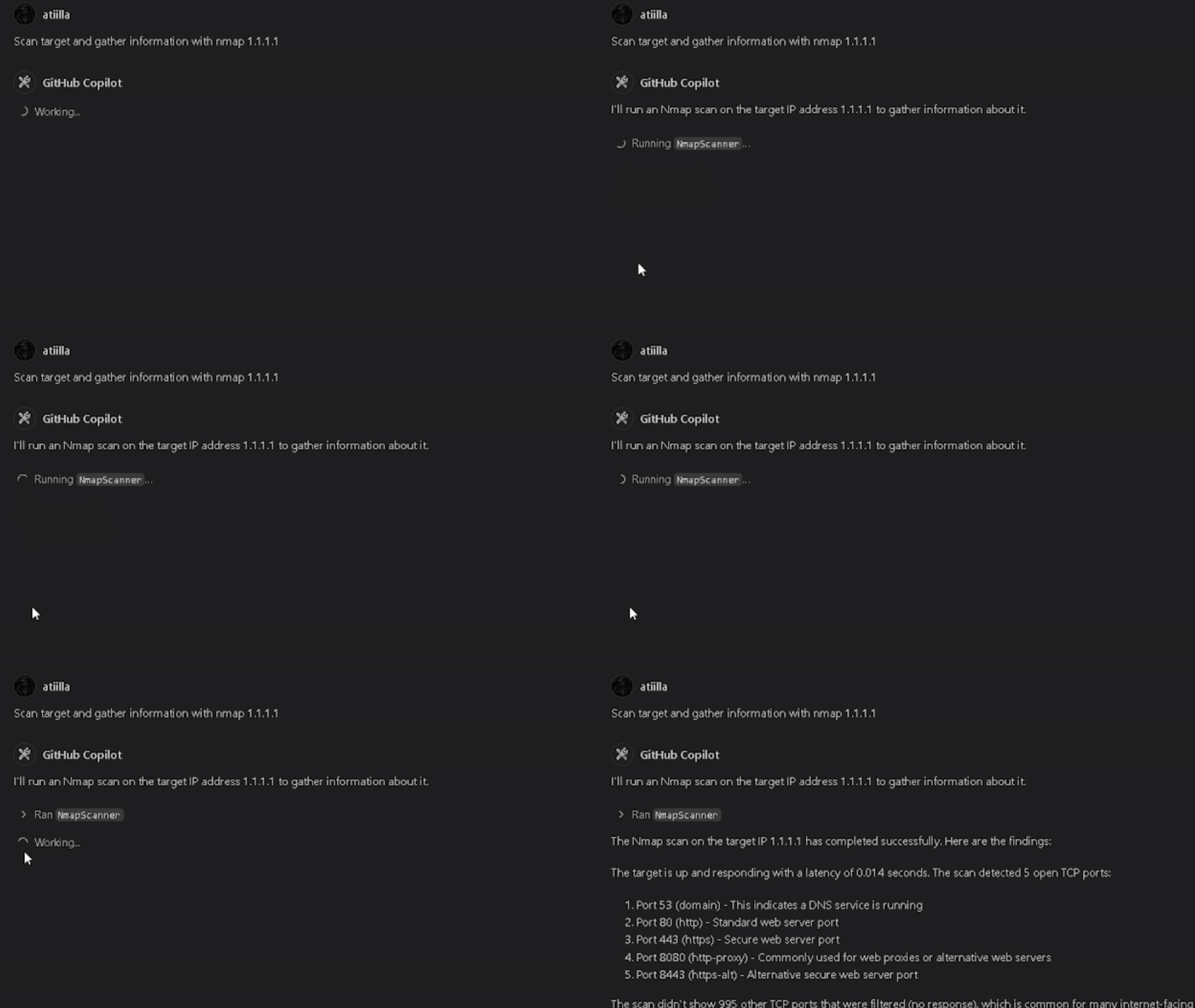
Nmap
Sqlmap
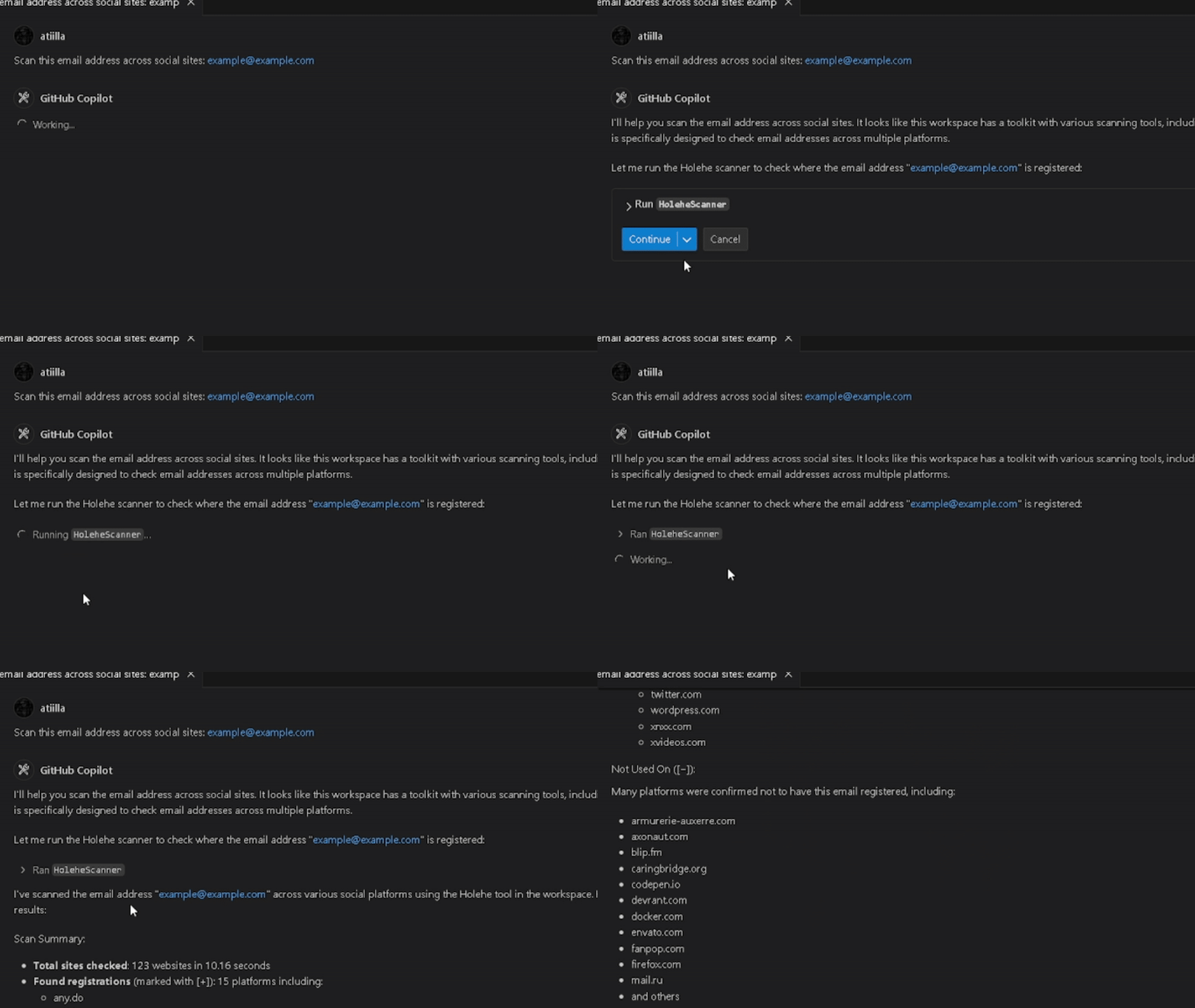
Holehe
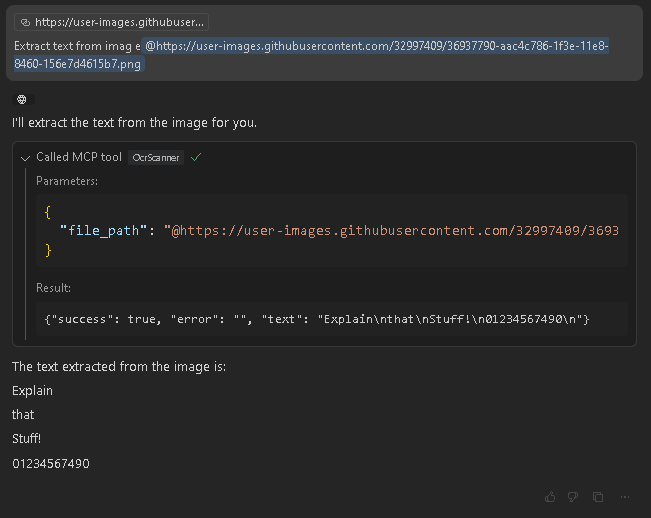
Ocr2Text
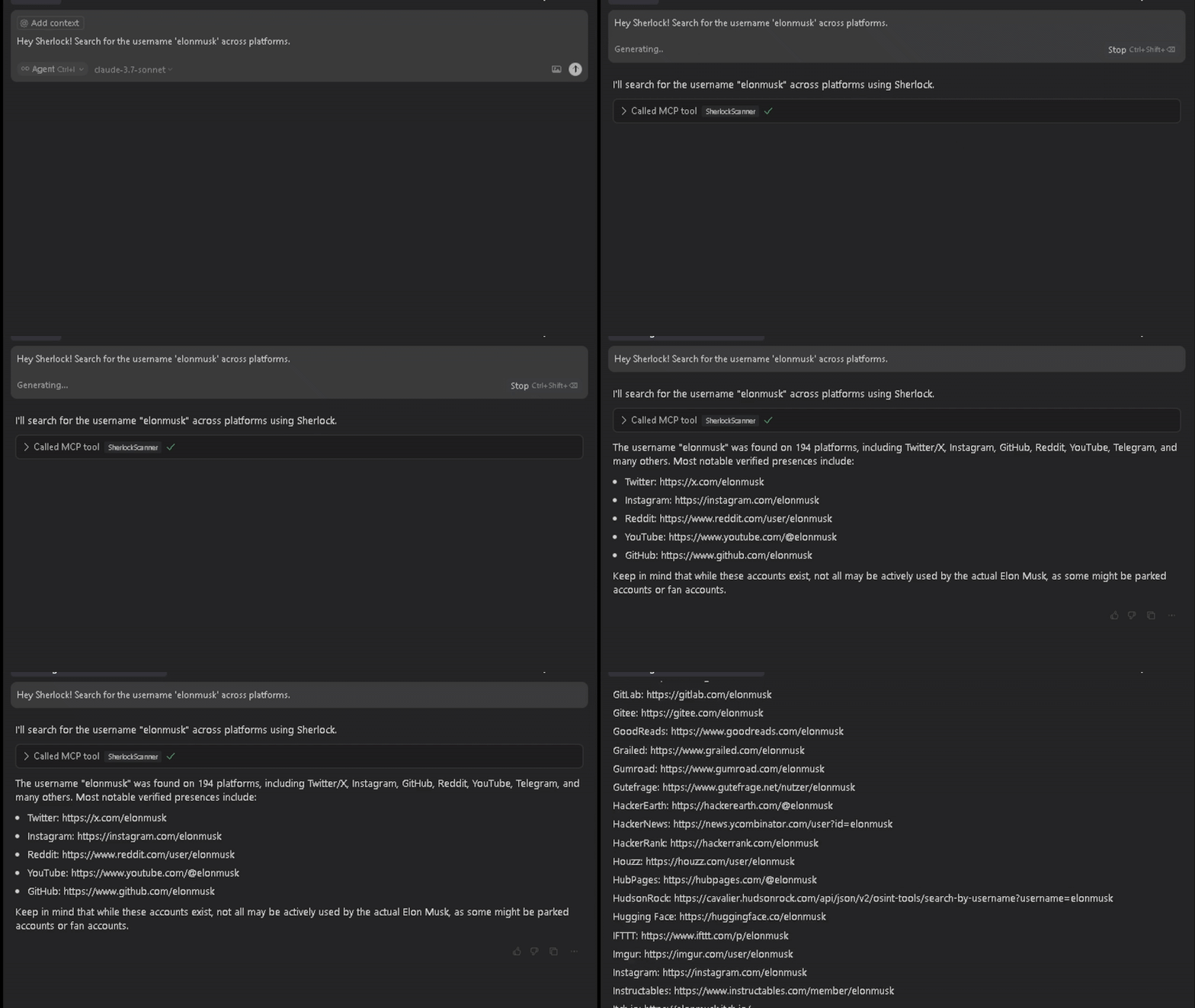
Sherlock
Installation
Build te Docker image
git clone https://github.com/happyhackingspace/mcp-hydra.git
cd mcp-hydra
docker build -t hydramcp .
Usage
Edit your `claude_desktop_config.json`
{
  "mcpServers": {
    "hydramcp": {
      "command": "docker",
      "args": ["run", "--rm", "-i","--name","hydramcp", "hydramcp"]
    }
  }
}
Or Copilot in vscode
mkdir -p .vscode
cd .vscode
touch mcp.json
{
"servers": {
"hydramcp": {
"command": "docker",
"args": [
"run",
"--rm",
"-i",
"--net=host",
"--privileged",
"--name",
"hydramcp",
"hydramcp"
]
}
}
}
## You can use the following prompts to test the tools:Sublist3r
> Use Sublist3rScanner to find all subdomains for example.com and save results to the "recon" folder.
--
DNSRecon
> Run a DNS reconnaissance scan on example.com using DNSReconScanner with standard scan type.
--
Holehe
> Use HoleheScanner to check if the email address user@example.com is registered on various websites.
--
Nmap
> Scan 192.168.1.1 with NmapScanner to check for open ports in the range 1-1000.
--
Ocr2Text
> Use OcrScanner to extract text from the screenshot at /path/to/image.png.
--
Sqlmap
> Run SqlmapScanner on http://testphp.vulnweb.com/listproducts.php?cat=1 to check for SQL injection vulnerabilities.
--
WPScan
> Use WPScanScanner to scan the WordPress site at https://example.com for vulnerabilities.
--
Zmap
> Scan the subnet 192.168.1.0/24 for systems with port 80 open using ZmapScanner with 1M bandwidth.
## Changelog
### Implemented Tools
- [x] Sublist3r - Domain enumeration tool
- [x] DNSRecon - DNS Reconnaissance tool
- [x] Holehe - Email registration checker
- [x] Nmap - Network scanner
- [x] OCR - Optical Character Recognition
- [x] Sqlmap - SQL injection scanner
- [x] WPScan - WordPress security scanner
- [x] Zmap - Internet scanner

### Planned Tools
- [ ] gobuster
- [ ] TheHarvester
- [ ] GitRecon
- [ ] Phone carrier lookup
- [ ] Netcraft
- [ ] Cloudunflare (claudflare bypass)
- [ ] Censys
- [ ] Programmable search engine
- [ ] Wayback Machine
- [ ] Shodan
- [ ] Wappalyzer
- [ ] Hunter.io
- [ ] Nuclei
- [ ] Amass
- [ ] GitSecrets - @awslabs/git-secrets or @trufflesecurity/trufflehog
- [ ] Depixelization - https://github.com/spipm/Depixelization_poc
- [ ] ExifTool
- [ ] Sudomy https://github.com/screetsec/Sudomy

## Contributing
If you want to contribute to this project, please follow these steps:
1. Fork the repository.
2. Create a new branch (`git checkout -b feature-branch`).
3. Make your changes and commit them (`git commit -m 'Add some feature'`).
4. Push to the branch (`git push origin feature-branch`).

## Disclaimer
This project is for educational purposes only. Use it at your own risk. The author is not responsible for any damages or legal issues that may arise from the use of this software.

* **Version**: 0.1.0
* **License**: MIT
* **Author**: Built with ❤️ by [@atiilla](https://github.com/atiilla)
* **Community**: [@happyhackingspace](https://github.com/happyhackingspace) | https://happyhacking.spaceFrequently asked questions
What is mcp-hydra?
mcp-hydra is A lightweight, extensible cybersecurity toolkit that connects AI assistants to security tools through the Model Context Protocol (MCP), enabling AI-assisted security research, scanning, and analysis.
How do I install mcp-hydra?
Open the GitHub repository and follow its README. Most MCP servers are added to your client's MCP config, then called by your agent.
Is mcp-hydra open source?
Yes — it is hosted on GitHub at https://github.com/happyhackingspace/mcp-hydra and has 9 stars.
Related MCP tools
 openhands
🙌 OpenHands: Code Less, Make More for the Model Context Protocol. Enhance AI assistants with powerful integrations. Python-based implementation.
 mem0
mem0Universal memory layer for AI Agents; Announcing OpenMemory MCP - local and secure memory management. Python-based implementation.
 chatgpt-on-wechat
基于大模型搭建的聊天机器人,同时支持 微信公众号、企业微信应用、飞书、钉钉 等接入,可选择ChatGPT/Claude/DeepSeek/文心一言/讯飞星火/通义千问/ Gemini/GLM-4/Kimi/LinkAI,能处理文本、语音和图片,访问操作系统和互联网,支持基于自有知识库进行定制企业智能客服。
 gpt-researcher
An LLM agent that conducts deep research (local and web) on any given topic and generates a long report with citations. Built for the Model Context Protocol to
 fastmcp
🚀 The fast, Pythonic way to build MCP servers and clients Trusted by 19900+ developers. Trusted by 19900+ developers. Trusted by 19900+ developers.
 maxkb
maxkb🔥 MaxKB is an open-source platform for building enterprise-grade agents. MaxKB 是强大易用的开源企业级智能体平台。 for the Model Context Protocol. Enhance AI assistants with po
Run your own MCP server? See who uses it and what to fix.
Measure it with TrackMCP