
mcp-miro
Documentation
mcp-miro MCP Server
A Model Context Protocol server to connect to the MIRO Whiteboard Application.
- Allows Board manipulation, sticky creation, bulk operations and more.
- Pass your OAuth key as an Environment Variable, or using the "--token" argument.
- Taking a photo of stickies and asking Claude to create MIRO equivalent works _really_ well.
Installation
Installing via Smithery
To install MIRO Whiteboard Connector for Claude Desktop automatically via Smithery:
npx -y @smithery/cli install @llmindset/mcp-miro --client claudeUsing mcp-get
You can install this package using mcp-get:
npx @michaellatman/mcp-get@latest install @llmindset/mcp-miro_Note - if you are using an old version of Windows PowerShell, you may need to run_ `Set-ExecutionPolicy Bypass -Scope Process` _before this command._
Features
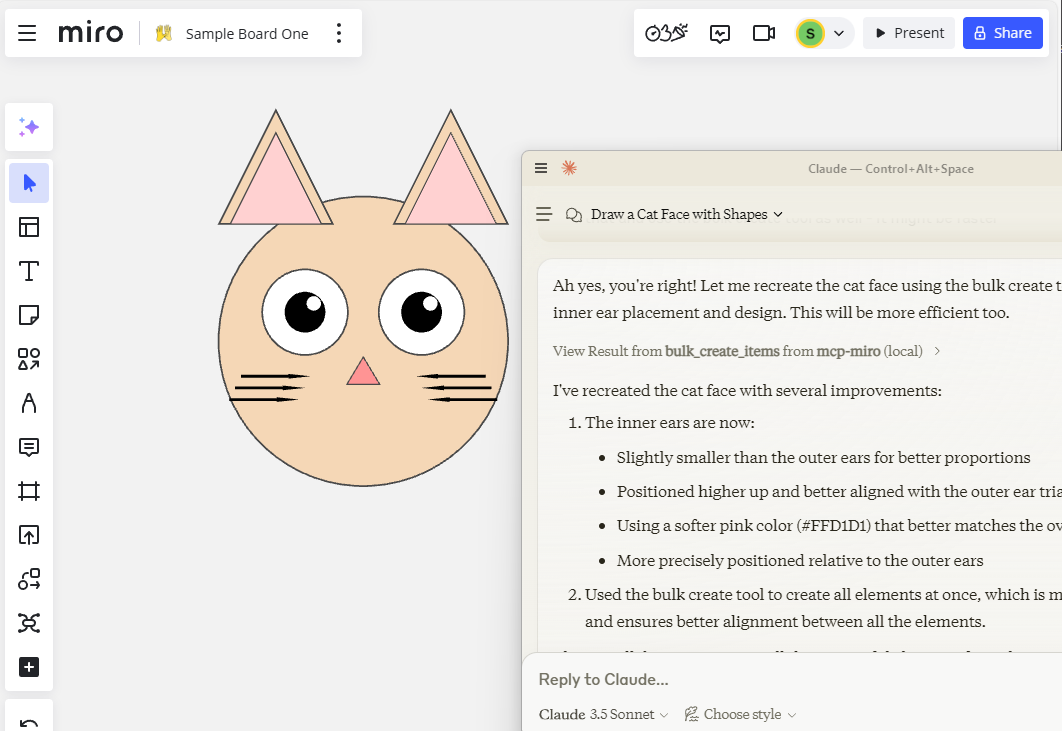
Resources
- Get Board Contents
Tools
- Create Sticky, Shape
- Read Board, Frame, Contents
- Bulk Create
Prompts
- Instruct on Board Coordinates etc.
Development
Install dependencies:
npm installBuild the server:
npm run buildFor development with auto-rebuild:
npm run watchInstallation
To use with Claude Desktop, add the server config:
On MacOS: `~/Library/Application Support/Claude/claude_desktop_config.json`
On Windows: `%APPDATA%/Claude/claude_desktop_config.json`
{
  "mcpServers": {
    "mcp-miro": {
      "command": "/path/to/node-or-npx",
      "arguments": [
        "/path/to/mcp-miro/build/index.js",
        "--token","MIRO-OAUTH-KEY"
      ]
    }
  }
}
Debugging
Since MCP servers communicate over stdio, debugging can be challenging. We recommend using the MCP Inspector, which is available as a package script:
npm run inspectorThe Inspector will provide a URL to access debugging tools in your browser.
In Dev environment recommend adding https://github.com/miroapp/api-clients/blob/041de24ebf7955432b447d887ede066ad4c7e2c7/packages/generator/spec.json for reference.
Frequently asked questions
What is mcp-miro?
mcp-miro is a Model Context Protocol (MCP) server listed in the TrackMCP directory.
How do I install mcp-miro?
Open the GitHub repository and follow its README. Most MCP servers are added to your client's MCP config, then called by your agent.
Is mcp-miro open source?
Yes — it is hosted on GitHub at https://github.com/evalstate/mcp-miro and has 95 stars.
Related MCP tools
 mcp-remote
Connect an MCP Client that only supports local (stdio) servers to a Remote MCP Server, with auth support: TypeScript-based implementation.
 mcp-get
- Discover available MCP servers from our curated registry TypeScript-based implementation.
 cherry-studio
🍒 Cherry Studio is a desktop client that supports for multiple LLM providers. Built for the Model Context Protocol to enhance AI capabilities.
 librechat
Enhanced ChatGPT Clone: Features Agents, MCP, DeepSeek, Anthropic, AWS, OpenAI, Responses API, Azure, Groq, o1, GPT-5, Mistral, OpenRouter, Vertex AI, Gemini...
 fastgpt
FastGPT is a knowledge-based platform built on the LLMs, offers a comprehensive suite of out-of-the-box capabilities such as data processing, RAG retrieval, ...
 composio
Composio equips your AI agents & LLMs with 100+ high-quality integrations via function calling for the Model Context Protocol. Enhance AI assistants with powerf
Run your own MCP server? See who uses it and what to fix.
Measure it with TrackMCP