
mcp-reporter
mcp-reporter is a streamlined utility that generates comprehensive capability reports for Model Context Protocol servers, empowering developers to easily understand available functionality across their MCP servers ecosystem for both documentation and integration into other tools.
Documentation
MCP Reporter





MCP Reporter is a utility for generating comprehensive reports about Model Context Protocol (MCP) server capabilities, helping developers understand what functionality is available across their MCP server ecosystem. Can also be used programmatically to generate reports for documentation or for feeding into other tools.
Table of Contents
- Features
- Installation
- Configuration
- Usage
- Report Structure
- Project Structure
- Example Report
- Development
- License
- Author
Features
- Server Discovery: Automatically connects to all enabled MCP servers
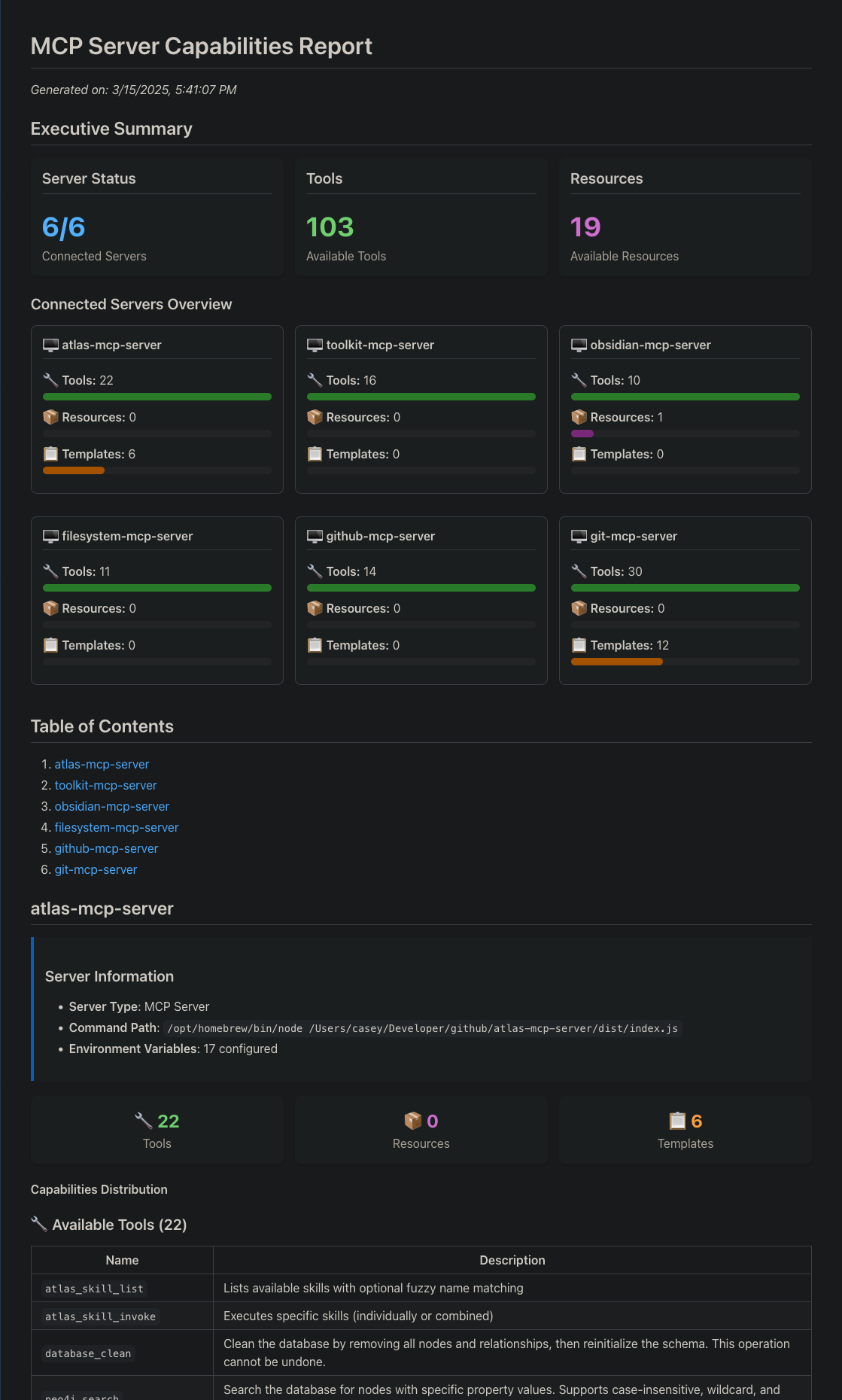
- Capability Analysis: Extracts tools, resources, and resource templates
- Markdown Report Generation: Produces well-organized documentation
- Progress Monitoring: Provides real-time feedback during execution
Image Preview of Generated Report (Partial)
Installation
Prerequisites
- Node.js 16.x or higher
- npm or yarn
Install from Source
# Clone the repository
git clone https://github.com/cyanheads/mcp-reporter.git
cd mcp-reporter

# Install dependencies
npm install

# Build the project
npm run build

# Create a symlink (optional)
npm link
Configuration
MCP Reporter requires a configuration file that defines the MCP servers you want to analyze:
# Create a configuration file from the example
cp mcp-servers.json.example mcp-servers.json
Example configuration:
{
  "mcpServers": {
    "atlas-mcp-server": {
      "command": "/path/to/node",
      "args": ["/path/to/atlas-mcp-server/dist/index.js"],
      "env": {
        "NEO4J_URI": "bolt://localhost:7687",
        "NEO4J_USER": "neo4j",
        "NEO4J_PASSWORD": "your-password-here"
      }
    },
    "another-server": {
      "command": "/path/to/node",
      "args": ["/path/to/another-server.js"],
      "env": {}
    }
  }
}
Usage
Command Line Interface
mcp-reporter [options]| Option | Description | Default |
|---|---|---|
| `-c, --config ` | Path to MCP servers config | `mcp-servers.json` |
| `-o, --output ` | Output path for report | `output/mcp_server_report.md` |
| `-s, --schemas` | Include input schemas | `true` |
| `-m, --metadata` | Include server metadata | `true` |
| `-e, --examples` | Include examples | `true` |
Examples
You can run mcp-reporter either via 'npm run start' or by using the symlink (optional) created during installation:
# Generate a report with default settings
npm run start

# Generate a report using symlink
mcp-reporter
Programmatic Usage
import { McpReporter } from "mcp-reporter";

async function generateReport() {
  const reporter = new McpReporter("./my-config.json", {
    outputPath: "./reports/mcp-report.md",
    includeInputSchemas: true,
    includeServerMetadata: true,
  });

  await reporter.run();
}

generateReport().catch(console.error);
Report Structure
The generated markdown report includes:
1. Summary of all MCP servers analyzed
2. For each server:
Project Structure
mcp-reporter/
├── src/               # Source code
│   ├── cli.ts         # Command line interface
│   ├── index.ts       # Main library code
│   ├── types/         # TypeScript type definitions
│   └── utils/         # Utility functions
├── scripts/           # Build and maintenance scripts
├── docs/              # Documentation
├── output/            # Default output directory for reports
└── mcp-servers.json   # Server configuration (create from example)
Development
# Clean build artifacts
npm run clean

# Rebuild the project
npm run rebuild

# Generate project structure visualization
npm run tree
License
This project is licensed under the Apache 2.0 License - see the LICENSE file for details.
Author
Casey Hand (@cyanheads)
Frequently asked questions
What is mcp-reporter?
mcp-reporter is mcp-reporter is a streamlined utility that generates comprehensive capability reports for Model Context Protocol servers, empowering developers to easily understand available functionality across their MCP servers ecosystem for both documentation and integration into other tools.
How do I install mcp-reporter?
Open the GitHub repository and follow its README. Most MCP servers are added to your client's MCP config, then called by your agent.
Is mcp-reporter open source?
Yes — it is hosted on GitHub at https://github.com/cyanheads/mcp-reporter and has 10 stars.
Related MCP tools
 composio
Composio equips your AI agents & LLMs with 100+ high-quality integrations via function calling for the Model Context Protocol. Enhance AI assistants with powerf
 repomix
📦 Repomix is a powerful tool that packs your entire repository into a single, AI-friendly file. Perfect for when you need to feed your codebase to Large Lan...
 mcp-use
Mcp-use is the easiest way to interact with mcp servers with custom agents TypeScript-based implementation. Trusted by 8100+ developers.
 mcp-searxng
MCP Server for SearXNG TypeScript-based implementation.
 cursor-talk-to-figma-mcp
CTTF: MCP integration between Cursor and Figma, allowing Cursor Agentic AI to communicate with Figma for reading designs and modifying them programmatically.
 fastgpt
FastGPT is a knowledge-based platform built on the LLMs, offers a comprehensive suite of out-of-the-box capabilities such as data processing, RAG retrieval, ...
Run your own MCP server? See who uses it and what to fix.
Measure it with TrackMCP