
android-mcp-toolkit
A growing collection of MCP tools for Android Development. Currently features a deterministic Figma-SVG-to-Android-XML converter, with plans for Gradle analysis, Resource management, and ADB integration tools.
Documentation
Android MCP Toolkit for AI Agents
Small MCP server with three tools:
- Fast SVG → Android VectorDrawable conversion (cached, file or inline).
- adb logcat reader with package/pid/tag filters for quick crash triage.
- Translation length difference estimator to flag risky length deltas before layout breaks.
Why this exists
The Mission: Bringing Native Android to the AI Agent Era
While the AI ecosystem flourishes with web-first tools, Android development often feels left behind. This MCP server is my answer to that gap—a dedicated bridge connecting AI Agents directly to the Android toolchain.
⚡ Zero-Friction Asset Conversion: Convert SVGs to VectorDrawables instantly without the overhead of launching Android Studio.
🔍 Direct Diagnostic Access: Empower agents to pull, filter, and analyze adb logcat streams (by package, PID, or tag) in real-time.
🤖 Agent-Native Architecture: Deliver structured, scriptable outputs that LLMs can parse and act upon efficiently.
🚀 Built for Extensibility: A solid foundation designed to grow, paving the way for future utilities like bitmap helpers and asset validation.
Pairing ideas
- Figma MCP: grab SVGs from designs, feed to `convert-svg-to-android-drawable` to get XML for Android resources.
- Debugging: while running the app, call `read-adb-logcat` with package name or tag to capture crashes and filtered logs without leaving the MCP client.
Previews
SVG to VectorDrawable
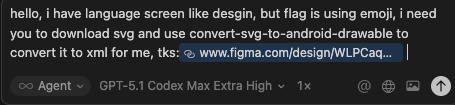
- Figma request → SVG extraction
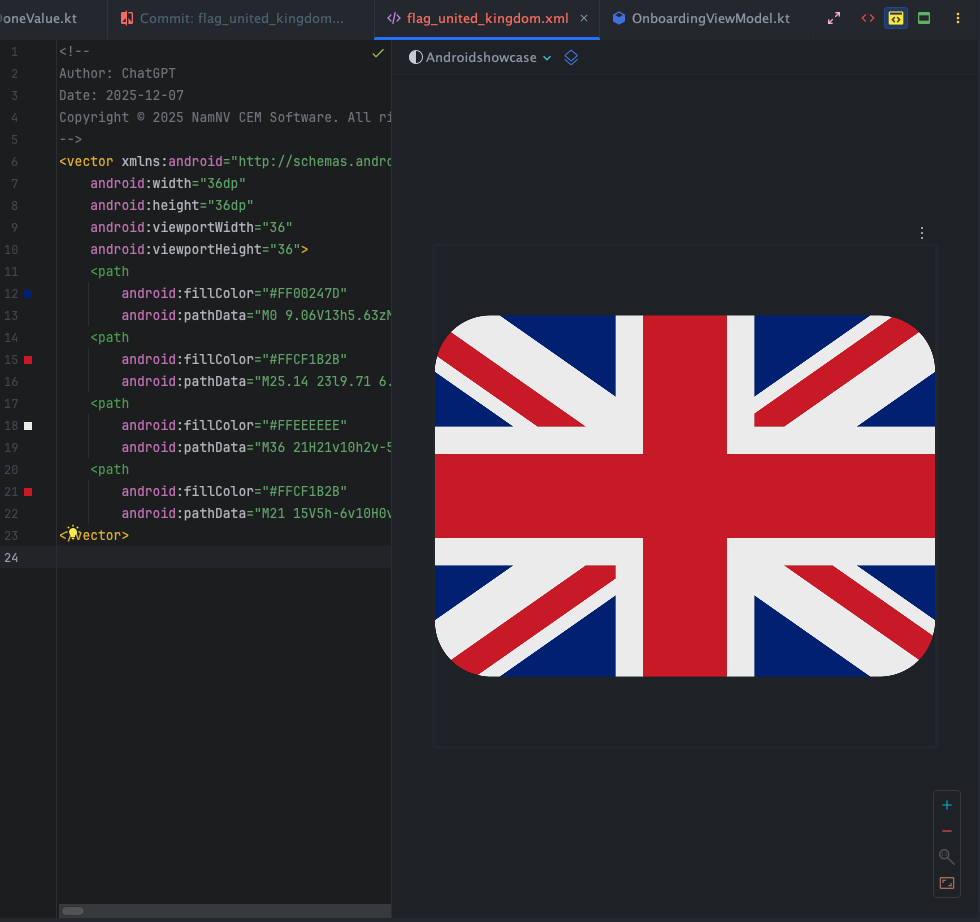
- Flag conversion preview (single)
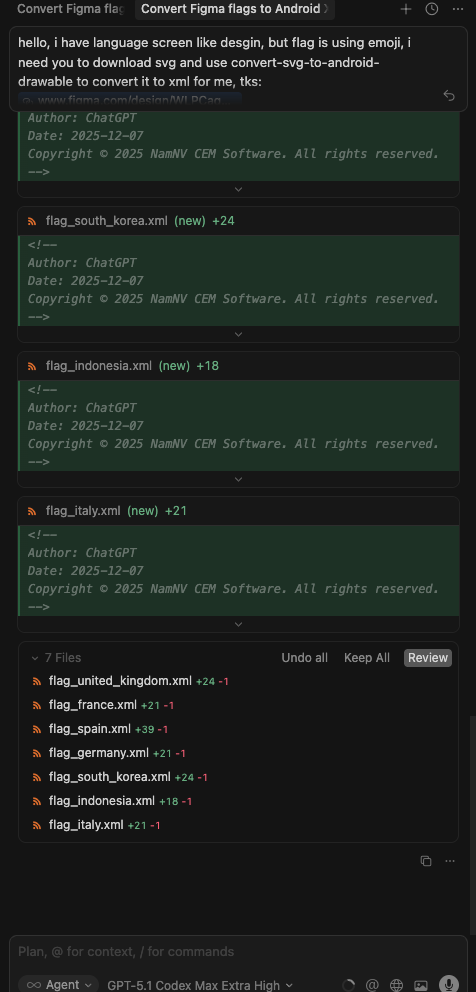
- Batch flag review (side-by-side)
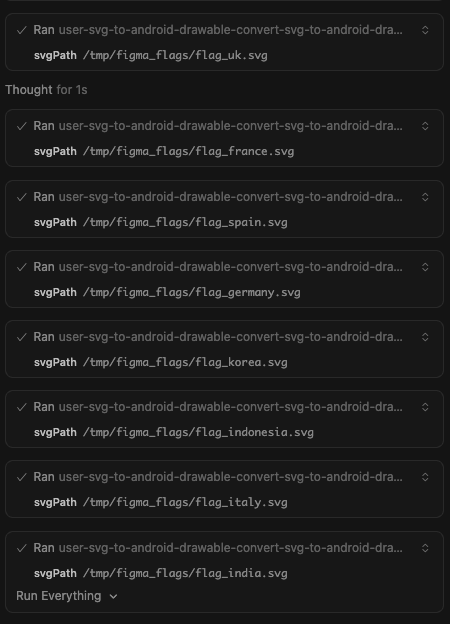
- Batch run via MCP (console)
ADB logcat tool
- Crash capture prompt (inputs + filters)
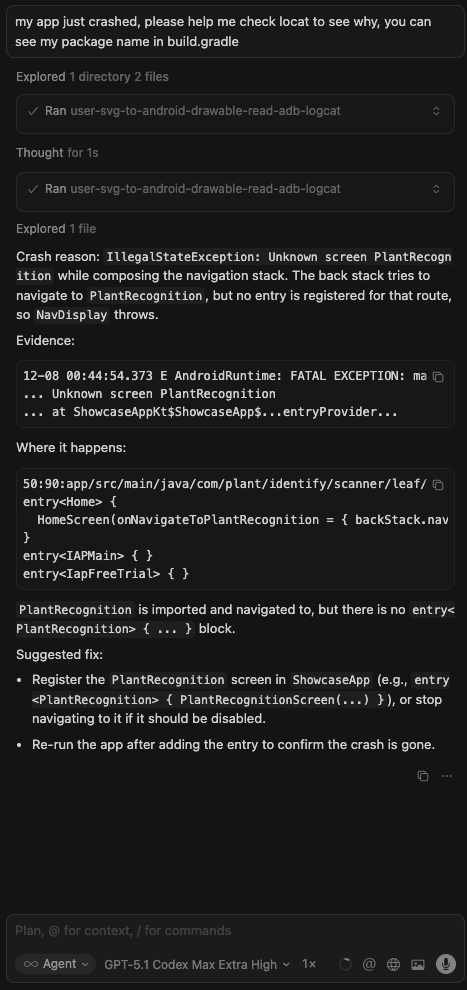
- Response preview (summarized logcat)

Current tools
- `convert-svg-to-android-drawable`
- Inputs: `svg` (inline) or `svgPath` (file path). Optional: `outputPath`, `floatPrecision` (default 2), `fillBlack` (default false), `xmlTag` (default false), `tint`, `cache` (default true).
- Output: VectorDrawable XML text; also writes to disk when `outputPath` is provided.
- Performance: LRU cache (32 entries) keyed by SVG + options plus fast reuse in-session.
- Converter: vendored fork in `vendor/svg2vectordrawable` with fixes for `rgb()/rgba()`, `hsl()/hsla()`, and named colors. Upstream license: `vendor/svg2vectordrawable/LICENSE` (MIT).
- `manage-logcat`
- Inputs:
- `action`: `read` (default), `crash`, `anr`, or `clear`.
- `packageName`: Optional. Resolves PID via `adb shell pidof`.
- `pid`: Optional. Explicit PID.
- `tag`: Optional. Filter by tag (e.g. `MyApp`).
- `priority`: `V`, `D`, `I`, `W`, `E`, `F`, `S` (default `V`).
- `maxLines`: Tail count (default 200, max 2000).
- `timeoutMs`: Default 5000.
- Behavior:
- `read`: Fetches logcat tail.
- `crash`: Fetches `logcat -b crash`.
- `anr`: Fetches recent ActivityManager ANR logs + tail of `/data/anr/traces.txt`.
- `clear`: clears logcat buffers.
- Inputs:
- `get-current-activity`
- Inputs: `timeoutMs` (default `5000`, max `15000`).
- Behavior: Inspects `dumpsys window` to find the currently focused app/window. Useful to verify state.
- `dump-ui-hierarchy`
- Inputs: `timeoutMs` (default 10000).
- Behavior: Captures current UI hierarchy as XML via `uiautomator`.
- `take-screenshot`
- Inputs: `outputPath` (required), `timeoutMs`.
- Behavior: Saves device screenshot to local file.
- `inject-input`
- Inputs: `command` (`tap`, `text`, `swipe`, `keyevent`, `back`, `home`), `args` (array), `timeoutMs`.
- Optional: `elementId` or `elementText` (finds element center and taps it).
- Behavior: Simulates user interaction suitable for testing flows.
- `estimate-text-length-difference`
- Inputs: `sourceText` (original), `translatedText` (to compare), `tolerancePercent` (default `30`, max `500`).
- Behavior: Measures grapheme length of both strings, computes percent change, and reports whether it exceeds the tolerance (useful to catch translation length blowups that could break layouts).
Roadmap (planned)
- Additional MCP tools for Android assets (e.g., batch conversions, validations, optimizers).
- Optional resource prompts for common Android drawables/templates.
Quick start
- `npm install`
- `npm run build`
- `node dist/index.js` (stdio MCP server)
Run via npx
- Global: `npx android-mcp-toolkit`
Use in Cursor (MCP config)
Add to your Cursor settings JSON:
{
  "mcpServers": {
    "android-mcp-toolkit": {
      "command": "npx",
      "args": [
        "-y",
        "android-mcp-toolkit"
      ]
    }
  }
}
The npx call downloads the published package; no local path required.
Quick install via Cursor deep link:
- `cursor://anysphere.cursor-deeplink/mcp/install?name=android-mcp-toolkit&config=eyJjb21tYW5kIjoibnB4IC15IGFuZHJvaWQtbWNwLXRvb2xraXQifQ%3D%3D`
Examples
- Input SVG: `sample_svg.svg`
- Output VectorDrawable: `examples/sample_svg.xml`
Notes
- Transport: stdio via `@modelcontextprotocol/sdk`.
- Base deps kept minimal; everything needed to convert SVGs is vendored/included.
Contact
- nam.nv205106@gmail.com
Frequently asked questions
What is android-mcp-toolkit?
android-mcp-toolkit is A growing collection of MCP tools for Android Development. Currently features a deterministic Figma-SVG-to-Android-XML converter, with plans for Gradle analysis, Resource management, and ADB integration tools.
How do I install android-mcp-toolkit?
Open the GitHub repository and follow its README. Most MCP servers are added to your client's MCP config, then called by your agent.
Is android-mcp-toolkit open source?
Yes — it is hosted on GitHub at https://github.com/Nam0101/android-mcp-toolkit and has 18 stars.
Related MCP tools
 firecrawl-mcp-server
🔥 Official Firecrawl MCP Server - Adds powerful web scraping and search to Cursor, Claude and any other LLM clients.
 deep-research
Use any LLMs (Large Language Models) for Deep Research. Support SSE API and MCP server.
 mcp-feedback-enhanced
Enhanced MCP server for interactive user feedback and command execution in AI-assisted development, featuring dual interface support (Web UI and Desktop Application) with intelligent environment detection and cross-platform compatibility.
 papersgpt-for-zotero
A powerful Zotero AI and MCP plugin with ChatGPT, Gemini 3.7, Claude Fable 5, Claude Opus 5, DeepSeek V4, Grok, OpenRouter, Kimi k3, GLM 5.3, SiliconFlow, GPT-oss, Gemma 4, Qwen 3.8
 opendia
Connect your browser to AI models. Just use Dia on Chrome, Arc or Firefox.
 wenyan-mcp
文颜 MCP Server 可以让 AI 自动将 Markdown 文章排版后发布至微信公众号。
Run your own MCP server? See who uses it and what to fix.
Measure it with TrackMCP