
omop_mcp
Model Context Protocol (MCP) server for mapping clinical terminology to Observational Medical Outcomes Partnership (OMOP) concepts using Large Language Models
Documentation
OMOP MCP Server


Model Context Protocol (MCP) server for mapping clinical terminology to Observational Medical Outcomes Partnership (OMOP) concepts using Large Language Models (LLMs). The vocabulary API is supported by OMOP HUB, and you can obtain an API key from omophub.com.
Demo Website
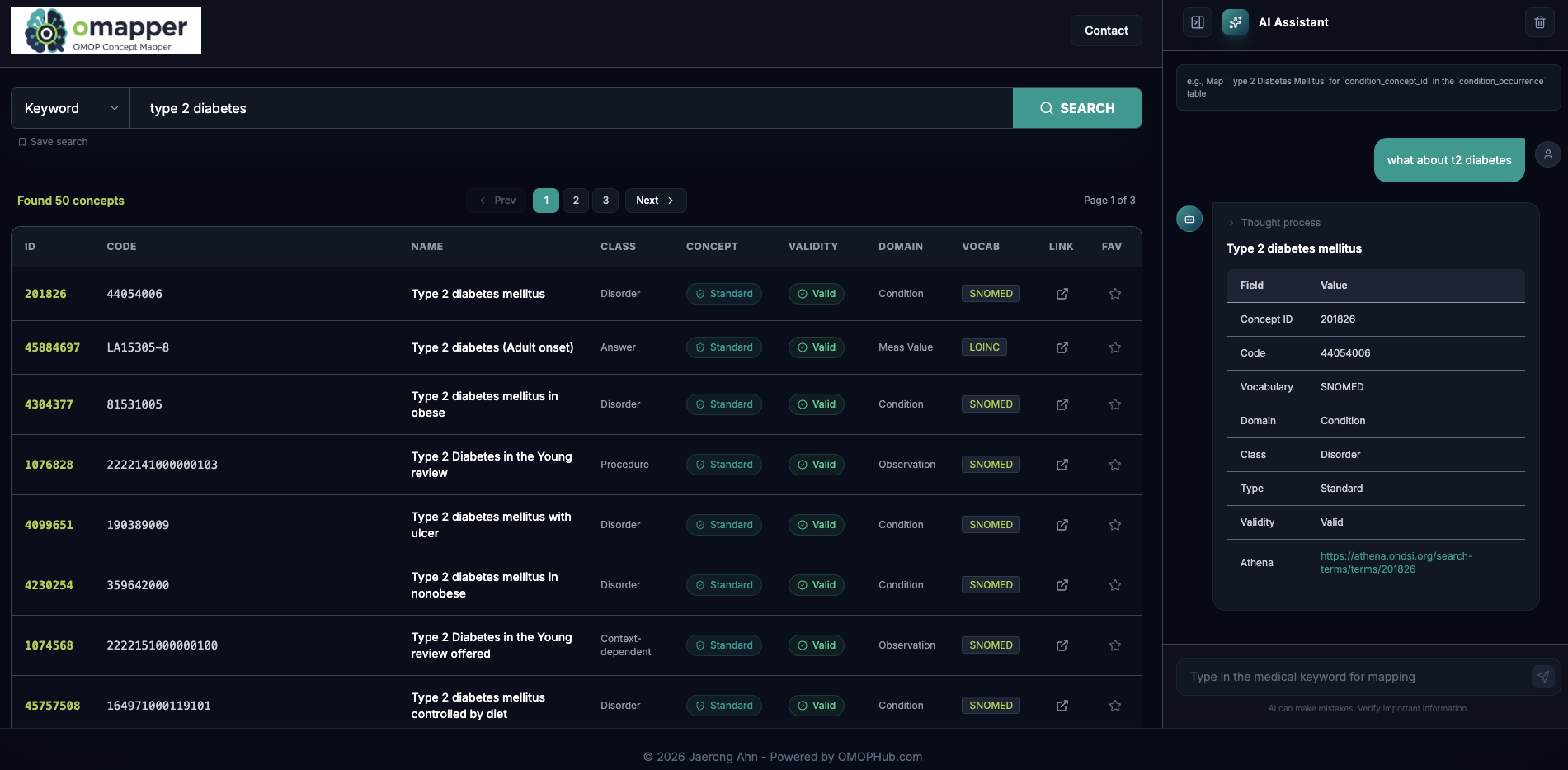
Overview
This server provides an agentic framework to standardize medical terms into the OMOP Common Data Model (CDM). It uses the OMOPHub API for vocabulary searching, concept suggestion, and terminology mapping.
Installation
Before configuring the MCP server, ensure you have:
1. uv installed on your system
2. Clone the repository
git clone https://github.com/OHNLP/omop_mcp.git
   cd omop_mcp
3. Set up environment variables
Copy `.env.template` to `.env` and fill in your API credentials. You will need both an LLM provider key and an **OMOPHUB_API_KEY** (for vocabulary lookups).
cp .env.template .envConfiguration for Claude Desktop
Add the following configuration to your `claude_desktop_config.json` file:
Location:
- MacOS: `~/Library/Application\ Support/Claude/claude_desktop_config.json`
- Windows: `%APPDATA%/Claude/claude_desktop_config.json`
Configuration:
Replace `` with the actual path to your cloned repository.
{
  "mcpServers": {
    "omop_mcp": {
      "command": "uv",
      "args": ["--directory", "", "run", "omop_mcp"]
    }
  }
}
Features
The OMOP MCP server provides tools and resources for:
- Mapping clinical terminology: Intelligent mapping of free-text terms to standardized OMOP concepts.
- Vocabulary Search: Direct access to OMOP vocabulary via `find_omop_concept`.
- Batch Processing: Tool for mapping multiple concepts from a CSV file.
- Preferred Vocabularies: Automatic domain-specific vocabulary prioritization (e.g., LOINC for measurements, SNOMED for conditions).
- Live Documentation: Resource access to live OMOP CDM documentation.
Usage Example
The agent is most effective when you provide context such as the OMOP table or field name.
Prompt:
Map `Temperature Temporal Scanner - RR` for `measurement_concept_id` in the `measurement` table.Response Example:
CONCEPT_ID: 46235152
CODE: 75539-7
NAME: Body temperature - Temporal artery
CLASS: Clinical Observation
CONCEPT: Standard
VALIDITY: Valid
DOMAIN: Measurement
VOCAB: LOINC
REASON: This LOINC concept specifically represents body temperature measured at the temporal artery.
URL: https://omophub.com/concepts/46235152
Contributing
See CONTRIBUTING.md for guidelines to contribute to the project.
Citation Policy
If you use this software, please cite the pre-print at arXiv (cs.AI) below:
An Agentic Model Context Protocol Framework for Medical Concept Standardization
License
This project is licensed under the Apache License 2.0. See LICENSE file for details.
Contact: jaerongahn@gmail.com
Frequently asked questions
What is omop_mcp?
omop_mcp is Model Context Protocol (MCP) server for mapping clinical terminology to Observational Medical Outcomes Partnership (OMOP) concepts using Large Language Models
How do I install omop_mcp?
Open the GitHub repository and follow its README. Most MCP servers are added to your client's MCP config, then called by your agent.
Is omop_mcp open source?
Yes — it is hosted on GitHub at https://github.com/OHNLP/omop_mcp and has 14 stars.
Related MCP tools
 web-agent-protocol
🌐Web Agent Protocol (WAP) - Record and replay user interactions in the browser with MCP support Python-based implementation.
 mem0
mem0Universal memory layer for AI Agents; Announcing OpenMemory MCP - local and secure memory management. Python-based implementation.
 gpt-researcher
An LLM agent that conducts deep research (local and web) on any given topic and generates a long report with citations. Built for the Model Context Protocol to
 maxkb
maxkb🔥 MaxKB is an open-source platform for building enterprise-grade agents. MaxKB 是强大易用的开源企业级智能体平台。 for the Model Context Protocol. Enhance AI assistants with po
 serena
A powerful coding agent toolkit providing semantic retrieval and editing capabilities (MCP server & other integrations) Python-based implementation.
 fastapi_mcp
Expose your FastAPI endpoints as Model Context Protocol (MCP) tools, with Auth! Python-based implementation. Trusted by 11000+ developers.
Run your own MCP server? See who uses it and what to fix.
Measure it with TrackMCP