
osv-mcp
MCP Server for Vulnerabilities based on OSV API
Documentation
OSV MCP Server
This project provides an MCP (Model Context Protocol) server for integrating OSV (Open Source Vulnerabilities) data and tools with AI assistants or large language models (LLMs). The server is implemented in Python and exposes tools and resources that can be used by LLMs to enhance their workflow and capabilities. Here is a screenshot of Claude Desktop using the OSV MCP Server.
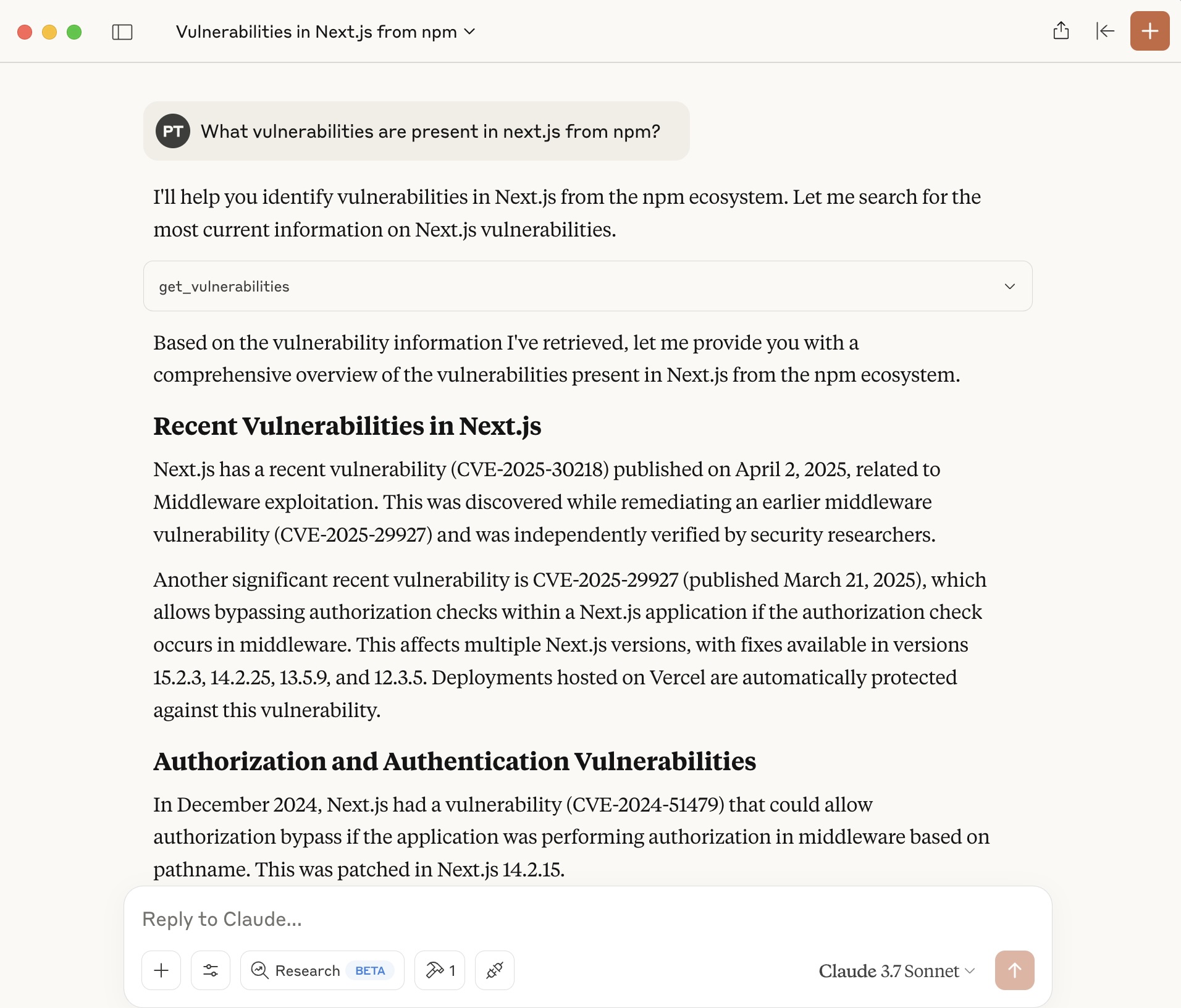
Features
- Exposes OSV-related data via the MCP protocol
- Easily connectable to AI assistants or LLMs that support MCP
- Simple Python-based setup
Prerequisites
- Python 3.8+ installed on your system
- uv (Python package manager, installation instructions)
Setup Instructions
1. Clone the Repository
Clone this repository to your local machine:
git clone https://github.com/your-org/osv-mcp.git
cd osv-mcp
2. Create a Virtual Environment (Recommended)
It is recommended to use a virtual environment to avoid dependency conflicts:
curl -LsSf https://astral.sh/uv/install.sh | sh
uv venv
3. Install Dependencies
Install the required Python packages using uv:
uv sync4. Start the MCP Server
Run the server using:
uv run vulns.pyUsing MCP Servers with AI Assistants and LLMs
MCP servers expose tools and resources over a local or network-accessible API. AI assistants and LLMs that support the Model Context Protocol can connect to one or more MCP servers to extend their capabilities. Once connected, the assistant can invoke the query_vulnerabilities tool.
Consult your AI assistant or LLM's documentation for specific instructions on adding or configuring MCP servers.
Using OSV MCP Server with Claude Desktop
Add the OSV MCP server in `claude_desktop_config.json` file.
On Mac or Linux, edit: `~/Library/Application\ Support/Claude/claude_desktop_config.json`.
On Windows, edit: `env:AppData\Claude\claude_desktop_config.json`.
Add the OSV MCP server to the config as below.
{
    "mcpServers": {
        "vulns": {
            "command": "uv",
            "args": [
                "--directory",
                "/ABSOLUTE/PATH/TO/PARENT/FOLDER/osv-mcp",
                "run",
                "vulns.py"
            ]
        }
    }
}
Development
- Source code is in `vulns.py`.
- Project dependencies are managed via `pyproject.toml`.
License
MIT License (or specify your license here)
For further questions or support, please open an issue or contact the maintainers.
Frequently asked questions
What is osv-mcp?
osv-mcp is MCP Server for Vulnerabilities based on OSV API
How do I install osv-mcp?
Open the GitHub repository and follow its README. Most MCP servers are added to your client's MCP config, then called by your agent.
Is osv-mcp open source?
Yes — it is hosted on GitHub at https://github.com/ptelang/osv-mcp.
Related MCP tools
 mcp
mcpAWS MCP Servers — helping you get the most out of AWS, wherever you use MCP. Python-based implementation. Trusted by 6900+ developers.
 mcpo
mcpoA simple, secure MCP-to-OpenAPI proxy server Python-based implementation. Trusted by 3500+ developers. Trusted by 3500+ developers.
 mcp-obsidian
MCP server that interacts with Obsidian via the Obsidian rest API community plugin Python-based implementation. Trusted by 2300+ developers.
 mcp-cli
Default Configuration: MCP CLI defaults to using Ollama with the gpt-oss reasoning model for local, privacy-focused operation without requiring API keys.
 minimax-mcp
Official MiniMax Model Context Protocol (MCP) server that enables interaction with powerful Text to Speech, image generation and video generation APIs.
 mcp-mem0
MCP server for long term agent memory with Mem0. Also useful as a template to get you started building your own MCP server with Python!
Run your own MCP server? See who uses it and what to fix.
Measure it with TrackMCP