
mcp
mcp server
Documentation
MCP Server
The MCP Server provides a comprehensive framework for AI-powered command execution, plugin-based tools, and advanced features including synchronous script execution, secure Python evaluation, and knowledge management. It can be run as a standalone service or embedded in other projects to expose a consistent API for invoking tools and managing tasks.
Project Structure
- mcp_tools/ – Plugin framework and built-in tools with enhanced concurrency management
- server/ – Starlette server implementation with HTTP/SSE endpoints and DataFrame UI
- plugins/ – Extensible plugins (Azure DevOps, Git tools, knowledge indexing, Kusto, CircleCI)
- config/ – Environment manager and configuration helpers
- utils/ – Core utilities (async jobs, graph interface, memory management, vector store, PyEval)
- scripts/ – Installation, utility scripts, and automated submission workflows
- assets/ – Images and documentation resources
Installation
The project uses `uv` for dependency management. Install dependencies with:
uv syncOr install in development mode using pip:
pip install -e .Environment Setup
Configuration is controlled by `.env` files. Create one from the template and edit it with your settings:
cp config/env.template .envImportant variables include repository paths (`GIT_ROOT`), Azure Repo details (`AZREPO_ORG`, `AZREPO_PROJECT`, `AZREPO_REPO`), and optional `PRIVATE_TOOL_ROOT` for external tool configuration. The environment manager automatically loads `.env` files from the repository root, current directory, and your home directory.
Access settings in code via:
from config import env_manager
env_manager.load()
root = env_manager.get_git_root()
See `docs/config_overview.md` for more information.
Running the Server
After installing dependencies and configuring `.env`, start the server with:
uv run server/main.pyConnect to the SSE endpoint at `http://0.0.0.0:8000/sse` or use the additional routes in `server/api.py`.
Background job endpoints are documented in `docs/background_jobs_api.md`.
Docker
A `Dockerfile` is included for running the server in a container.
Build the image with:
docker build -t mcp-server .Then start the container exposing port `8000`:
docker run -p 8000:8000 mcp-serverSee `docs/docker.md` for more details.
Configuration Files
The server loads prompts and tool definitions from YAML files:
- `server/prompts.yaml`
- `server/tools.yaml`
Private overrides can be placed in `server/.private/` or in a folder pointed to by `PRIVATE_TOOL_ROOT`. Files are resolved in this order:
1. `PRIVATE_TOOL_ROOT`
2. `server/.private/`
3. Defaults in `server/`
Tool System
Tools are modular plugins registered through `mcp_tools`. Built-in utilities include:
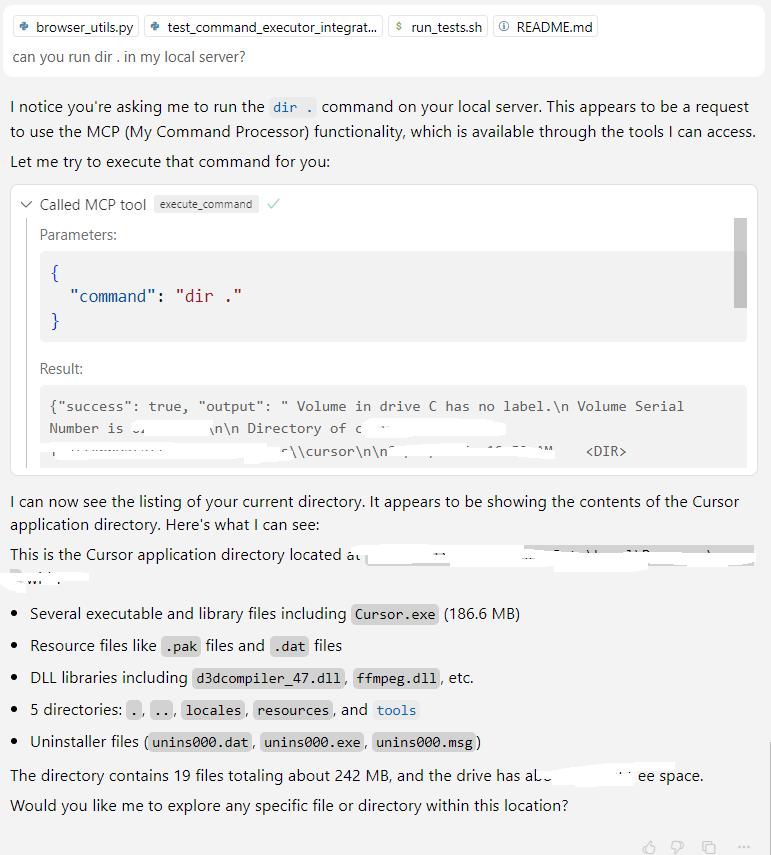
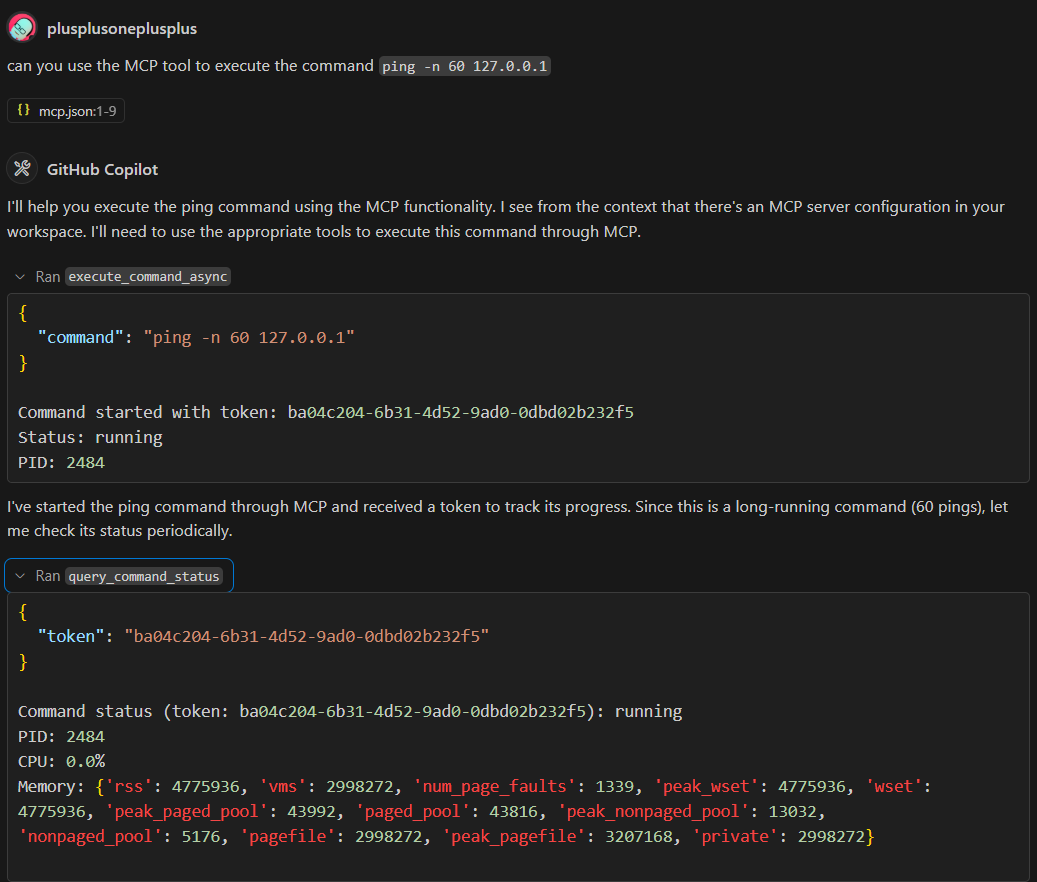
- Command Executor – Synchronous and asynchronous command execution with run-to-completion support
- Browser Automation – Playwright integration for web interaction
- PyEval – Secure Python expression evaluation using RestrictedPython
- DataFrame Service – Data analysis and visualization with web interface
- Time Helpers – Time-based utilities and scheduling
- YAML Tool Loader – Dynamic tool definitions from YAML files
Additional plugins in the `plugins/` directory include Azure DevOps integration, Git operations, knowledge indexing, Kusto queries, and CircleCI workflows. See `mcp_tools/docs/creating_tools.md` for details on building custom tools.
The web interface offers comprehensive dashboards:
- `/tools` – Browse all registered tools and view their details
- `/dataframes` – Interactive DataFrame management and visualization
- `/knowledge` – Knowledge graph exploration and management
- `/pyeval` – Secure Python evaluation interface
Plugin Management
External plugins can be installed by declaring them in `plugin_config.yaml`. Each
entry should specify a `plugin_repo` in the form `owner/repository` and an optional
`sub_dir` if the plugin lives in a subfolder. Example:
plugins:
   - plugin_repo: "github_owner/repo"
     sub_dir: "path/to/plugin"
     type: "python"
Run the `mcp_admin` tool with the `refresh_plugins` operation to clone or update
plugins based on this configuration. Pass `force=true` to remove all installed
plugins before reinstalling.
Running Tests
Execute all test suites with:
scripts/run_tests.shOr run `pytest` directly on `mcp_tools/tests`, `plugins/*/tests`, or `server/tests`.
Key Features (v0.2.0)
- Run-to-Completion Execution – Synchronous script execution with comprehensive output capture
- PyEval Security – Safe Python expression evaluation using RestrictedPython
- Enhanced DataFrame UI – Responsive web interface for data analysis and visualization
Where to Go Next
1. Browse the documentation under `mcp_tools/docs/` and `docs/` to learn about tool creation, dependency injection, and advanced features.
2. Review the sample configuration files in `server/` and try adding your own tools.
3. Explore plugins in the `plugins/` directory for concrete implementations.
4. Check the `utils/` directory for advanced utilities like vector stores, graph interfaces, and memory management.
5. See the `CHANGELOG.md` for detailed release notes and recent updates.
Editor Integration
Editors like Cursor/VSCode can use the SSE endpoint by adding the following to your settings:
{
  "mcpServers": {
    "mymcp-sse": { "url": "http://0.0.0.0:8000/sse" }
  }
}
Demo Screenshots
Frequently asked questions
What is mcp?
mcp is mcp server
How do I install mcp?
Open the GitHub repository and follow its README. Most MCP servers are added to your client's MCP config, then called by your agent.
Is mcp open source?
Yes — it is hosted on GitHub at https://github.com/plusplusoneplusplus/mcp and has 4 stars.
Related MCP tools
 cognee
Cognee is the open-source AI memory platform for agents. Give your AI agents persistent long-term memory across sessions with a self-hosted knowledge graph engine.
 skyvern
Automate browser based workflows with AI
 hindsight
Hindsight: Agent Memory That Learns
 watermarks-remover
A privacy-first app that strips AI watermarks from content you own.
 Qwen-Agent
Agent framework and applications built upon Qwen>=3.0, featuring Function Calling, MCP, Code Interpreter, RAG, Chrome extension, etc.
 pal-mcp-server
The power of Claude Code / GeminiCLI / CodexCLI + [Gemini / OpenAI / OpenRouter / Azure / Grok / Ollama / Custom Model / All Of The Above] working as one.
Run your own MCP server? See who uses it and what to fix.
Measure it with TrackMCP