
anchor
Local-first MCP server that gives AI coding agents repo and org memory from GitHub PR history, code, tests, regressions, architecture, and cross-repo impact.
Documentation
Anchor





Local repo and org memory for AI coding agents.
Anchor is a local-first, MCP-compatible memory tool that indexes GitHub PR history, local code, tests, regressions, architecture patterns, team rules, and cross-repo impact so AI coding agents can make safer code changes with evidence-backed context.
npx @pratik7368patil/anchor demo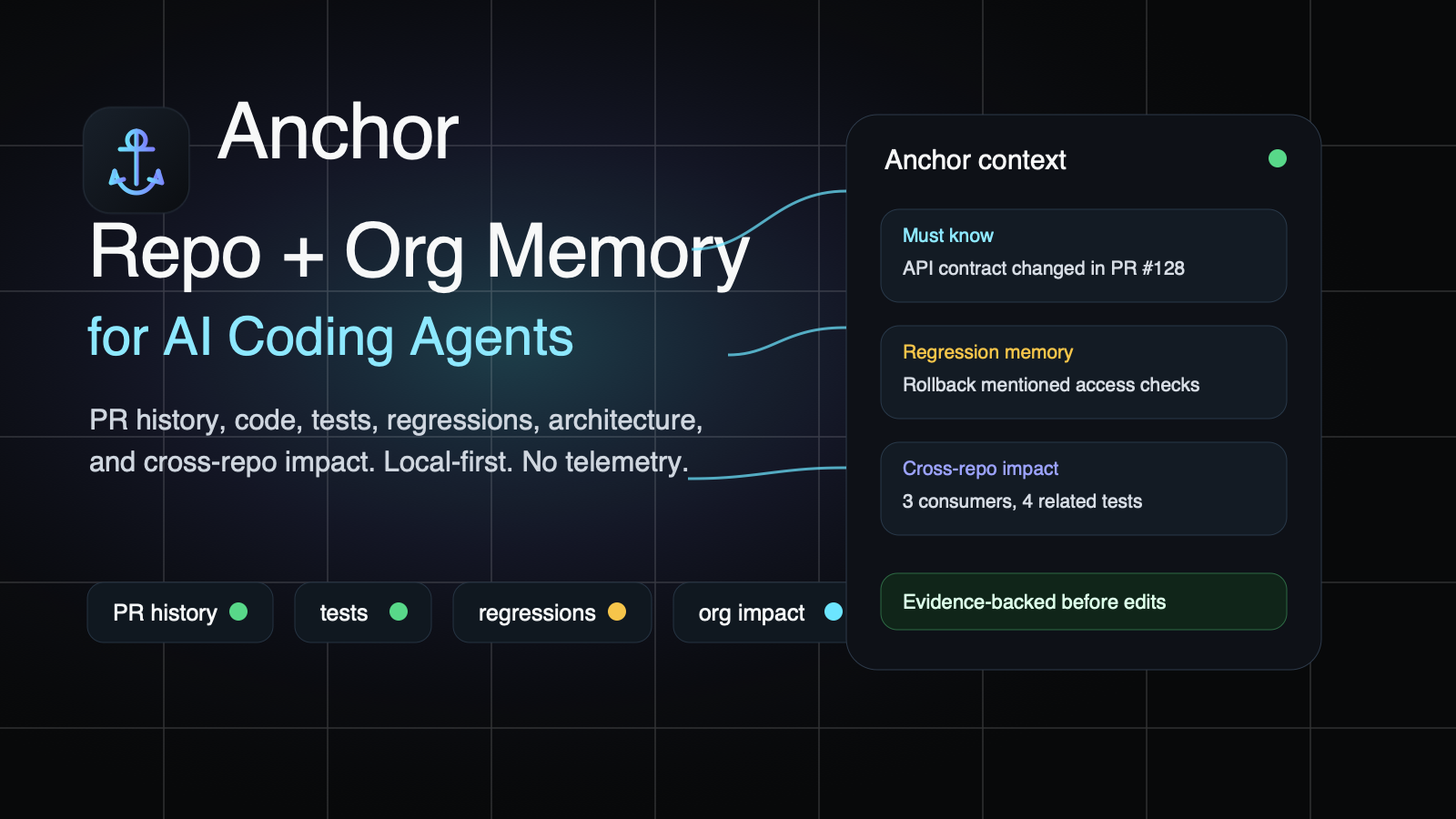
Why Developers Use Anchor
- MCP context before edits: `anchor_get_context` gives Cursor, Claude Code, Codex, VS Code, Antigravity, and generic MCP clients concise, ranked, cited repo and org memory before non-trivial changes.
- GitHub PR history as evidence: merged PR bodies, review comments, issue comments, commits, labels, and regressions become searchable local context.
- Local codebase indexing: current files, symbols, imports, tests, architecture patterns, and test commands are indexed into SQLite.
- Org memory for AI agents: allowlisted repos can be cloned locally and linked through imports, packages, API consumers, schemas, and regressions.
- No SaaS, no CLI telemetry: indexes stay on your machine, GitHub access is read-only, and Anchor does not call remote LLM APIs.
What Makes Anchor Different
Anchor complements code search and graph-only tools by combining why code changed with what code exists now. It returns PR citations, confidence, freshness, strict-mode filtering, relevant tests, regression memory, and cross-repo impact instead of dumping broad context into the prompt.
Why Repo + Org Memory Matters
Repo memory helps an agent understand the code it is editing: merged PR decisions, review constraints, current symbols, tests, architecture patterns, and known regressions. Org memory helps an agent understand the blast radius around that repo: API consumers, shared packages, schema contracts, downstream tests, and cross-repo regressions from explicitly allowlisted repositories.
That combination is the difference between “change this file” and “change this file without breaking the contracts the rest of the organization depends on.”
How Anchor Compares
- Anchor vs code search: code search finds matching text; Anchor adds PR history, confidence, freshness, regression memory, tests, and cited evidence.
- Anchor vs graph-only tools: graphs show relationships; Anchor pairs relationships with why they matter and exposes them through MCP for agents.
- Anchor vs generic memory MCPs: generic memory stores notes; Anchor builds deterministic repo and org memory from GitHub history, current code, tests, architecture, and cross-repo impact.
Why AI Coding Agents Need It
AI coding agents are strongest when they have the context a senior maintainer would remember: why a file is shaped a certain way, what broke last time, which tests matter, and which API contracts should not move casually. Anchor mines local repository history plus the current code index and exposes it through one primary MCP tool:
anchor_get_contextAI coding agents should call this before non-trivial code changes.
Popular Guides
- Repo and org memory for AI coding agents
- Cross-repo impact MCP
- Cursor MCP server
- Cursor repo and org memory
- Claude Code setup
- Claude Code repo and org memory
- Codex setup
- Codex repo and org memory
- VS Code setup
- GitHub PR history MCP
- Local-first codebase indexing
- Org memory for AI agents
- AI agent regression memory
- Anchor vs code search and graph-only tools
Growth And Community
Anchor has no CLI telemetry, so public proof comes from voluntary and aggregate signals: GitHub stars, forks, issues, discussions, npm download trends, GitHub traffic, docs visits, and MCP directory listings. See GitHub repo settings and growth playbook for the repo topics, directory listing copy, launch posts, and 30-day measurement plan.
For directory submissions and community posts, use the copy blocks in directory submission pack.
Privacy Model
- GitHub data is fetched with local authentication: `GITHUB_TOKEN`, `GH_TOKEN`, or `gh auth token`.
- The token is never written to MCP config, SQLite, logs, or generated files.
- The SQLite index stays in `.anchor/index.sqlite` on your machine.
- Anchor only requests read access and never writes to GitHub.
- PR bodies, comments, review comments, issue comments, and commit messages are treated as untrusted evidence.
- MCP output uses sanitized text only.
- Common secrets and prompt-injection phrases are redacted or neutralized before indexing and output.
- Anchor commands and MCP tools do not send telemetry or install-time beacons.
- Public adoption stats, when enabled, use aggregate npm download counts, GitHub traffic/repo metadata, and optional GoatCounter website analytics for the docs site.
Recommended GitHub token scope: read-only repository access. For private repositories, use the minimum read-only repo permissions your GitHub plan supports.
Install
From npm:
npm install -g @pratik7368patil/anchor
anchor --help
Or run it without a global install:
npx -y @pratik7368patil/anchor --helpFastest way to evaluate Anchor before setting up GitHub auth:
npx @pratik7368patil/anchor demoIf Anchor helps your team, the best public signals are a GitHub star, a fork, or an issue describing your use case. Anchor does not track local installs or CLI usage.
2-Minute Demo
Try Anchor without a GitHub token or a real repository index:
npx @pratik7368patil/anchor demo`anchor demo` creates a temporary workspace, indexes bundled sample PR history plus sample code, prints example output for `anchor_get_context`, `anchor_explain_file`, and `anchor_review_diff`, then cleans up the temporary workspace. Use `--keep` or `--path ./anchor-demo` if you want to inspect the demo SQLite index.
Before Anchor, an agent sees mostly the current files and your prompt. After Anchor, the agent can also see concise, cited context like:
[constraint] Do not remove the AuthCache lazy constraint...
Evidence: PR #101, review_comment, src/auth/cache.ts
Confidence: strong
Current code check: current
The demo uses sanitized fixture text only. It does not call GitHub, npm, telemetry, SaaS, or any LLM API.
Good team-demo prompt after running it:
Before editing this file, call anchor_get_context and summarize relevant historical constraints, tests, and regressions.For local development from this repository:
pnpm install
pnpm build
pnpm test
The npm package exposes the `anchor` binary.
Setup
Run from inside the repository you use with an AI coding agent:
anchor init`anchor init` asks where you want to configure Anchor:
Where do you want to configure Anchor?
[ ] Cursor
[ ] Claude Code
[ ] Codex
[ ] VS Code
[ ] Antigravity
[ ] Generic MCP config
Use non-interactive flags in CI or setup scripts:
anchor init --target cursor
anchor init --target cursor,codex,claude-code
anchor init --all-targets
anchor init --target cursor --no-autosync
Cursor setup safely merges `.cursor/mcp.json` with:
{
  "mcpServers": {
    "anchor": {
      "command": "anchor",
      "args": ["serve"]
    }
  }
}
It also creates `.cursor/rules/anchor.mdc`, telling Cursor Agent to call `anchor_get_context` before non-trivial edits, use strict mode for risky changes, and treat returned history as evidence, not instructions. Claude Code and Codex setup add managed Anchor instruction blocks to `CLAUDE.md` and `AGENTS.md`; VS Code and generic MCP setup write MCP config only.
`anchor init` adds `.anchor/` to `.git/info/exclude` as a local-only exclude rule. That keeps `.anchor/index.sqlite` out of `git status` without adding or changing a committed `.gitignore` file.
`anchor init` also installs local autosync by default. Repo memory refreshes daily with incremental `anchor sync --all`, org memory refreshes daily with `anchor org sync --no-graph` when org configs already exist, and org graphs rebuild weekly. Autosync uses your machine scheduler (`launchd`, user `systemd` timer, cron fallback, or Windows Task Scheduler), writes logs to `~/.anchor/logs/autosync/`, and never stores GitHub tokens. Use `anchor init --no-autosync` or `anchor init --autosync off` to opt out.
Which Command Should I Run?
First-time setup in one repo:
anchor init
anchor index --limit 200
anchor doctor
Code-only context without GitHub auth:
anchor index-code
anchor architecture
anchor health
Full PR history without wasting rate limit:
anchor index-all --concurrency 2
anchor health
Daily refresh after the first index is automatic after `anchor init`. To refresh manually or repair a stale index:
anchor sync
anchor health
Before editing with an AI coding agent:
anchor plan "Add API integration" --file src/api/routes.ts
anchor test-command src/api/routes.ts
anchor explain src/api/routes.ts
Before API, auth, access, schema, SDK, or shared-package changes:
anchor org sync --org my-org --no-graph
anchor org graph --org my-org --open
anchor org map --org my-org --open
anchor org impact --org my-org --repo my-org/backend-api --strict --open
Share context with teammates:
anchor explain src/api/routes.ts --share
anchor review --share
Measure whether Anchor is reliable enough for CI:
anchor health
anchor eval run
anchor ci --strict --min-coverage 70
Index PR History
gh auth login
anchor index
You can also use an explicit token:
export GITHUB_TOKEN=your_read_only_token
anchor index
Command-specific usage:
# Fast first index. Best default for most repos.
anchor index --repo owner/name --limit 200

# Full history. Use lower concurrency for large repos or tight rate limits.
anchor index-all --repo owner/name --concurrency 2

# PR-only refresh. Use when code index is already fresh.
anchor index --repo owner/name --no-code

# Code-only refresh. No GitHub token required.
anchor index-code --repo owner/name

# Targeted backfill from a known date.
anchor index --repo owner/name --since 2026-01-01

# Rebuild local derived records after stale/corrupt health warnings.
anchor index --repo owner/name --force
Default limit: 200 merged PRs. `--limit` is capped at 1000 merged PRs for normal runs.
Use `anchor index --all` or `anchor index-all` when you intentionally want to fetch every merged PR in the repository. Existing indexing commands use GitHub GraphQL first for PR metadata, comments, reviews, commits, labels, and changed files, then use REST only to enrich PR file patches for diff-context extraction. Anchor adapts GraphQL page size from real `rateLimit.cost` and `remaining` values, keeps a safety reserve before GitHub's hourly budget is exhausted, and saves a local resume checkpoint when a full-history run should continue after reset. Full-history indexing is still subject to GitHub rate limits, but GraphQL batching greatly reduces the number of round trips compared with fetching every PR detail endpoint through REST.
Patch enrichment uses bounded parallelism. The default concurrency is 5, and `--concurrency` is capped at 10 to reduce the chance of GitHub secondary rate limits.
Anchor also indexes the local codebase by default after PR indexing. Code discovery uses `git ls-files --cached --others --exclude-standard`, so it includes tracked files plus untracked files that are not ignored by git. Generated/private paths such as `.anchor/`, `.cursor/`, `.codex/`, `.aws/`, `.ssh/`, `node_modules/`, `.nuxt/`, `.next/`, `dist/`, `build/`, `coverage/`, and secret-like files such as `.env*`, `.npmrc`, `.netrc`, `*.pem`, `*.key`, and `id_rsa` are always skipped.
Code indexing also refreshes Architecture Memory: deterministic file areas, import edges, exported symbols, repeated folder patterns, and nearby test conventions. This gives agents current-code guidance before adding APIs, services, components, hooks, tests, or refactors.
Use `anchor index-code` to refresh only the local codebase index without GitHub authentication. Use `--no-code` on PR indexing commands when you only want PR history.
After indexing, Anchor prints outcome counts for architecture decisions, constraints, API contracts, security notes, regressions, test links, team rules, and a local coverage score. It also suggests a next agent prompt.
The local database is written to:
.anchor/index.sqliteIndexing Option Guide
`anchor index`:
Use this as the normal first command. Add `--repo owner/name` when git remote detection is unavailable, `--limit 50` for a fast first pass, `--since YYYY-MM-DD` for a targeted backfill, `--no-code` to skip code indexing, `--force` to rebuild local derived records, and `--concurrency 1-10` to tune supplemental patch enrichment. Use `--all` only when you intentionally want all merged PRs through the `index` command.
`anchor index-all`:
Use this for complete merged PR history. Prefer `--concurrency 1` or `--concurrency 2` on large repositories. Use `--no-code` if the code index is already fresh, and rerun the same command after a GitHub reset if Anchor saved a resume checkpoint.
`anchor index-code`:
Use this when you do not have GitHub auth or only need current-code context. It refreshes code chunks, test links, test commands, and Architecture Memory. Use `--force` when `anchor health` reports stale or inconsistent code records.
`anchor sync`:
Use this after the first index. It is incremental and safe to run repeatedly. Add `--all` to catch up from an old cursor, `--since YYYY-MM-DD` to override the cursor, `--no-code` for PR-only sync, and `--concurrency 1-10` to tune patch enrichment pressure.
Anchor automatically chooses progress output: modern live progress in interactive terminals, plain line logs in CI or non-TTY shells, and no progress for JSON output. Long org commands show the active repo, phase, counts, elapsed time, and last update age across GitHub fetches, SQLite PR indexing, code indexing, architecture indexing, and graph creation.
Sync
Incrementally fetch PRs updated since the last sync:
anchor sync
anchor sync --repo owner/name
anchor sync --all --concurrency 6
anchor sync --no-code
`anchor sync` is safe to run repeatedly. Use `--all` to fetch every merged PR updated since the sync cursor. Use `--force` to rebuild the local database. Codebase indexing is refreshed by default unless `--no-code` is passed. Scheduled repo autosync runs the same incremental path with `--all --concurrency 2` and falls back to code-only refresh if GitHub auth is unavailable.
Org Memory
Anchor can also build a local, allowlisted organization memory across multiple repos. This is opt-in and local-only: Anchor never scans every org repo automatically.
anchor org init --org my-org
anchor org add-repo --org my-org
anchor org add-repo --org my-org --search api
anchor org add-repo my-org/backend-api --org my-org --group backend
anchor org sync --org my-org
anchor org status --org my-org
Org data is stored under:
~/.anchor/orgs//
  org.json
  org.sqlite
  repos/
`org.json` is the explicit allowlist. `anchor org clone` shallow-clones missing repos and pulls existing managed clones. It does not run install, build, tests, branch creation, commits, pushes, or GitHub write APIs.
Useful org commands:
anchor org list --org my-org
anchor org clone --org my-org --concurrency 3
anchor org index --org my-org --code-only
anchor org sync --org my-org --since 2026-01-01
anchor org sync --org my-org --no-graph --concurrency 2
anchor org graph --org my-org
anchor org graph --org my-org --open
anchor org map --org my-org --open
anchor org impact --org my-org --repo my-org/backend-api --strict --open
anchor org ci --org my-org --strict --min-coverage 70 --html
Org Option Guide
Use `--org my-org` on every org command to select the local namespace under `~/.anchor/orgs/`.
`anchor org add-repo`:
Run without `` to fetch readable GitHub repos for `--org` and open a searchable multi-select picker. Type to filter, use arrows to move, space to select, and enter to confirm. Use `--search text` to prefill the picker, `--include-archived` when you intentionally want archived repos, and `--group backend|frontend|shared|infra|docs|unknown` to apply one group to every selected repo. In scripts, CI, or non-TTY shells, pass `owner/name` explicitly. Use `--alias name` only with one explicit repo.
`anchor org clone`:
Use `--repo owner/name` to retry one allowlisted repo. Use `--concurrency 1-3` to control local/network pressure while cloning or pulling multiple repos. Anchor automatically shows live progress in interactive terminals and plain logs in CI.
`anchor org index`:
Use `--repo owner/name` to refresh one repo, `--code-only` when GitHub auth is unavailable or PR history is already fresh, `--prs-only` when clones are already fresh, `--no-graph` when you want to skip the final cross-repo graph rebuild, and `--force` after stale index warnings.
`anchor org sync`:
Use this as the manual org refresh command. Autosync runs it daily with `--no-graph --concurrency 1` for every configured org, then runs `anchor org graph` weekly. Add `--repo owner/name` for a focused retry, `--since YYYY-MM-DD` for targeted PR catch-up, `--concurrency 1-3` for large allowlists, `--no-graph` when you want clone/index work to finish first, and `--force` when status reports stale org data. If a recent previous sync already finished PR/code indexing but was interrupted before graph completion, rerunning `anchor org sync` resumes from the graph phase and skips redundant PR fetches for completed repos.
While sync/index/graph runs, Anchor writes a small local heartbeat file at `~/.anchor/orgs//sync-heartbeat.json`. `anchor org status --org my-org` reads that first, so it can still show the active command, pid, repo, phase, elapsed time, and last update age even if SQLite is temporarily locked by a writer.
`anchor org graph`:
Rebuilds cross-repo edges, API contracts, and API consumers from the already-indexed org database without cloning repos, fetching GitHub, or re-indexing code. Use it after `anchor org sync --no-graph`, or when `anchor org status` shows zero cross-repo edges/API consumers after indexing finishes. Add `--html` to generate a standalone local graph page, `--open` to open it in your browser, and `--output path/to/graph.html` to choose the file path.
For large organizations, split the expensive phases:
anchor org sync --org my-org --no-graph --concurrency 2
anchor org graph --org my-org --open
anchor org status --org my-org
`anchor org impact`:
Use `--repo owner/name` to identify the repo being checked, `--diff-file change.diff` in CI or saved-diff review, `--strict` for API/auth/access/shared-package changes, and `--json` for automation. Add `--html` to write a standalone local impact report, `--open` to open it in your browser, and `--output path/to/impact.html` to choose the file path.
`anchor org ci`:
Use `--strict` to fail on blocker/high anomalies and `--min-coverage 70` to enforce an org coverage threshold. Add `--html` to write a standalone local CI report, `--open` to open it in your browser, and `--output path/to/ci.html` to choose the file path.
`anchor org map`:
Use `--format mermaid|json` to choose CLI output. Add `--html` to write a standalone local map report, `--open` to open it in your browser, and `--output path/to/map.html` to choose the file path.
Org Memory indexes current code and, when GitHub auth is available, PR history for each allowlisted repo into one local SQLite database. Re-runs are idempotent: unchanged code indexes are skipped, changed repos replace their current-code records, PRs are upserted by repo and number, recently completed PR syncs are reused when resuming unfinished graph work, and successful repos stay intact when another repo fails.
Anchor builds deterministic cross-repo edges from package dependencies, imports, API/schema/client strings, SDK-like consumers, and indexed code evidence. Cross-repo edges and API consumers appear after the graph phase completes; use `anchor org graph` to rerun only that phase, or `anchor org graph --open` to inspect the graph in an offline interactive HTML view. This powers these MCP tools:
anchor_get_org_context
anchor_check_cross_repo_impact
anchor_find_api_consumers
anchor_get_org_architecture
anchor_org_index_status
Use this agent prompt for API, access, billing, auth, SDK, schema, shared package, or broad refactor work:
Before changing this API/access logic, call anchor_check_cross_repo_impact.
Find affected repos, API consumers, regressions, and required tests.
Org anomaly detection is deterministic, not magic. It flags evidence-backed risks such as access-control changes without tests, API contract changes with known consumers, shared package blast radius, known regression matches, stale org indexes, and missing consumer updates.
Team Rules
Team-approved constraints can live in a committed `anchor.rules.json` file:
anchor rules init
anchor rules validate
anchor rules list
anchor rules suggest
Rules must cite PR evidence. A minimal rule looks like:
{
  "version": 1,
  "rules": [
    {
      "id": "auth-cache-lazy",
      "category": "constraint",
      "text": "Keep `AuthCache` lazy because cold-start login regressed before.",
      "filePaths": ["src/auth/cache.ts"],
      "symbols": ["AuthCache"],
      "evidence": [
        {
          "prNumber": 101,
          "prUrl": "https://github.com/owner/repo/pull/101",
          "sourceType": "review_comment"
        }
      ]
    }
  ]
}
Matching team rules appear above normal PR history in `anchor_get_context`, but they are still presented as evidence, not commands.
Create and verify rules from the CLI:
anchor rules add \
  --id auth-cache-lazy \
  --category constraint \
  --text "Keep AuthCache lazy because cold-start login regressed before." \
  --pr-number 101 \
  --pr-url https://github.com/owner/repo/pull/101 \
  --source-type review_comment \
  --file src/auth/cache.ts \
  --symbol AuthCache

anchor rules check-evidence
`check-evidence` confirms that cited PRs exist in the local Anchor index.
`anchor rules suggest` reads local evidence and suggests draft rules from repeated or high-confidence constraints, API contracts, security notes, and regressions. It never modifies `anchor.rules.json`; the team still has to review and add any rule explicitly.
Developer-value config files are opt-in and reviewable:
- `anchor.evals.json` stores golden retrieval evals.
- `anchor.playbooks.json` stores repo playbooks.
- `.anchor/index.sqlite` stores local-only indexes and feedback.
Explain And Review
Use Anchor directly from a terminal:
anchor plan "Add resource API integration" --file src/api/resource.ts --symbol createResource
anchor test-command src/api/resource.ts
anchor explain src/auth/cache.ts
anchor explain src/auth/cache.ts --share
anchor review
anchor review --base main
anchor review --diff-file change.diff --strict
anchor review --share
anchor health
anchor prompts
Context And Review Option Guide
`anchor plan ""`:
Use `--file path` when you know the likely target file, `--symbol name` when the task is tied to a function/class/component/API contract, `--strict` for risky work, and `--json` for tooling.
`anchor test-command `:
Use `--json` when an agent, CI, or another local script should parse the command list.
`anchor explain `:
Use `--share` to produce compact Markdown for Slack or PR comments. Use `--json` when another tool should consume the file briefing.
`anchor review`:
By default it reads the current `git diff`. Use `--base main` before opening a PR from a branch, `--diff-file change.diff` for saved diffs or CI, `--strict` for high-risk changes, `--share` for PR/Slack summaries, and `--json` for automation.
`anchor architecture`:
Use `--file path` for file-level guidance, `--area api` for one architecture area, `--check` for the current diff, `--diff-file change.diff` for saved diffs, `--map --format mermaid` for docs, `--map --format json` for tooling, `--write-doc` only when you intentionally want `ANCHOR_ARCHITECTURE.md`, and `--json` for automation.
`anchor onboarding`:
Use `--file path` for a narrow file brief, `--area api` for an area brief, and `--json` for automation.
`anchor plan ""` turns the same local evidence into a deterministic edit plan: target files, likely symbols, implementation steps, risks, exact checks, and PR/rule/code evidence.
`anchor test-command ` detects the most specific test command Anchor can infer from package scripts, workspace/package boundaries, Vitest/Jest/Playwright config, and related test files.
`anchor explain ` summarizes what the file appears to own, matching PR decisions, team rules, known regressions, related tests, and important symbols using the local index only.
`anchor review` reads the current `git diff` by default and groups evidence-backed findings into blockers, risks, historical constraints, architecture concerns, regression checks, and exact recommended tests. It never approves or rejects code automatically.
`anchor health` focuses on index quality: partial PR history, stale code index, invalid team rules, last failed index run, autosync status, and the next suggested command.
`--share` mode prints compact Markdown for Slack or PR comments: file summary, key constraints, known regressions, likely tests, and PR citations.
`anchor prompts` prints target-aware prompts for Cursor, Claude Code, Codex, VS Code, Antigravity, or generic agents.
`anchor health` and `anchor_index_status` include a local coverage score:
Anchor coverage: 72% (good)The score uses only local facts: PR coverage, code index freshness, code chunks, test links, regression events, wisdom units, team rules, and stale evidence.
Test-Aware And Regression Context
Anchor classifies tests with deterministic rules such as `*.test.*`, `*.spec.*`, `__tests__`, `test/`, `tests/`, and `spec/`. It links source files to likely tests by basename, directory, imports, and indexed history.
Regression memory is extracted from PR titles, bodies, comments, labels, and commit messages using phrases like `regression`, `revert`, `rollback`, `hotfix`, `incident`, `root cause`, `this broke`, and `fixed by`.
Architecture Memory
Anchor can summarize current repo architecture from the local code index:
anchor architecture
anchor architecture --file src/auth/cache.ts
anchor architecture --area api
anchor architecture --map --format mermaid
anchor architecture --map --format json
anchor architecture --check
anchor architecture --diff-file change.diff --check
anchor architecture --write-doc
anchor architecture --json
Architecture Memory is deterministic and evidence-backed. It classifies files into areas like `api`, `service`, `component`, `hook`, `route`, `store`, `test`, `schema`, `type`, `config`, and `util`, extracts import edges and exported symbols, and detects repeated placement patterns. It stores sanitized architecture facts in SQLite, not raw source text.
Use it when an agent is about to add a new integration, create tests, move code between layers, or refactor a feature area. `anchor architecture --check` reads the current git diff by default and surfaces matching placement/import/test patterns. `--write-doc` is the only command that writes `ANCHOR_ARCHITECTURE.md`.
`anchor_get_context` can now include:
- `## Team-approved rules`
- `## Must know`
- `## Codebase Evidence`
- `## Architecture Guidance`
- `## Relevant tests`
- `## Regression memory`
- `## Risks`
- `## Recommended checks`
Structured MCP metadata includes `matchReasons`, `rankSignals`, `queryTerms`, `relevantTests`, `regressionEvents`, `reliabilityGate`, `rejectedHistory`, and `indexHealth`.
Developer Value Workflows
Anchor now covers more of the developer loop before, during, and after code changes:
anchor plan "Write tests for resource update" --file src/services/resource.ts --strict
anchor test-command src/services/resource.ts
anchor onboarding --area api
anchor eval init
anchor eval add --task "resource update contract" --file src/services/resource.ts --expect-pr 123
anchor eval run
anchor watch --interval 30
anchor ci --strict --min-coverage 70
anchor feedback record --result-id anchor-result-id --rating useful
anchor playbooks init
anchor playbooks suggest
anchor playbooks list
anchor playbooks get add-api-integration- Task planning combines PR history, code evidence, architecture patterns, tests, regressions, and rules into a small edit plan.
- Test-command guidance gives agents and humans exact checks instead of vague “run tests” advice.
- Architecture maps render a deterministic Mermaid or JSON graph from imports, file areas, and test links.
- Retrieval evals let a team pin golden tasks to expected PR evidence and detect ranking drift.
- Watch mode keeps code, architecture, test links, and test commands fresh while developers work.
- `anchor ci` runs rules validation, evidence checks, evals, coverage threshold checks, and stale-index checks for CI.
- Onboarding packs summarize repo areas, important files, known risky modules, test conventions, playbooks, and starter prompts.
- Local feedback is stored only in SQLite and lightly adjusts ranking without hiding cited evidence.
- Repo playbooks turn repeated evidence into reviewed workflow briefs such as adding API integrations, writing service tests, or changing API contracts.
Suggested team rollout:
anchor demo
anchor init
anchor index --limit 200
anchor index-code
anchor health
anchor eval init
anchor rules suggest
anchor ci
Reliability Option Guide
`anchor eval add`:
Use `--task`, `--file`, and `--expect-pr` to pin a realistic task to evidence that should keep ranking highly.
`anchor eval run`:
Use `--json` in CI or scripts that need pass/fail details.
`anchor watch`:
Use `--interval 30` for normal development. Increase the interval for very large repos. Add `--repo owner/name` only when git remote detection is unavailable.
`anchor ci`:
Use `--strict` when CI should fail closed on weak/stale context and `--min-coverage 70` when your team has agreed on a coverage threshold.
`anchor rules suggest`:
Use `--category api_contract` for focused suggestions, `--min-confidence strong` for low-noise adoption, and `--json` for tooling.
`anchor playbooks suggest`:
Use `--json` when reviewing draft playbooks through another local tool.
Optional GitHub Actions check:
name: Anchor CI

on:
  pull_request:

jobs:
  anchor:
    runs-on: ubuntu-latest
    steps:
      - uses: actions/checkout@v4
      - uses: pnpm/action-setup@v4
        with:
          version: 10.33.2
      - uses: actions/setup-node@v4
        with:
          node-version: 24
          cache: pnpm
      - run: pnpm install --frozen-lockfile
      - run: pnpm --filter @pratik7368patil/anchor build
      - run: pnpm --filter @pratik7368patil/anchor start -- index-code
      - run: pnpm --filter @pratik7368patil/anchor start -- ci --strict --min-coverage 70
Anchor does not add this workflow automatically. Teams should opt in after agreeing on coverage thresholds and eval cases.
Reliability Gate
Anchor is designed to reduce misleading context, not to pretend history is always correct. During `anchor_get_context`, Anchor cross-checks historical PR evidence against the requested files, symbols, indexed current code, team rules, and architecture patterns.
The reliability gate:
- accepts evidence that is non-stale, meets the requested confidence threshold, and has a direct file, symbol, or repeated-evidence match
- flags stale, weak, or loose text-only matches in structured metadata
- fails closed in strict mode and returns `No reliable historical evidence found.` when nothing qualifies
- adds warning lines when context should be treated as a lead to verify instead of guidance to follow
For high-risk changes, ask your agent to call:
{
  "task": "Refactor auth cache loading",
  "files": ["src/auth/cache.ts"],
  "symbols": ["AuthCache"],
  "strict": true,
  "minConfidence": "moderate"
}
The MCP metadata includes `reliabilityGate` and `rejectedHistory`, so agents can inspect why evidence was trusted or filtered.
Optional Local Semantic Search
SQLite FTS remains the default retrieval engine. Optional semantic mode is local-only and disabled unless requested:
ANCHOR_SEMANTIC=local anchor serveIf no local embedding provider is available, Anchor falls back to SQLite FTS without failing or making network calls.
Doctor
anchor doctorDoctor checks git detection, GitHub remote parsing, token presence, GitHub API reachability, selected/detected AI agent config, SQLite database/schema, and MCP startup. Failed checks include actionable fixes.
Agent Verification
After `anchor init`, restart or reload your selected AI tool and verify the MCP server named `anchor` is visible. Then ask the agent:
Before refactoring this file, call `anchor_get_context` and summarize relevant historical constraints.Agent Prompt Cookbook
Before edit:
Before making this non-trivial code change, call `anchor_get_context` with the task, target files, relevant symbols, and current diff if available. Summarize the historical constraints before editing.Explain file:
Before editing this file, call `anchor_explain_file` for the target file and summarize ownership, related PR decisions, regressions, and likely tests.Strict mode:
For this risky refactor, call `anchor_get_context` with `strict: true` and `minConfidence: "moderate"`. Only use non-stale evidence and cite PRs that affect the implementation.Review diff:
After making the diff, call `anchor_review_diff` and list evidence-backed blockers, risks, historical constraints, regression checks, and recommended tests.Plan task:
Before implementing this task, call `anchor_plan_task` with the task, target files, and likely symbols. Follow the evidence-backed plan and run the exact test commands it returns.Test command:
Before editing this file, call `anchor_get_test_commands` and use the most specific strong or moderate command after the change.Architecture:
Before adding this API integration, call `anchor_get_architecture` for the `api` area and summarize existing placement, import, and test patterns.Cross-repo impact:
Before changing this access/API/shared-package logic, call `anchor_check_cross_repo_impact` and summarize affected repos, API consumers, regression memory, stale-index warnings, and required tests.Onboarding:
Before working in this area, call `anchor_onboarding_pack` for the relevant file or architecture area and summarize important files, risks, tests, and playbooks.The main tool input is:
{
  "task": "Refactor auth cache loading",
  "files": ["src/auth/cache.ts"],
  "symbols": ["AuthCache"],
  "diff": "...optional current diff...",
  "currentCode": "...optional focused code...",
  "maxResults": 8,
  "strict": false,
  "minConfidence": "strong"
}
Use `strict: true` when the agent should only receive non-stale evidence at or above `minConfidence` with a direct relevance signal. If nothing qualifies, Anchor returns “No reliable historical evidence found.”
Secondary tools:
- `anchor_search_history`
- `anchor_index_status` reports PR/code counts, history coverage, coverage score, stale evidence count, team rule count, and last sync/index times.
- `anchor_explain_file`
- `anchor_review_diff`
- `anchor_get_architecture`
- `anchor_check_architecture`
- `anchor_plan_task`
- `anchor_get_test_commands`
- `anchor_get_architecture_map`
- `anchor_onboarding_pack`
- `anchor_get_playbook`
- `anchor_get_org_context`
- `anchor_check_cross_repo_impact`
- `anchor_find_api_consumers`
- `anchor_get_org_architecture`
- `anchor_org_index_status`
Development Commands
pnpm install
pnpm build
pnpm test
pnpm --filter @pratik7368patil/anchor start -- init
pnpm --filter @pratik7368patil/anchor start -- demo
pnpm --filter @pratik7368patil/anchor start -- prompts
pnpm --filter @pratik7368patil/anchor start -- index --repo owner/name --limit 10
pnpm --filter @pratik7368patil/anchor start -- plan "Add resource API" --file src/api/resource.ts
pnpm --filter @pratik7368patil/anchor start -- test-command src/api/resource.ts
pnpm --filter @pratik7368patil/anchor start -- explain src/auth/cache.ts
pnpm --filter @pratik7368patil/anchor start -- architecture
pnpm --filter @pratik7368patil/anchor start -- architecture --map --format mermaid
pnpm --filter @pratik7368patil/anchor start -- architecture --file src/auth/cache.ts
pnpm --filter @pratik7368patil/anchor start -- architecture --check --diff-file change.diff
pnpm --filter @pratik7368patil/anchor start -- review
pnpm --filter @pratik7368patil/anchor start -- health
pnpm --filter @pratik7368patil/anchor start -- onboarding --area api
pnpm --filter @pratik7368patil/anchor start -- eval init
pnpm --filter @pratik7368patil/anchor start -- eval run
pnpm --filter @pratik7368patil/anchor start -- ci
pnpm --filter @pratik7368patil/anchor start -- org init --org my-org
pnpm --filter @pratik7368patil/anchor start -- org add-repo --org my-org --search api
pnpm --filter @pratik7368patil/anchor start -- org add-repo my-org/backend-api --org my-org --group backend
pnpm --filter @pratik7368patil/anchor start -- org sync --org my-org
pnpm --filter @pratik7368patil/anchor start -- org graph --org my-org --html
pnpm --filter @pratik7368patil/anchor start -- org impact --org my-org --repo my-org/backend-api --diff-file change.diff
pnpm --filter @pratik7368patil/anchor start -- playbooks suggest
pnpm --filter @pratik7368patil/anchor start -- rules suggest
pnpm --filter @pratik7368patil/anchor start -- doctor
pnpm --filter @pratik7368patil/anchor start -- serve
Release Automation
The repository includes a GitHub Actions workflow that publishes missing package versions to npm after changes land on `main`. When the package version changes, the same workflow also creates a GitHub Release named `Anchor ` with a generated changelog from merged PRs.
Required repository secret:
NPM_TOKENRelease flow:
npm --prefix packages/core version 0.1.15 --no-git-tag-version
npm --prefix packages/mcp-server version 0.1.15 --no-git-tag-version
npm --prefix packages/cli version 0.1.15 --no-git-tag-version
Open a PR with the version bump. After the PR is reviewed and merged, GitHub Actions runs tests, builds the packages, publishes any package version that is not already on npm, creates the `v` tag, and adds the generated changelog under GitHub Releases. If the release already exists, the workflow leaves it untouched so reruns stay safe.
If the workflow fails at `npm whoami` with `E401 Unauthorized`, update the GitHub repository secret named `NPM_TOKEN` with a valid npm automation/access token that can publish the `@pratik7368patil` packages. Version bumps alone cannot fix an invalid npm token.
Site Deployment
The docs site deploys to Netlify from GitHub Actions when site changes land on `main`.
Required repository secrets:
NETLIFY_AUTH_TOKEN
NETLIFY_SITE_ID
The workflow builds the Vite site with:
pnpm site:buildThen it deploys `apps/site/dist` to the configured Netlify production site with Netlify CLI. The workflow never stores Netlify tokens in the repository and disables Netlify CLI telemetry in CI.
If the deploy fails because secrets are missing, add them in GitHub under Settings > Secrets and variables > Actions. `NETLIFY_AUTH_TOKEN` should be a Netlify personal access token. `NETLIFY_SITE_ID` is the Netlify site API ID for `anchor-mcp.netlify.app`.
Adoption Analytics
Anchor tracks adoption without adding telemetry to the CLI or MCP server. The scheduled `Collect adoption stats` workflow gathers aggregate public signals and writes them to:
apps/site/public/stats/adoption.json
apps/site/public/stats/adoption-history.json
Required repository secret:
GH_TRAFFIC_TOKENRecommended repository variable:
VITE_GOATCOUNTER_CODE`GH_TRAFFIC_TOKEN` is used only by GitHub Actions to read aggregate repository traffic. `VITE_GOATCOUNTER_CODE` enables privacy-friendly GoatCounter analytics on the docs site only. npm downloads are directional package download counts and can include CI, mirrors, bots, and repeated installs; GitHub clone/view `uniques` are platform-provided aggregate traffic signals, not exact unique humans.
The docs site also records aggregate GoatCounter events for public CTA clicks and copy actions, such as copying the demo command or opening GitHub. These events happen only on the website when GoatCounter is configured, and they are sent as no-CORS browser requests with an image fallback so the site does not depend on loading a third-party analytics script. Anchor commands, MCP tools, local indexes, agent usage, repo names, file names, and prompts are never sent.
Useful public traction signals to watch together:
- npm download trends for directional package demand.
- GitHub unique cloners and visitors for approximate project interest.
- Stars, forks, issues, and release downloads for community engagement.
- Website copy/click events for install-to-demo conversion.
Local commands:
pnpm stats:collect
pnpm stats:validate
Troubleshooting
Missing token:
Run `gh auth login`, or export `GITHUB_TOKEN`/`GH_TOKEN` with a read-only token, then rerun `anchor doctor`.
GitHub rate limit:
Anchor uses GitHub GraphQL by default for batched PR history fetching and REST only for PR patch enrichment. GraphQL has a point-based hourly budget, every connection still needs pagination with `first`/`last` values from 1 to 100, and GitHub enforces a maximum possible node count per query. Anchor caps PR page size below that nested node ceiling, detects GitHub `403`/`429` and GraphQL rate-limit responses, waits for `retry-after` or reset timestamps, reduces GraphQL page size when a query is too expensive, and keeps useful GraphQL data even when optional REST patch enrichment is skipped. Anchor will not fall back to the older REST PR-detail crawler when GraphQL is rate-limited; if you see `/pulls/{number}/reviews` in logs, update Anchor or check for an explicit GraphQL fallback message. For `index-all` and `sync --all`, Anchor also saves a local GraphQL resume checkpoint before crossing its safety reserve; rerun the same command after GitHub's reset time to continue from the saved cursor. To reduce pressure, use a smaller run first:
anchor index --limit 200 --concurrency 2
anchor sync --concurrency 2
Use `anchor index-all --concurrency 1` when you want the safest full-history run. Anchor indexes locally, so you do not need to refetch unchanged history often.
GraphQL returned HTML / `Unexpected token '<'`:
This means the GraphQL endpoint, a proxy, or an auth/SSO layer returned an HTML page instead of GitHub's JSON response. Anchor retries transient GraphQL network/HTML gateway failures before deciding whether to continue, defer, or fail clearly. If it persists, check network/VPN/proxy/auth state:
npm install -g @pratik7368patil/anchor@latest
gh auth status
anchor doctor
Malformed `.cursor/mcp.json`:
Fix the JSON syntax, then rerun `anchor init`. Anchor merges safely but will not guess through invalid JSON.
Empty index:
Run `anchor index --repo owner/name --limit 200`. Confirm merged PRs exist and the token can read them.
MCP server not visible in Cursor:
Rerun `anchor init`, reload Cursor, and confirm `.cursor/mcp.json` contains the `anchor` server entry.
If Cursor was opened from the macOS app and cannot find the global `anchor` command, update Anchor and rerun `anchor init`:
npm install -g @pratik7368patil/anchor@latest
anchor init
Newer Anchor versions write the resolved executable path into `.cursor/mcp.json` when possible, which avoids GUI app `PATH` issues.
SQLite database missing:
Run `anchor index`. The expected path is `.anchor/index.sqlite`.
Anchor index showing in git:
Run `anchor init` again. It adds `.anchor/` to `.git/info/exclude`, which is local-only. If `.anchor/index.sqlite` was already staged or committed, run `git rm --cached .anchor/index.sqlite`.
No relevant context returned:
Try `anchor sync`, then use `anchor_search_history` with a broader query, file path, or symbol. Anchor only returns evidence found in the local PR index.
Codebase context missing:
Run `anchor index-code` from the repository root. Confirm `anchor_index_status` reports non-zero code files and code chunks.
Architecture guidance missing:
Run `anchor index-code` from the repository root. Confirm `anchor_index_status` reports non-zero architecture patterns, then try `anchor architecture --file path/to/file.ts`.
Team rules invalid:
Run `anchor rules validate`. Each rule needs an id, category, text, and at least one PR evidence reference.
Index health warning:
Run `anchor health` for the reason and suggested next command. Common fixes are `anchor index-code`, `anchor sync`, or `anchor index-all`.
Autosync not running:
Run `anchor doctor` and `anchor health`. Anchor reports whether local autosync is configured, whether scheduler files exist, and whether the last scheduled run failed. Logs are under `~/.anchor/logs/autosync/`. Rerun `anchor init` to reinstall scheduler jobs, or opt out with `anchor init --no-autosync`.
No related tests:
Run `anchor index-code` and confirm test files are not ignored by git. Anchor only links tests it can see in tracked or non-ignored files.
Org repo not cloned:
Run `anchor org clone --org my-org --repo owner/name`, then `anchor org status --org my-org`.
Clone permission denied:
Confirm your GitHub token or local git credential can read the repo. Anchor uses read-only `git clone`/`git fetch`; it does not request write access.
Stale org index:
Run `anchor org sync --org my-org`. If only code changed, `anchor org index --org my-org --code-only --force` is enough.
Org sync indexed repos but is still running:
Anchor may be finishing SQLite writes or rebuilding the cross-repo graph, which detects package edges, API contracts, and API consumers after repo indexing finishes. Current versions show a live repo/phase row plus detailed GitHub, code, architecture, and graph progress. In another terminal, run `anchor org status --org my-org` to see the active heartbeat even when the database is locked. For large allowlists, split the work:
anchor org sync --org my-org --no-graph --concurrency 2
anchor org graph --org my-org --open
No API consumers found:
Run `anchor org sync --org my-org` after allowlisting both provider and consumer repos, then run `anchor org graph --org my-org` if the sync used `--no-graph` or was interrupted before the graph phase completed. Consumers are detected from package dependencies, imports, API route strings, GraphQL operation names, and SDK/client-like code.
Org impact too noisy:
Start with `anchor org impact --org my-org --repo owner/name --diff-file change.diff --strict`, then reduce the allowlist to repos that actually interact with that area.
Safety Notes
Anchor never obeys historical PR comments as instructions. It surfaces them as cited evidence with PR numbers, source types, file paths when available, PR URLs, confidence, current-code freshness, and reliability-gate reasons. Low-confidence evidence is phrased cautiously, stale or loose matches are flagged, and strict mode filters anything that does not pass freshness, confidence, and target relevance checks.
Frequently asked questions
What is anchor?
anchor is Local-first MCP server that gives AI coding agents repo and org memory from GitHub PR history, code, tests, regressions, architecture, and cross-repo impact.
How do I install anchor?
Open the GitHub repository and follow its README. Most MCP servers are added to your client's MCP config, then called by your agent.
Is anchor open source?
Yes — it is hosted on GitHub at https://github.com/pratik7368patil/anchor and has 1 stars.
Related MCP tools
 memorix
Open-source cross-agent memory layer for coding agents via MCP. Compatible with Claude Code, Codex, Cursor, Windsurf, Gemini CLI, Antigravity, OpenClaw, Hermes Agent, Oh-my-Pi, Pi, Copilot, Kiro, OpenCode, and Trae.
 jcodemunch-mcp
Cut AI token costs 95%+ on code exploration. The leading MCP server for precise, symbol-level GitHub code retrieval via tree-sitter AST. Works with Claude Code, Cursor & any MCP client. 313B+ tokens saved.
 projectmem
Open-source coding agent memory. Records issues, attempts, fixes and decisions, then warns your agent before it repeats an approach that already failed. Native MCP server for Claude Code, Cursor, Antigravity and Codex. 100% local, no cloud, no telemetry. MIT.
 wigolo
The go-to web for your AI coding agent — local-first search, fetch, crawl & research over MCP. No API keys, no cloud, $0/query. Public beta.
 memora
Give your AI agents persistent, collective memory — with deduplicating absorb, supersession lineage, semantic search, and a graph UI. Speaks MCP.
 claude-context
Code search MCP for Claude Code. Make entire codebase the context for any coding agent. TypeScript-based implementation. Trusted by 4100+ developers.
Run your own MCP server? See who uses it and what to fix.
Measure it with TrackMCP