
projectdochelper
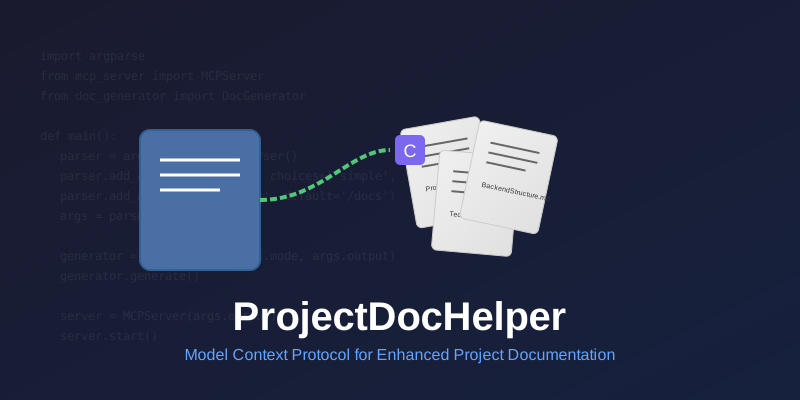
ProjectDocHelper is an MCP (Model Context Protocol) server designed to automatically generate project documentation and make it accessible to AI development tools like Cursor through MCP, thereby improving the accuracy and relevance of AI responses.
Documentation
ProjectDocHelper


📝 Introduction
ProjectDocHelper is an MCP (Model Context Protocol) server designed to automatically generate project documentation and make it accessible to AI development tools like Cursor through MCP, thereby improving the accuracy and relevance of AI responses.
✨ Key Features
- 🚀 Smart Documentation Generation: Automatically generates document sets based on project type
- 🔄 Multiple Generation Modes: Supports both simple and detailed modes for different needs
- 📊 Progress Visualization: Displays progress bar during document generation
- 🔌 MCP Service Support: Cursor can access generated documents after service startup
- 📋 Q&A Integration: Supports incorporating user-AI interactions into documentation
🛠️ Tech Stack
- Python 3.12+
- argparse: Command-line argument parsing
- Jinja2: Template engine
- MCP Protocol: Integration with AI tools like Cursor
🚀 Quick Start
Installation
pip install projectdochelperBasic Usage
# Generate project documentation (simple mode)
projectdochelper generate --mode simple

# Generate project documentation (detailed mode)
projectdochelper generate --mode detailed

# Start MCP server
projectdochelper serve --port 8080
📚 Document Generation
ProjectDocHelper generates different document sets based on project type:
| Project Type | Generated Documents |
|---|---|
| Frontend | ProjectRequirements.md, FrontendGuidelines.md, TechStack.md |
| Backend | ProjectRequirements.md, BackendStructure.md, TechStack.md |
| Full Stack | ProjectRequirements.md, FrontendGuidelines.md, BackendStructure.md, TechStack.md |
🔗 Cursor Integration
1. Start ProjectDocHelper service
2. Configure MCP service address in Cursor
3. Start enjoying enhanced AI-assisted development
📋 Q&A Integration Feature
ProjectDocHelper intelligently integrates user-AI interactions into relevant documentation:
- Automatically identifies relevant Q&A content
- Adds valuable information to corresponding documents
- Maintains structured and readable documentation
🤝 Contributing
Contributions are welcome! Please check out our Contributing Guide for details.
📄 License
This project is licensed under the MIT License - see the LICENSE file for details.
💡 Note: ProjectDocHelper is under active development. Feedback and suggestions are welcome!
Frequently asked questions
What is projectdochelper?
projectdochelper is ProjectDocHelper is an MCP (Model Context Protocol) server designed to automatically generate project documentation and make it accessible to AI development tools like Cursor through MCP, thereby improving the accuracy and relevance of AI responses.
How do I install projectdochelper?
Open the GitHub repository and follow its README. Most MCP servers are added to your client's MCP config, then called by your agent.
Is projectdochelper open source?
Yes — it is hosted on GitHub at https://github.com/Stark1937/ProjectDocHelper and has 1 stars.
Related MCP tools
 mcp
mcpAWS MCP Servers — helping you get the most out of AWS, wherever you use MCP. Python-based implementation. Trusted by 6900+ developers.
 mcpo
mcpoA simple, secure MCP-to-OpenAPI proxy server Python-based implementation. Trusted by 3500+ developers. Trusted by 3500+ developers.
 mcp-obsidian
MCP server that interacts with Obsidian via the Obsidian rest API community plugin Python-based implementation. Trusted by 2300+ developers.
 mcp-cli
Default Configuration: MCP CLI defaults to using Ollama with the gpt-oss reasoning model for local, privacy-focused operation without requiring API keys.
 minimax-mcp
Official MiniMax Model Context Protocol (MCP) server that enables interaction with powerful Text to Speech, image generation and video generation APIs.
 mcp-mem0
MCP server for long term agent memory with Mem0. Also useful as a template to get you started building your own MCP server with Python!
Run your own MCP server? See who uses it and what to fix.
Measure it with TrackMCP