
spring-ai-mcp-test
Showcases how to integrate Spring AI's support for MCP (Model Context Protocol) within Spring Boot applications, covering both server-side and client-side implementations.
Documentation
MCP Host Project
Description
This project showcases how to integrate Spring AI's support for MCP (Model Context Protocol) within Spring Boot applications,
covering both server-side and client-side implementations.
MCP
MCP is a standard that streamlines the management of contextual interactions in AI models, enabling consistent integration
with external data sources and tools.
Spring AI MCP extends the MCP Java SDK
and provides dedicated Spring Boot starters for both clients and servers.
The MCP client handles communication and connection management with MCP servers.
In this project, we leverage Spring AI to build MCP servers, making their capabilities available to LLMs.
Note that the use of a model supporting TOOLS is required; we are using `Llama3.2` via `Ollama`.
Modules
This project consists of three main modules:
Geocoder Service
- Port: 8081
- Description: Provides latitude and longitude for a given city.
- configuration
public interface Geocoder {
    GeoCodeResult geocode(String city) throws Exception;
}

public record GeoCodeResult(double latitude, double longitude) {}
Timezone Service
- Port: 8082
- Description: Provides timezone information for a given latitude and longitude.
- configuration
public interface TimeZoneService {
    Optional getTimeZoneFromLocation(double latitude, double longitude) throws Exception;
}
public record TimeZone(
        String id,
        String name,
        int rawOffset,
        int dstSavings
) {}
MCP Host
- Description: Uses the Geocoder and Timezone services via MCP clients and provides a console interface to interact with an LLM.
- configuration
@Bean
CommandLineRunner runner(final ChatClient.Builder chatClientBuilder, List toolCallbacks) {

   final ChatClient agent = chatClientBuilder.build();

   return args -> {
      try (Scanner scanner = new Scanner(System.in)) {
         while (true) {
            System.out.print("\n\nEnter city (or type 'exit' to quit): ");
            String city = scanner.nextLine();
            if ("exit".equalsIgnoreCase(city)) {
               break;
            }

            String queryTemplate = """
                    Please use the available tools to find the latitude and longitude for the city `{city}`. Once you have this information,
                    use the tools to determine and provide all the timezone details for that location in the same language.
                    """;

            String systemTemplate = """
                    You are an AI assistant specialized in providing geographical information. Your task is to use the provided tools to gather and deliver accurate data.
                    """;

            String llmResponse = agent
                    .prompt()
                    .advisors(new SimpleLoggerAdvisor())
                    .system(systemSpec -> systemSpec.text(systemTemplate))
                    .user(userSpec -> userSpec.text(queryTemplate).param("city", city))
                    .tools(toolCallbacks)
                    .call()
                    .content();

            log.info("\n\n{}", llmResponse);
         }
      }
   };
}
Running the Project
1. Start Geocoder Service:
cd geocoder
    mvn spring-boot:run
2. Start Timezone Service:
cd timezone
    mvn spring-boot:run
3. Start MCP Host:
cd mcp-host
    mvn spring-boot:run
Usage
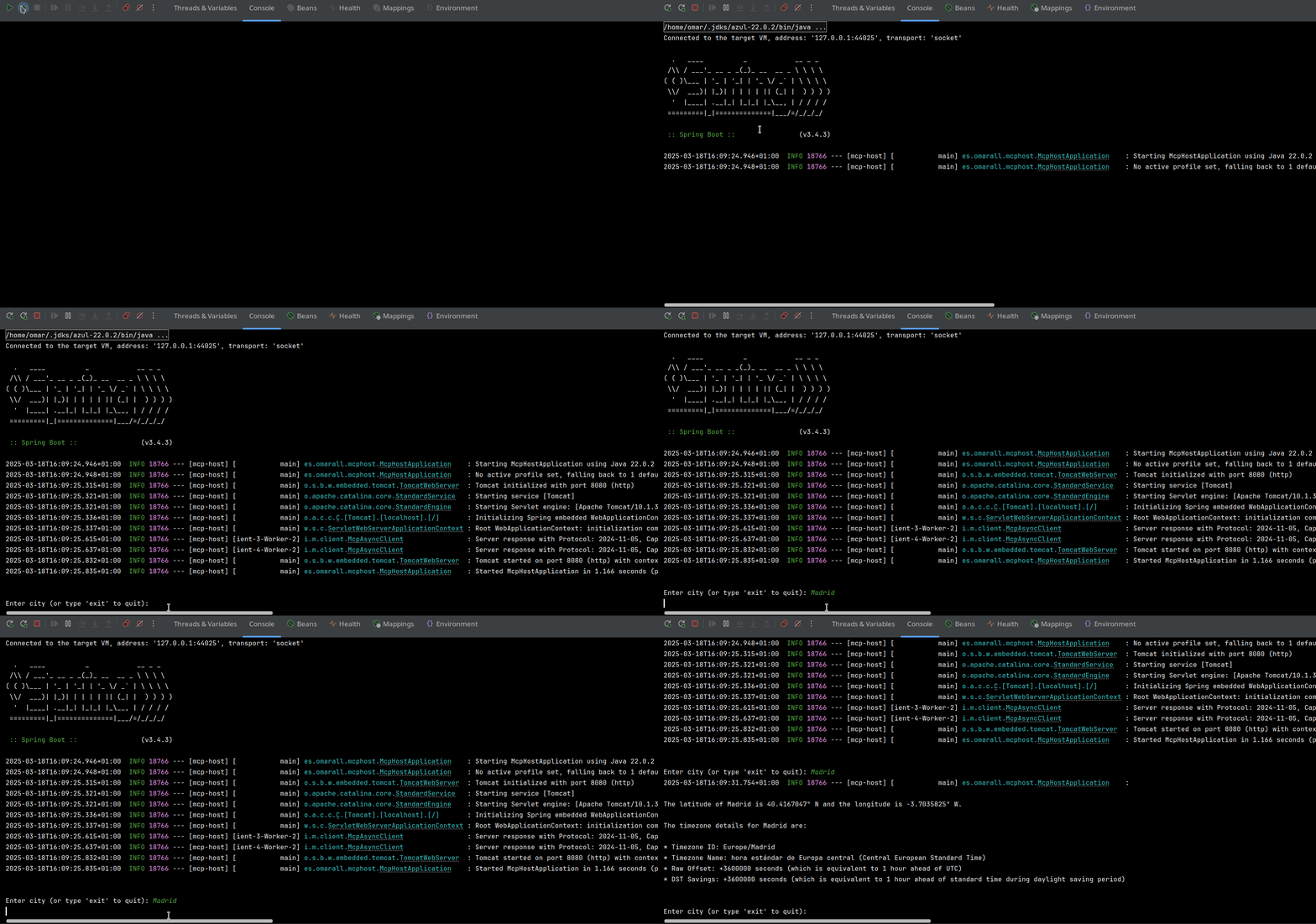
1. Interact with MCP Host:
Insertamos image
Frequently asked questions
What is spring-ai-mcp-test?
spring-ai-mcp-test is Showcases how to integrate Spring AI's support for MCP (Model Context Protocol) within Spring Boot applications, covering both server-side and client-side implementations.
How do I install spring-ai-mcp-test?
Open the GitHub repository and follow its README. Most MCP servers are added to your client's MCP config, then called by your agent.
Is spring-ai-mcp-test open source?
Yes — it is hosted on GitHub at https://github.com/oalles/spring-ai-mcp-test and has 2 stars.
Related MCP tools
 jadx-ai-mcp
Plugin for JADX to integrate MCP server Java-based implementation. Trusted by 600+ developers. Trusted by 600+ developers.
 wren-engine
🤖 The Semantic Engine for Model Context Protocol(MCP) Clients and AI Agents 🔥 Java-based implementation.
 mcphub.nvim
An MCP client for Neovim that seamlessly integrates MCP servers into your editing workflow with an intuitive interface for managing, testing, and using MCP s...
 mcp-router
A Unified MCP Server Management App TypeScript-based implementation. Trusted by 800+ developers. Trusted by 800+ developers.
 awesome-mcp-security
🔥🔒 Awesome MCP (Model Context Protocol) Security 🖥️ Trusted by 500+ developers. Trusted by 500+ developers. Trusted by 500+ developers.
 mcp-client-for-ollama
A text-based user interface (TUI) client for interacting with MCP servers using Ollama. Features include multi-server, dynamic model switching, streaming res...
Run your own MCP server? See who uses it and what to fix.
Measure it with TrackMCP