
tv-pinescript-backtest-engine-mcp
Backtesting engine with PineScript support for TradingView usage
Documentation
Backtesting engine for your AI Agent with PineScript support for TradingView usage
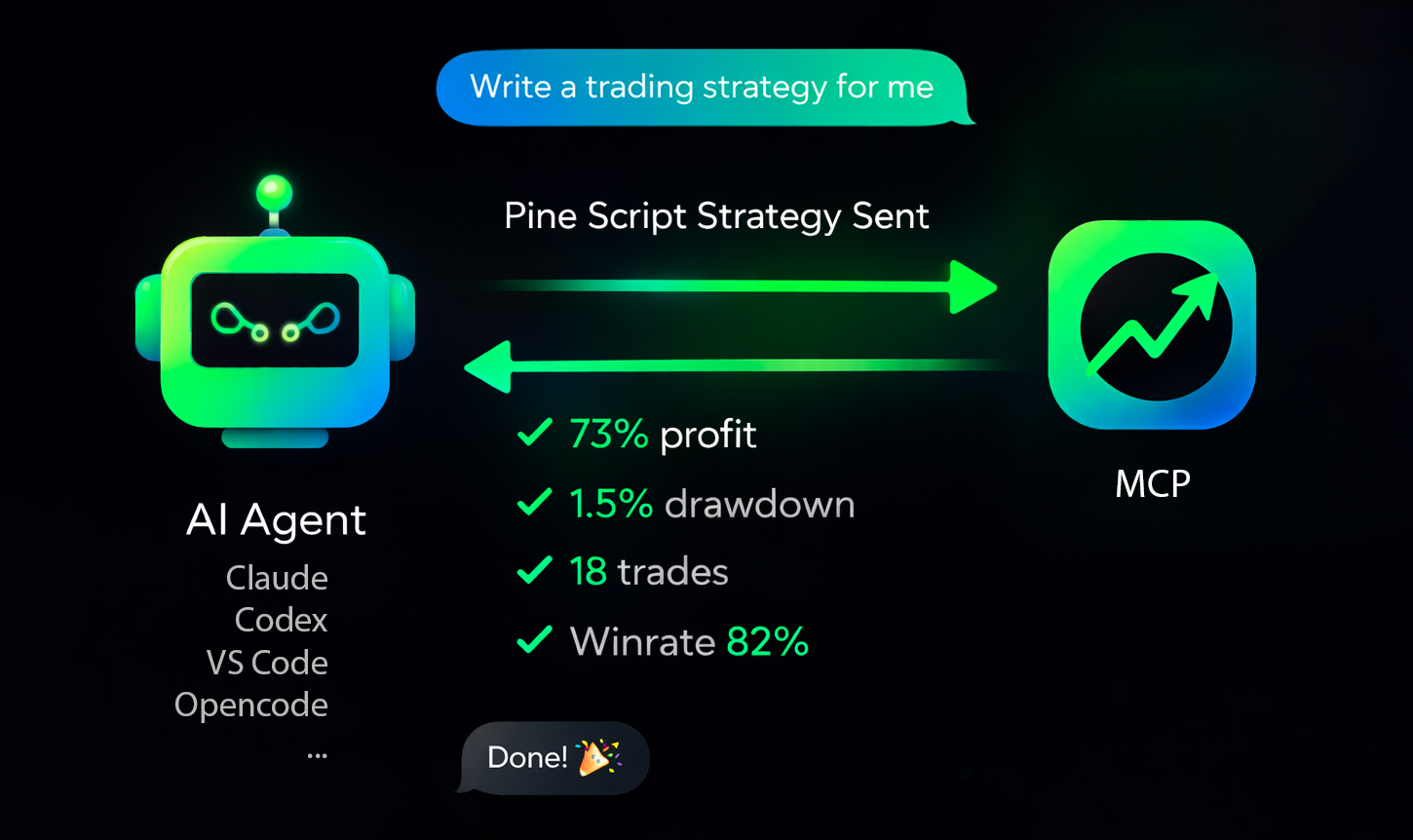



Production-ready MCP server for running TradingView Pine Script strategy backtests (Binance data) from AI agents.
•
•
•
•
•
Quick Overview
`tv-pinescript-backtest-mcp` exposes a remote MCP endpoint so agents can:
- run strategy backtests by symbol/timeframe/date range,
- pass strategy inputs programmatically,
- receive structured backtest results (trades, win rate, profit, drawdown),
- keep long-running runs observable via progress notifications,
- support Binance Futures tickers only,
- enforce a maximum of 1440 candles per backtest,
- apply a rate limit of 3 backtests per minute per user,
- ask your agent to write a strategy and backtest it.
Connect To Your Agent
Get API key:
You need:
1. Your MCP server URL (`https://backtest-engine-mcp.click/mcp/backtest`)
2. Your API key (Bearer token)
Use HTTP transport and pass the API key in `Authorization: Bearer `.
Supported Agents
Claude Code
CLI:
claude mcp add --transport http tvmcp https://backtest-engine-mcp.click/mcp/backtest --header "Authorization: Bearer "Project file (`.mcp.json`):
{
  "mcpServers": {
    "tvmcp": {
      "type": "http",
      "url": "https://backtest-engine-mcp.click/mcp/backtest",
      "headers": {
        "Authorization": "Bearer "
      }
    }
  }
}
OpenCode
`opencode.json`:
{
  "$schema": "https://opencode.ai/config.json",
  "mcp": {
    "tvmcp": {
      "type": "remote",
      "url": "https://backtest-engine-mcp.click/mcp/backtest",
      "oauth": false,
      "headers": {
        "Authorization": "Bearer "
      }
    }
  }
}
Cursor
Add to `.cursor/mcp.json` (or `~/.cursor/mcp.json` globally):
{
  "mcpServers": {
    "tvmcp": {
      "url": "https://backtest-engine-mcp.click/mcp/backtest",
      "headers": {
        "Authorization": "Bearer "
      }
    }
  }
}
Note: the same MCP configuration is used by `cursor-agent` CLI.
Codex
Add to `~/.codex/config.toml` (or `.codex/config.toml` in a trusted project):
[mcp_servers.tvmcp]
url = "https://backtest-engine-mcp.click/mcp/backtest"
http_headers = { Authorization = "Bearer " }
Note: Codex CLI and IDE extension share the same `config.toml`.
VS Code
Open MCP configuration (`.vscode/mcp.json` or user `mcp.json`) and add:
{
  "servers": {
    "tvmcp": {
      "type": "http",
      "url": "https://backtest-engine-mcp.click/mcp/backtest",
      "headers": {
        "Authorization": "Bearer "
      }
    }
  }
}
If needed, use Command Palette: `MCP: Open User Configuration`.
Minimal Test Prompt
Try these prompts with your agent:
Optimize my strategy:Optimize my strategy from file: sma20.pineFind a strategy on the internet and backtest it using the tvmcp backtest tool.Backtest my strategy on BTCUSDT 1h from 2026-03-01 to 2026-03-10, Pine code:
//@version...Troubleshooting
The backtest-engine server has been tested on 30 strategies and tuned to match TradingView backtests 1:1 as closely as possible. Some operators may still be unsupported.
If you hit this case, please create a minimal strategy that reproduces the issue and submit it in Issues. We will do our best to add support quickly.
Frequently asked questions
What is tv-pinescript-backtest-engine-mcp?
tv-pinescript-backtest-engine-mcp is Backtesting engine with PineScript support for TradingView usage
How do I install tv-pinescript-backtest-engine-mcp?
Open the GitHub repository and follow its README. Most MCP servers are added to your client's MCP config, then called by your agent.
Is tv-pinescript-backtest-engine-mcp open source?
Yes — it is hosted on GitHub at https://github.com/vtlk/tv-pinescript-backtest-engine-mcp and has 5 stars.
Related MCP tools
 servers
Model Context Protocol Servers
 codegraph
Pre-indexed code knowledge graph, auto syncs on code changes, for Claude Code, Codex, Gemini, Cursor, OpenCode, AntiGravity, Kiro, CoPilot, and Hermes Agent — fewer tokens, fewer tool calls, 100% local
 goose
goosean open source, extensible AI agent that goes beyond code suggestions - install, execute, edit, and test with any LLM
 metabase
The easy-to-use open source Business Intelligence and Embedded Analytics tool that lets everyone work with data :bar_chart:
 UI-TARS-desktop
The Open-Source Multimodal AI Agent Stack: Connecting Cutting-Edge AI Models and Agent Infra
 cognee
Cognee is the open-source AI memory platform for agents. Give your AI agents persistent long-term memory across sessions with a self-hosted knowledge graph engine.
Run your own MCP server? See who uses it and what to fix.
Measure it with TrackMCP