
yapi-mcp
关于Yapi的mcp可获取接口地址及其请求、返回参数。快速生成前端api文件
Documentation
YApi MCP 服务
> 一个基于 Model Context Protocol (MCP) 的 YApi 接口信息获取工具
🚀 功能特性
- 📋 接口列表获取: 根据 YApi 分类页面 URL 获取接口列表
- 📝 接口详情获取: 根据接口 ID 获取详细的请求/响应体信息
- 🔧 环境变量支持: 支持通过环境变量配置认证信息
- 🛡️ 错误处理: 完善的错误处理和用户友好的错误提示
本地开发
git clone https://github.com/twelve-web/yapi-mcp.git
cd yapi-mcp
npm install
npm run build
🔧 配置
创建 `.env` 文件并添加 YApi 认证信息(可选):
YAPI_TOKEN=""
BASE_URL=""
YAPI_COOKIE=""  # 可选,用于需要Cookie认证的场景
版本
node>18
npm 官方源
🎯 在 MCP 客户端中使用
Cursor Desktop 配置
在 mcp.json 中添加:
{
  "mcpServers": {
    "auto-yapi-mcp": {
      "command": "npx",
      "args": ["-y", "auto-yapi-mcp"],
      "env": {
        "YAPI_TOKEN": "aa270a5a35f043540xxxxxxx5c908164f6fcae",
        "BASE_URL": "https://fed.xxxx.com",
        "YAPI_COOKIE": "your_cookie_value_here"
      }
    }
  }
}
环境变量说明:
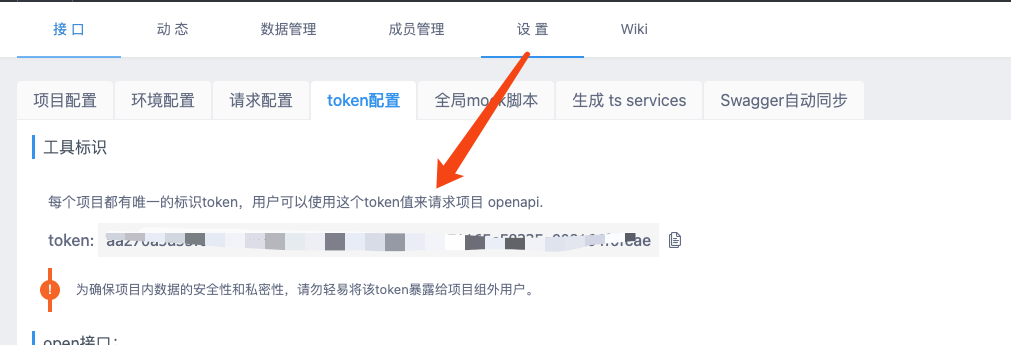
- `YAPI_TOKEN`: YApi 的访问令牌(必填)
- `BASE_URL`: YApi 服务的基础 URL(必填)
- `YAPI_COOKIE`: 用于请求鉴权的 Cookie 值(可选,某些 YApi 实例可能需要)
📸 参数获取方式

🛠️ 可用工具
1. yapi_get_interfaces
获取指定分类下的接口列表
参数:
- `url` (string): YApi 分类页面 URL,格式如 `https://xxxxx.com/project/810/interface/api/cat_2783`
示例:
工具: yapi_get_interfaces
参数: url = "https://xxxxx.com/project/810/interface/api/cat_2783"
2. yapi_get_interface_detail
获取指定接口的详细信息(请求体和响应体)
参数:
- `id` (string): 接口 ID,来自接口列表中的 `_id` 字段
示例:
工具: yapi_get_interface_detail
参数: https://xxxxxxx/project/1219/interface/api/42726
📖 使用流程
1. 获取接口列表: 使用 `yapi_get_interfaces` 获取分类下的所有接口
2. 获取接口详情: 使用 `yapi_get_interface_detail` 获取详细信息
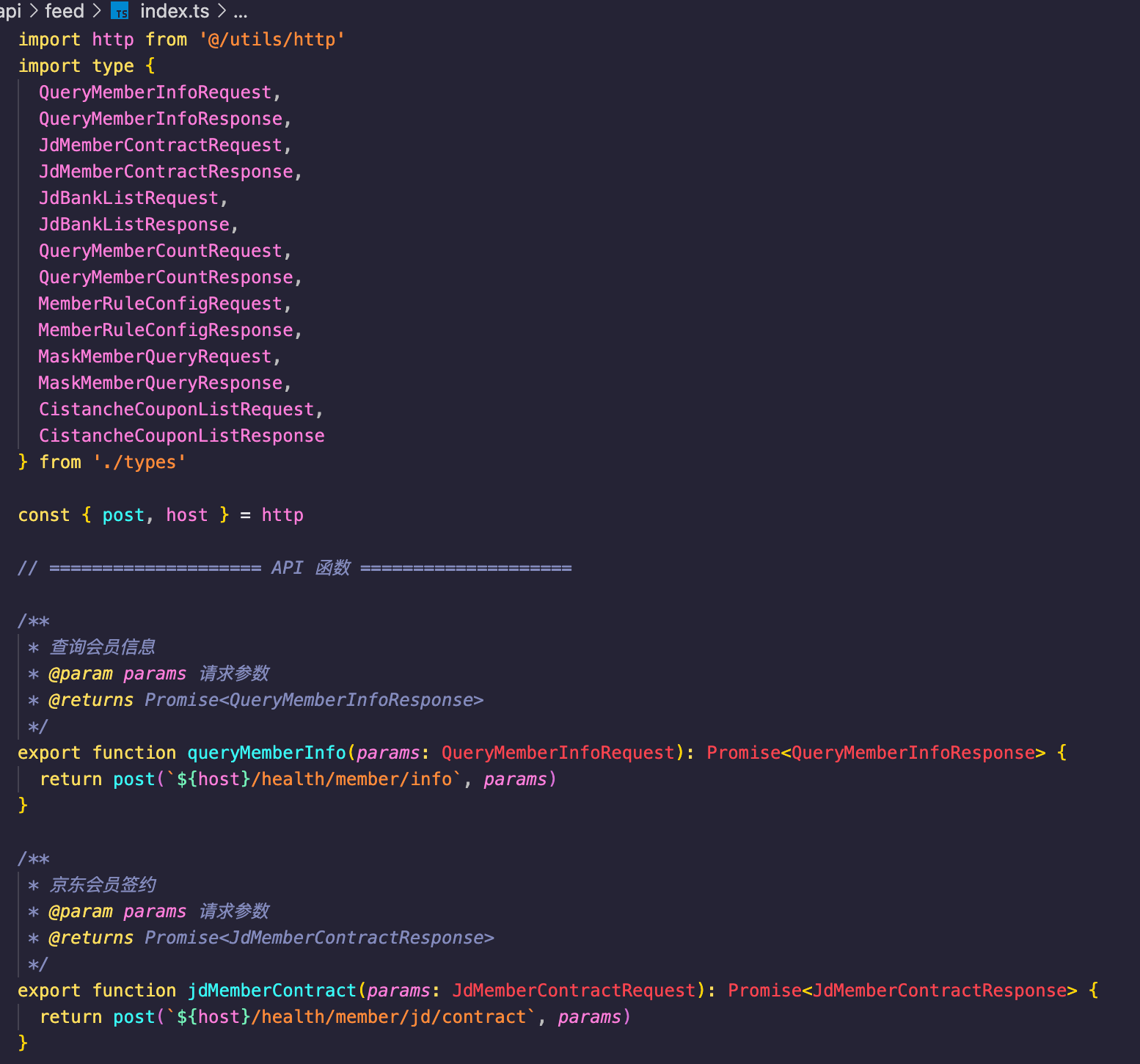
3. 生成类型定义: 基于返回的请求/响应体生成 TypeScript 类型
📄 License
MIT
🤝 贡献
欢迎提交 Issue 和 Pull Request!
📧 联系
如有问题,请提交 Issue 或联系作者。
Frequently asked questions
What is yapi-mcp?
yapi-mcp is 关于Yapi的mcp可获取接口地址及其请求、返回参数。快速生成前端api文件
How do I install yapi-mcp?
Open the GitHub repository and follow its README. Most MCP servers are added to your client's MCP config, then called by your agent.
Is yapi-mcp open source?
Yes — it is hosted on GitHub at https://github.com/twelve-web/auto-api-mcp and has 2 stars.
Related MCP tools
 mcp-for-next.js
This sample app uses the Vercel MCP Adapter that allows you to drop in an MCP server on a group of routes in any Next.js project.
 anything-llm
The all-in-one Desktop & Docker AI application with built-in RAG, AI agents, No-code agent builder, MCP compatibility, and more.
 claude-task-master
An AI-powered task-management system you can drop into Cursor, Lovable, Windsurf, Roo, and others. Built for the Model Context Protocol to enhance AI capabiliti
 fay
fayFay是一个帮助数字人(2.5d、3d、移动、pc、网页)或大语言模型(openai兼容、deepseek)连通业务系统的mcp框架。 JavaScript-based implementation. Trusted by 12000+ developers.
 cursor-talk-to-figma-mcp
CTTF: MCP integration between Cursor and Figma, allowing Cursor Agentic AI to communicate with Figma for reading designs and modifying them programmatically.
 firecrawl-mcp-server
🔥 Official Firecrawl MCP Server - Adds powerful web scraping and search to Cursor, Claude and any other LLM clients. JavaScript-based implementation.
Run your own MCP server? See who uses it and what to fix.
Measure it with TrackMCP