
renpy-mcp-pro-public
MCP server + visual development tools for Ren'Py visual novel engine. 60 tools, story map, live dashboard, standalone CLI.
Documentation
RenPy MCP + DevTools
MCP server and visual development tools for Ren'Py visual novel engine.
60 tools in 10 categories — preview scenes, analyze story flow, manage translations, refactor characters, and control the running game through natural language or your browser.
Screenshots
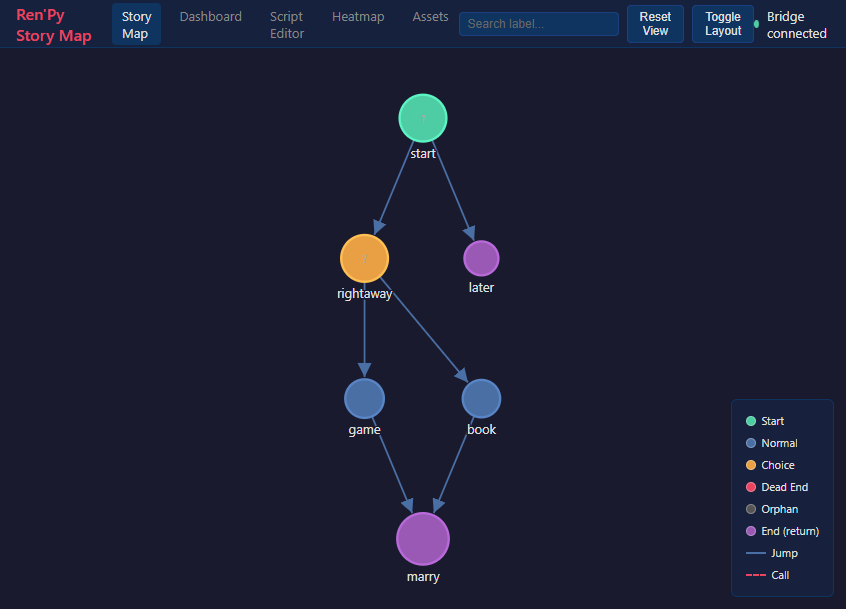
Story Map
Interactive graph of all labels, jumps, and menus. Click a node to warp the running game there.
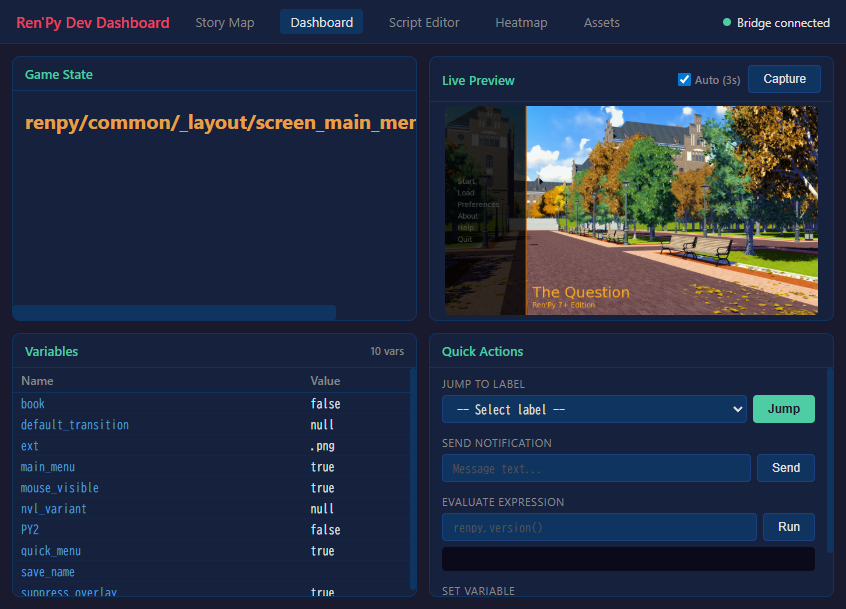
Dev Dashboard
Live preview, variable inspector with tree view, quick actions — all while the game runs.
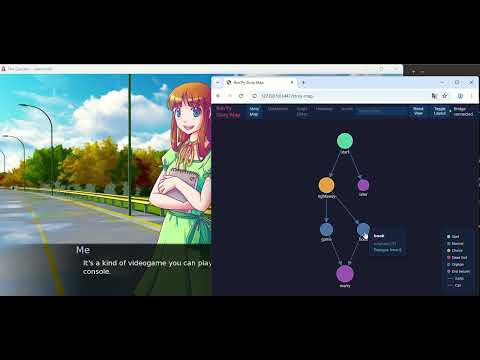
Warp-on-Click Demo
https://github.com/user-attachments/assets/og6ZKTafSGk
Features
AI-Powered (MCP)
Connect Claude (or any MCP client) directly to your Ren'Py project:
- Project Management — lint, compile, build, inspect config
- Visual Preview — screenshot any scene by warping to it
- Automated Testing — run test cases, generate reports
- Story Analysis — flow graphs, dead ends, character maps, variable tracking
- Asset Management — list images/audio, find unused assets
- Refactoring — rename characters/labels, extract routes
- Translation — completion stats, find untranslated, auto-translate
- Live Debugging — eval, inspect, jump labels, set variables in a running game
- Documentation — search 89 official Ren'Py doc topics
Visual DevTools (no AI needed)
A standalone browser-based development dashboard:
- Story Map — interactive graph of all labels, jumps, and menus. Click a node to warp the running game there.
- Dev Dashboard — live preview, variable inspector with tree view for dicts/lists, quick actions
- Script Editor — browse and edit .rpy files with syntax highlighting
- Playtest Heatmap — visualize which parts of your game are most played
- Asset Manager — browse images and audio, find unused assets
renpy-webui --project /path/to/my-gameInstallation
Prerequisites
- Ren'Py SDK 8.x — https://www.renpy.org/latest.html
- Python 3.11+ — https://www.python.org/downloads/
- uv (recommended) — https://docs.astral.sh/uv/getting-started/installation/
Setup
1. Download from itch.io and extract to a permanent location
2. Install dependencies:
cd renpy-mcp
   uv venv && uv pip install -e .
3. Configure your AI client (`.mcp.json` in your project directory):
{
     "mcpServers": {
       "renpy-mcp": {
         "command": "uv",
         "args": ["run", "--directory", "/path/to/renpy-mcp", "renpy-mcp"],
         "env": {
           "RENPY_SDK_PATH": "/path/to/renpy-8.x-sdk"
         }
       }
     }
   }
Standalone DevTools (no AI client required)
cd renpy-mcp
uv run renpy-webui --project /path/to/my-game
See the full Installation Guide for details.
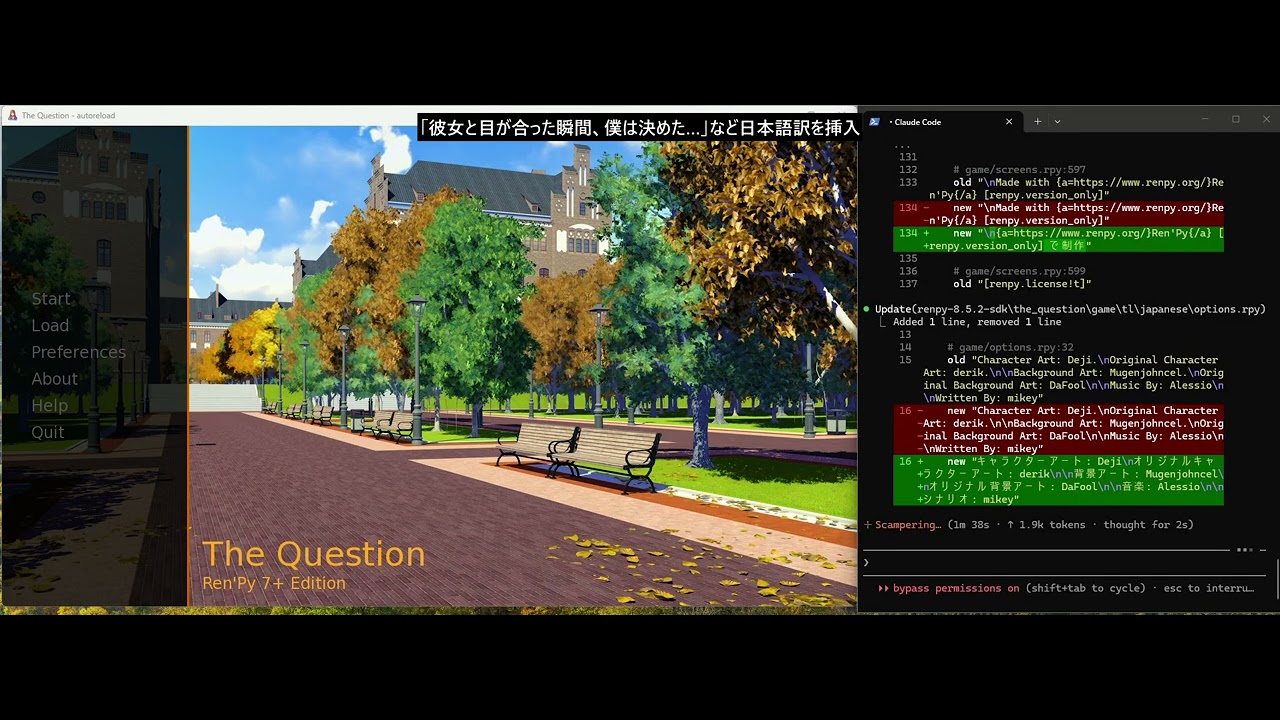
Demo
Links
- Website: https://renpy-mcp.abyo.net/
- itch.io: https://y1uda.itch.io/renpy-mcp ($15)
- Discord: https://discord.gg/N6sSHBGuYX
License
Commercial software. See itch.io for purchasing.
Frequently asked questions
What is renpy-mcp-pro-public?
renpy-mcp-pro-public is MCP server + visual development tools for Ren'Py visual novel engine. 60 tools, story map, live dashboard, standalone CLI.
How do I install renpy-mcp-pro-public?
Open the GitHub repository and follow its README. Most MCP servers are added to your client's MCP config, then called by your agent.
Is renpy-mcp-pro-public open source?
Yes — it is hosted on GitHub at https://github.com/youichi-uda/renpy-mcp-pro-public and has 4 stars.
Related MCP tools
 projectmem
Open-source coding agent memory. Records issues, attempts, fixes and decisions, then warns your agent before it repeats an approach that already failed. Native MCP server for Claude Code, Cursor, Antigravity and Codex. 100% local, no cloud, no telemetry. MIT.
 unity-mcp
Unity MCP acts as a bridge between AI assistants and your Unity Editor. Give your LLM tools to manage assets, control scenes, edit scripts, and automate tasks within Unity.
 firecrawl-mcp-server
🔥 Official Firecrawl MCP Server - Adds powerful web scraping and search to Cursor, Claude and any other LLM clients.
 mcp
mcpBrowser MCP is a Model Context Provider (MCP) server that allows AI applications to control your browser
 wigolo
The go-to web for your AI coding agent — local-first search, fetch, crawl & research over MCP. No API keys, no cloud, $0/query. Public beta.
 zotero-mcp
Zotero MCP: Connects your Zotero research library with Claude and other AI assistants via the Model Context Protocol to discuss papers, get summaries, analyze citations, and more.
Run your own MCP server? See who uses it and what to fix.
Measure it with TrackMCP