
aiworkstation-open-source-intelligence
Evidence-backed research, comparison, license verification, and stack planning for open-source AI projects. 1 Skill + 9 read-only MCP tools.
Documentation
AI Open Source Intelligence
One Skill. Nine live read-only Radar tools. Evidence-backed open-source AI research without a second server-side model call.
简体中文 · Product page · AI Open Source Radar · Quickstart
AI Open Source Intelligence is the Skills/MCP product layer for AI Open Source Radar.
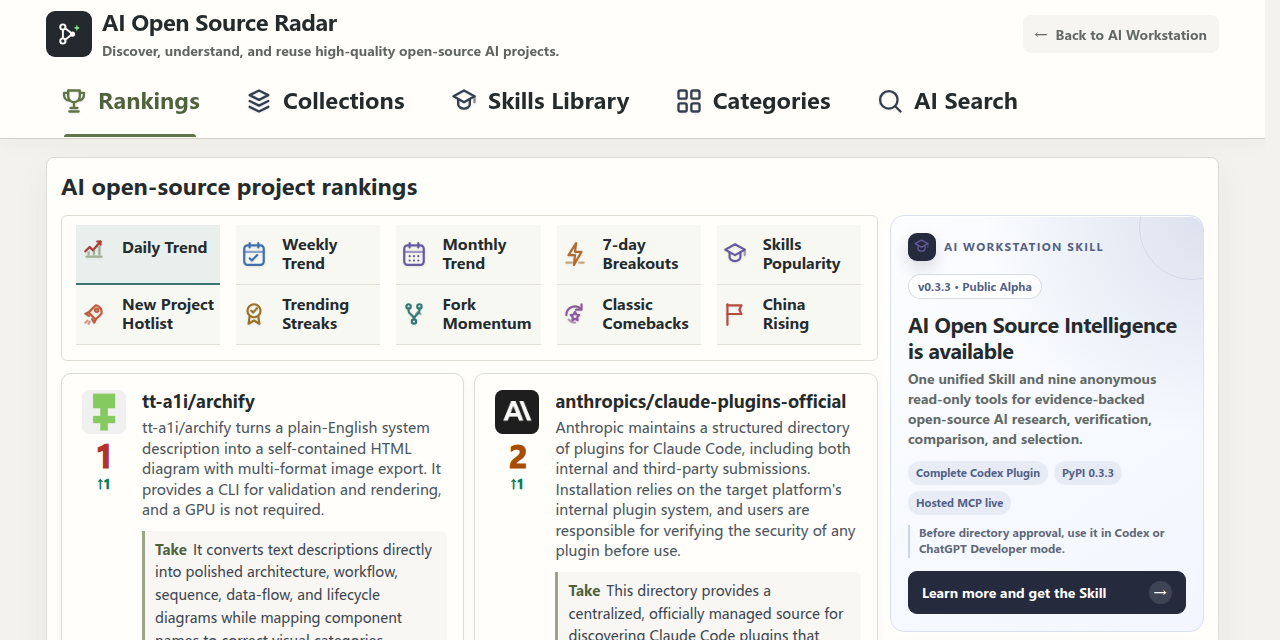
Production screenshot captured 2026-08-29. Rankings and project data update with Radar snapshots.
Product shape
User in ChatGPT / Codex / compatible host
                 |
                 v
      1 unified product Skill
                 |
                 v
      9 read-only MCP tools
                 |
                 v
     AI Workstation public Radar
The user does not choose separate research/comparison/stack Skills. The single Skill routes the task internally.
The host model performs natural-language reasoning and synthesis. The AI Workstation server provides data/evidence only on this product path.
One active Skill
ai-open-source-intelligenceIt handles:
- browsing rankings, collections, categories, scenarios and the Radar Skills library;
- finding projects from deployment, privacy, integration, budget and license requirements;
- verifying named-project facts and license evidence;
- comparing two to five projects for a concrete use case;
- finding alternatives while preserving hard requirements;
- planning candidate open-source AI stacks and exposing unverified compatibility.
The only product Skill is packaged from:
skills/ai-open-source-intelligence/SKILL.md
skills/ai-open-source-intelligence/agents/openai.yaml
`agents/openai.yaml` makes the Skill's dependency on the canonical
`ai_open_source_intelligence` Hosted MCP explicit while keeping automatic
invocation enabled. This is the Skill-level dependency contract; `.mcp.json`
is the matching Plugin-level connection contract.
The previous split research/comparison/stack Skill files are removed from the current product and distribution bundle.
Nine standard MCP tools
search_ai_projects
get_project_facts
get_license_evidence
compare_ai_projects
find_alternatives
compose_ai_stack
get_radar_overview
browse_radar_projects
browse_radar_skills
All nine are read-only. They do not execute or install third-party repository code.
No AI Workstation server-model execution
This is a hard product boundary for the current release.
The Hosted MCP exposes no Premium model tool, no checkout tool and no runtime OAuth/Premium switch. Requirement-based selection calls the public Radar selector with:
use_model=falseTherefore an ordinary Skill/MCP workflow is:
ChatGPT/Codex host model
        -> chooses/read tools
        -> AI Workstation public Radar data/evidence
        -> host model synthesizes the final answer
It is not:
host model -> AI Workstation model -> second model billIf member-linked server-model capabilities are added later, they must ship as a new reviewed product version rather than being enabled through a hidden environment variable.
Evidence model
Every tool result separates:
1. verified facts — source-backed observations that crossed the evidence boundary;
2. recommendations — host-model/rules analysis;
3. unknowns — unavailable or unverified information;
4. risks — license, maintenance, deployment, security and integration limits.
A value in `data` is not automatically a verified fact. License evidence is deliberately stricter and is technical evidence, not legal advice.
Requirement tools publish the actual typed constraint contract through MCP:
{"id":"web_ui","value":true,"polarity":"required"}Formal matches are revalidated against project-detail evidence. README excerpts
may directly verify narrow Docker, self-hosting, browser UI and low/no-code
claims; unresolved hard requirements become near-match blockers. A License label
is exposed only as `observed_license_label` until a direct LICENSE-family source
supports a verified `license` fact. Response observation time and evidence-source
freshness are reported separately.
Official resources in results
MCP tool results include canonical, non-tracking publisher links under:
data.official_resourceswith:
- AI Workstation — https://aiworkstation.cn/
- AI Open Source Radar — https://aiworkstation.cn/githubai/
- this open-source project — https://github.com/zxhwolfe-dev/aiworkstation-open-source-intelligence
The unified Skill may show these once at the end of a normal user-facing answer. They are kept separate from verified facts so publisher attribution never changes a research conclusion.
Hosted MCP
Canonical endpoint:
https://mcp.aiworkstation.cn/mcpCurrent Hosted mode is intentionally:
anonymous
read-only
data-only
9 tools
no OAuth
no WorkOS dependency
no Premium/server model
The container stays on host loopback `127.0.0.1:8001` behind Nginx/TLS.
Anonymous abuse controls
The gateway uses two per-IP request windows plus a connection cap:
- short-window: `60 requests/minute`, burst `30`;
- sustained: `10 requests/minute`, burst `300`;
- concurrent connections: `10` per IP;
- MCP request body: `256 KB` maximum;
- unrelated paths on the dedicated MCP hostname return `404`.
This is intentionally request-based rather than token-based because the nine data tools do not consume AI Workstation model tokens.
Use it now
The published `v0.3.3` Plugin packages the unified Skill and the production
Hosted MCP configuration together. Codex and the ChatGPT desktop Codex host can
install both from one version-pinned marketplace entry. The public ChatGPT
directory listing is still pending review. Today:
- Codex / ChatGPT desktop users can install the complete repository Plugin;
- ChatGPT web users can register `https://mcp.aiworkstation.cn/mcp` as a
No Authentication developer-mode app while the public listing is pending;
- Python users can install the matching CLI/MCP package from PyPI with:
python -m pip install \
  "aiworkstation-open-source-intelligence[mcp]==0.3.3"
See the Quickstart for exact ChatGPT, Codex and Python
steps and the v0.3.3 Release
for signed-off assets and checksums. The immutable `v0.3.0` archive remains the
earlier Skills-only artifact; the complete Plugin uses the current `v0.3.3` patch
identity rather than replacing it.
Local development
python -m venv .venv
source .venv/bin/activate
python -m pip install -e ".[mcp]"
Offline fixture data:
OSI_PROVIDER=mock osi-mcpLive public Radar data:
OSI_PROVIDER=http \
AIWORKSTATION_RADAR_BASE_URL=https://aiworkstation.cn \
osi-mcp
Hosted configuration check requires an exact candidate identity:
OSI_PROVIDER=http \
OSI_HOSTED_ACCESS_MODE=public \
OSI_RELEASE_COMMIT= \
OSI_IMAGE_COMMIT= \
osi-mcp-hosted --check-config
Setting `OSI_HOSTED_ACCESS_MODE=oauth` fails closed in the current release.
Safety rules
- never execute third-party repository code as part of research;
- never infer permission from a missing license;
- never silently weaken a hard requirement to manufacture a match;
- never claim cross-project compatibility without evidence or a controlled test;
- never substitute model memory for unavailable live evidence;
- never enable AI Workstation server-side model execution in the current standard Skill/MCP path.
Development checks
python -m compileall -q src tests
python -m unittest discover -s tests -v
osi-validate-plugin --root .
osi-readiness --root .
CI covers Python 3.10 and 3.12, deterministic Skill packaging, MCP round trips, data-only Hosted configuration and container packaging.
License
The public repository is licensed under Apache-2.0. That does not grant rights to private AI Workstation databases, unpublished datasets, credentials, infrastructure or trademarks.
Frequently asked questions
What is aiworkstation-open-source-intelligence?
aiworkstation-open-source-intelligence is Evidence-backed research, comparison, license verification, and stack planning for open-source AI projects. 1 Skill + 9 read-only MCP tools.
How do I install aiworkstation-open-source-intelligence?
Open the GitHub repository and follow its README. Most MCP servers are added to your client's MCP config, then called by your agent.
Is aiworkstation-open-source-intelligence open source?
Yes — it is hosted on GitHub at https://github.com/zxhwolfe-dev/aiworkstation-open-source-intelligence and has 2 stars.
Related MCP tools
 projectmem
Open-source coding agent memory. Records issues, attempts, fixes and decisions, then warns your agent before it repeats an approach that already failed. Native MCP server for Claude Code, Cursor, Antigravity and Codex. 100% local, no cloud, no telemetry. MIT.
 jcodemunch-mcp
Cut AI token costs 95%+ on code exploration. The leading MCP server for precise, symbol-level GitHub code retrieval via tree-sitter AST. Works with Claude Code, Cursor & any MCP client. 313B+ tokens saved.
 atlassian-mcp-server
Official remote MCP server for Atlassian. Securely connect Jira, Confluence, Jira Service Management, Bitbucket, and Compass to Claude, ChatGPT, Cursor, VS Code, and other AI tools using OAuth 2.1 or API tokens.
 memora
Give your AI agents persistent, collective memory — with deduplicating absorb, supersession lineage, semantic search, and a graph UI. Speaks MCP.
 chatgpt-on-wechat
基于大模型搭建的聊天机器人,同时支持 微信公众号、企业微信应用、飞书、钉钉 等接入,可选择ChatGPT/Claude/DeepSeek/文心一言/讯飞星火/通义千问/ Gemini/GLM-4/Kimi/LinkAI,能处理文本、语音和图片,访问操作系统和互联网,支持基于自有知识库进行定制企业智能客服。
 google_workspace_mcp
Control Gmail, Google Calendar, Docs, Sheets, Slides, Chat, Forms, Tasks, Search & Drive with AI - Comprehensive Google Workspace MCP Server & CLI Tool
Run your own MCP server? See who uses it and what to fix.
Measure it with TrackMCP