
system-mcp
System Resource Monitor MCP Server
Documentation
System Resource Monitor MCP Server
An MCP server that provides Claude with real-time system monitoring capabilities, including CPU, memory, disk, network, battery, and internet speed metrics using `systeminformation` and multi-source speed tests.
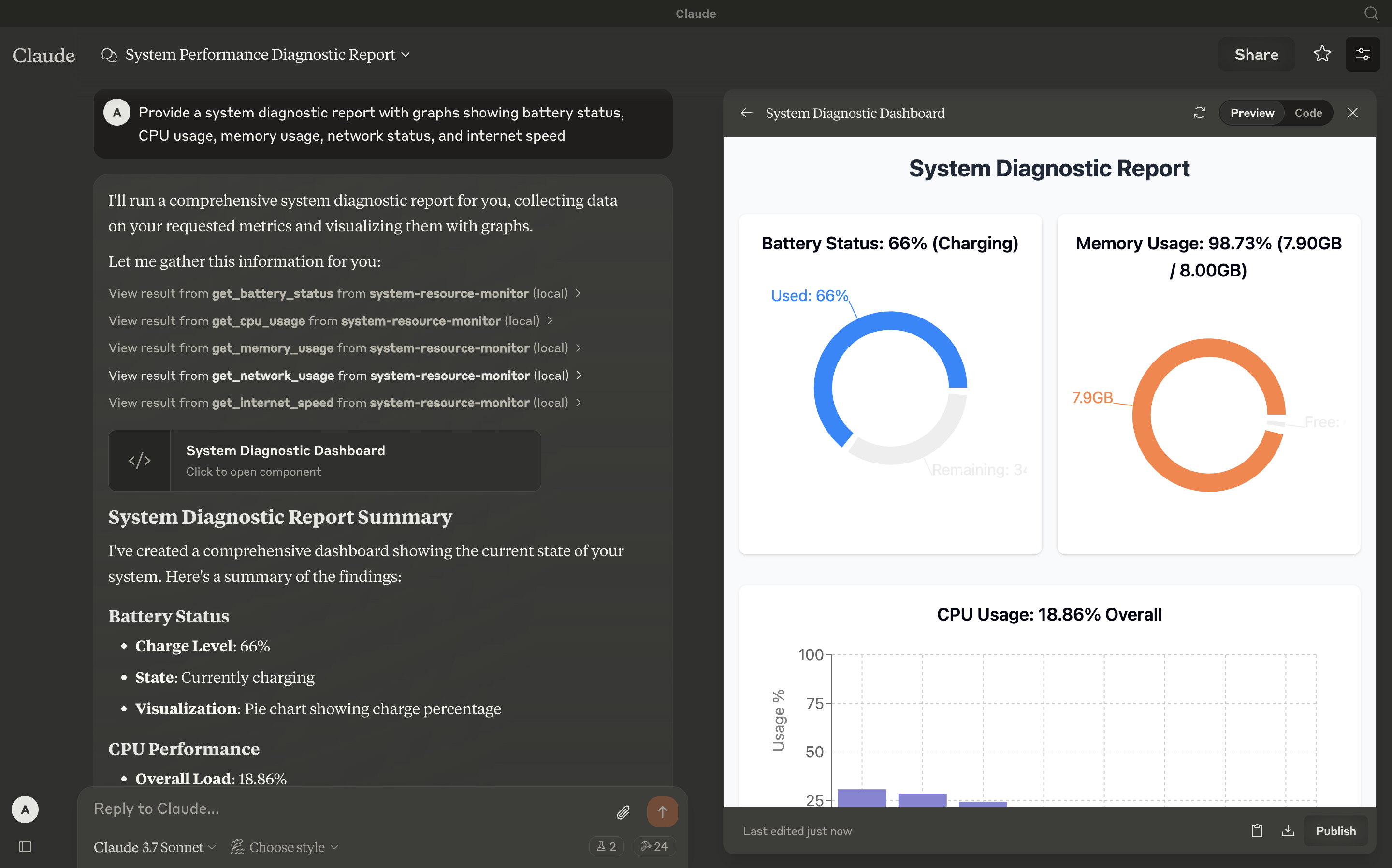
Tools
- get_cpu_usage
- Retrieves the current CPU load as a percentage, including overall and per-core usage.
- Inputs: None
- Output: Text (e.g., `CPU Load: 12.34% (Cores: 10.50, 15.20, 8.90, 14.60%)`)
- get_memory_usage
- Reports total, used, and free memory in GB, plus percentage used.
- Inputs: None
- Output: Text (e.g., `Memory: 65.43% used (7.82GB / 16.00GB)`)
- get_disk_space
- Shows disk usage for the largest drive in GB and percentage.
- Inputs: None
- Output: Text (e.g., `Disk (/): 78.90% used (189.50GB / 250.00GB)`)
- get_network_usage
- Returns real-time network RX/TX rates (KB/s) and total data since boot (MB).
- Inputs: None
- Output: Text (e.g., `Network (eth0): RX: 25.50KB/s, TX: 10.20KB/s (Total: RX 150.34MB, TX 75.89MB)`)
- get_battery_status
- Provides battery charge percentage, charging status, and time remaining (if applicable).
- Inputs: None
- Output: Text (e.g., `Battery: 85% (charging), 120 min remaining` or `No battery detected`)
- get_internet_speed
- Measures internet speed using multiple download sources (including a user-uploaded file) and upload tests, returning median speeds in Mbps.
- Inputs: None
- Output: Text (e.g., `Internet Speed: Download 45.67Mbps, Upload 8.45Mbps`)
Configuration
Step 1: Clone and Install
Clone this repository:
git clone git@github.com:abhinav7895/system-mcp.gitNavigate to the directory and install dependencies:
cd system-resource-monitor && npm installStep 2: Build the Project
Compile the TypeScript code:
npm run buildThis generates the `dist/index.js` file, ready to run as an MCP server.
Step 3: Configure Claude Desktop
1. Download Claude Desktop here.
2. Add this to your `claude_desktop_config.json`:
{
  "mcpServers": {
    "system-resource-monitor": {
      "command": "node",
      "args": ["/absolute/path/to/dist/index.js"]
    }
  }
}
Access the config file:
vim ~/Library/Application\ Support/Claude/claude_desktop_config.json*(Adjust the path to `dist/index.js` based on your project location.)*
Step 4: Testing
Ensure Claude Desktop recognizes the tools by checking for the hammer icon:
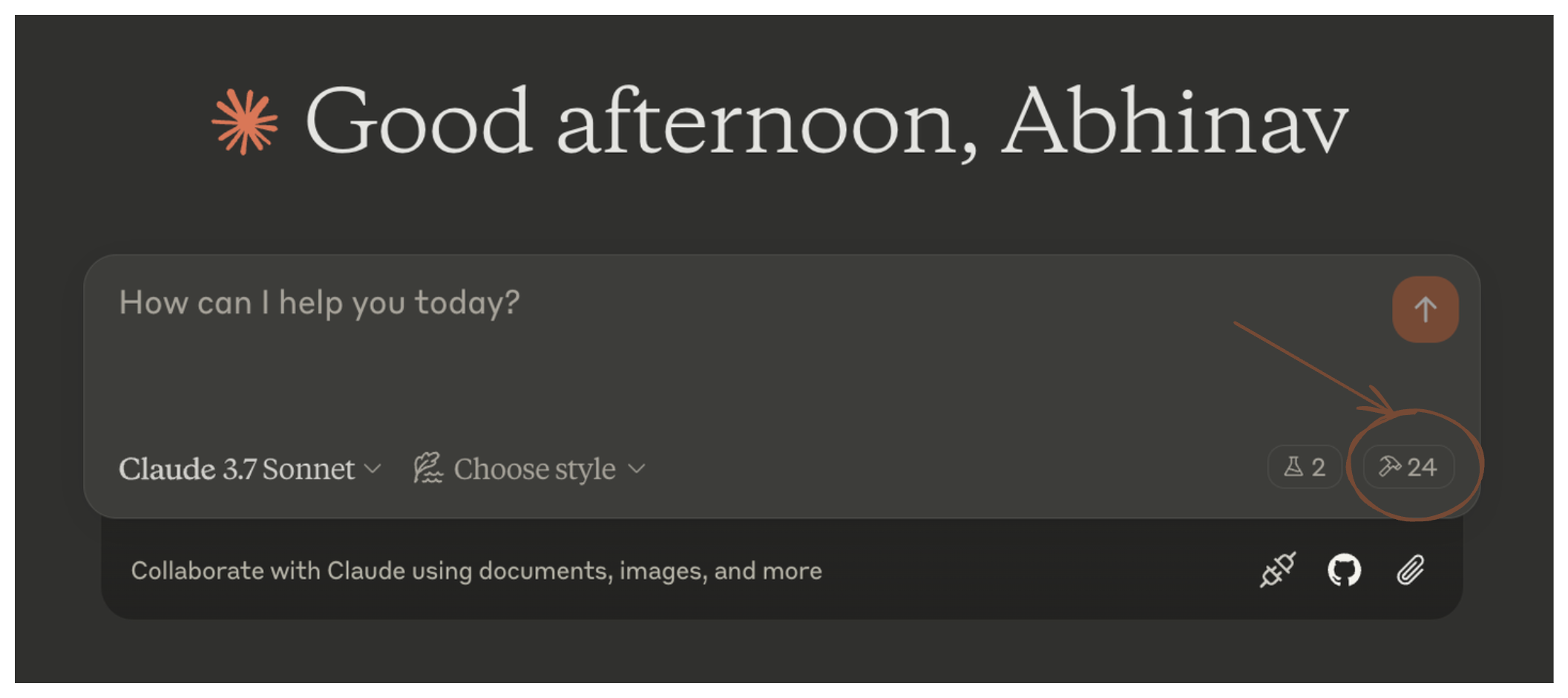
Click the hammer icon to see available tools:
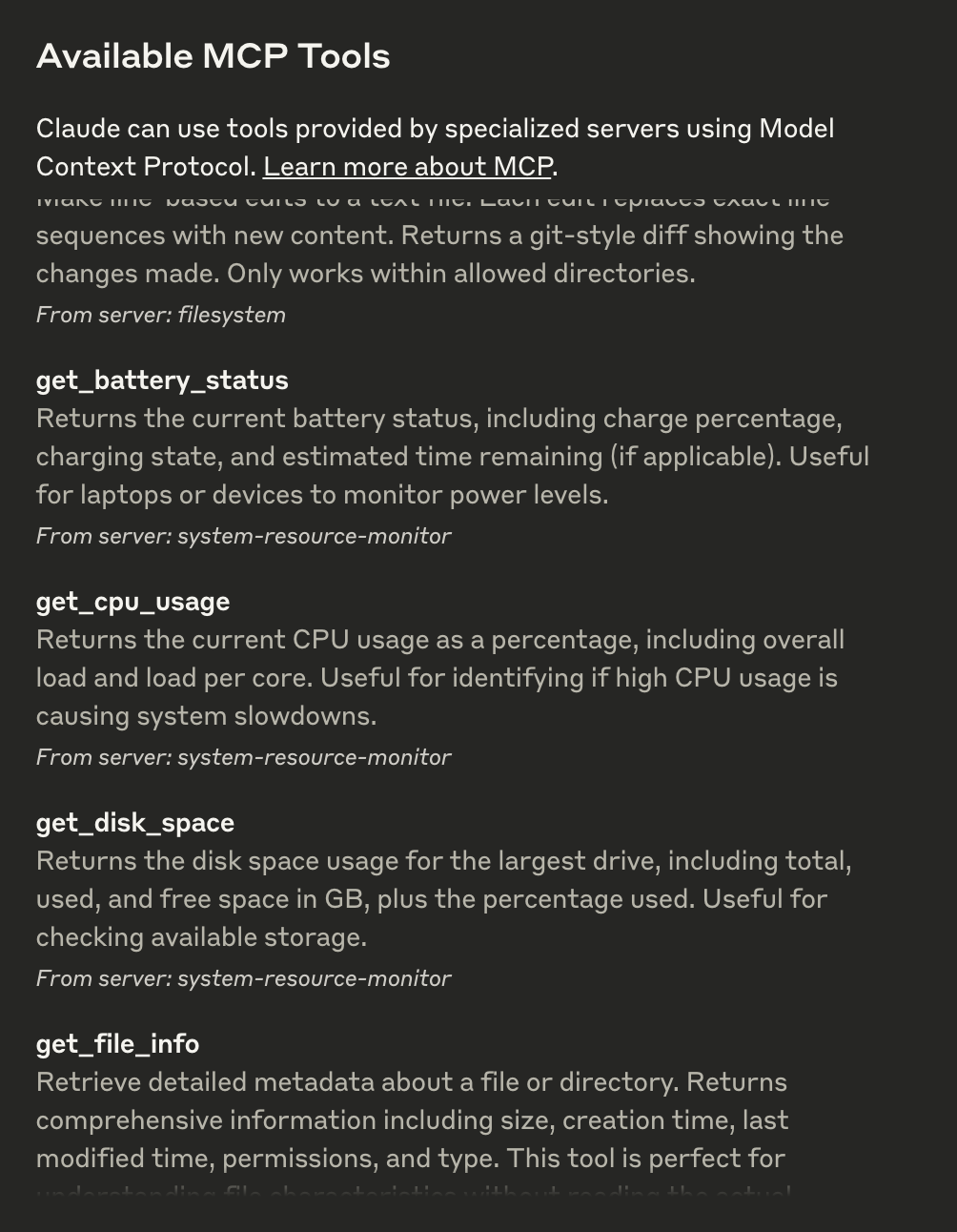
If all six tools (`get_cpu_usage`, `get_memory_usage`, etc.) appear, the integration is active. You can now ask questions like:
- "What’s my CPU usage?"
- "How fast is my internet?"
Step 5: Advanced Customization
- Internet Speed Test: Modify `testUrls` in `index.ts` to use different download sources or adjust `uploadSizeBytes` (default 80KB) for upload tests.
- Logging: Console logs provide detailed test output; disable them in production by removing `console.log` statements.
Troubleshooting
- Tool Not Showing: Verify the server is running (`node dist/index.js`) and the config path is correct.
- Internet Speed Errors: Ensure network connectivity and test URLs are accessible. Check console logs for specific failures.
- Refer to the MCP troubleshooting guide
License
This MCP server is licensed under the MIT License. You are free to use, modify, and distribute the software under the terms of the MIT License. See the `LICENSE` file for details.
Frequently asked questions
What is system-mcp?
system-mcp is System Resource Monitor MCP Server
How do I install system-mcp?
Open the GitHub repository and follow its README. Most MCP servers are added to your client's MCP config, then called by your agent.
Is system-mcp open source?
Yes — it is hosted on GitHub at https://github.com/abhinav7895/system-mcp.
Related MCP tools
 servers
Model Context Protocol Servers
 UI-TARS-desktop
The Open-Source Multimodal AI Agent Stack: Connecting Cutting-Edge AI Models and Agent Infra
 n8n-mcp
A MCP for Claude Desktop / Claude Code / Windsurf / Cursor to build n8n workflows for you
 Figma-Context-MCP
MCP server to provide Figma layout information to AI coding agents like Cursor
 inbox-zero
The world's best AI personal assistant for email. Open source app to help you reach inbox zero fast.
 instant
Instant is the best backend for AI-coded apps. You get auth, permissions, storage, presence, and streams — everything you need to ship apps your users will love.
Run your own MCP server? See who uses it and what to fix.
Measure it with TrackMCP