
colorsmcp
MCP Server for Colors
Documentation
ColorsMCP - Model Context Protocol (MCP) Server
Overview
This is a Model Context Protocol (MCP) server implementation built with .NET 9.0.
This can be used to access knowledge about Colors.
More information [https://markharrison.io/doc-mcp]()
Different projects are provided to support:
- STDIO
- Http Streamable - Docker Image
- Http Streamable with OAuth authentication/authorization - Docker Image
- SSE - Azure Function App
Example
I need a palette of four colors from the blue family - plus black ...
   please add to colors.html so I can inspect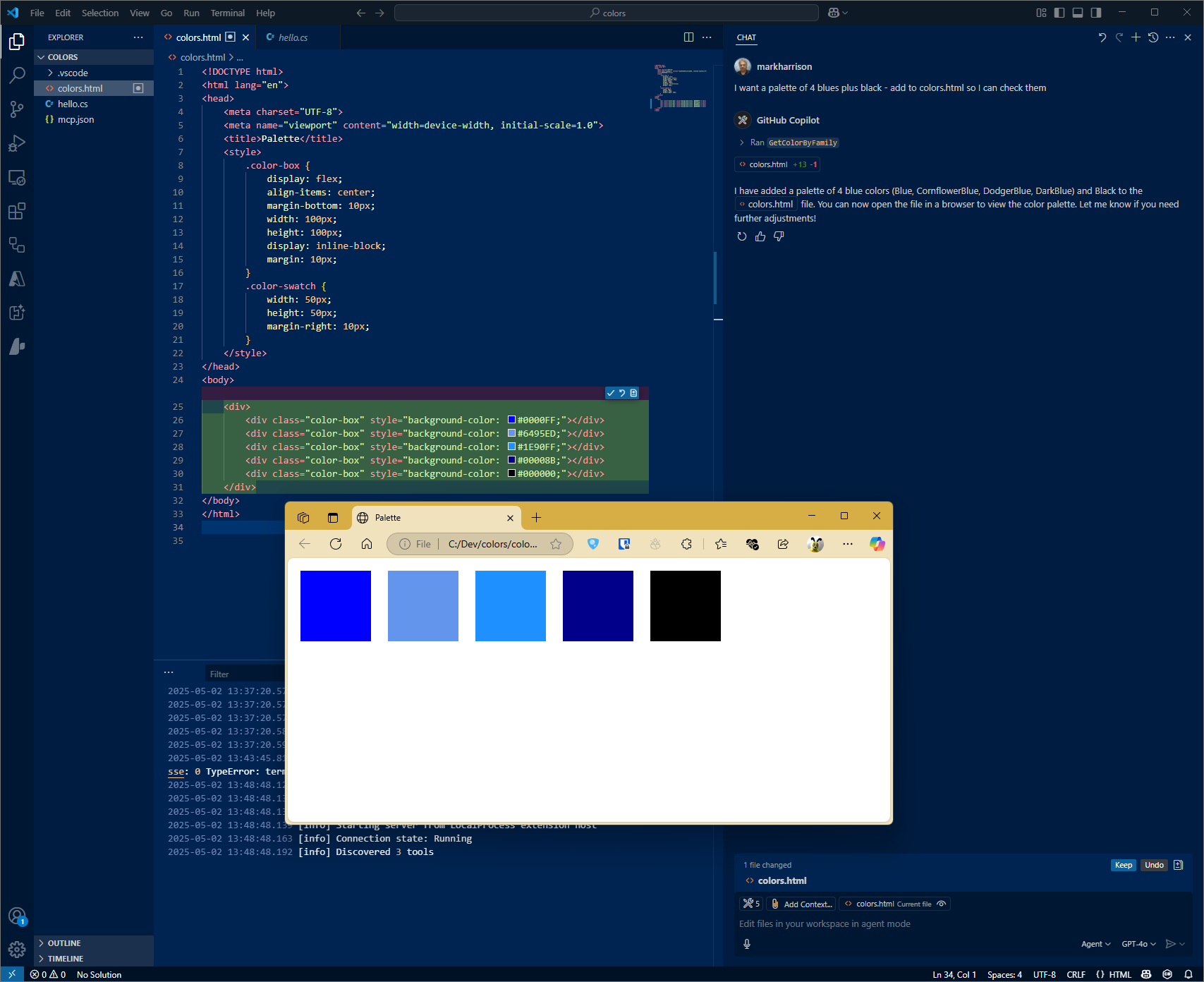
Configuration STDIO
VSCode config
Filename: .vscode\mcp.json
{
    "servers": {
        "colorsserver": {
            "type": "stdio",
            "command": "dotnet",
            "args": [
                "run",
                "--project",
                "c:/dev/ColorsMCP/ColorsMCP/ColorsMCP.csproj"
            ]
        }
    }
}
Configuration HTTP - Docker
Build Docker file
cd
docker build -f colorsmcp-http/Dockerfile -t colorsmcp-http:latest .
docker images
Run Docker file
docker run -p 3000:8080 -p 3001:8081 -d colorsmcp-http:latestVSCode config
Filename: .vscode\mcp.json
{
    "servers": {
        "colorsserver": {
            "type": "http",
            "url": "http://localhost:3000"
        }
    }
}
Configuration SSE - Azure Function App
Azure Functions
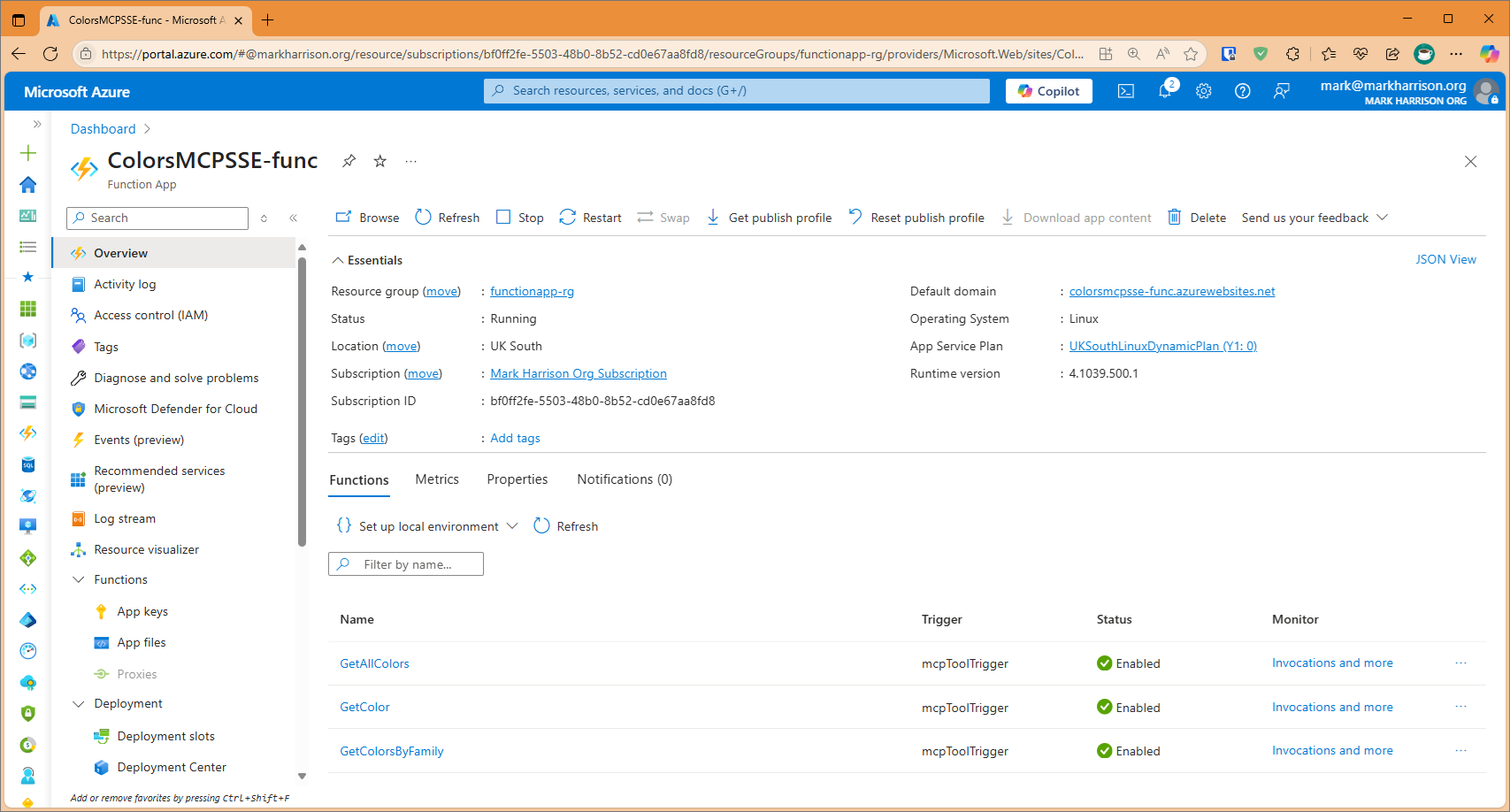
There is a project to build an Azure Function App.
Note that the Url of the MCP Server will be `http://xxxxx.azurewebsites.net/runtime/webhooks/mcp/sse`.
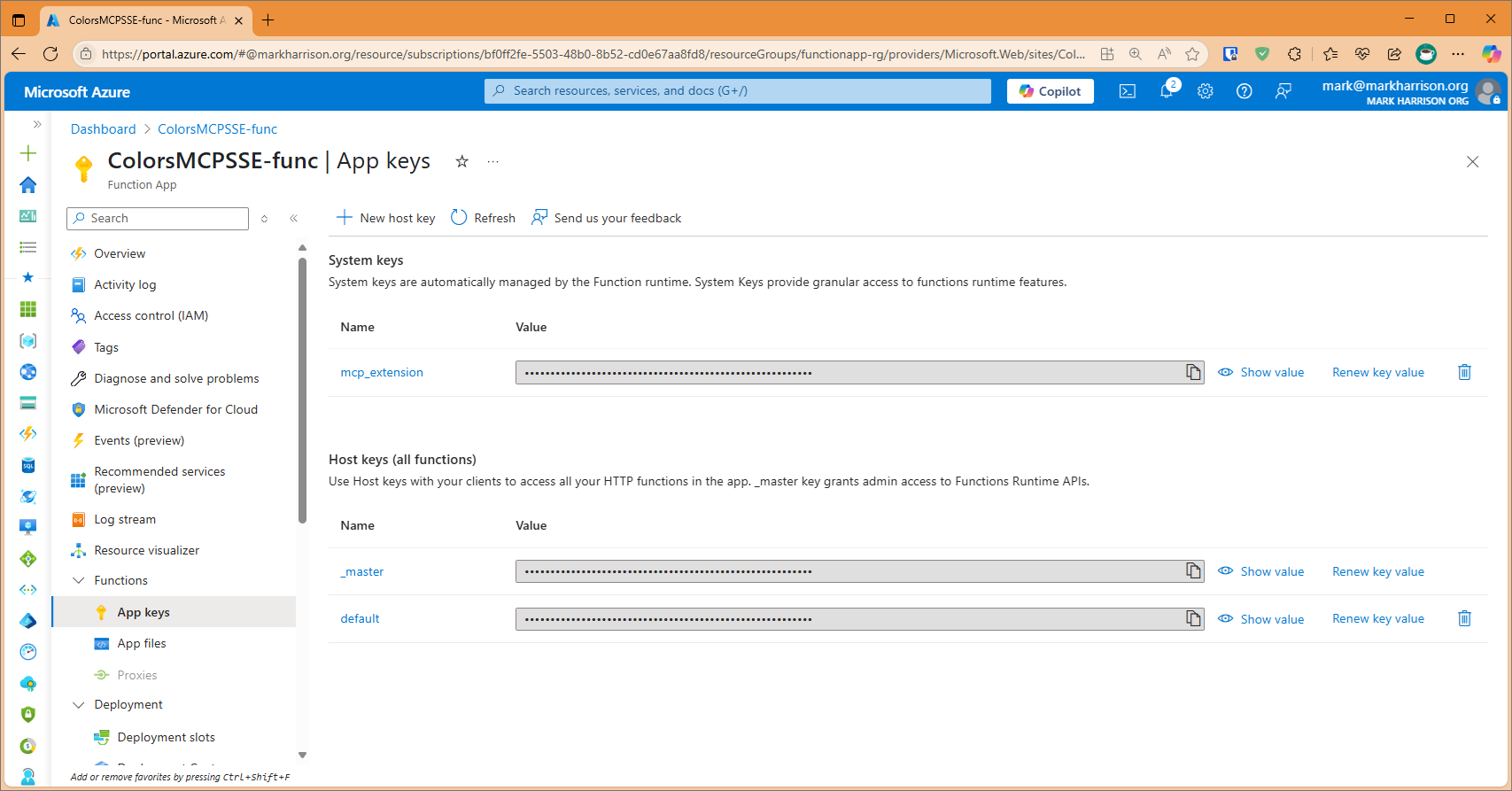
In addition a key is needed. This is located on Function App | Keys blade and is callled mcp_extension.
The header for this key is called `x-functions-key`.
VSCode config
The VS Code config would look like:
{
    "servers": {
        "colorsserver": {
            "type": "sse",
            "url": "https://xxxxx.azurewebsites.net//runtime/webhooks/mcp/sse",
            "headers": {
                "x-functions-key": "key"
            }
        }
    }
}
Test
$env:DANGEROUSLY_OMIT_AUTH = 'true'
npx @modelcontextprotocol/inspector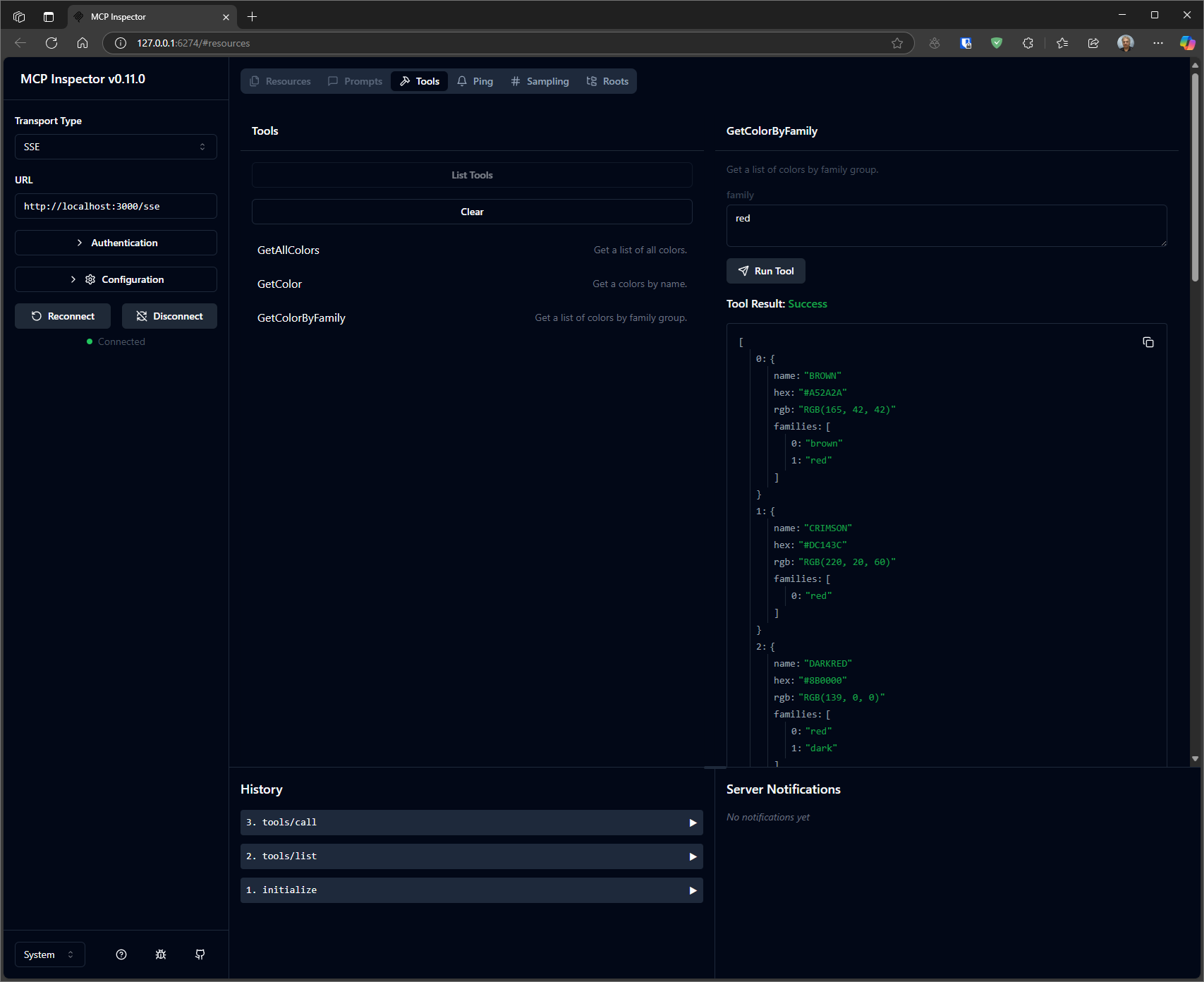
Frequently asked questions
What is colorsmcp?
colorsmcp is MCP Server for Colors
How do I install colorsmcp?
Open the GitHub repository and follow its README. Most MCP servers are added to your client's MCP config, then called by your agent.
Is colorsmcp open source?
Yes — it is hosted on GitHub at https://github.com/markharrison/ColorsMCP and has 2 stars.
Related MCP tools
 unity-mcp
An MCP server that allows MCP clients like Claude Desktop or Cursor to perform actions in the Unity Editor C#-based implementation.
 csharp-sdk
The official C# SDK for Model Context Protocol servers and clients. Maintained in collaboration with Microsoft. Trusted by 3500+ developers.
 mcp-unity
Model Context Protocol (MCP) plugin to connect with Unity Editor — designed for OpenAI, Gemini, Claude, Deepseek and Grok interoperability
 playwright-mcp
Playwright MCP server TypeScript-based implementation. Trusted by 22000+ developers. Trusted by 22000+ developers. Trusted by 22000+ developers.
 ghidramcp
MCP Server for Ghidra Java-based implementation. Trusted by 6400+ developers. Trusted by 6400+ developers. Trusted by 6400+ developers.
 notion-mcp-server
Official Notion MCP Server TypeScript-based implementation. Trusted by 3400+ developers. Trusted by 3400+ developers. Trusted by 3400+ developers.
Run your own MCP server? See who uses it and what to fix.
Measure it with TrackMCP