
clickhouse-mcp-server
ClickHouse MCP Server
Documentation
ClickHouse MCP Server
A Model Context Protocol (MCP) server implementation that enables Claude AI to interact with ClickHouse databases through a secure and efficient interface.
Prerequisites
1. Node.js (version 18 or higher)
2. ClickHouse database running locally or remotely
3. Claude Desktop application installed
Available Tools
1. clickhouse_query
2. clickhouse_show_tables
3. clickhouse_describe_table
Installation Steps
1. Install Dependencies
npm install @modelcontextprotocol/sdk @clickhouse/client typescript @types/node2. Build the TypeScript
npm run build3. Create the Server File
Copy the main server code into `index.js` and make it executable:
chmod +x dist/index.js4. Configure Claude Desktop
1. Open the Claude Desktop application, go to settings, then Developer and then click on "Edit Configuration File"
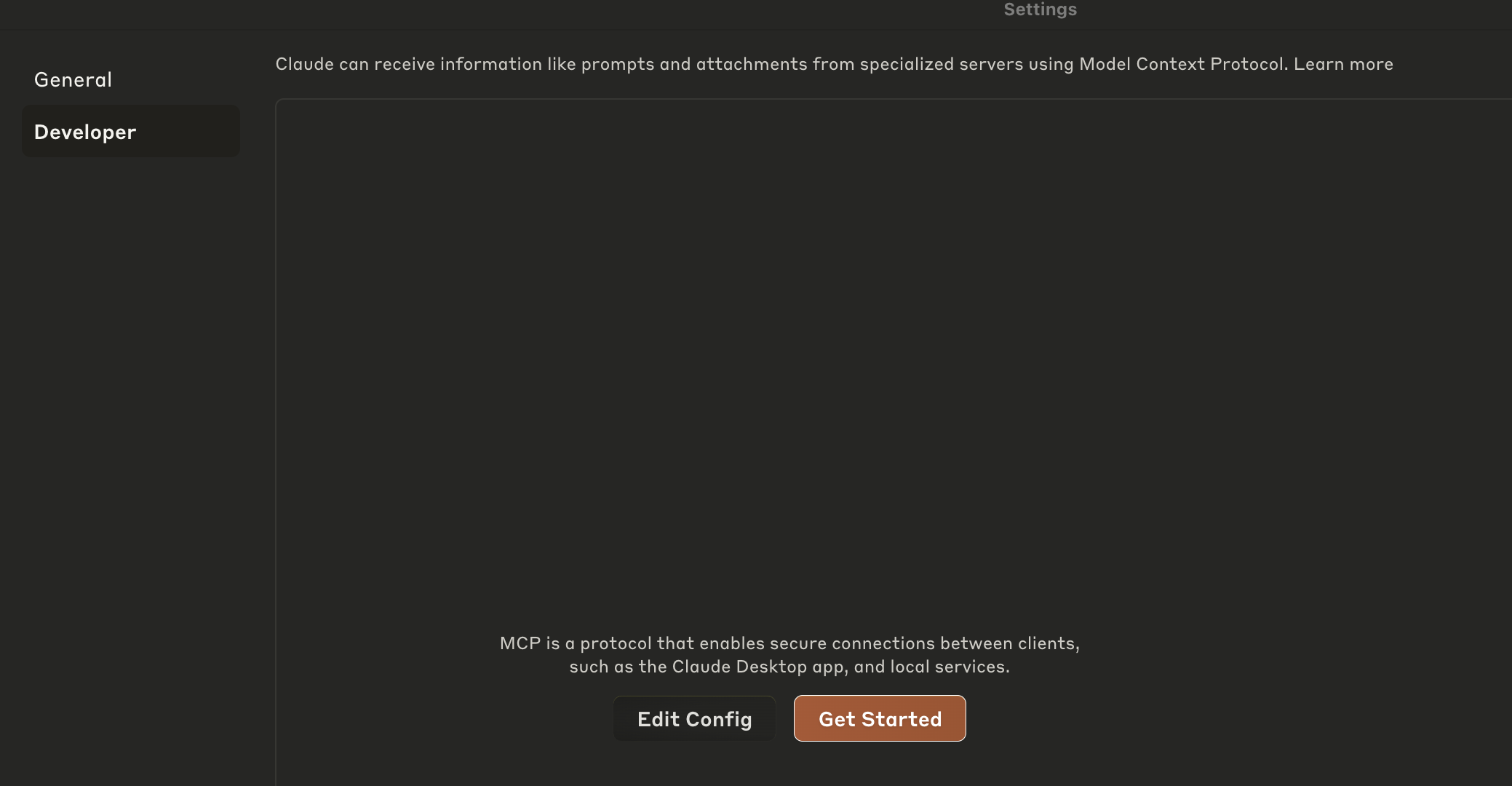
2. OR Open the Claude Desktop configuration file located at:
3. Add the following:
{
  "mcpServers": {
    "clickhouse": {
      "command": "node",
      "args": ["/path/to/your/clickhouse-mcp-server/dist/index.js"],
      "env": {
        "CLICKHOUSE_HOST": "",
        "CLICKHOUSE_PORT": "",
        "CLICKHOUSE_USER": "",
        "CLICKHOUSE_PASSWORD": "",
        "CLICKHOUSE_SECURE": "true",
        "CLICKHOUSE_VERIFY": "true",
        "CLICKHOUSE_CONNECT_TIMEOUT": "30",
        "CLICKHOUSE_SEND_RECEIVE_TIMEOUT": "30"
      }
    }
  }
}
Update the environment variables to point to your own ClickHouse service.
Or, if you'd like to try it out with the ClickHouse SQL Playground, you can use the following config:
{
  "mcpServers": {
    "clickhouse": {
      "command": "node",
      "args": ["/path/to/your/clickhouse-mcp-server/dist/index.js"],
      "env": {
        "CLICKHOUSE_HOST": "sql-clickhouse.clickhouse.com",
        "CLICKHOUSE_PORT": "8443",
        "CLICKHOUSE_USER": "demo",
        "CLICKHOUSE_PASSWORD": "",
        "CLICKHOUSE_SECURE": "true",
        "CLICKHOUSE_VERIFY": "true",
        "CLICKHOUSE_CONNECT_TIMEOUT": "30",
        "CLICKHOUSE_SEND_RECEIVE_TIMEOUT": "30"
      }
    }
  }
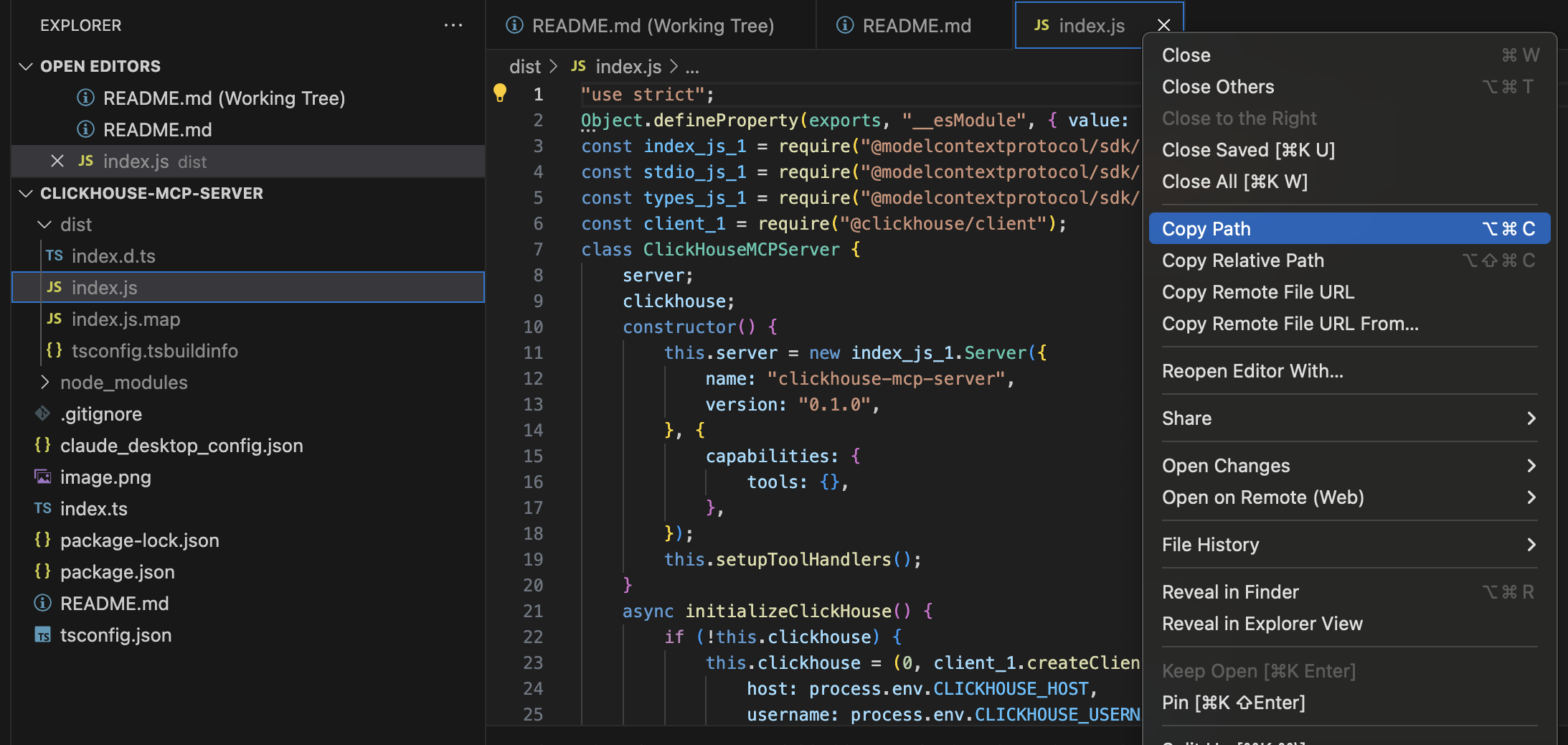
}Important: Update the path in the config to point to your actual `dist/index.js` file location. Copy the full path using as shown in the image below.
5. Test the Server
Before configuring Claude Desktop, test the server locally:
node dist/index.jsThe server should start and display "ClickHouse MCP server running on stdio".
7. Restart Claude Desktop
After updating the configuration, restart Claude Desktop for the changes to take effect.
Example Usage
After setup, you can ask Claude to:
- "Show me all tables in the ClickHouse database"
- "Query the user_events table for today's data"
- "Describe the schema of the orders table"
Development
Running Tests
npm testBuilding the Project
npm run buildLinting
npm run lintSecurity Notes
- The server only allows SELECT queries for the query tool
- Consider setting up proper authentication for your ClickHouse instance
- Use environment variables for sensitive credentials
- Restrict network access to your ClickHouse server as needed
Troubleshooting
1. Connection Issues: Check your ClickHouse server is running and accessible
2. Permission Errors: Ensure the Node.js script has proper file permissions
3. Config Issues: Verify the path in Claude Desktop config points to the correct file
4. Dependencies: Make sure all npm packages are properly installed
License
This project is licensed under the MIT License - see the LICENSE file for details.
Example Usage
After setup, you can ask Claude to:
- "Show me all tables in the ClickHouse database"
- "Query the user_events table for today's data"
Security Notes
- The server only allows SELECT queries for the query tool
- Consider setting up proper authentication for your ClickHouse instance
- Use environment variables for sensitive credentials
- Restrict network access to your ClickHouse server as needed
Troubleshooting
1. Connection Issues: Check your ClickHouse server is running and accessible
2. Permission Errors: Ensure the Node.js script has proper file permissions
3. Config Issues: Verify the path in Claude Desktop config points to the correct file
4. Dependencies: Make sure all npm packages are properly installed
Frequently asked questions
What is clickhouse-mcp-server?
clickhouse-mcp-server is ClickHouse MCP Server
How do I install clickhouse-mcp-server?
Open the GitHub repository and follow its README. Most MCP servers are added to your client's MCP config, then called by your agent.
Is clickhouse-mcp-server open source?
Yes — it is hosted on GitHub at https://github.com/harshithgowdakt/clickhouse-mcp-server.
Related MCP tools
 servers
Model Context Protocol Servers
 UI-TARS-desktop
The Open-Source Multimodal AI Agent Stack: Connecting Cutting-Edge AI Models and Agent Infra
 n8n-mcp
A MCP for Claude Desktop / Claude Code / Windsurf / Cursor to build n8n workflows for you
 Figma-Context-MCP
MCP server to provide Figma layout information to AI coding agents like Cursor
 inbox-zero
The world's best AI personal assistant for email. Open source app to help you reach inbox zero fast.
 instant
Instant is the best backend for AI-coded apps. You get auth, permissions, storage, presence, and streams — everything you need to ship apps your users will love.
Run your own MCP server? See who uses it and what to fix.
Measure it with TrackMCP