
line-mcp-demo
LINE Bot MCP Server
Documentation
LINE Bot MCP Server
Model Context Protocol (MCP) server implementation that integrates the LINE Messaging API to connect an AI Agent to the LINE Official Account.
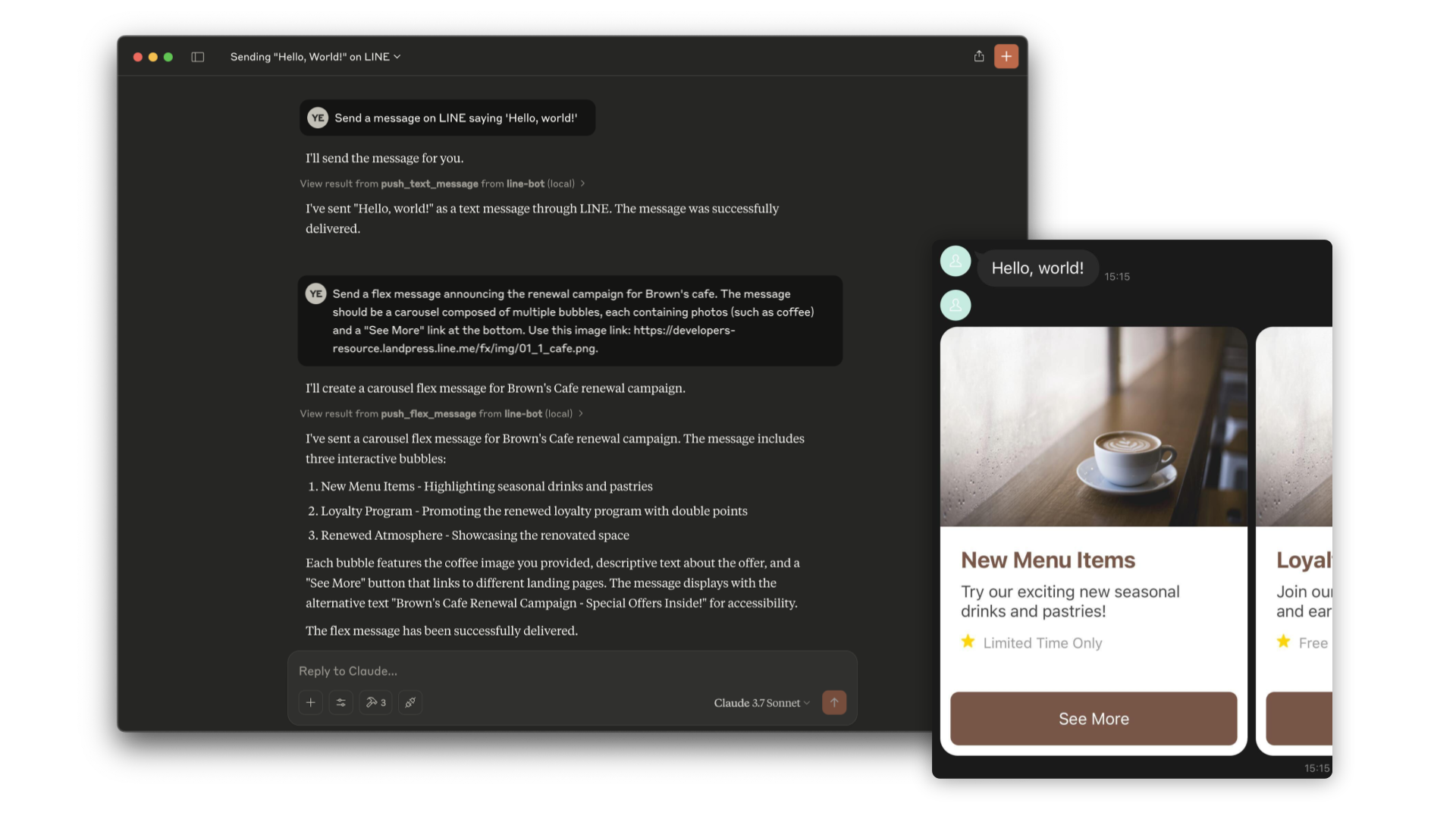
> [!NOTE]
> This repository is provided as a preview version. While we offer it for experimental purposes, please be aware that it may not include complete functionality or comprehensive support.
Tools
1. push_text_message
2. push_flex_message
3. get_profile
Installation
Step 1: Install line-bot-mcp-server
requirements:
- Node.js v20 or later
Clone this repository:
git clone git@github.com/line/line-bot-mcp-server.gitInstall the necessary dependencies and build line-bot-mcp-server when using Node.js. This step is not required when using Docker:
cd line-bot-mcp-server && npm install && npm run buildStep 2: Get a channel access token
This MCP server utilizes a LINE Official Account. If you do not have one, please create it by following this instructions.
To connect to the Messaging API, you need to have a channel access token. You can confirm this by following this instructions.
Additionally, you will need the user ID of the recipient user for messages. You can confirm this by following this instructions.
Step 3: Configure AI Agent
Please add the following configuration for an AI Agent like Claude Desktop or Cline.
Insert the channel access token and user ID you obtained earlier into `CHANNEL_ACCESS_TOKEN` and `DESTINATION_USER_ID`, respectively.
Additionally, update the path to `line-bot-mcp-server` in `mcpServers.args`.
Option 1: Use Node
{
  "mcpServers": {
    "line-bot": {
      "command": "node",
      "args": [
        "PATH/TO/line-bot-mcp-server/dist/index.js"
      ],
      "env": {
        "CHANNEL_ACCESS_TOKEN" : "FILL_HERE",
        "DESTINATION_USER_ID" : "FILL_HERE"
      }
    }
  }
}
Option 2: Use Docker
Build the Docker image first:
docker build -t line/line-bot-mcp-server .{
"mcpServers": {
"line-bot": {
"command": "docker",
"args": [
"run",
"-i",
"--rm",
"-e",
"CHANNEL_ACCESS_TOKEN",
"-e",
"DESTINATION_USER_ID",
"line/line-bot-mcp-server"
],
"env": {
"CHANNEL_ACCESS_TOKEN" : "FILL_HERE",
"DESTINATION_USER_ID" : "FILL_HERE"
}
}
}
}Frequently asked questions
What is line-mcp-demo?
line-mcp-demo is LINE Bot MCP Server
How do I install line-mcp-demo?
Open the GitHub repository and follow its README. Most MCP servers are added to your client's MCP config, then called by your agent.
Is line-mcp-demo open source?
Yes — it is hosted on GitHub at https://github.com/hirosuke0520/line-mcp-demo.
Related MCP tools
 servers
Model Context Protocol Servers
 UI-TARS-desktop
The Open-Source Multimodal AI Agent Stack: Connecting Cutting-Edge AI Models and Agent Infra
 n8n-mcp
A MCP for Claude Desktop / Claude Code / Windsurf / Cursor to build n8n workflows for you
 Figma-Context-MCP
MCP server to provide Figma layout information to AI coding agents like Cursor
 inbox-zero
The world's best AI personal assistant for email. Open source app to help you reach inbox zero fast.
 instant
Instant is the best backend for AI-coded apps. You get auth, permissions, storage, presence, and streams — everything you need to ship apps your users will love.
Run your own MCP server? See who uses it and what to fix.
Measure it with TrackMCP