
statpearls-mcp
StatPearls
Documentation
StatPearls MCP Server
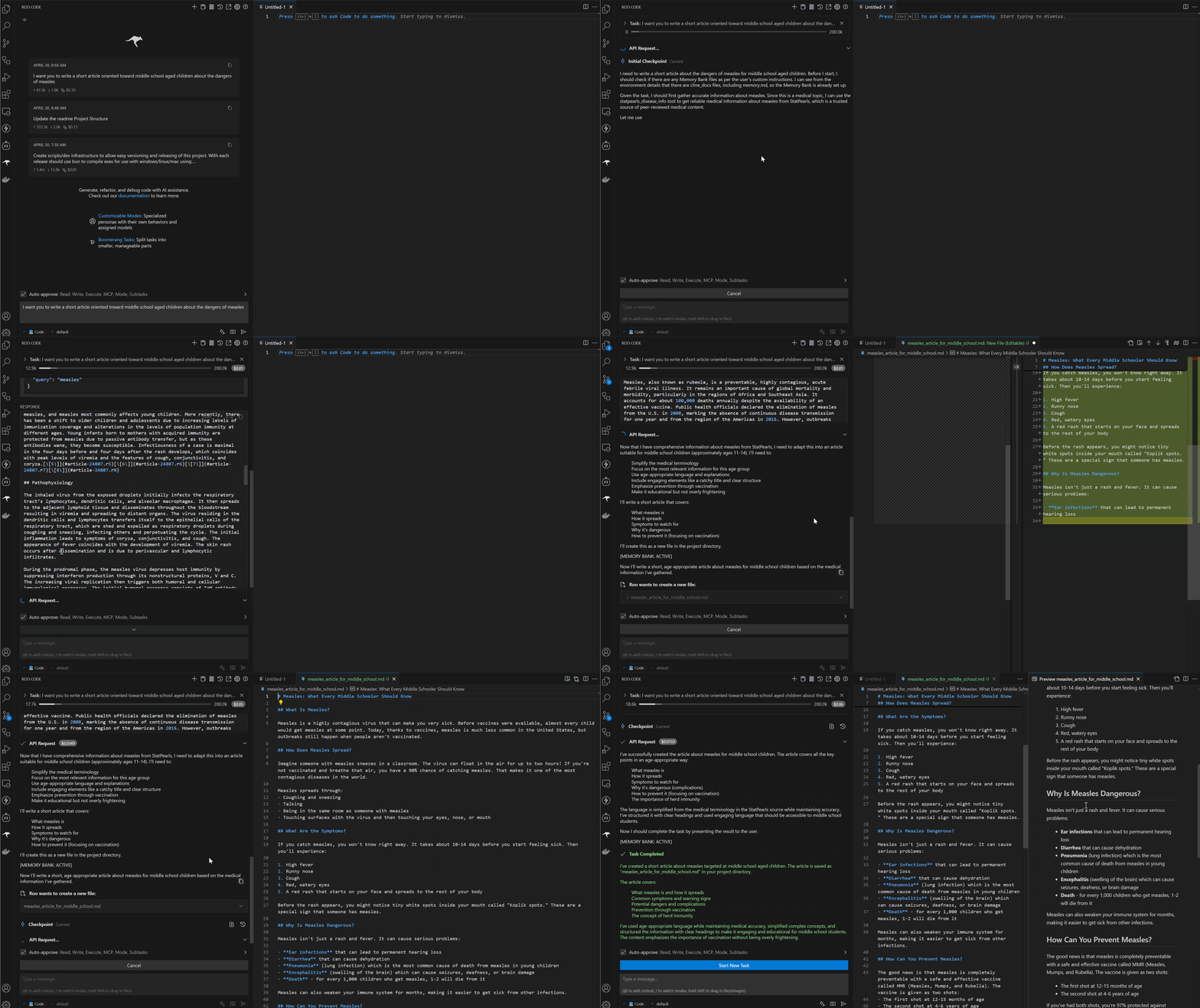
A Model Context Protocol (MCP) server that fetches disease information from StatPearls, a trusted source of peer-reviewed medical content.
Give your AI system a relaible source of medical knowledge for its next conversation.
Features
- Searches for diseases and medical conditions on StatPearls
- Retrieve comprehensive, reliable medical information from StatPearls
- Convert HTML content to well-formatted Markdown to make it AI-friendly
- Integrates with AI models via the Model Context Protocol
If you don't already have a Model Context Protocol (MCP) client:
If you are a casual user, you can use Claude Desktop to get started using MCP servers. It is a free and open-source desktop application that allows you to run MCP servers locally and connect to them.
If you are a power user/developer, I recommend using VSCode with the RooCode extension which enables you to connect in MCP servers to your development environment for infinite possibilities!
Installation
Once you have an MCP-capable AI client, you can run this server locally.
The easiest way to get up and running is to download the appropriate executable/binary for your OS from the releases page. This will give you a self-contained executable that you can run without any additional setup.
Place this executable in a directory of your choice. Then simply add the following to your `mcp_settings.json` file:
For Windows:
{
  "mcpServers": {
    ...
    "statpearls": {
      "command": "{path_to_executable_here}\\statpearls-mcp.exe"
    },
    ...
  }
}

#### For Mac/Linux:
{
"mcpServers": {
...
"statpearls": {
"command": "{path_to_executable_here}/statpearls-mcp"
},
...
}
}
### Installing via Smithery

To install statpearls-mcp for Claude Desktop automatically via [Smithery](https://smithery.ai/server/@jpoles1/statpearls-mcp):
npx -y @smithery/cli install @jpoles1/statpearls-mcp --client claude
### For Developers:

You can also run the server from source. This requires [Bun](https://bun.sh/) to be installed on your system.
  1. Clone the repository
  2. Install dependencies (`bun install`)
  3. Compile the server (`bun run build`)
  4. Now you can add the server to your `mcp_settings.json` file:
{
"mcpServers": {
...
"statpearls": {
"command": "node",
"args": [
"{path_to_proj_here}/dist/index.js"
]
},
...
}
}
## Tool Definition

The server provides a single tool:

- **statpearls_disease_info**: Fetches comprehensive, reliable medical information about diseases from StatPearls.

### Input Schema
{
"query": "diabetes",
"format_options": {
"includeToc": true,
"maxLength": 50000
}
}
- `query`: Disease or medical condition to search for (required)
- `format_options`: Optional formatting preferences
  - `includeToc`: Whether to include a table of contents (default: true)
  - `maxLength`: Maximum length of the returned content in characters (default: 50000)

### Example Output

The tool returns formatted Markdown content with:

- Title and source information
- Table of contents (optional)
- Structured sections including etiology, epidemiology, pathophysiology, clinical features, diagnosis, treatment, and prognosis (when available)

## Development

### Project Structure
statpearls-mcp/
├── src/ # Source code
│ ├── index.ts # Main entry point and server setup
│ ├── test-html-parser.ts # Test utility for HTML parser
│ ├── test-statpearls-parser.ts # Test utility for StatPearls parser
│ ├── testrun.ts # Test runner utility
│ ├── tools/ # Tool definitions and handlers
│ │ └── statpearls.ts # StatPearls tool definition and handler
│ ├── services/ # Core functionality services
│ │ ├── search.ts # Search functionality
│ │ ├── content.ts # Content retrieval and processing
│ │ └── markdown.ts # HTML to Markdown conversion
│ ├── types/ # Type definitions
│ │ ├── index.ts # Common type definitions
│ │ └── statpearls.ts # StatPearls-specific type definitions
│ └── utils/ # Utility functions
│ ├── html.ts # HTML parsing utilities
│ ├── error.ts # Error handling utilities
│ └── statpearls-parser.ts # StatPearls content parsing utilities
├── scripts/ # Build and utility scripts
│ ├── build.ts # Build script for creating Node.js compatible bundle
│ ├── compile.ts # Script for compiling executables
│ ├── release.ts # Script for handling releases
│ └── version.ts # Script for managing versioning
├── dist/ # Build output directory (not in repository)
├── package.json # Project configuration and dependencies
├── tsconfig.json # TypeScript configuration
├── bun.lock # Bun dependency lock file
├── README.md # Main project documentation
└── RELEASE-PROCESS.md # Documentation for release process
### Building and Releasing

#### Building

The build process creates a single JavaScript file that can run with vanilla Node.js:
Production build
bun run build
or
bun run build:prod
Development build
bun run build:dev
This creates a bundled file at `dist/index.js` that includes all dependencies.

#### Compiling Executables

You can compile platform-specific executables using Bun's compilation feature:
Compile for all platforms
bun run compile:all
Compile for specific platforms
bun run compile:linux
bun run compile:windows
bun run compile:mac
This creates executable files in the `dist` directory:
- `statpearls-mcp` (default executable)
- `statpearls-mcp-linux-x64` (Linux)
- `statpearls-mcp-windows-x64.exe` (Windows)
- `statpearls-mcp-darwin-x64` (macOS)

#### Releasing

The release process handles versioning, building, compiling, and Git operations:
Release a patch version (bug fixes)
bun run release:patch
Release a minor version (new features, backward compatible)
bun run release:minor
Release a major version (breaking changes)
bun run release:major
This process:
1. Updates the version in package.json
2. Builds the distribution file
3. Compiles executables for all platforms
4. Creates a Git commit with the version number
5. Creates a Git tag for the version
6. Pushes the commit and tag to GitHub

#### Versioning

The project follows semantic versioning. You can check the current version with:
bun run version
## License

This project is licensed under the MIT License - see the LICENSE file for details.Frequently asked questions
What is statpearls-mcp?
statpearls-mcp is StatPearls
How do I install statpearls-mcp?
Open the GitHub repository and follow its README. Most MCP servers are added to your client's MCP config, then called by your agent.
Is statpearls-mcp open source?
Yes — it is hosted on GitHub at https://github.com/jpoles1/statpearls-mcp and has 1 stars.
Related MCP tools
 servers
Model Context Protocol Servers
 UI-TARS-desktop
The Open-Source Multimodal AI Agent Stack: Connecting Cutting-Edge AI Models and Agent Infra
 n8n-mcp
A MCP for Claude Desktop / Claude Code / Windsurf / Cursor to build n8n workflows for you
 Figma-Context-MCP
MCP server to provide Figma layout information to AI coding agents like Cursor
 inbox-zero
The world's best AI personal assistant for email. Open source app to help you reach inbox zero fast.
 instant
Instant is the best backend for AI-coded apps. You get auth, permissions, storage, presence, and streams — everything you need to ship apps your users will love.
Run your own MCP server? See who uses it and what to fix.
Measure it with TrackMCP