
mdshare
Share and collaborate on local markdown files via shareable links
Documentation
mdshare
Share markdown instantly. Free. No login required.




**mdshare.live | API Docs | VS Code | Obsidian**
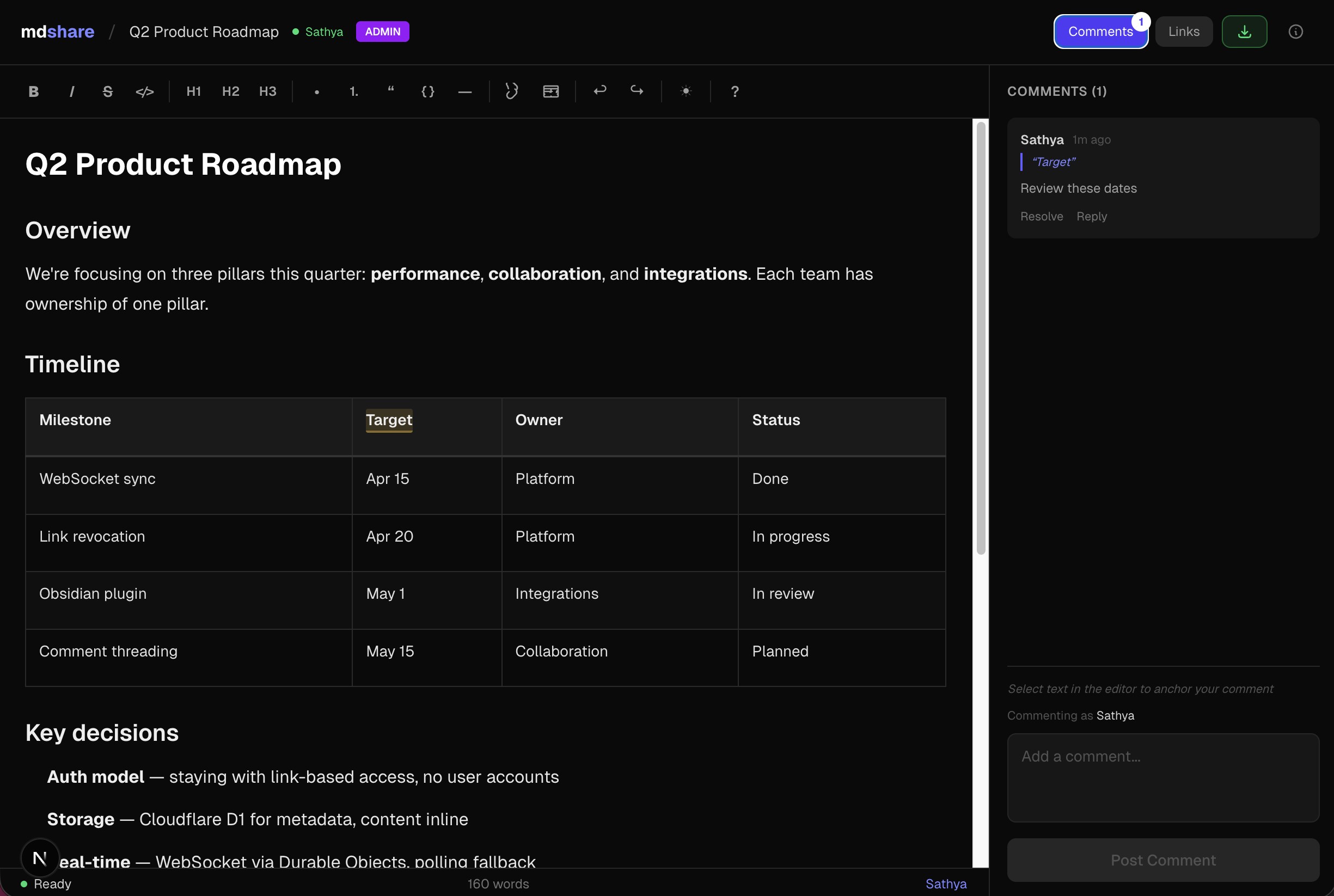
Quick Start
Paste markdown at mdshare.live, start from a blank page, or upload via curl:
curl -X POST https://mdshare.live/api/documents \
  -H "Content-Type: text/markdown" \
  --data-binary @your-file.md
You get back an admin URL. Share it, or generate links with different permissions.
Features
- Four permission levels -- Admin, Edit, Comment, View -- each with its own shareable link
- WYSIWYG editor -- formatting toolbar, tables, code blocks, keyboard shortcuts
- Inline comments -- anchor comments to specific text, reply, and resolve
- Real-time sync -- WebSocket collaboration, live presence indicators
- Link management -- revoke links instantly, optional expiry, 50-link cap per document
- VS Code & Obsidian plugins -- share markdown directly from your editor
- API & MCP -- REST API + MCP server for Claude, ChatGPT, Gemini, Cursor, and Windsurf
MCP Server
npx mdshare-mcpSay *"upload my-notes.md to mdshare"* in any MCP-compatible AI tool. The MCP server reads files directly from disk (no echoing through the conversation), so it's fast even for large markdown files. Setup guide
Claude Code Plugin
/plugin marketplace add urbanmorph/mdshare
/plugin install mdshare@urbanmorph
Wraps the MCP server above with a single skill — Claude reaches for it on phrases like *"share this markdown"*. Setup guide · source
Cursor Plugin
Listed on Cursor Directory — click "Add to Cursor" on the listing page. Same MCP server, same skill as the Claude Code plugin. Source
Obsidian Plugin
Listed in the Obsidian Community Plugins directory — install via `Settings → Community Plugins → Browse → search "mdshare"`. Right-click any `.md` file in your vault to share it; admin URL is copied to your clipboard. Source
Tech Stack
| Component | Technology |
|---|---|
| Framework | Astro 5 |
| UI | React (as Astro islands) |
| Hosting | Cloudflare Workers (native) |
| Database | Cloudflare D1 (SQLite) |
| Real-time | Cloudflare Durable Objects (WebSocket) |
| Editor | Tiptap + tiptap-markdown |
| Styling | Tailwind CSS v4 |
| CI/CD | GitHub Actions |
Local Development
git clone https://github.com/urbanmorph/mdshare.git
cd mdshare
npm install

# Create a .dev.vars file with your Cloudflare API token
echo "CLOUDFLARE_API_TOKEN=your_token" > .dev.vars

# Apply local D1 migrations
npx wrangler d1 migrations apply mdshare-db --local

# Start dev server
npm run dev -- -p 3737
Contributing
Issues and PRs welcome. Please open an issue first to discuss significant changes.
License
MIT
Frequently asked questions
What is mdshare?
mdshare is Share and collaborate on local markdown files via shareable links
How do I install mdshare?
Open the GitHub repository and follow its README. Most MCP servers are added to your client's MCP config, then called by your agent.
Is mdshare open source?
Yes — it is hosted on GitHub at https://github.com/urbanmorph/mdshare and has 8 stars.
Related MCP tools
 servers
Model Context Protocol Servers
 UI-TARS-desktop
The Open-Source Multimodal AI Agent Stack: Connecting Cutting-Edge AI Models and Agent Infra
 n8n-mcp
A MCP for Claude Desktop / Claude Code / Windsurf / Cursor to build n8n workflows for you
 Figma-Context-MCP
MCP server to provide Figma layout information to AI coding agents like Cursor
 inbox-zero
The world's best AI personal assistant for email. Open source app to help you reach inbox zero fast.
 instant
Instant is the best backend for AI-coded apps. You get auth, permissions, storage, presence, and streams — everything you need to ship apps your users will love.
Run your own MCP server? See who uses it and what to fix.
Measure it with TrackMCP