
mcp-server-brainflow-docs
BrainFlow - Shared Team's Memory - Company Brain - MCP server documentation and setup guide
Documentation
BrainFlow: The Brain of Your Company (MCP Server)
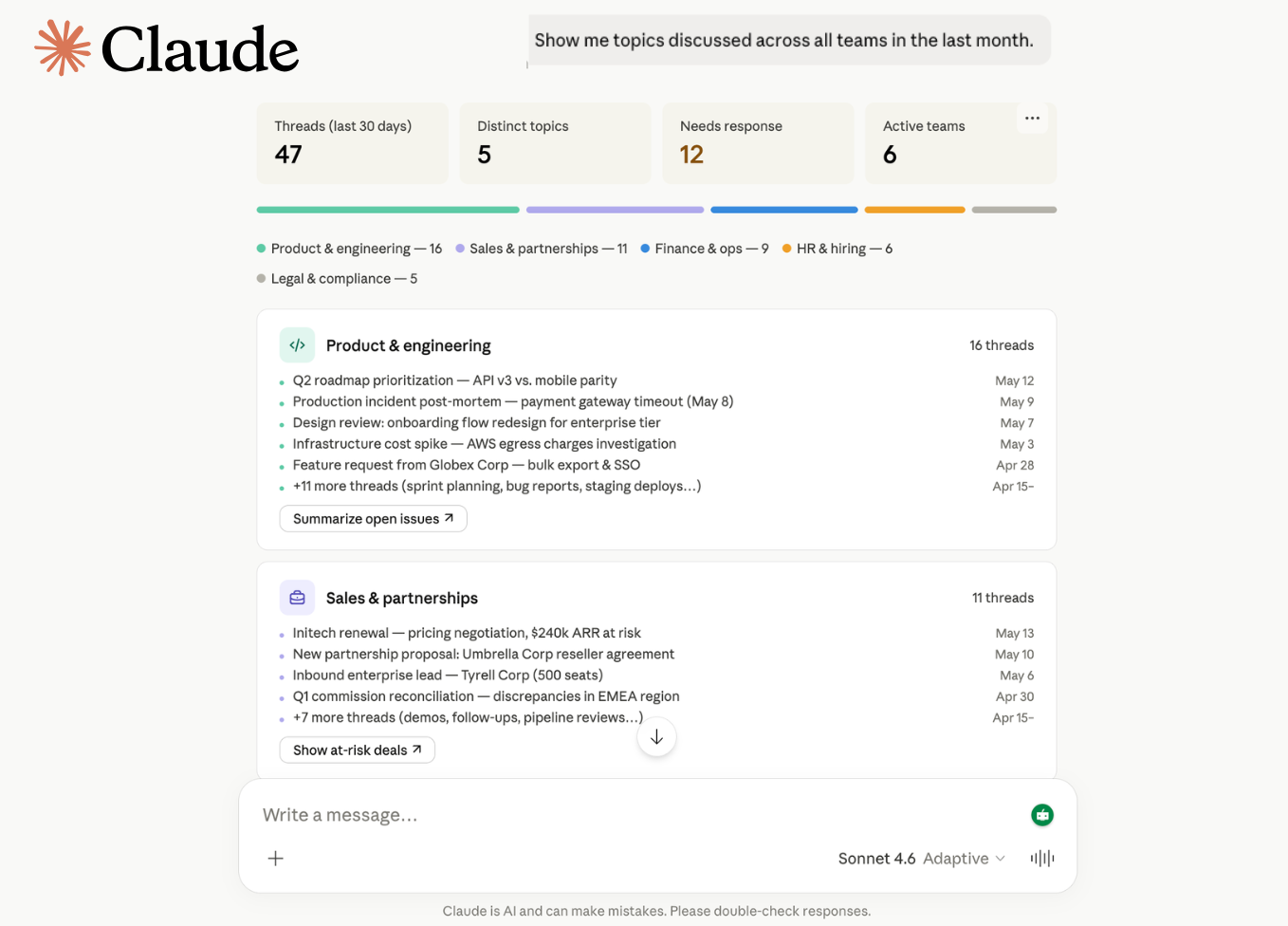
Your company's brain, connected to Claude, ChatGPT, Gemini, Cursor, and VS Code. Turn your team's email history into shared memory that any AI assistant can query with natural language.
**🌐 brain-flow.ai**
Features
- Natural Language Queries — Ask questions in plain English. The AI translates to SQL and returns sourced answers.
- Team Memory Search — Query emails, tasks, deals, and decisions across your entire company workspace.
- Cross-Team Context — Sales handoffs to ops, legal feedback to product, marketing summaries for leadership — all connected.
- Multi-Platform — Works with Claude (Web + Desktop), ChatGPT, Gemini, Cursor, and VS Code Copilot.
- Company-Scoped Security — Every query is automatically filtered to your company. No cross-tenant data leakage.
- Read-Only — Only `SELECT` queries are permitted. No write, delete, or modify operations possible.
- Audit Trail — Every API key usage is tracked with timestamps.
Prerequisites
- Active BrainFlow account
- BrainFlow API key (generated from your dashboard)
- MCP-compatible AI assistant (Claude, ChatGPT, Gemini, Cursor, or VS Code)
BrainFlow Pricing
The MCP server is included free with every BrainFlow subscription. No separate MCP charge.
| Plan | Price | Users | MCP Access | Rate Limits |
|---|---|---|---|---|
| Founder | $19.90/mo ($15.90/mo billed annually) | 1 | ✅ Full access | Standard |
| Startup | $99.90/mo ($79.90/mo billed annually) | Up to 10 | ✅ Full access | Higher |
| Corporate | $899.90/mo ($599.90/mo billed annually) | Up to 100 | ✅ Full access | Highest |
- 7-day free trial on all plans
- 30-day refund guarantee
- Cancel anytime
How It Works
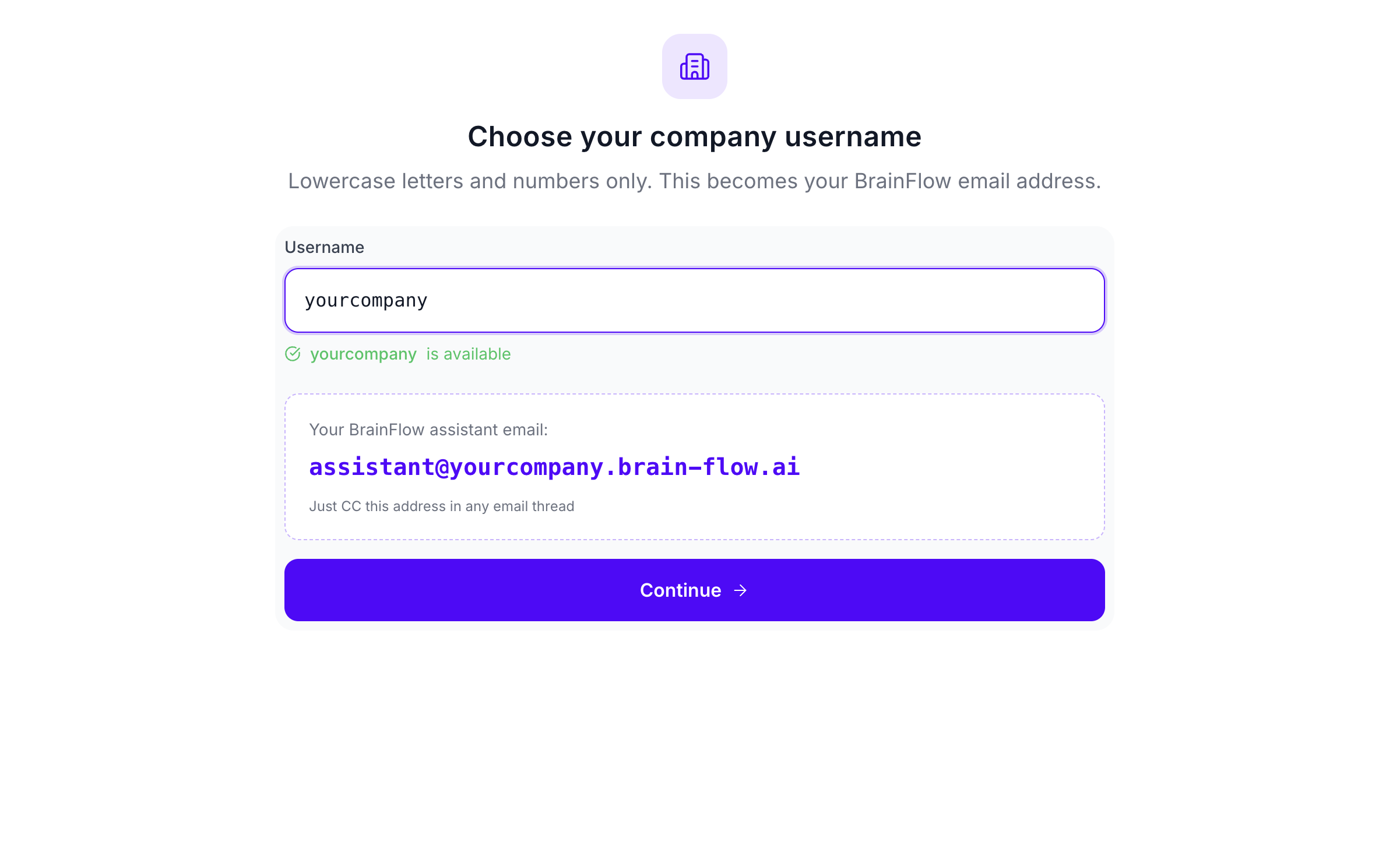
1. Create your BrainFlow account
Sign up at brain-flow.ai and create your company workspace.
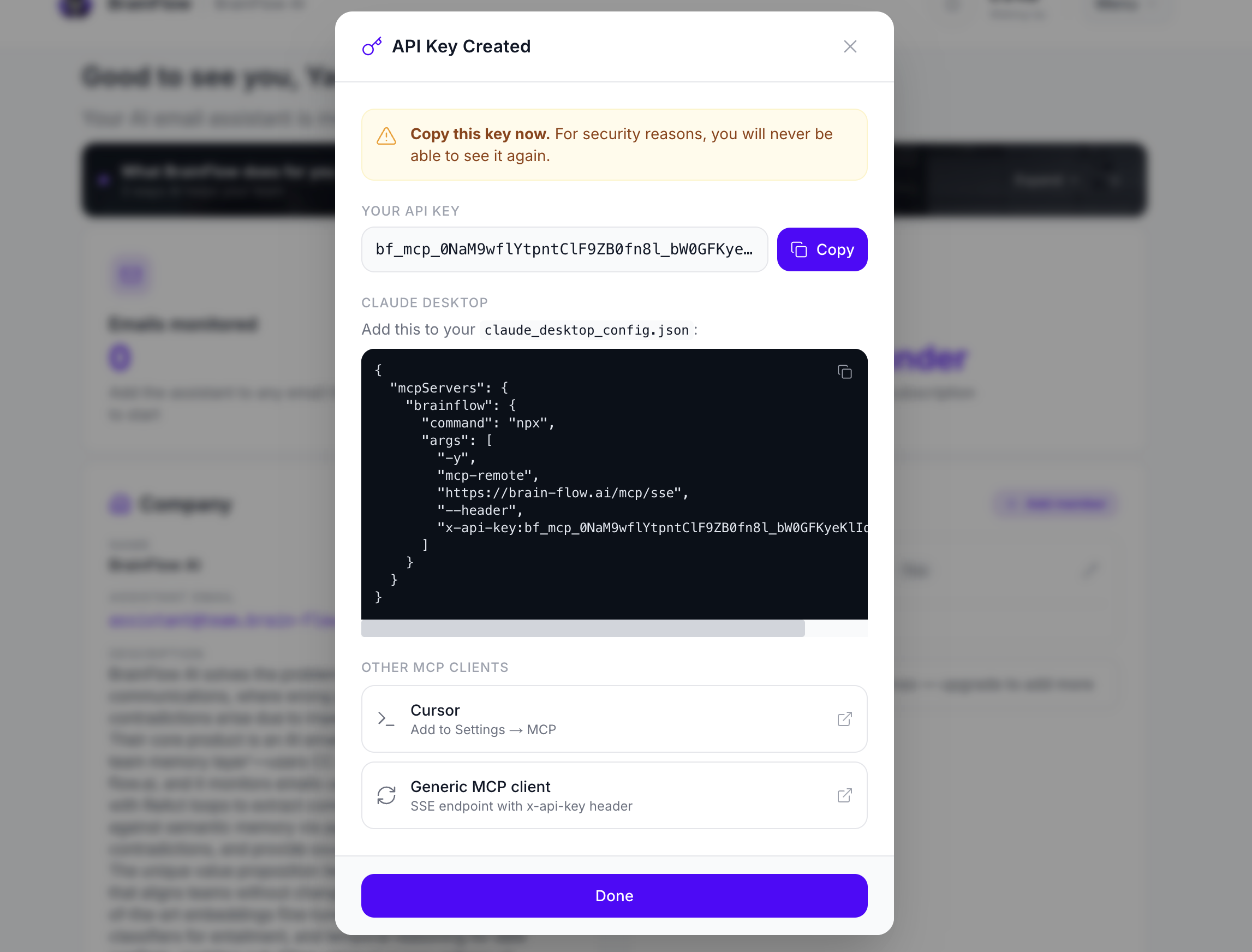
2. Get your BrainFlow API key
Generate an API key from your BrainFlow Dashboard. This is what you'll use to connect your AI assistant.
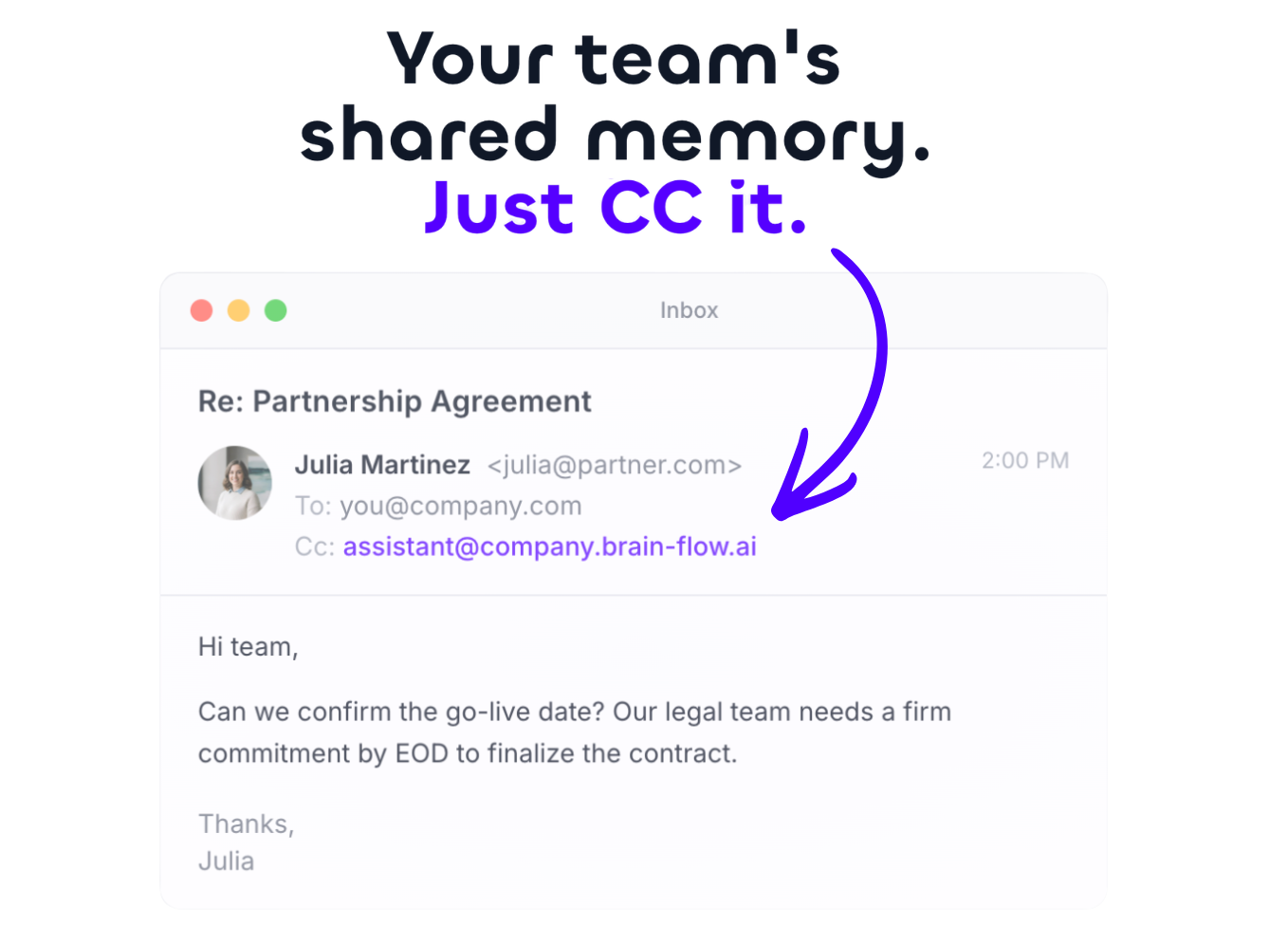
3. Include BrainFlow in CC
Add your BrainFlow email to the CC of any email thread you want to remember. BrainFlow automatically ingests and indexes the conversation.
4. Query with natural language
Connect your AI assistant via MCP and ask questions about any thread your team has shared.
Setup
Generate an API key
In your BrainFlow dashboard:
1. Go to Settings → API Keys
2. Click Generate key
3. Name it (e.g. "Claude Desktop")
4. Copy the key — you will only see it once
Connect your AI assistant
Claude (Web)
Go to Customize → Connectors → Add custom connector
- Name: `BrainFlow`
- URL: `https://brain-flow.ai/mcp/sse?api_key=bf_mcp_YOUR_KEY_HERE`
Claude Desktop
Go to Settings → Developer → Edit Config:
{
  "mcpServers": {
    "brainflow": {
      "command": "npx",
      "args": [
        "-y",
        "mcp-remote",
        "https://brain-flow.ai/mcp/sse",
        "--header",
        "x-api-key:bf_mcp_YOUR_KEY_HERE"
      ]
    }
  }
}
ChatGPT (requires Developer Mode beta)
Settings → Apps → Advanced settings → Enable Developer Mode → Create app
- Name: `BrainFlow`
- URL: `https://brain-flow.ai/mcp/sse?api_key=bf_mcp_YOUR_KEY_HERE`
Gemini
gemini mcp add brainflow https://brain-flow.ai/mcp/sse --header "x-api-key:bf_mcp_YOUR_KEY_HERE"VS Code
Add to your `settings.json`:
{
  "mcp": {
    "inputs": [],
    "servers": {
      "brainflow": {
        "command": "npx",
        "args": [
          "-y",
          "mcp-remote",
          "https://brain-flow.ai/mcp/sse",
          "--header",
          "x-api-key:bf_mcp_YOUR_KEY_HERE"
        ]
      }
    }
  }
}
Cursor
1. Open Cursor Settings (Cmd/Ctrl + ,)
2. Go to MCP
3. Add the BrainFlow server config above
4. Query in Composer while you code
Replace `YOUR_KEY_HERE` with your actual API key. Restart your assistant and start asking questions.
What You Can Ask
Cross-team handoffs
| Question | What you get |
|---|---|
| "What commitments did sales make to Delta Corp that operations should know about?" | Sourced commitments with links to original threads |
| "Has anyone from engineering spoken to Acme Corp about the API issues?" | Team member names, dates, and conversation summaries |
| "Which prospects did BD reach out to that we already have contracts with?" | Overlap detection between prospects and existing clients |
Team activity & decisions
| Question | What you get |
|---|---|
| "Summarize the marketing team's exchanges over the last week." | Weekly summary with key topics and decisions |
| "What did product decide about the Q3 roadmap in their last sync?" | Decision points and action items from product threads |
| "Show me unresolved high-priority tasks across all teams." | Filtered task list with assignees and deadlines |
Documents & contracts
| Question | What you get |
|---|---|
| "What did legal say about the Alpha contract terms?" | Legal feedback summary with clause references |
| "Find all Q3 budget discussions across departments." | Aggregated budget threads with dollar amounts |
Company-wide insights
| Question | What you get |
|---|---|
| "Summarize client feedback the support team collected this month." | Themed feedback summary with sentiment trends |
| "Which topics came up most in leadership emails this quarter?" | Topic frequency analysis with top threads |
Security
- Read-only. The server only runs `SELECT` queries. `INSERT`, `UPDATE`, `DELETE`, `DROP`, `CREATE`, `UNION`, and subqueries are all blocked at the parser level.
- Company-scoped filtering. Every query is automatically injected with `company_id = 'YOUR_COMPANY_UUID'` before execution. No manual filter needed, no filter bypass possible.
- API key validation. Keys are SHA-256 hashed and validated on every request. Revoked or inactive keys are rejected immediately.
- UUID-enforced scoping. Company IDs are validated as proper UUIDs before any query execution, preventing injection attacks.
- No external APIs. Your data never leaves your database. No third-party API calls are made during query processing.
- Audit trail. Each key records `last_used_at` timestamp on every successful request.
- Rate limiting. Fair-use limits apply per plan tier to prevent abuse.
For security issues, email hello@brain-flow.ai.
License
MIT
Frequently asked questions
What is mcp-server-brainflow-docs?
mcp-server-brainflow-docs is BrainFlow - Shared Team's Memory - Company Brain - MCP server documentation and setup guide
How do I install mcp-server-brainflow-docs?
Open the GitHub repository and follow its README. Most MCP servers are added to your client's MCP config, then called by your agent.
Is mcp-server-brainflow-docs open source?
Yes — it is hosted on GitHub at https://github.com/yacine-cherif/mcp-server-brainflow-docs and has 25 stars.
Related MCP tools
 inbox-zero
The world's best AI personal assistant for email. Open source app to help you reach inbox zero fast.
 mem0
mem0Universal memory layer for AI Agents; Announcing OpenMemory MCP - local and secure memory management. Python-based implementation.
 cognee
Cognee is the open-source AI memory platform for agents. Give your AI agents persistent long-term memory across sessions with a self-hosted knowledge graph engine.
 wigolo
The go-to web for your AI coding agent — local-first search, fetch, crawl & research over MCP. No API keys, no cloud, $0/query. Public beta.
 Unity-MCP
AI Skills, MCP Tools, and CLI for Unity Engine. Full AI develop and test loop. Use cli for quick setup. Efficient token usage, advanced tools. Any C# method may be turned into a tool by a single line. Works with Claude Code, Gemini, Copilot, Cursor and any other absolutely for free.
 google_workspace_mcp
Control Gmail, Google Calendar, Docs, Sheets, Slides, Chat, Forms, Tasks, Search & Drive with AI - Comprehensive Google Workspace MCP Server & CLI Tool
Run your own MCP server? See who uses it and what to fix.
Measure it with TrackMCP